iptables Visualization: When Rules Become Clear
We've all been there: you look at a list of iptables rules and try to figure out how packets will flow through this tangled filtering system. The iptable_vis project transforms iptables text output into clear diagrams that immediately show the logic behind your network rules.
Who Is This For?
- System administrators tired of reading kilometer-long iptables rules
- DevOps engineers configuring complex network policies
- Anyone who wants to quickly understand someone else's iptables configuration
How It Works?
The project uses a simple but powerful combination:
- iptables output is saved to a file
- An AWK script converts it to blockdiag format
- The diagram generator creates a clear SVG schematic
Usage example:
# Экспортируем текущие правила
iptables -v -L > iptables.txt

# Преобразуем в диаграмму
awk -f iptables-vis.awk < iptables.txt > iptables.dia

# Генерируем SVG
blockdiag iptables.dia -T svg -o iptables.svg
Key Features
- Chain filtering — visualize only the rules you need:
# Только INPUT и OUTPUT
awk -f iptables-vis.awk -v 'chain_selector=INPUT|OUTPUT' < iptables.txt
- Empty chain display — useful for debugging:
awk -f iptables-vis.awk -v 'include_empty_chains=1' < iptables.txt
- All tables support — NAT, FILTER, MANGLE, and others
Example Result
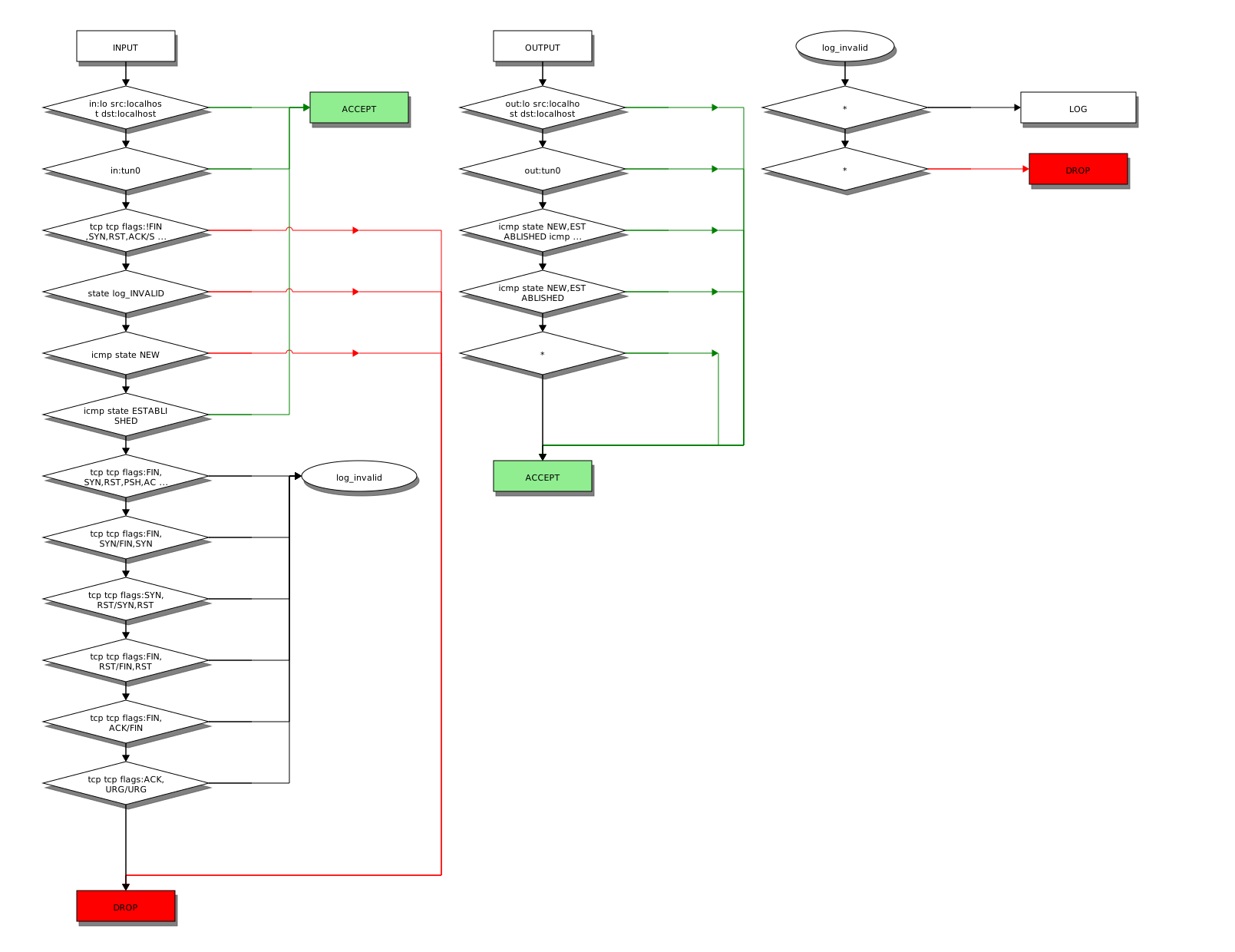
Diagram Legend
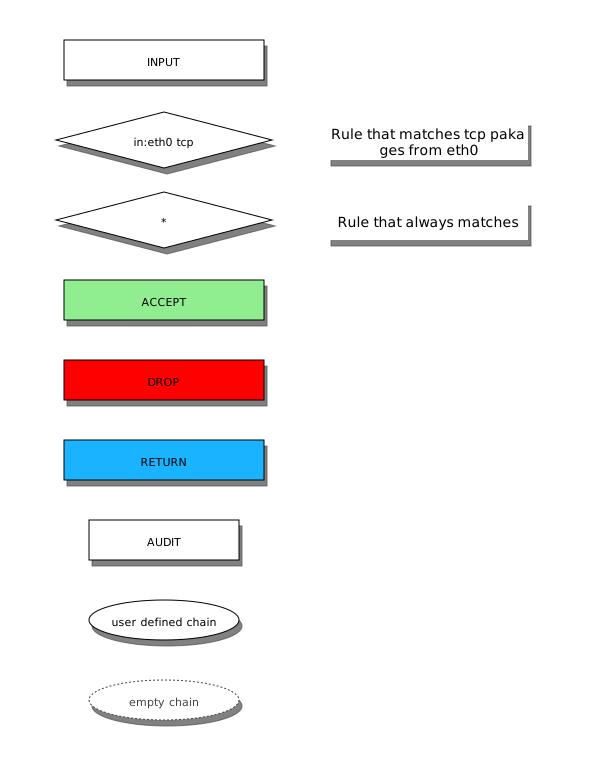
When Is It Particularly Useful?
- Security analysis — immediately see which packets go where
- Learning — beginners find it easier to understand iptables through visualization
- Documentation — diagrams in documentation are better than text lists
- Rule migration — helps transfer complex configurations between systems
Technical Details
The project is written in AWK — an ideal choice for processing iptables text output. It uses blockdiag for diagram generation — a simple tool for creating schematics from text descriptions.
Conclusion: Is It Worth Trying?
If you've ever:
- Spent half a day searching for an error in iptables
- Tried to understand someone else's configuration
- Wanted to check how new rules would affect packet flow
— then iptable_vis will save you a ton of time. The project is easy to install, doesn't require complex dependencies, and truly makes working with iptables more visual.
As a bonus — you can easily integrate it into CI/CD for automatic network rules documentation generation.