How to Run a 744 Billion Parameter Neural Network on a Regular Computer

When you open the page of a model like GLM-5.2 with 744 billion parameters or Kimi K3 with 2.8 trillion, the first thought is pretty straightforward: you need a server rack with a dozen H100 GPUs. If you don't have those resources on hand, the only option left is paying for API calls.
Recently I came across the JustVugg/colibri project. The author wrote a lightweight inference engine in pure C with no third-party dependencies. The engine manages to run massive MoE models on a regular desktop or laptop with 24 GB of RAM, pulling weights directly from a fast SSD.
What's the trick
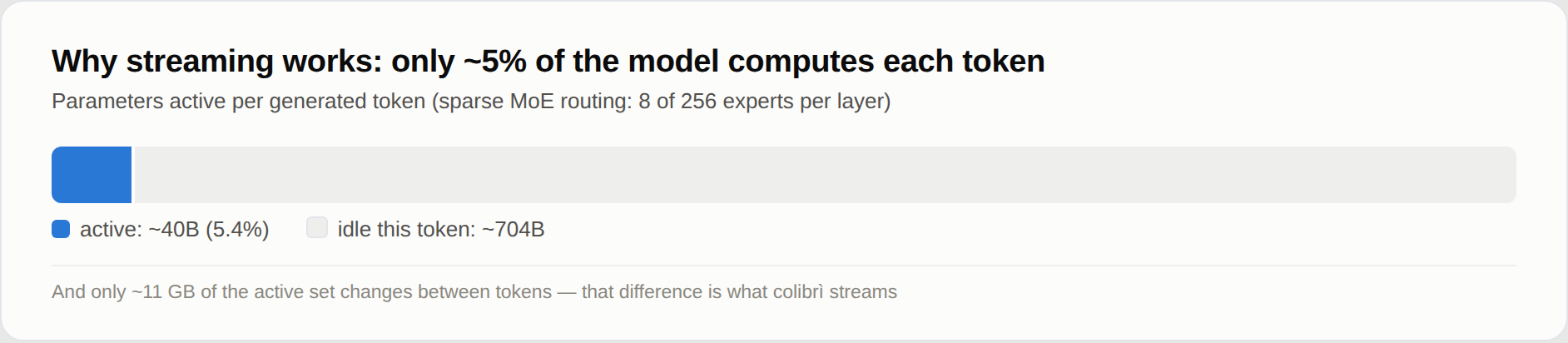
The Mixture-of-Experts (MoE) architecture is designed so that the entire model isn't required to generate a single token. For example, in GLM-5.2 out of 744 billion parameters, only about 40 billion are active. Moreover, from token to token, only about 11 GB of weights change, corresponding to the experts selected by the router.
Instead of trying to cram 370 GB of model into video memory, the engine distributes data across a storage hierarchy:
- The dense part of the model (embeddings, attention, shared layers) weighs about 9.9 GB in int4 quantization and stays permanently in RAM.
- Nearly 20,000 experts reside on a fast NVMe SSD and are loaded on demand via asynchronous I/O.
- Frequently used experts settle in the LRU cache of RAM or VRAM.
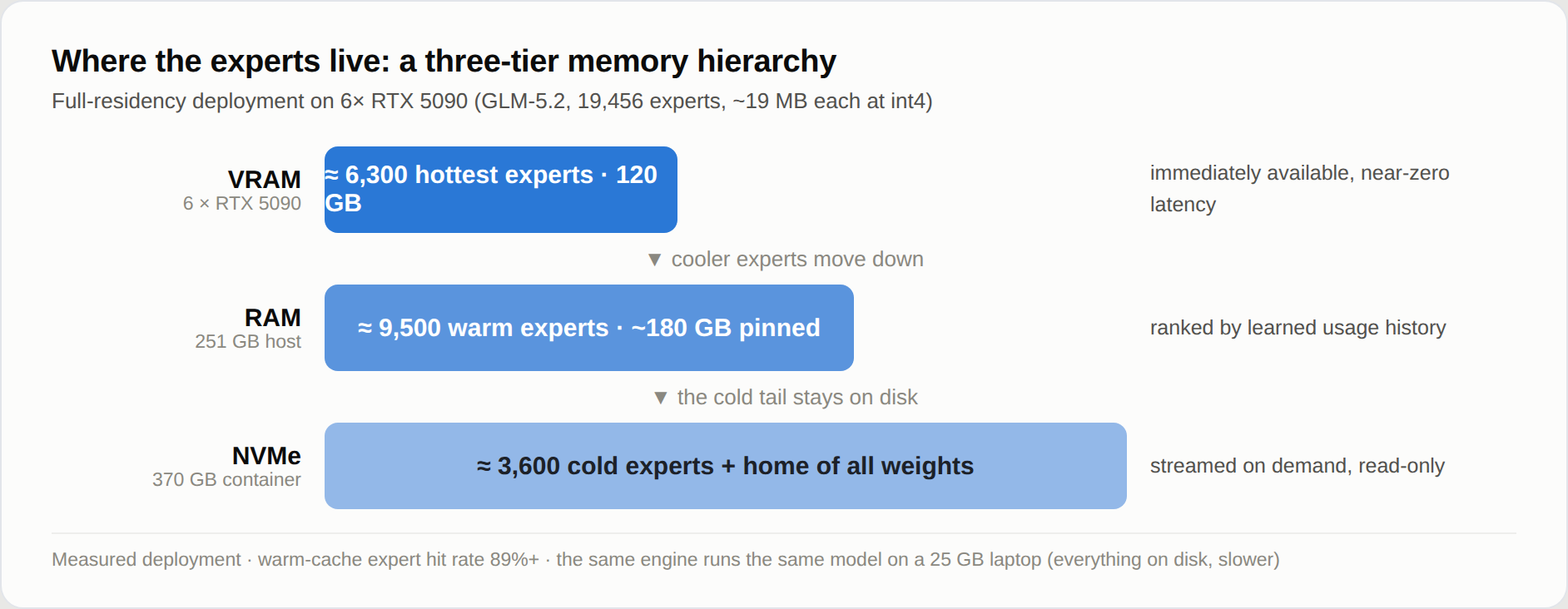
Essentially, this works like a JIT compiler, only for neural network weights. The engine tracks access statistics, remembers hot branches, and caches exactly those experts needed for the current context.
How the engine works
The codebase is concise. The core is written in C (each model family is separated into its own file, for example c/colibri.c for GLM) and compiles with gcc or clang with OpenMP support. No giant frameworks or monstrous runtimes. Python is used only for one-time weight conversion and the web interface wrapper.
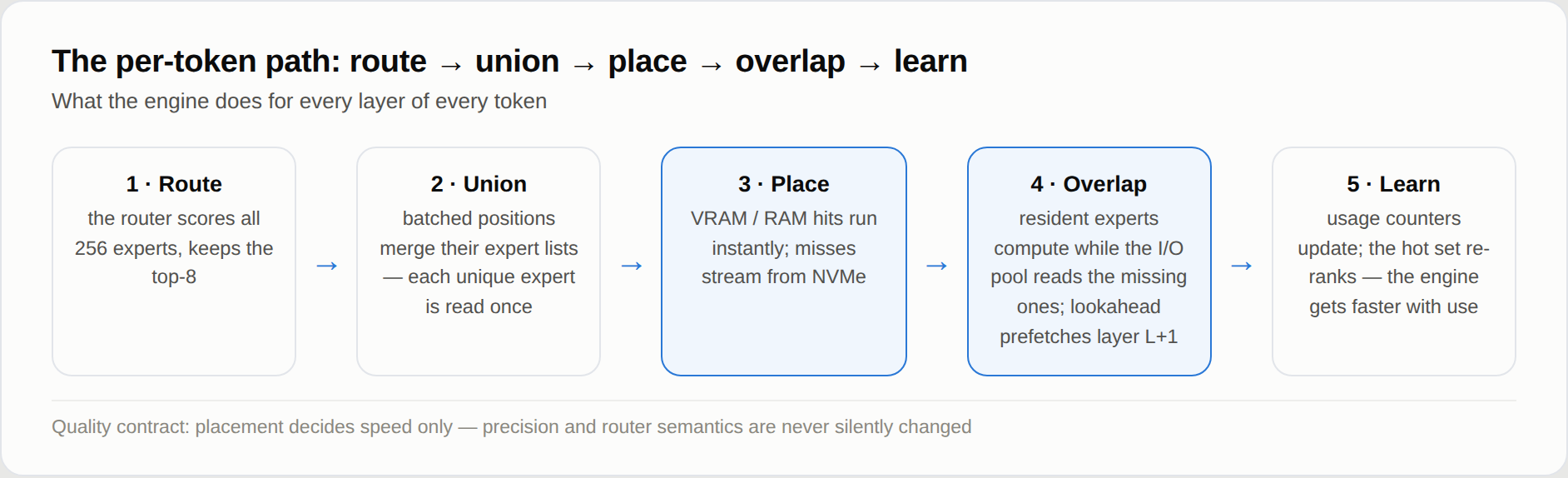
When generating each token, the engine performs several steps:
- Calculates routing one layer ahead through a separate prefetch thread. The router predicts the needed expert with about 71% accuracy, so disk reads happen in parallel with computations.
- Merges requests to identical experts into a batch to eliminate duplicate reads.
- Reads the three matrices of each expert in a single
preadsystem call. - Saves hit statistics to a history file so that on subsequent runs, hot layers are pre-pinned in memory.
Support for two storage devices is implemented interestingly. If you distribute weight copies across two different SSDs, the engine distributes expert requests proportionally to each disk's read speed. A pair of drives at 9 GB/s and 3 GB/s speeds up reading by about a third.
For computation acceleration, CUDA, Metal on Apple Silicon chips, and Vulkan are supported. The Vulkan variant works even with older GPUs like the AMD RX 580 via the RADV driver, for which the vendor long ago closed support for the latest ROCm.
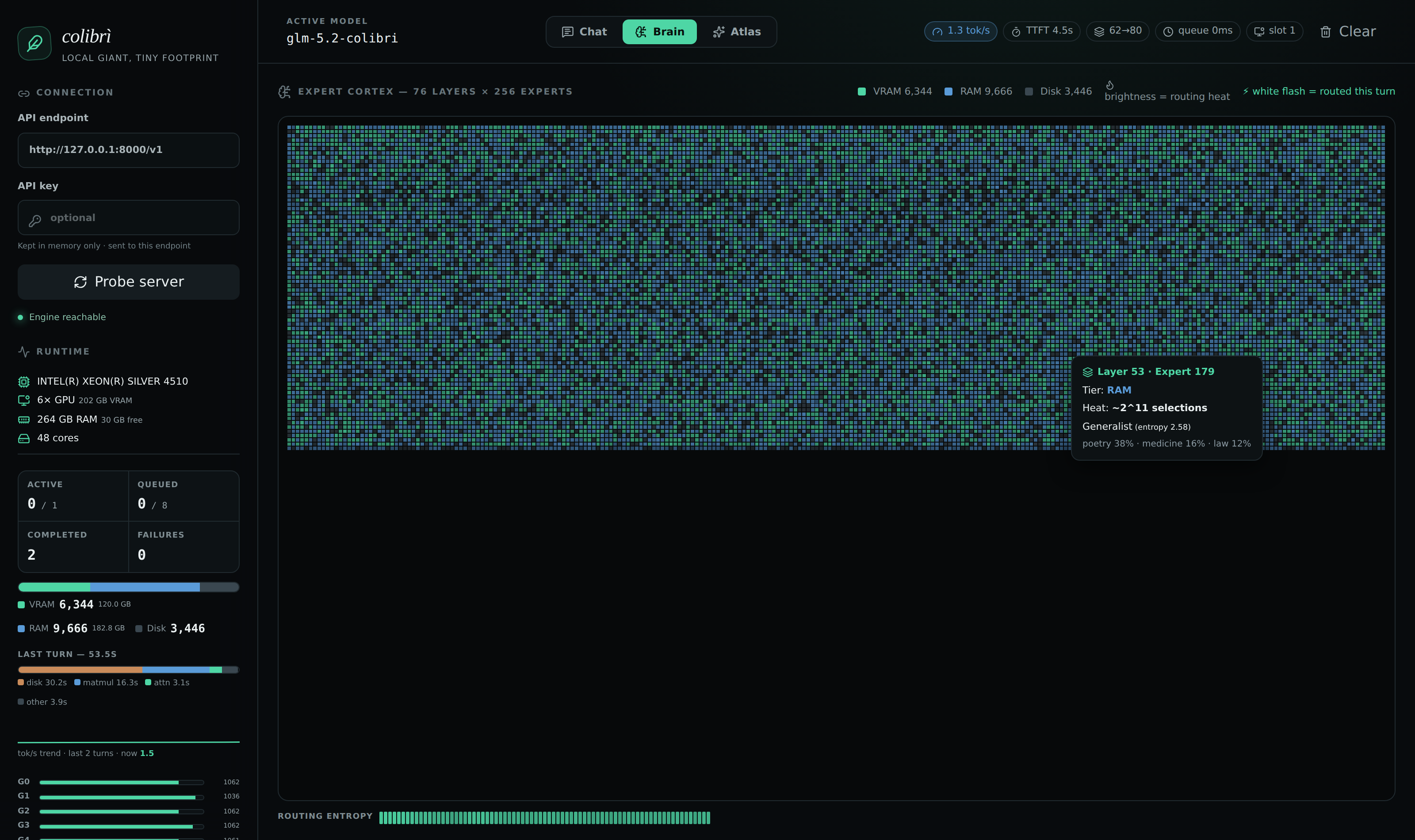
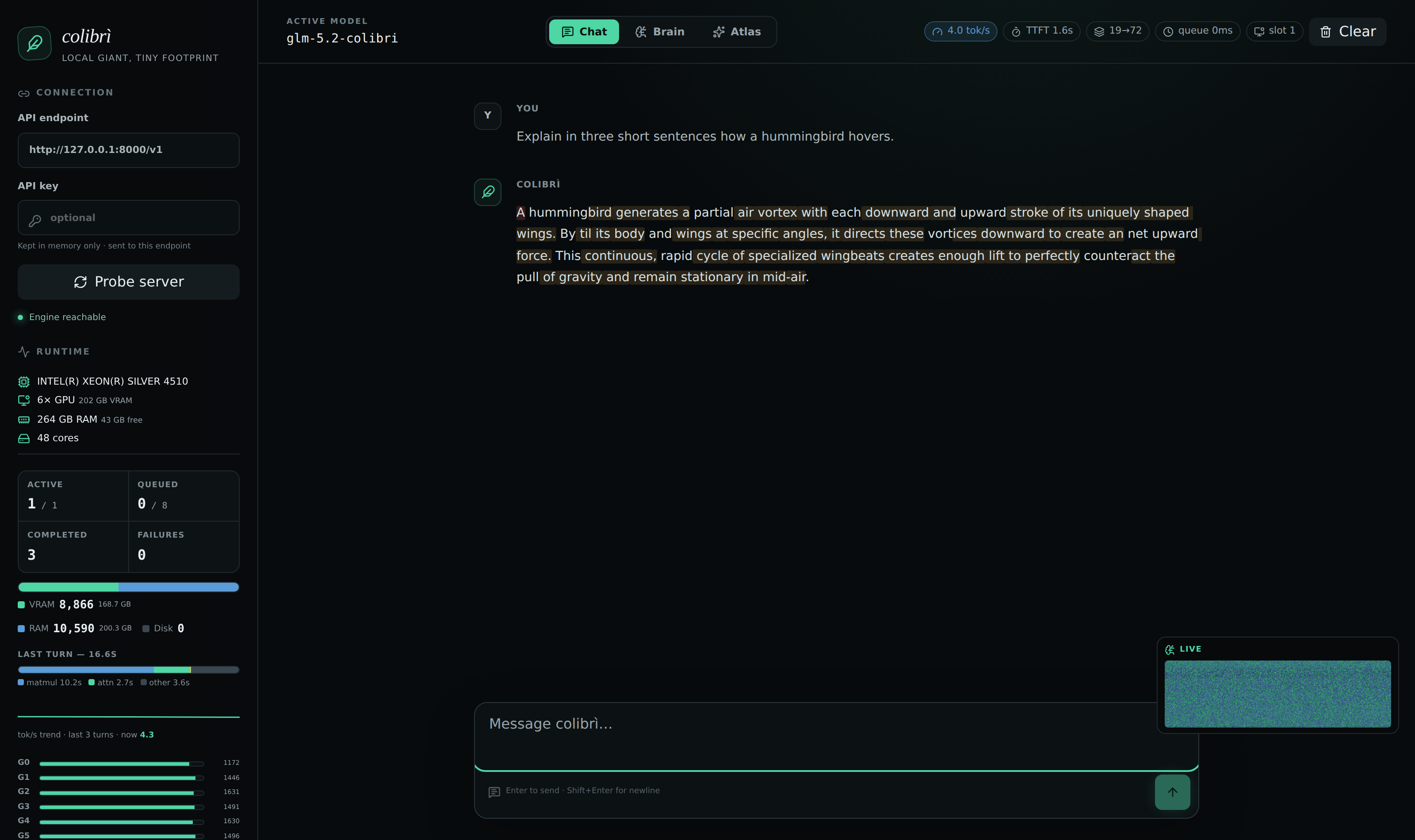
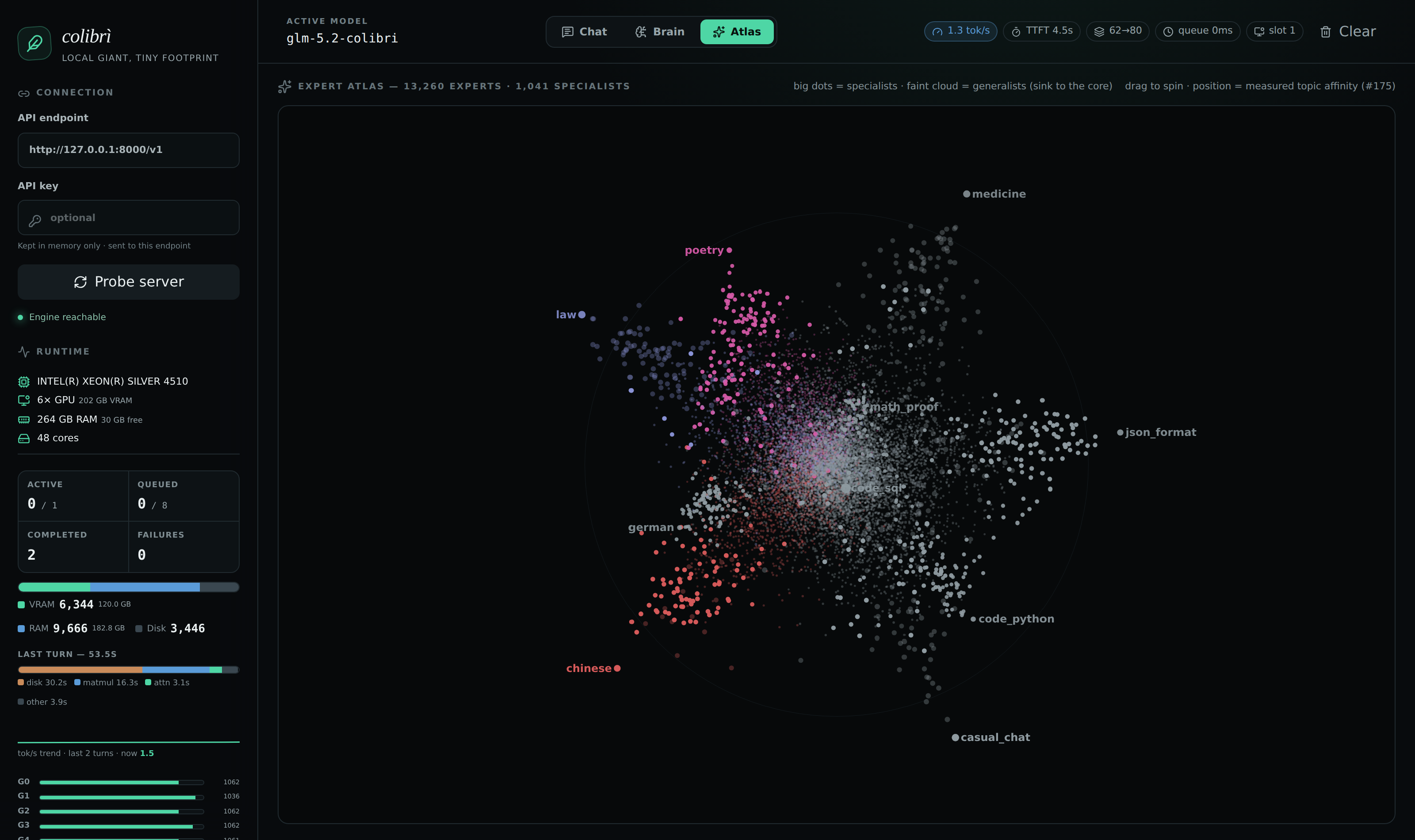
The package includes a web dashboard with expert activity visualization. On the Atlas page, you can rotate a 3D map of thousands of experts and observe how different groups handle code, legal topics, or foreign languages.
Real-world speed numbers
There are no miracles, so speed is limited by disk throughput and available memory.
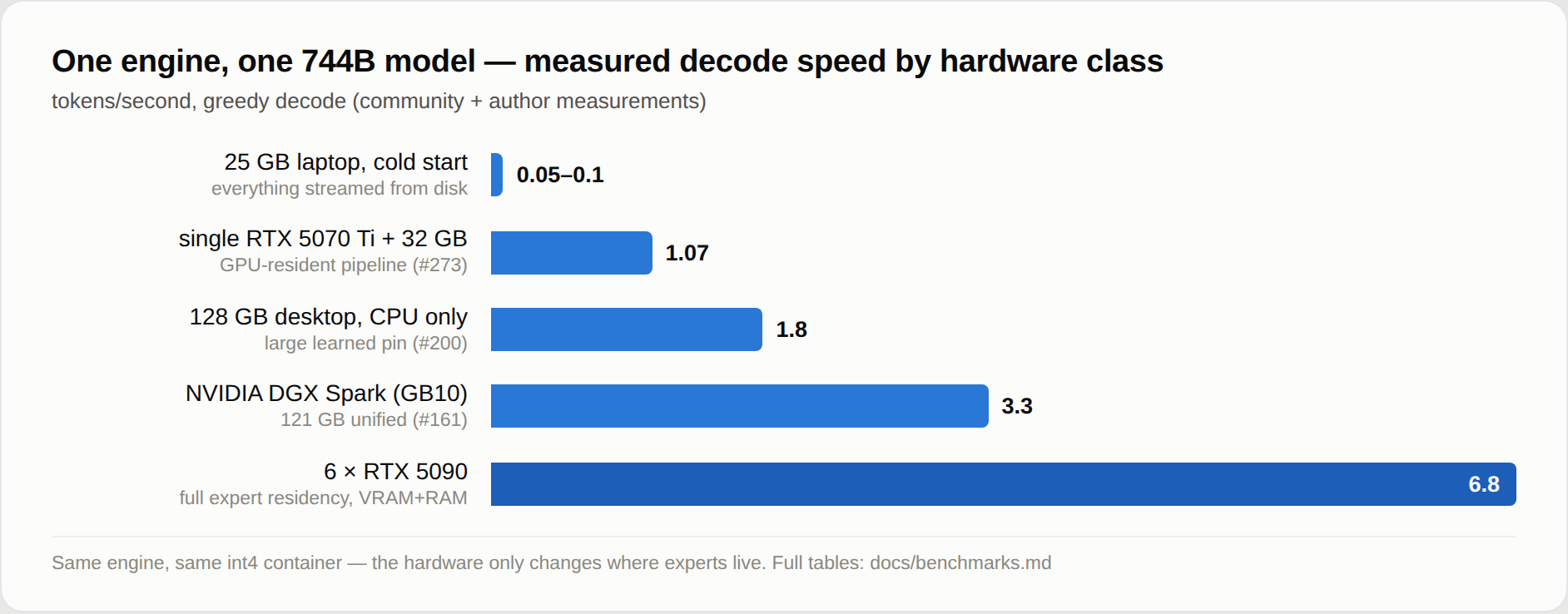
The project's benchmarks recorded the following results on the GLM-5.2 model:
- A laptop with 25 GB RAM and a cold cache produces a modest 0.05-0.1 tokens per second. It's slow, but the model responds without logic distortion.
- A workstation with 128 GB of RAM without a discrete GPU delivers about 1.8 tokens per second on a warmed cache.
- A laptop with a mobile RTX 5070 Ti accelerates to 1.07 tokens per second thanks to the GPU pipeline.
- A server with six RTX 5090 cards keeps experts entirely in video memory and shows 5.8-6.8 tokens per second.
Supported models
In addition to the base GLM-5.2, the author added support for four more architectures:
- Inkling (975B) — running the dense part in int4 requires about 25 GB of RAM and 469 GB of disk space.
- Kimi K3 (2.8T) — a giant weighing 1.6 TB, reads MXFP4 native weights directly from original shards without pre-conversion.
- DeepSeek V4 Flash (284B) — works with 167 GB of weights in fp4/fp8 format and requires 16 to 22 GB of RAM.
- OLMoE (7B) — a compact variant with 4 GB of weights for quick experiments on 8 GB of RAM.
How to run
The engine is distributed as pre-built binaries for Linux, macOS, and Windows, or can be built from source in a minute:
git clone https://github.com/JustVugg/colibri && cd colibri/c
./setup.sh
After building, download quantized weights for the desired model from Hugging Face (for example, GLM-5.2 int4 takes about 372 GB) and start the chat via terminal:
COLI_MODEL=/path/to/glm52_i4 ./coli chat
If you want a local server compatible with the OpenAI API along with the web panel, run:
./coli web --model /path/to/glm52_i4
Before launching, it's worth checking memory distribution with ./coli plan and running a quick hardware test with ./coli tune.
Who will find this project useful
Colibrì is unlikely to suit high-load production due to disk read latency on consumer hardware. However, it's a great find for researchers, enthusiasts, and developers who need to test reasoning of top open-source models locally without buying server GPUs for millions of rubles. The core code is compact and transparent, making the engine convenient to use as a playground for your own experiments with I/O and quantization.
Related projects