Universal LPC Pixel Character Generator — How to Assemble a Spritesheet for a 2D Game in a Couple Minutes
Drawing sprites for a pixel RPG is a tedious and time-consuming task. When you need dozens of different characters with walk cycles, sword swings, bow shots, and death animations, the workload multiplies instantly. It's even harder to make sure all the clothing, hairstyles, and armor layer correctly on top of each other across every frame.
In 2012, the OpenGameArt community, together with Creative Commons and Mozilla, launched the Liberated Pixel Cup competition. The goal was straightforward: establish a unified open graphics standard for 2D games. This competition evolved into the Universal LPC Spritesheet Character Generator project. It's a web application and a set of mutually compatible sprites from which you can assemble ready-made heroes.
How the generator works
The tool runs directly in the browser. You select a base body model, add clothing, armor, choose a hairstyle and weapon. The application layers everything in the correct order and generates a single spritesheet image.
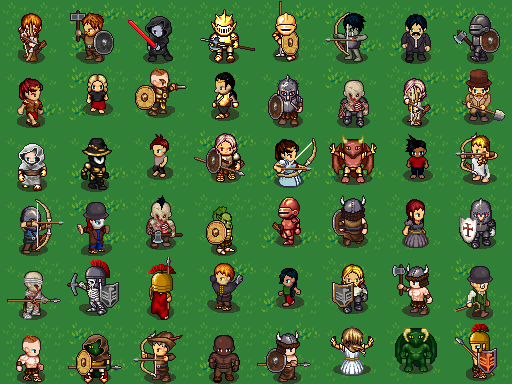
This approach has two main advantages:
- Each detail is pre-animated for a standard set of movements (walking, sword attack, running, swing, taking damage).
- Different LPC style elements match in proportions and pixel grid.
If you need a guardsman in full plate with a halberd or a peasant in a burlap shirt, you assemble them from ready-made pieces in three clicks.
Licenses and legal nuances
Different authors created assets for the project under different licenses. A single spritesheet may contain elements with CC0, CC-By, CC-By-SA, OGA-By, and GPL licenses overlapping.
The main challenge of open graphics is the need to credit all authors. If you took a custom beard from one artist and a shield from another, you need to mention them in the credits.
The generator's authors made this easier. Along with the final image, the service provides a text file or CSV with a list of authors for all used layers.
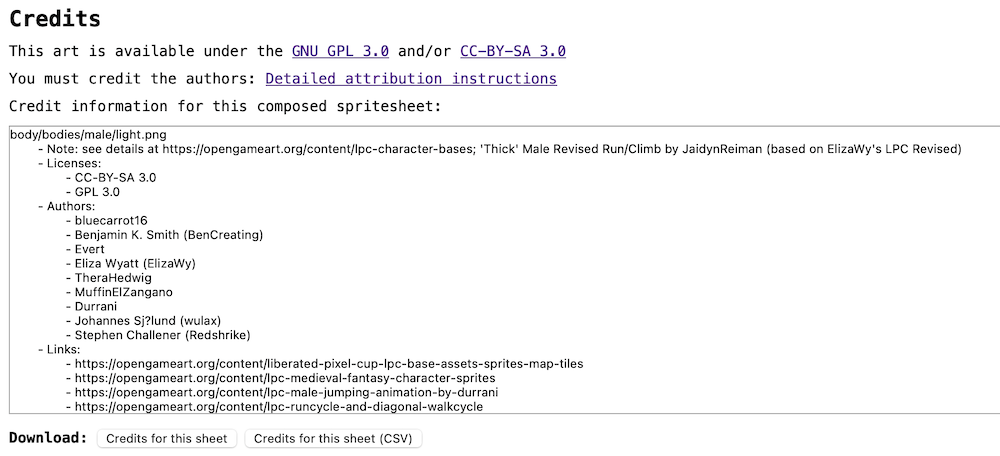
You just need to attach CREDITS.csv to your game or display the names in an in-game credits menu. If you're planning a release on platforms with DRM (like Steam or App Store), the developers recommend being more careful with assets under CC-By-SA and choosing variants with CC0 or OGA-By.
Under the hood
The project frontend is built with Vite and TypeScript. An interesting detail is the element color-changing system.
Previously, recoloring hair or armor was done on the CPU through pixel-by-pixel color replacement in the Canvas API. On large spritesheets, this caused delays when switching sliders in the interface. The developers rewrote this critical mechanism using WebGL shaders.
Now the palette is passed to the fragment shader as a texture, and recoloring happens on the GPU. Preview generation time dropped from 200 milliseconds to 90. If the browser or graphics card doesn't support WebGL, the application automatically falls back to the old CPU render.
You can control the rendering mode directly from the browser console:
// Проверить текущий режим
getPaletteRecolorConfig();

// Принудительно включить CPU для отладки
setPaletteRecolorMode("cpu");

// Вернуть WebGL
setPaletteRecolorMode("webgl");
For performance tracking, a profiler is built into the code. In local development mode, it measures FPS, memory usage, and layer drawing time on Canvas.
Local setup and engine integration
If you want to deploy the generator locally or add your own sprites, the project is easy to run locally:
git clone https://github.com/LiberatedPixelCup/Universal-LPC-Spritesheet-Character-Generator.git
cd Universal-LPC-Spritesheet-Character-Generator
npm install
npm run dev
After that, the application is available at http://localhost:5173.
For the popular Godot engine, ready-made plugins have been created (for versions 3.5 and 4.2) that can import LPC spritesheets and automatically slice them into animation tracks. The community is also assembling a starter plugin pack for RPG Maker MZ.
Who will find this project useful
Universal LPC Spritesheet Generator is a lifesaver for indie developers and game jam participants. When there's no budget for a 2D artist, this tool covers your character needs for a prototype or even a full retro RPG.
The graphics here are specific, with their own recognizable style of 90s 16-bit games. But if this style fits your game, you'll save hundreds of hours of sprite work.
Ähnliche Projekte