Athas Aims to Become a Fast Code Editor Built with Rust and React

Every time you open VS Code on an older laptop or keep five heavy projects open, the fans start hinting that Electron is taking its toll. In recent years, many attempts have emerged to build a fast editor: some switch to the terminal with Neovim, others rewrite everything from scratch in pure Rust with GPU rendering like Zed.
I recently came across the Athas project on GitHub. The authors chose a middle ground: they packaged the editor in Tauri, combining a Rust backend with a React and TypeScript frontend.
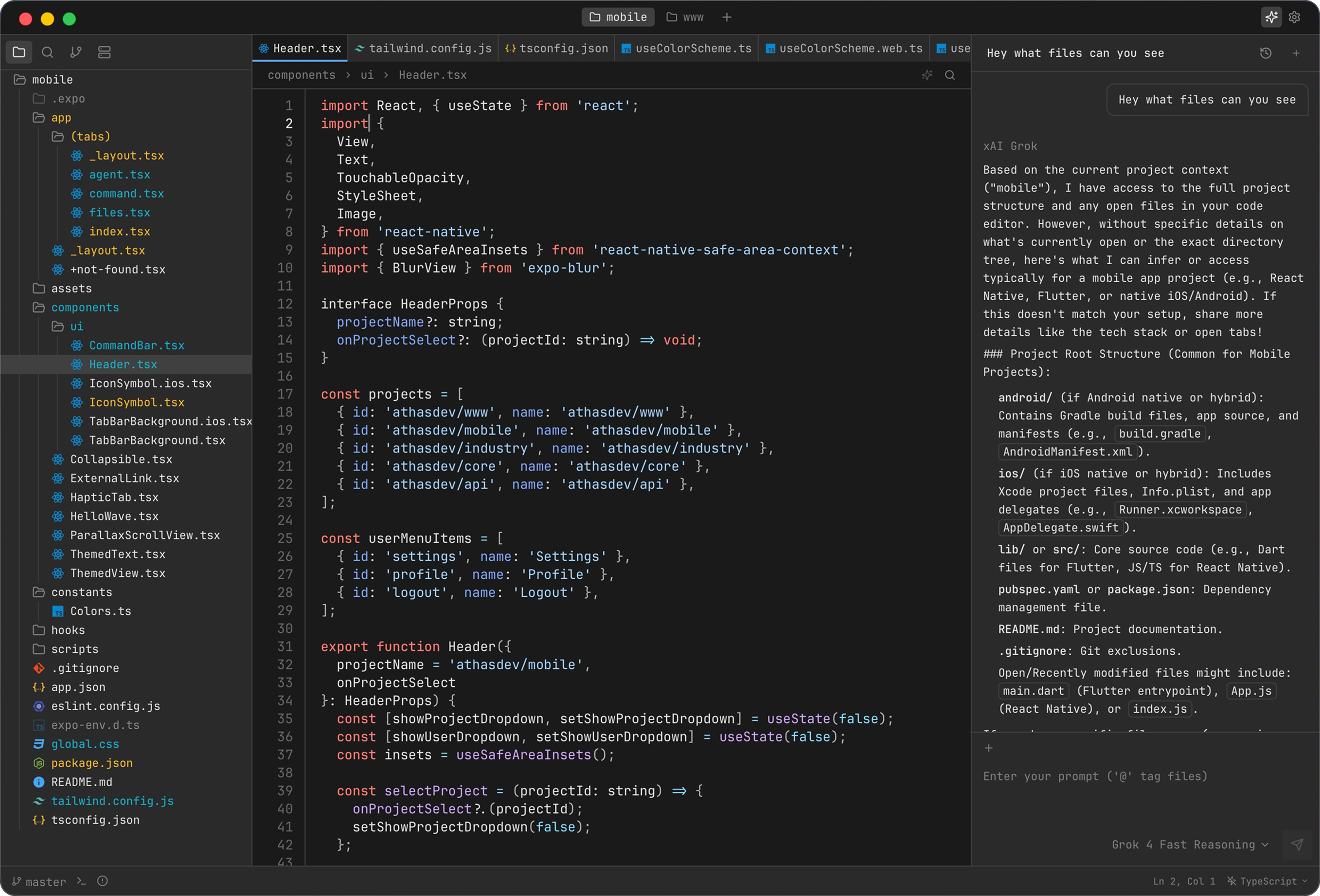
What's Under the Hood and the Core Idea
Most conventional editors fall into two extremes. On one end are heavy Electron applications that consume gigabytes of RAM. On the other end are minimalist editors where you spend weeks configuring features through settings files.
Athas takes the best from both approaches. Tauri leverages the system's web engine (WebView) rather than bundling an entire Chromium instance. This results in a smaller binary size and significantly lower memory consumption. Meanwhile, developers retain the flexibility of a React-based web interface.
All system-level work is handled in the Rust portion. The project is released under the open-source AGPL-3.0 license and runs on Linux, macOS, and Windows.
What's Inside the Editor
The README is concise, but the feature set covers nearly the complete toolkit needed for daily development work.
Built-in AI Agents
These days, a rare editor gets by without neural networks. Athas has built-in AI agent integration right from the start, helping you write code, debug errors, and automate routine tasks within the project. No need to install third-party plugins blindly.
LSP Support and Syntax Highlighting
Full Language Server Protocol support provides autocompletion, symbol navigation, go-to-definition, and type checking. Without this, an editor would just be a notepad, but with LSP it becomes a full-featured development environment for TypeScript, Rust, Python, or Go.
Vim Mode Out of the Box
If your fingers are used to normal, visual, and insert modes, there's no need to relearn. Vim mode is built directly into the editor, so fans of mouse-free navigation will feel comfortable from the first minutes.
Git and Terminal Integration
The interface includes basic repository operations: viewing diffs, commits, and branch switching. A familiar integrated terminal opens at the bottom, so you don't have to jump between separate windows.
Built-in Database Viewers
An unexpected feature for a lightweight editor. Instead of keeping a separate DBeaver or DataGrip open, you can browse database tables and structure right in the Athas workspace.
Collaboration and Enterprise Policies
The developers built in tools for real-time collaborative editing. For teams, they added managed mode and extension allowlists, which is relevant for companies with strict security policies.
Architectural Highlights
The Tauri, React, and Rust combination looks interesting:
┌─────────────────────────────────────────┐
│          UI: React + TypeScript         │  (Интерфейс, темы, компоненты)
└────────────────────┬────────────────────┘
                     │ IPC / Wasm
┌────────────────────▼────────────────────┐
│              Tauri Core                 │  (Системные вызовы, WebView)
└────────────────────┬────────────────────┘
                     │ Rust FFI
┌────────────────────▼────────────────────┐
│    LSP Client, Git, FS, AI Engine       │  (Нативная производительность)
└─────────────────────────────────────────┘
Heavy tasks (file parsing, filesystem operations, LSP process launching) are handled by Rust. The web layer is responsible only for rendering the interface. This eliminates input lag when the background is scanning a directory tree or indexing a large repository.
How to Try It
Fresh builds for all platforms are available in the Releases tab of the project repository:
# Клонирование репозитория для локальной сборки
git clone https://github.com/athasdev/athas.git
cd athas

# Установка зависимостей и запуск в dev-режиме
pnpm install
pnpm tauri dev
For building, you'll need Rust installed (via rustup), Node.js, and pnpm. The project is actively updated, so for everyday use it's simpler to download a ready-made DMG or AppImage from the releases.
Is It Worth Trying
Athas is unlikely to displace familiar IDEs for all developers tomorrow, but the project looks promising. It's a good candidate for those seeking balance: wanting a graphical interface with modern features like AI and LSP, but tired of Electron's resource hunger.
It's worth trying the editor if you need a fast secondary tool for small edits, side projects, or working on weak laptops. The source code is open on GitHub, and it's definitely interesting to watch the project develop.
Ähnliche Projekte