How to Stream Your Own Music Collection Without Subscriptions Using Polaris

Streaming services have spoiled us with convenience, but they have an annoying habit: favorite tracks suddenly disappear from catalogs due to copyright disputes, and subscriptions keep getting more expensive. If you have gigabytes of FLAC and MP3 files sitting on your hard drive or home server, accumulated over many years, carrying them around on flash drives is inconvenient. You want your own streaming service that works everywhere and doesn't require a monthly fee.
Recently I came across Polaris — a lightweight self-hosted music streaming server written in Rust. No paid tiers, no feature-restricted versions, and no bloated interfaces.
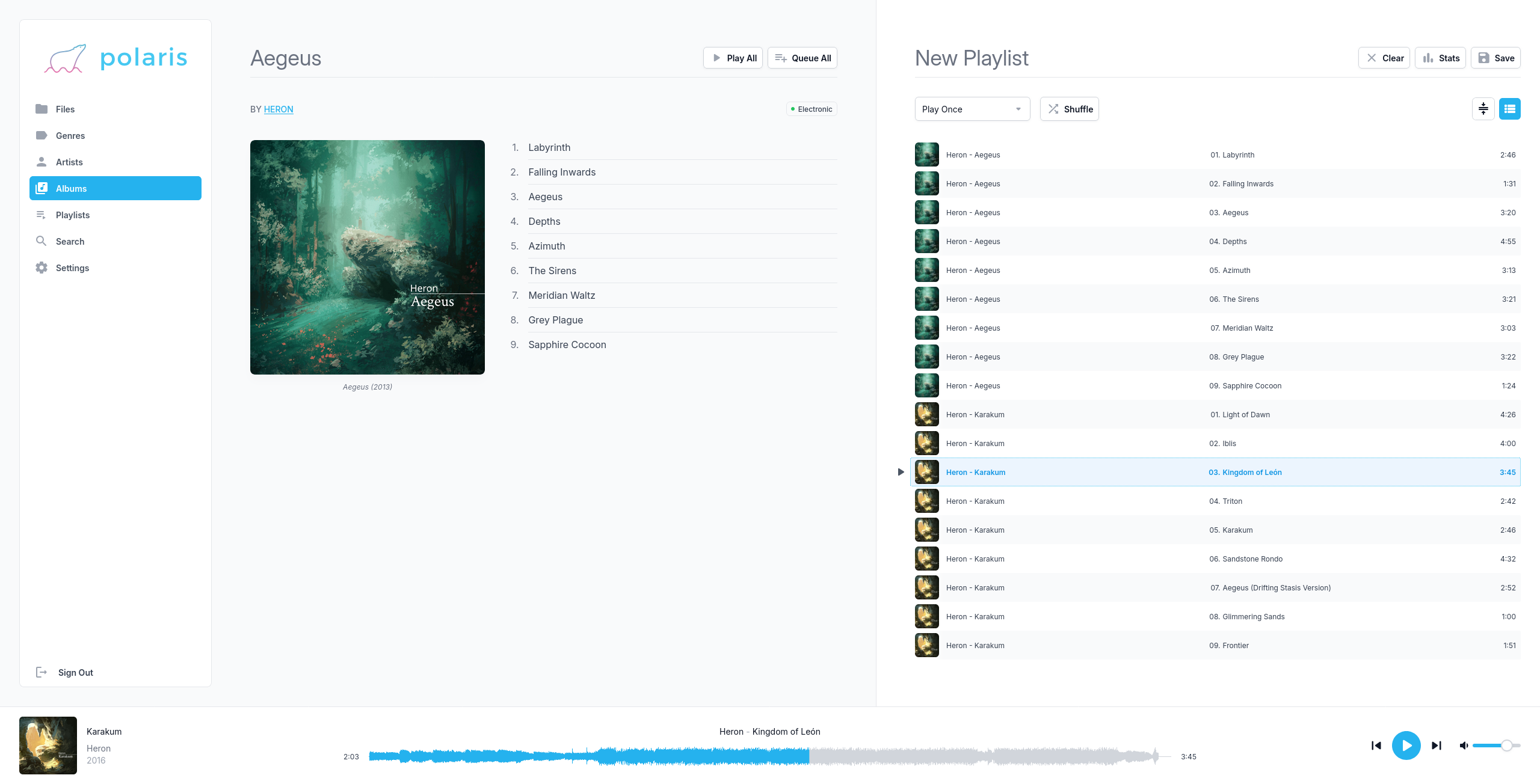
What Polaris Can Do
The main focus of the project's author is responsiveness and the ability to handle truly massive media libraries. The description claims solid performance with collections of 100,000 tracks or more.
Unlike heavyweight all-in-one solutions like Plex or Jellyfin, Polaris is focused exclusively on audio:
- Reads flac, mp3, mp4, mpc, ogg, opus, ape, wav, and aiff formats.
- Renders audio waveform visualization right in the player, so you can quickly jump to the desired moment in a track.
- Supports multi-value tags in metadata when a single track has multiple artists or genres.
- Can display the music library by tags (artist, album, genre) as well as in the familiar folder tree structure on disk. This saves the day when tags in older releases are filled out haphazardly.
- Has search by specific metadata fields.
- Supports user separation with individual playlists for each user.
A nice touch: the interface supports a dark theme and color palette customization.
Under the Hood
Polaris is written in Rust, which means it consumes minimal system resources and quickly serves static content along with streams. No need to deal with complex databases for configuration: settings are stored in a plain text file, but you can also edit them directly from the web interface if you prefer.
The developers made the server API fully open and documented it via OpenAPI. Any local instance of Polaris brings up an interactive Swagger at /api-docs/, so writing your own clients or automations is extremely straightforward.
Full-fledged clients already exist, by the way. In addition to the web interface, you can use:
- Official Android client (available on Google Play and F-Droid).
- Third-party Polarios app for iOS.
- Polarity client for embedded systems and desktop.
How to Get Started
The server builds for Linux, Windows, and BSD, but the easiest way to get it running is via Docker. The basic docker-compose.yml looks minimal:
version: "3"
services:
  polaris:
    image: agersant/polaris:latest
    container_name: polaris
    ports:
      - "5050:5050"
    volumes:
      - /path/to/your/music:/music:ro
      - /path/to/polaris/data:/var/lib/polaris
    restart: unless-stopped
After launching, the interface is available on port 5050. You'll just need to set an admin password and point to the directory with your audio files. Polaris will quickly index the tracks in the background.
If you don't want to set up a container right away, the developer keeps a live demo open at demo.polaris.stream (login: demo_user, password: demo_password), featuring tracks under Creative Commons licenses.
Who This Project Is For
Polaris is a great fit for anyone running a home server on modest hardware (like a Raspberry Pi or an old netbook) who's looking for a fast player without the extra baggage like 4K video transcoding. If you want clean audio, instant responsiveness, and full control over your files, this tool is definitely worth bookmarking.
Proyectos relacionados