How to Open Korean HWP Format on Linux and macOS Without Proprietary Software
If you've ever received files with the .hwp or .hwpx extension, you probably remember that feeling of helplessness. The Hangul Word Processor format (Hancom Office) is essentially the de facto standard for document workflows in South Korea. Government agencies, universities, and businesses have been using it for years instead of the usual docx or pdf. Yet outside of Korea and the Windows ecosystem, opening such a document is a real headache.
Usually you're left either searching for a paid web converter or spinning up a virtual machine with Windows. Recently I stumbled upon the hop repository, which aims to solve this local pain point with a proper open-source solution.
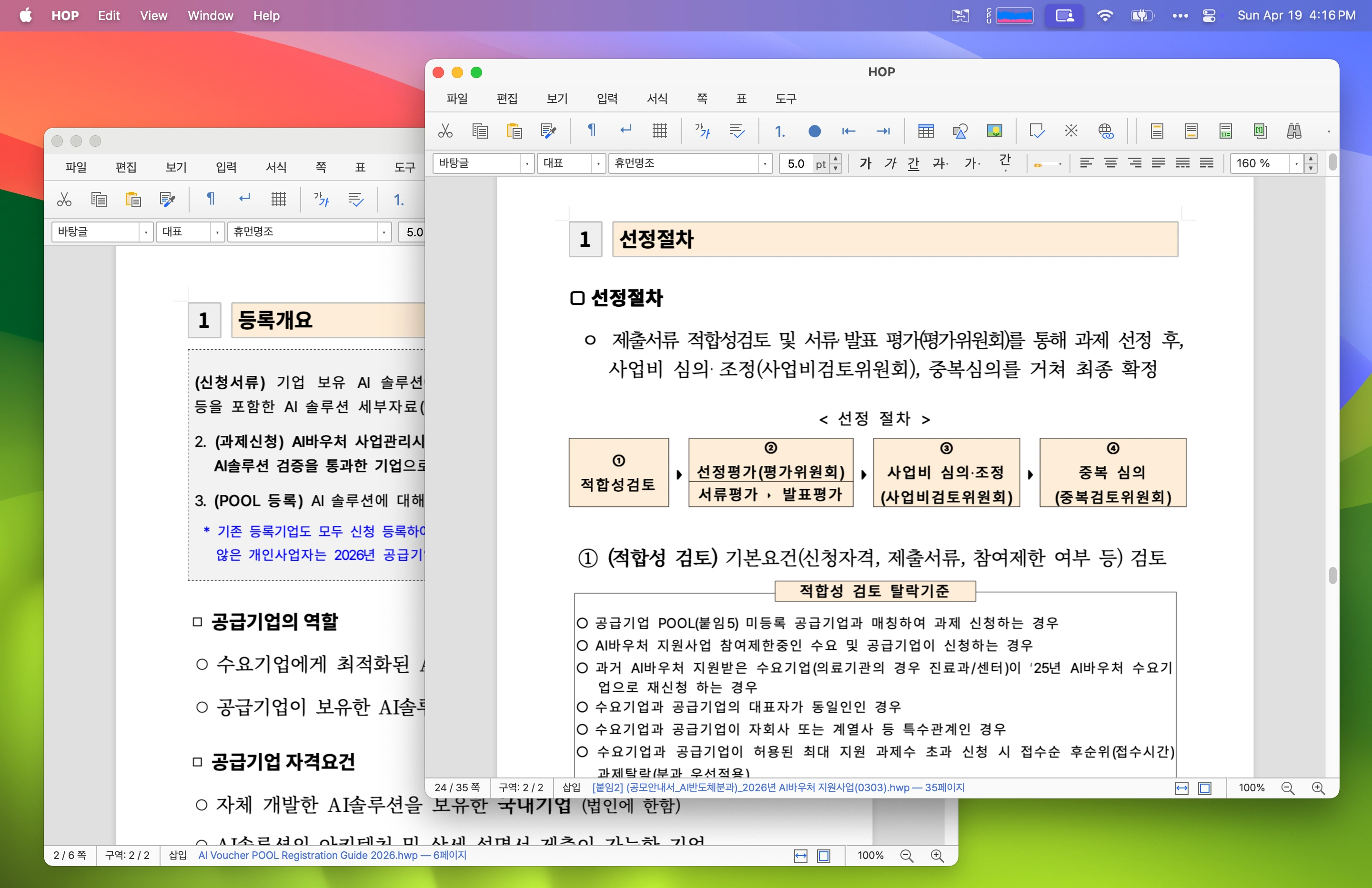
Under the Hood
HOP stands for simply: Open HWP. Essentially, it's a lightweight desktop editor for macOS, Linux, and Windows.
The project author, developer golbin, honestly states in the description: HOP is a graphical wrapper around the rhwp engine (an HWP parser and renderer written by another author). Instead of reinventing parsing of the complex binary format from scratch, the project creators took an existing core and added proper operating system integration on top of it.
The application is written in TypeScript and packaged into native builds. It can:
- Open
.hwpand.hwpxfiles directly from the file manager or via drag-and-drop - Edit text and save the document back to
.hwp - Export documents directly to PDF without third-party utilities
- Send documents to print via the OS system dialog
- Work with multiple windows and files simultaneously
How to Install
The project is distributed under the MIT license. Pre-built releases are available on the releases page for practically all popular platforms.
macOS
For Mac, there are signed and notarized binaries for both Apple Silicon and Intel. The easiest way is to install via Homebrew:
brew install hop
Alternatively, you can download the .dmg file manually from GitHub Releases.
Linux
On Linux, the author recommends using native packages for your specific distribution to avoid issues with Korean input methods (IME) and WebKitGTK.
For Ubuntu and Debian:
# Скачиваем .deb пакет из релизов
sudo dpkg -i HOP-linux-x64.deb
For Arch Linux, the package is already in the AUR:
yay -S hop-openhwp-bin
# или через paru
paru -S hop-openhwp-bin
Also available are .rpm for Fedora/openSUSE and a portable AppImage. However, the AppImage may have rough edges with keyboard layout switching on Wayland.
Windows
For Windows, an .msi installer is available. Since the developer doesn't yet have a paid certificate for signing, SmartScreen and Microsoft Edge may complain when downloading. You'll need to click "Save" in the browser's download menu.
Caveats and Real-World Use Cases
Let's be realistic: HOP won't replace a full-featured office suite for complex layouts. It's not LibreOffice or Google Docs. If the original Korean document has complex macros, specific scripts, or rare table formats, the display may break in places.
But for developers and teams working with partners from Asia, it's a great lifesaver. Now you don't need to ask the counterparty to resave the document in Word or upload confidential contracts to unverified online converters. You simply open the file locally, read the contents, make minor edits, and export the result to PDF.
If you work on Linux or macOS and regularly deal with Asian document workflows, this project is worth bookmarking. The source code is open on GitHub, and the rendering engine is constantly being improved by the community.
Projets similaires