Scan4all — the Swiss Army knife for pentesting that replaces a dozen tools
Imagine this: you need to quickly scan the perimeter, check a hundred web services for vulnerabilities, run a brute-force attack on standard passwords, and not get lost in dozens of different CLI utilities. Usually this turns into terminal juggling, where nmap spins in one window, nuclei in another, and in the third you're frantically trying to remember subfinder's syntax. The developers at GhostTroops decided it's time to put an end to this chaos and built scan4all.
This isn't just another scanner. It's a Go-based powerhouse that combines top-tier tools like nuclei, vscan, ksubdomain, and subfinder under the hood. The best part is that the authors didn't just "glue" binaries together—they rewrote parts of the modules and optimized parameters at the code level so everything runs fast without overwhelming the network.
What it can actually do
In short — almost everything you need for initial reconnaissance and finding attack vectors. The project covers several stages of a security audit at once.
Vulnerability and PoC Search
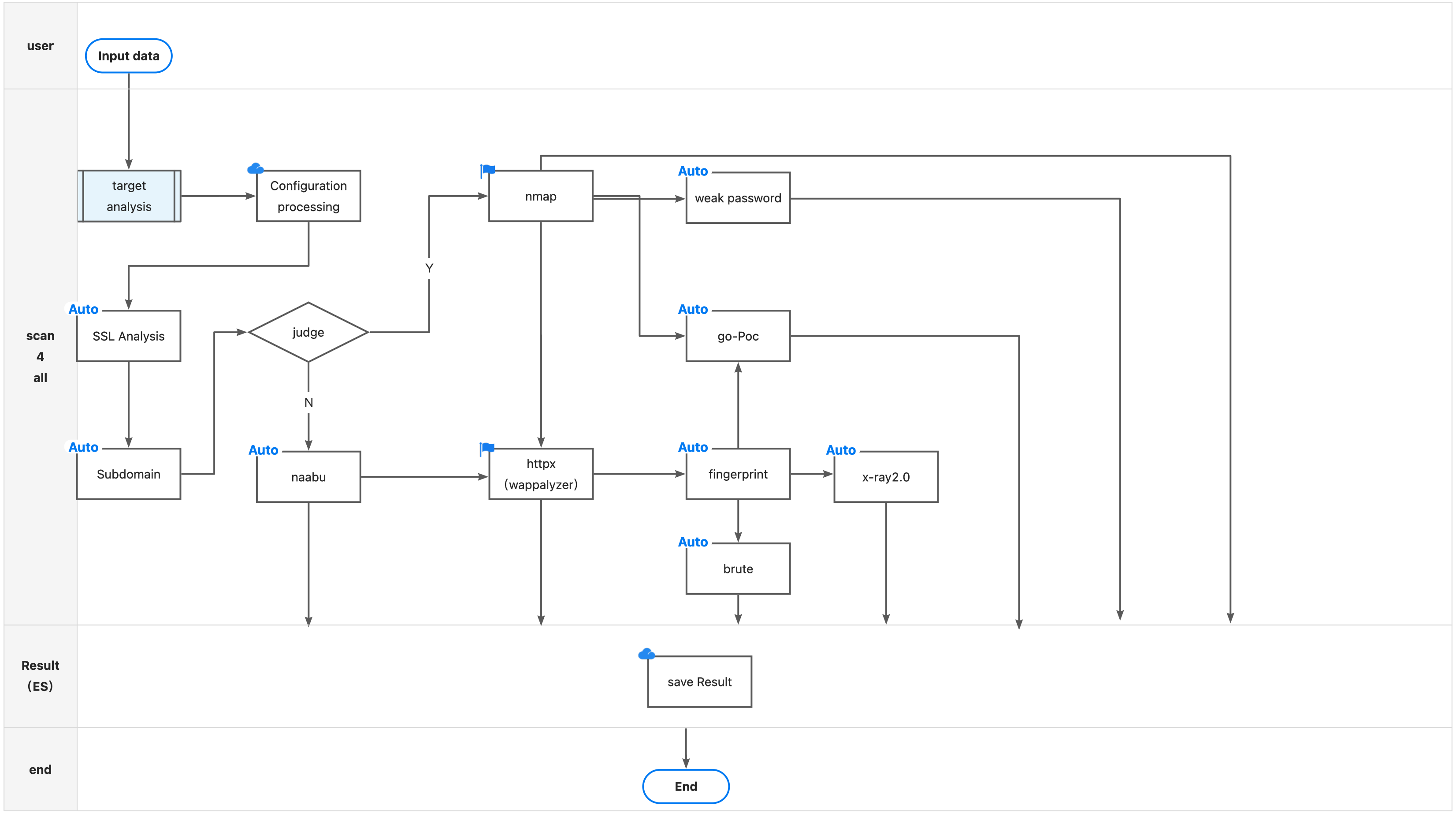
The tool comes with a database of 15,000+ PoCs. This includes nuclei templates and vscan contributions (including xray 2.0). It checks everything from basic XSS and LFI to recent CVEs in WordPress and enterprise software. Interestingly, the authors added smart SSL logic: the scanner extracts domains from certificates and automatically adds them to the scanning queue.
Out-of-the-box brute-forcing
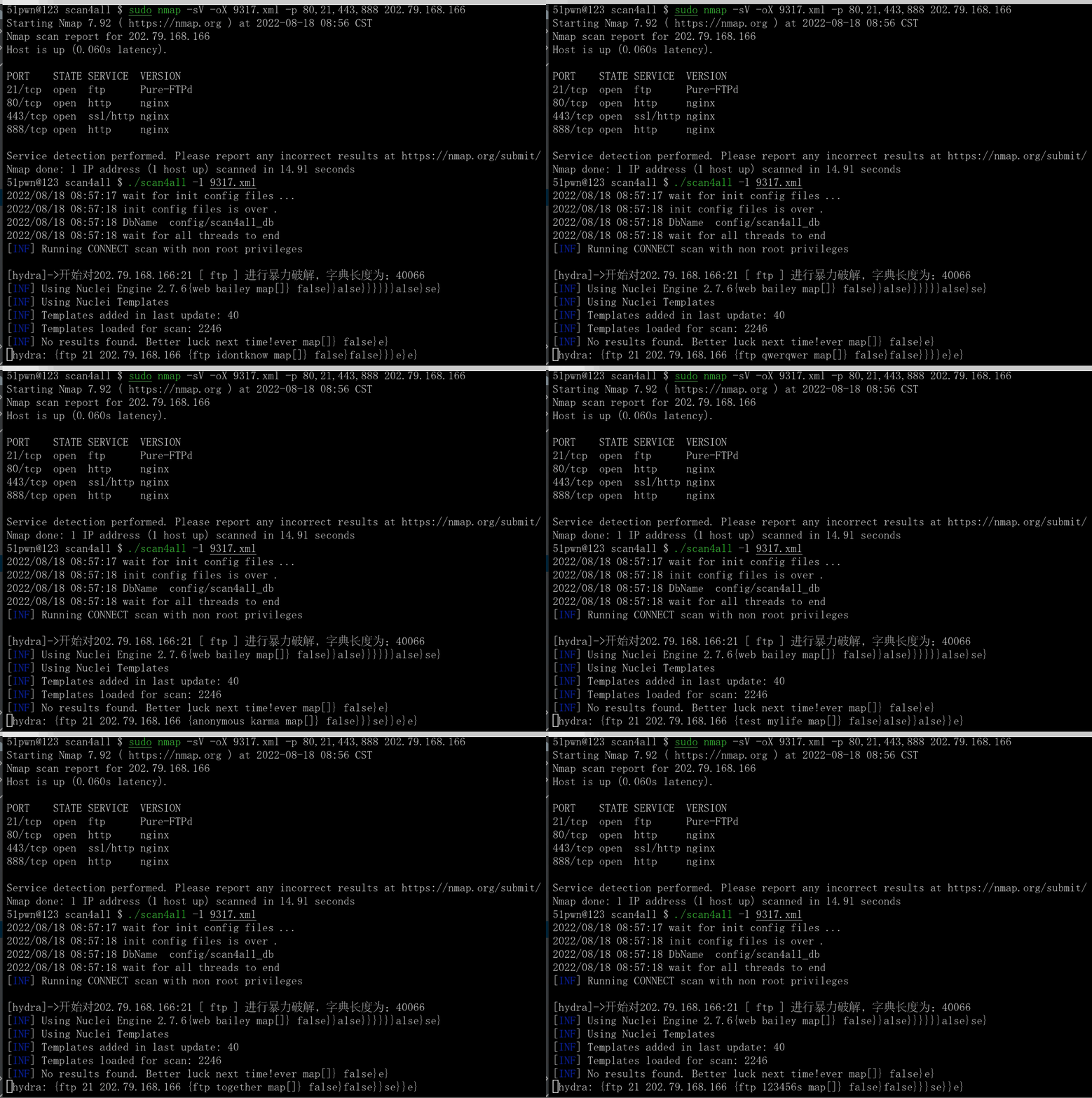
Scan4all supports password brute-forcing across 23 protocols. The list includes classics like SSH, RDP, MySQL, Redis, and even RouterOS or WinRM. An interesting detail: HTTP brute-forcing activates automatically as soon as the scanner encounters an authentication page. You don't need to manually specify "this needs a password attempt."
Port scanning and fingerprinting
Rather than reinventing the wheel, the project leverages nmap and naabu capabilities. It recognizes 146 protocols and knows approximately 90,000 port scanning rules. Additionally, there's honeypot protection built in — if the tool detects it's facing a honeypot, it simply skips that host.
How it works under the hood
The project is written in Go, making it cross-platform and lightweight in terms of resource consumption. The architecture follows a waterfall approach: first comes data collection and target identification, then deep scanning and PoC application.
One of the coolest features has to be the Elasticsearch integration. If you're working with large volumes of data, standard text logs become a nightmare. Scan4all can store results in Elasticsearch, allowing you to build convenient dashboards or simply search for the information you need quickly through Kibana.
Practical use cases
How do you use this in real life? Here are a couple of examples:
- Quick infrastructure audit. You have a list of your company's IPs or domains. With one command, you launch subdomain enumeration, port scanning, web fingerprinting, and critical vulnerability checks.
- Bug Bounty. Thanks to integration with subfinder and ksubdomain, the tool is great for finding forgotten "tails" in large organizations.
- Weak password checks. If your network has many Redis, MongoDB, or FTP instances without proper configuration, scan4all will highlight them faster than you can check them manually.
Example of running against a target list:
# Точное сканирование списка URL
UrlPrecise=true ./scan4all -l targets.txt
If nmap isn't installed on your system or you don't want to use it, you can switch to the built-in naabu:
priorityNmap=false ./scan4all -tp http -list targets.txt -v
Nuances and limitations
Despite its awesomeness, the project has its quirks. The README can look chaotic at times, and the English documentation sometimes gets mixed with Chinese. You should also keep in mind that nmap scanning requires root privileges, so you'll need to pass the password via the PPSSWWDD environment variable.
Another point: the tool is very noisy. If you're planning to use it for covert auditing, this is a bad idea. It generates a huge amount of traffic and requests, which will immediately flag you in any monitoring system (IDS/IPS).
Is it worth trying
If you do pentesting, participate in Red Teaming, or simply handle security at your company — definitely yes. Scan4all saves a ton of time on routine work. Instead of configuring chains of five different utilities, you get a ready-made pipeline.
Of course, it won't replace your brain and manual analysis, but as a tool for quickly "roasting" the perimeter, it's damn good. The project is actively updated: for example, support for the latest nuclei versions was recently added and IP duplicate detection algorithms were improved to avoid scanning the same thing multiple times.
You can get started by simply downloading the binary from the releases on GitHub, since dependencies are minimal. Just don't forget to deploy Elasticsearch first if you plan to dig deep into the results.
Related projects