Checkmate in the Terminal — Meet Gambit
Ever wanted to play a game of chess but didn't want to get distracted by a separate app? Or need a quick brain break between deployments without leaving the terminal? Then Gambit is exactly what you've been looking for.
What is Gambit?
Gambit is a minimalist chess implementation for the command line. The project is written in Go and runs in virtually any terminal. The main highlight is the ability to play both locally and over the network via a standard SSH connection.
Why give it a try?
1. Play in two clicks
Installation takes seconds:
go install github.com/maaslalani/gambit@latest
Or via Docker:
docker run -it ghcr.io/maaslalani/gambit
2. Full chess in the terminal
Gambit supports:
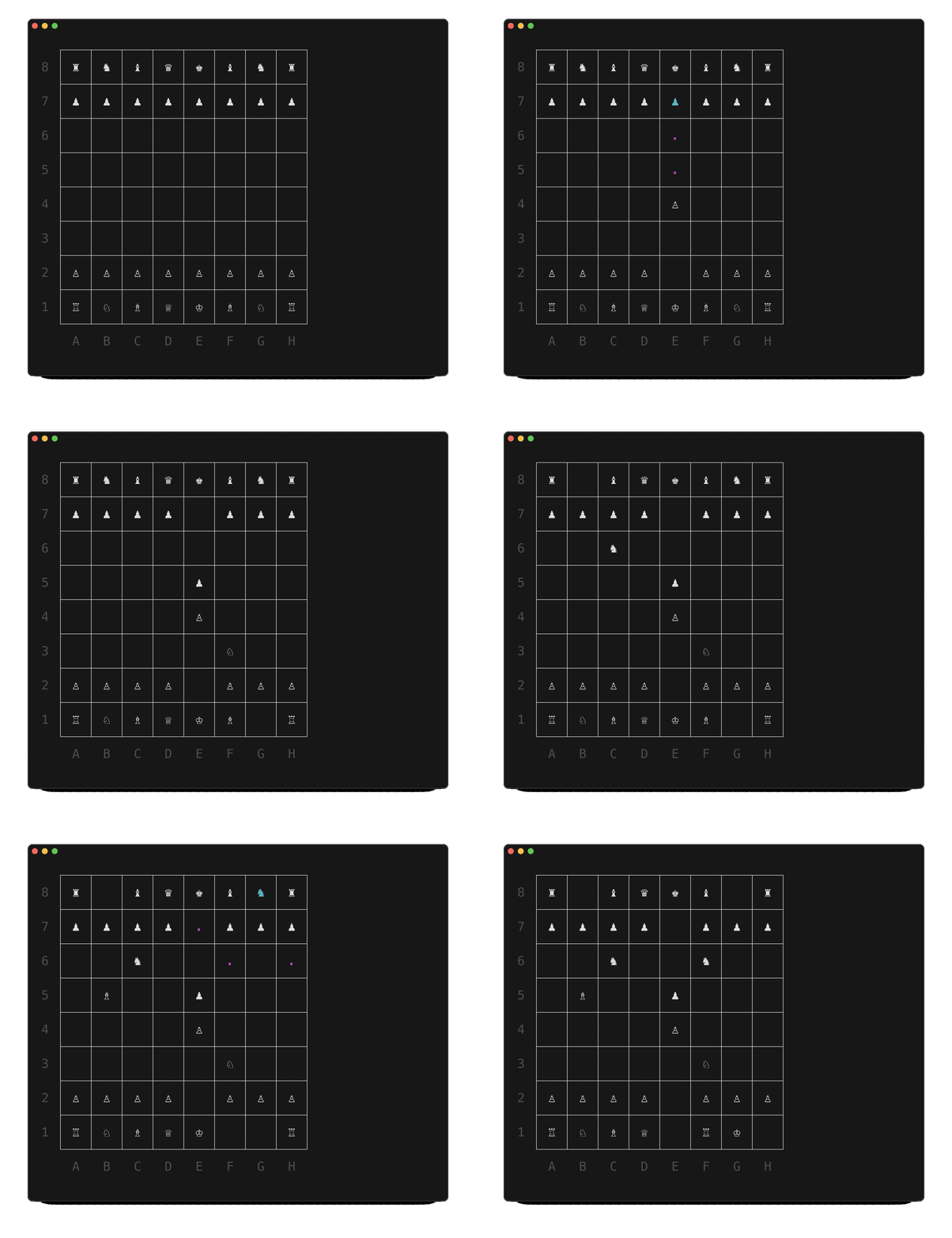
- All standard chess rules
- Two input methods: coordinates (e2-e4) or mouse
- Board flip option (Ctrl+F)
3. Network mode via SSH
Want to play with a colleague? Couldn't be simpler:
# Хост
$ gambit serve

# Клиент
$ ssh user@host -p 22 -t chess-room
Technical details
The project is written in Go using:
- Bubble Tea for TUI
- Standard net library for network mode
The architecture is thoughtfully designed down to the smallest details — there's even mouse support in the terminal and handling of all chess rules.
Where will it come in handy?
- For warming up your brain between code reviews
- As a learning project for studying Go and TUI
- As an unconventional way to run a remote standup
- For an impromptu office tournament
Gambit is that rare case where utility meets elegance. The project is perfect for:
- Developers who live in the terminal
- Chess enthusiasts with no time for separate apps
- Those wanting to learn game implementation in Go
Give it a try — it might become your favorite way to play chess. Personally, I've already lost track of how many lunch breaks slipped by unnoticed while playing a game in the terminal.
Related projects