How to Turn ComfyUI into a Full-Featured Video Editor for LTX Video
Video generation through diffusion models in ComfyUI usually feels like assembling a complex Lego set with hundreds of wires. If you need to stitch together several frames, add audio, sync a character's dialogue, or just trim a bad take, the graph instantly balloons to unreadable proportions. You end up constantly jumping between Premiere Pro and the browser, exporting intermediate results back and forth.
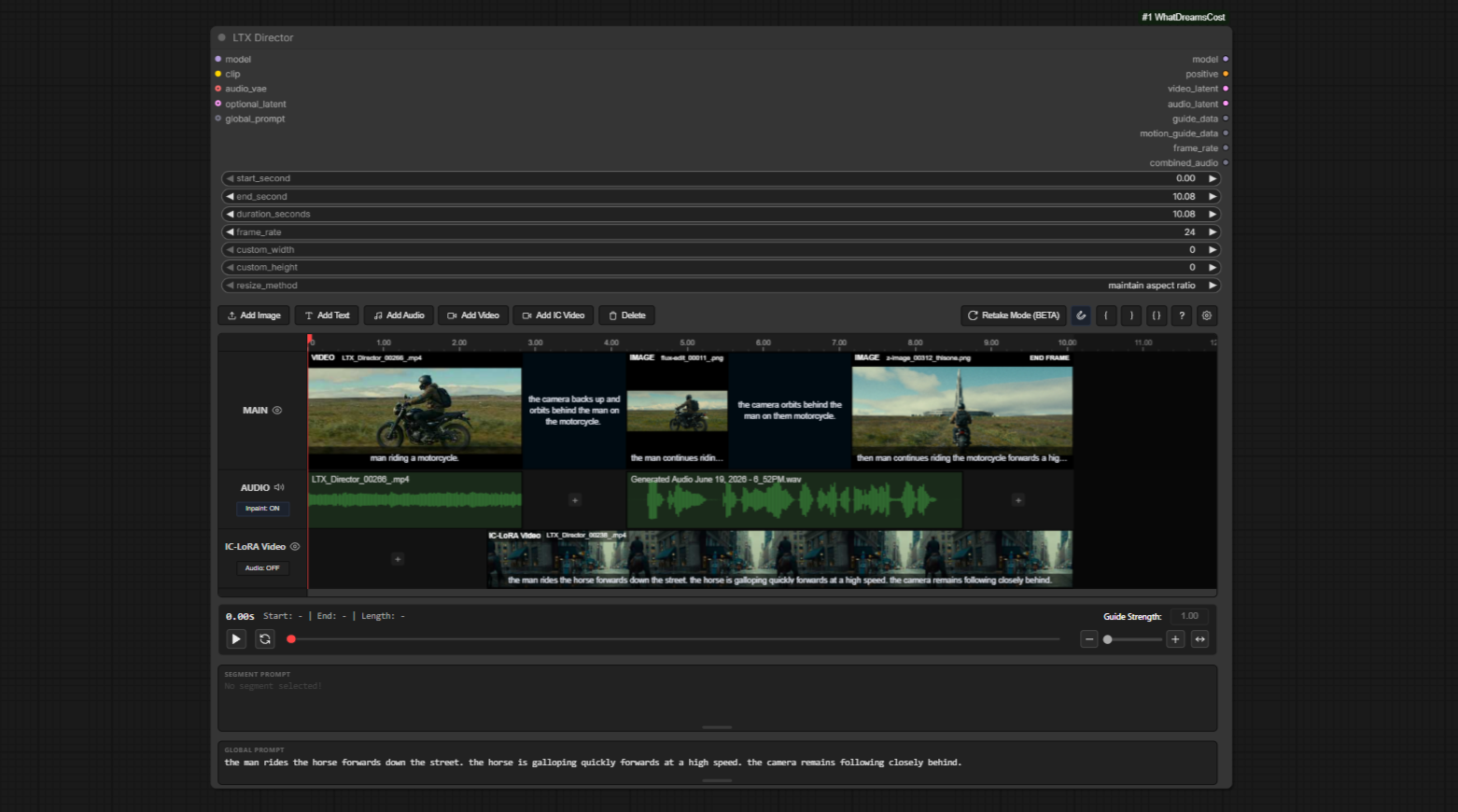
I recently stumbled upon the WhatDreamsCost-ComfyUI repository. The author got tired of constantly juggling dozens of disconnected nodes and built a full editing panel right inside a single node for the LTX Video generator. The project has already gathered nearly 20,000 stars, and it includes several genuinely clever interface solutions that save a lot of time.
Why Bring the Timeline Inside Nodes
The centerpiece of the suite is the LTX Director node. Instead of tweaking timings in text fields or calculating frames on a calculator, you get a familiar timeline with tracks.
You can drag and drop video files here, set keyframes (first, intermediate, final), cut tracks, and combine text prompts. It has a built-in Prompt Relay mechanism that smoothly transitions control from one text description to another as the timeline progresses.
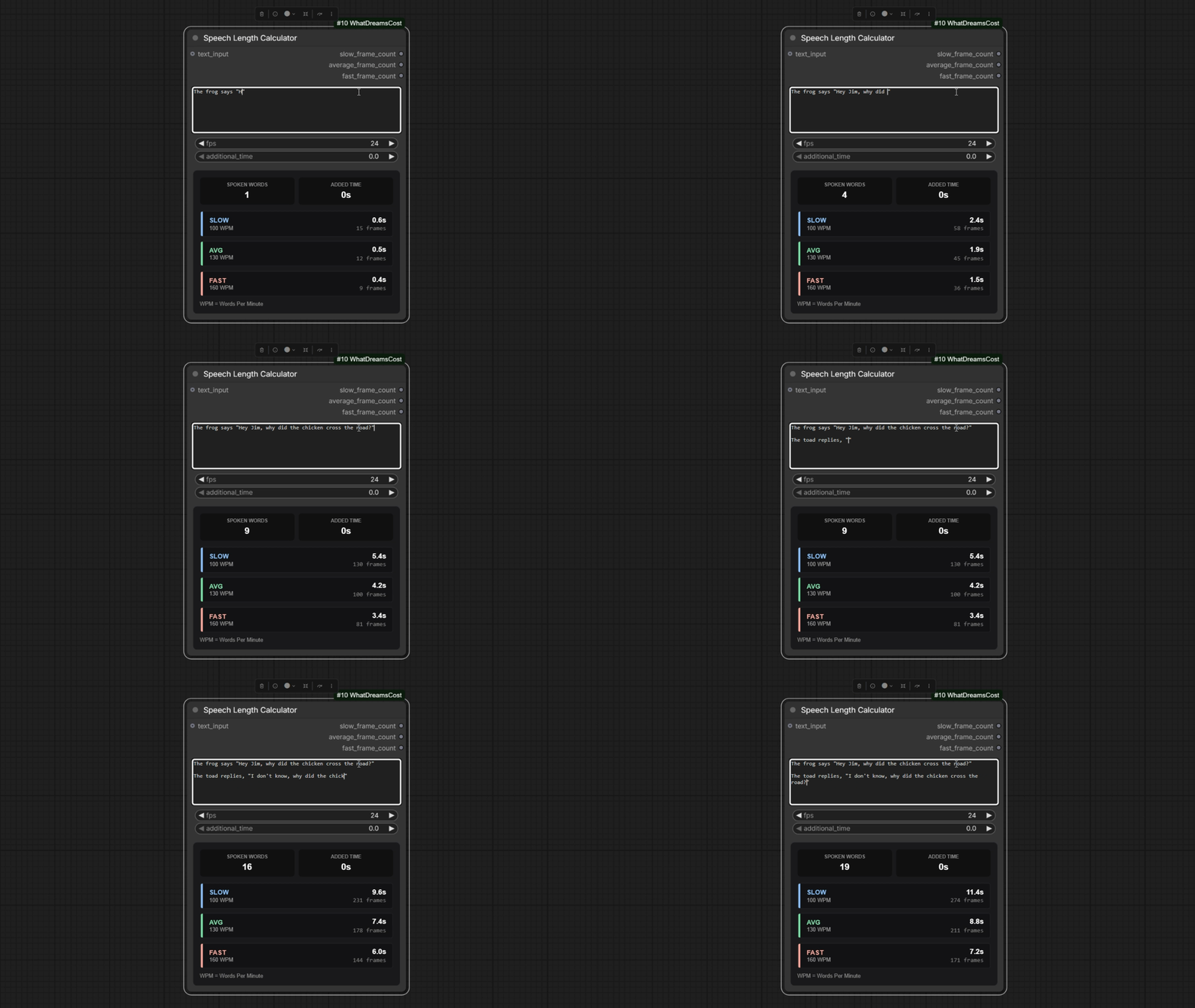
Another common pain point when generating talking heads is calculating scene length to match the voiceover. The author created a separate Speech Length Calculator node. It analyzes quoted dialogue in real time and outputs the recommended clip duration in seconds based on speech pace. This prevents situations where generation cuts off mid-word or the video lingers in silence for a few extra seconds.
What the Node Suite Can Do
Beyond basic editing, version two introduces several practical additions to the pipeline:
- IC-LoRA support. You can drop a reference video or image onto a separate track (LTX Ingredients is supported) to transfer motion or style without manual pre-process chain work.
- Built-in audio handling. You can import your own audio file, trim it right in the interface, and apply audio inpainting, mixing the original track with generated sounds.
- Retake mode (still in beta). You select a segment on the timeline and regenerate only the failed portion directly within the project.
- Memory optimization and caching. Patched models are cached between runs, so ComfyUI doesn't reload weights into VRAM every time you make small prompt tweaks. Plus, the author added proper SageAttention and Triton support.
- State persistence. The timeline along with all settings, imported media files, and cut points can be exported to a standard JSON file.
|
Simple Controls 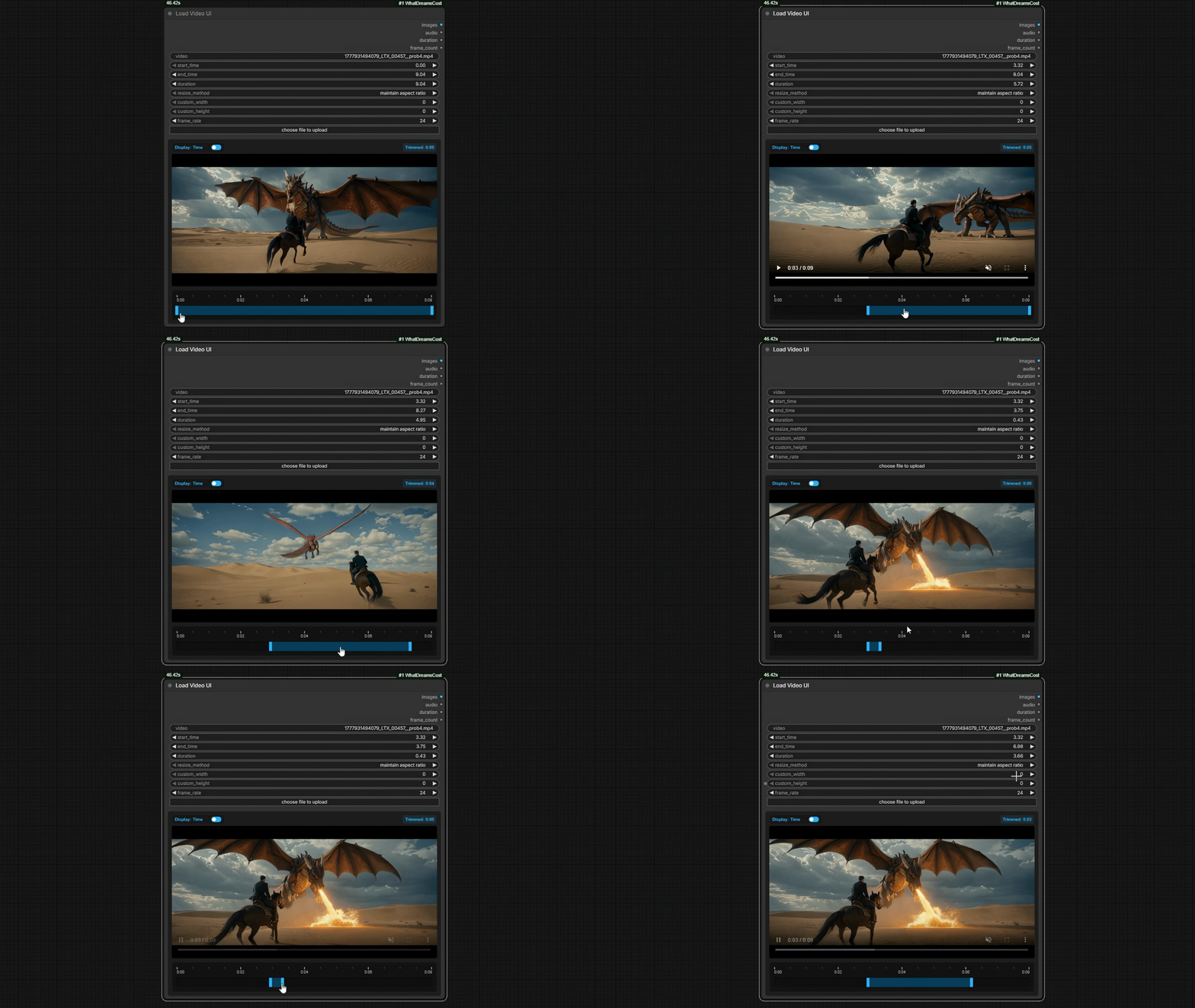
|
New Crop Mode! 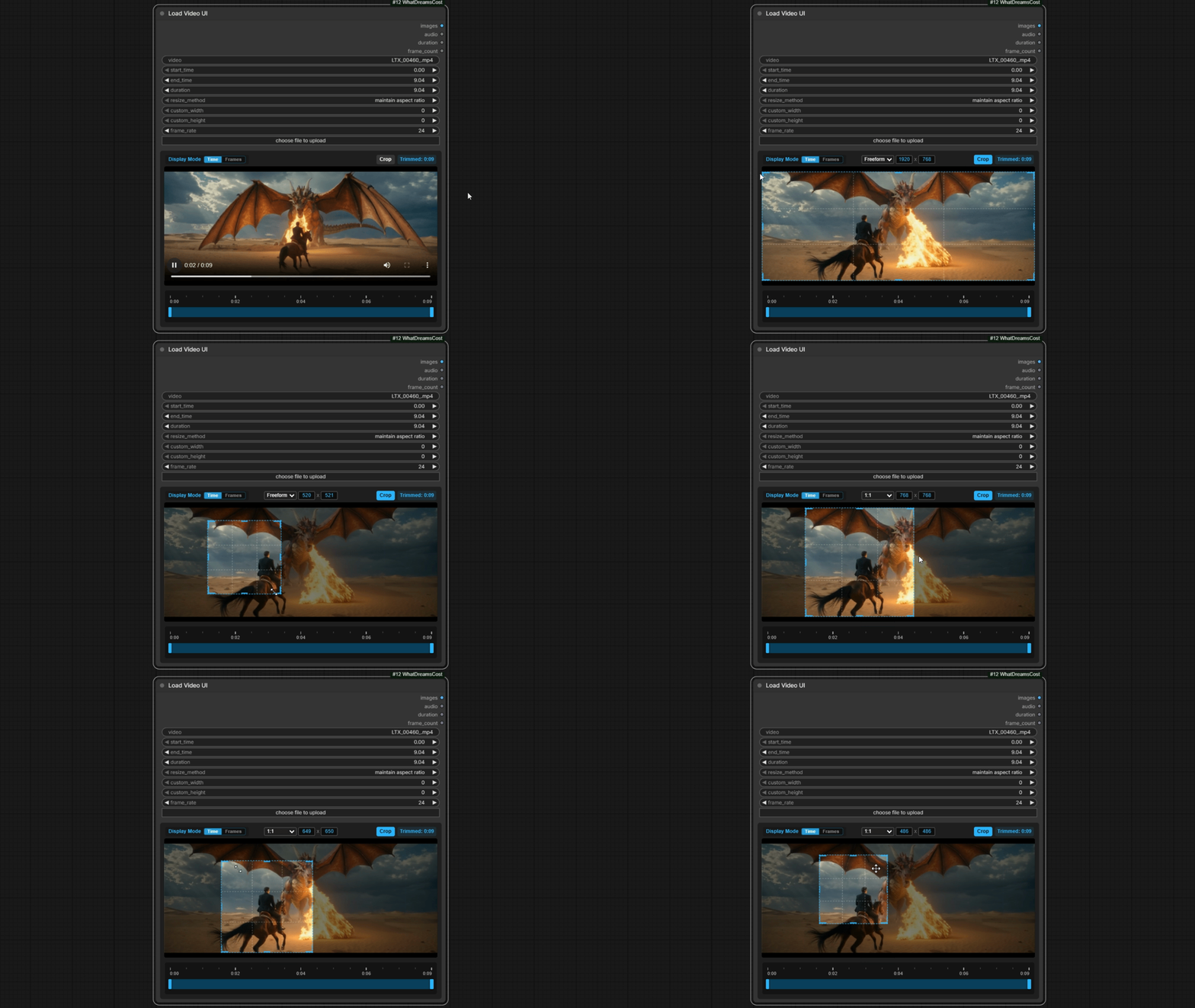
|
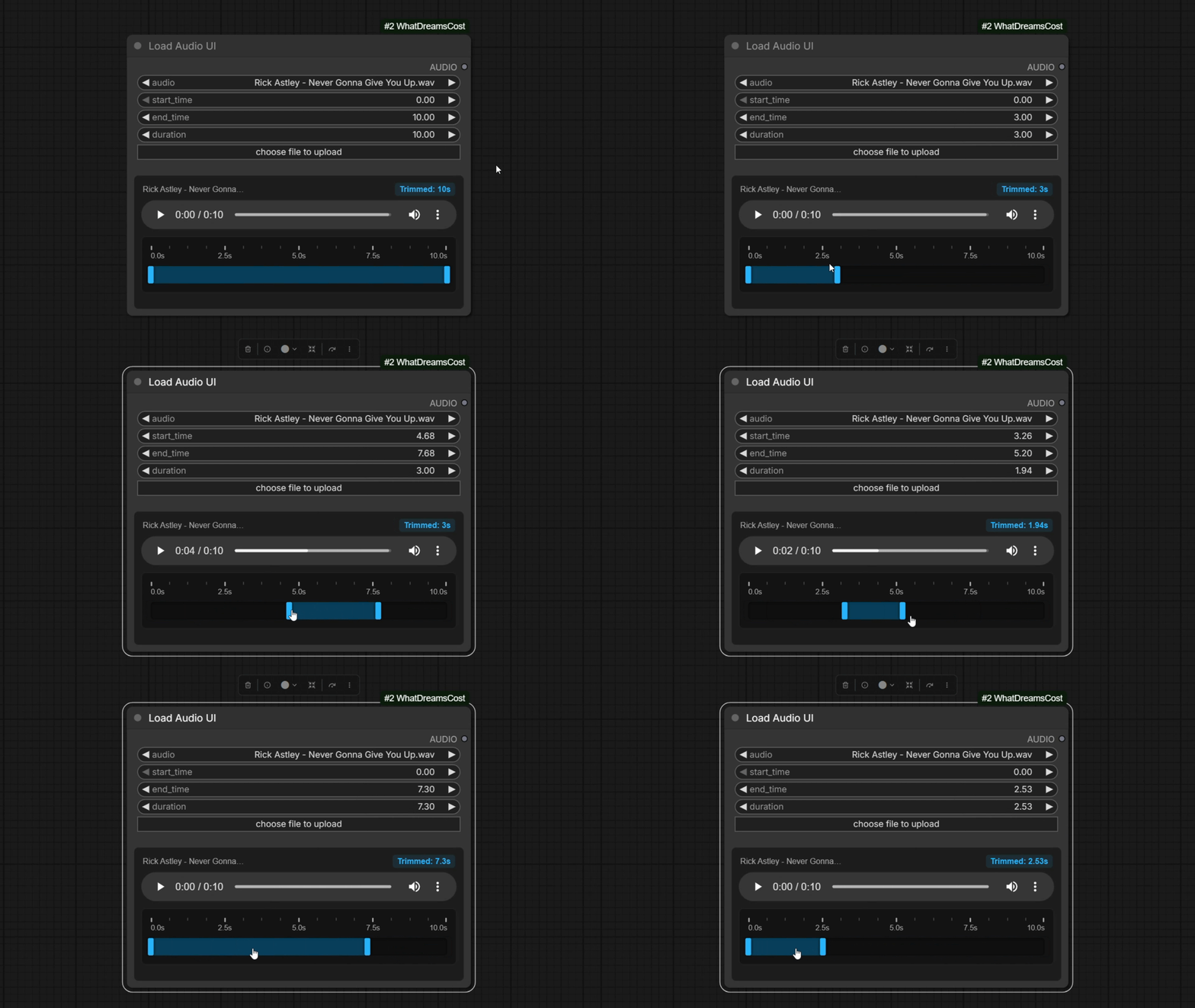
The package includes improved video and audio loading nodes (Load Video UI / Load Audio UI). Unlike standard ComfyUI components, they properly support drag-and-drop, can crop to different aspect ratios, and don't crash on files over 100 MB.
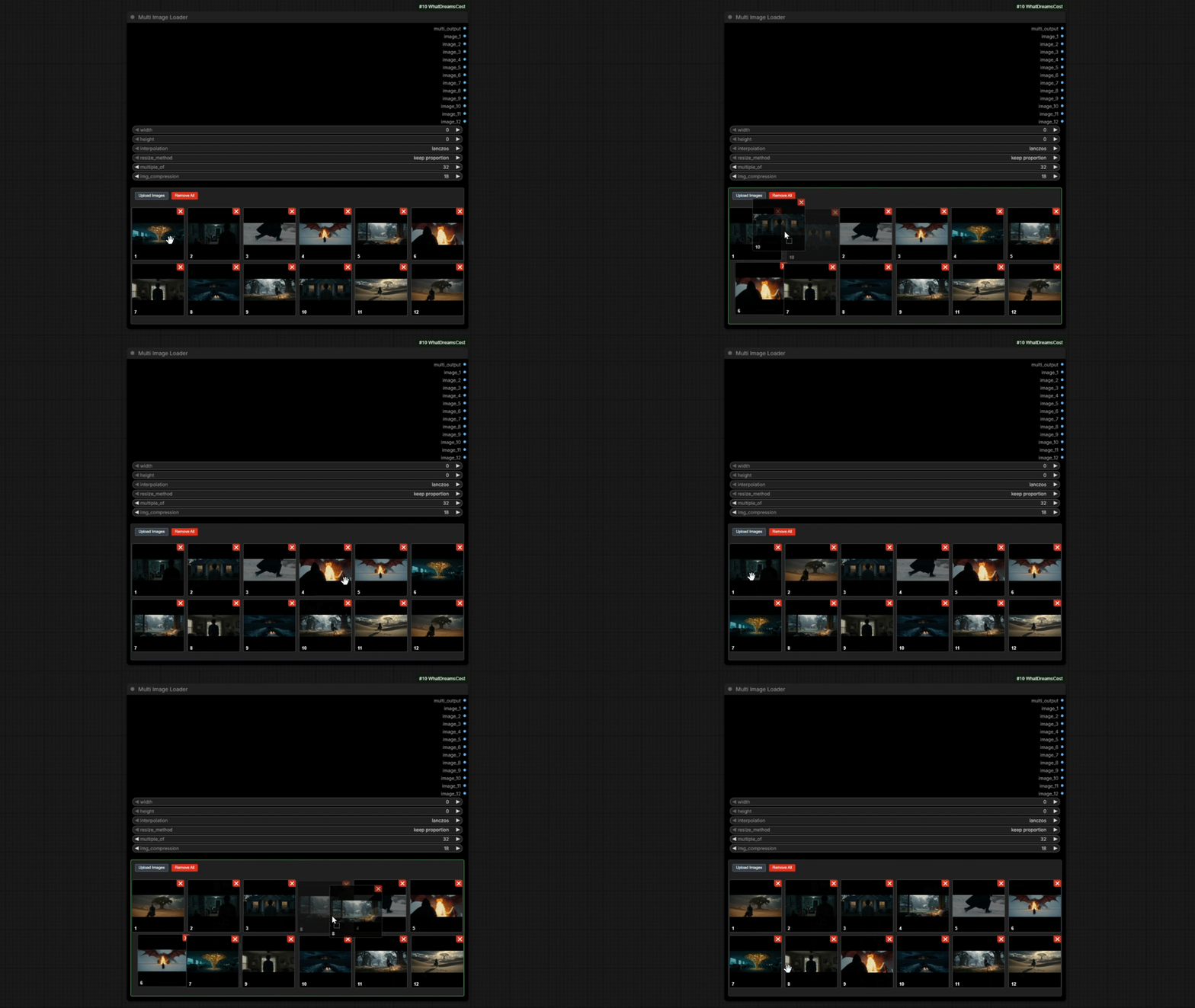
For batch frame work, there's the Multi Image Loader node. It combines preprocessing, resolution adjustment, and a built-in mini gallery.
Installation and Notes
You can install the package through the standard ComfyUI Manager (search for WhatDreamsCost-ComfyUI) or manually via terminal:
cd ComfyUI/custom_nodes/
git clone https://github.com/WhatDreamsCost/WhatDreamsCost-ComfyUI.git
Before launching, make sure to update dependencies ComfyUI-LTXVideo and ComfyUI-KJNodes to their latest versions, otherwise the timeline nodes will throw an error during graph initialization. The author has posted ready-to-use workflow examples directly in the example_workflows folder within the repository.
On the downside: the author honestly warns in the README that the Retake mode is still rough and unstable. Additionally, processing very long videos still hits a wall with system RAM due to ComfyUI engine limitations, so you won't be able to assemble hour-long films inside a single node.
Who It's For
If you're experimenting with the LTX Video 2.3 model and tired of the chaos of connections between dozens of tiny nodes, this project is definitely worth adding to your collection. It replaces cumbersome chains of helper utilities with a clean visual timeline and noticeably speeds up iterations when generating complex scenes.
関連プロジェクト