Time Tracker for Browser — Your Personal Timekeeper on the Web
Have you ever wondered how much time you spend daily on YouTube, social media, or news sites? Time Tracker for Browser is an extension that not only answers this question but also helps you consciously manage your digital time.
What Your Browser Hides
Working remotely or simply trying to be more productive, many of us face the same issue: you suddenly realize half the day has vanished while browsing anything except work-related content. Time Tracker solves this problem elegantly and unobtrusively.
This cross-browser extension (available for Chrome, Edge and Firefox) automatically tracks time spent on each website and provides detailed analytics.
Five Reasons to Try Time Tracker
-
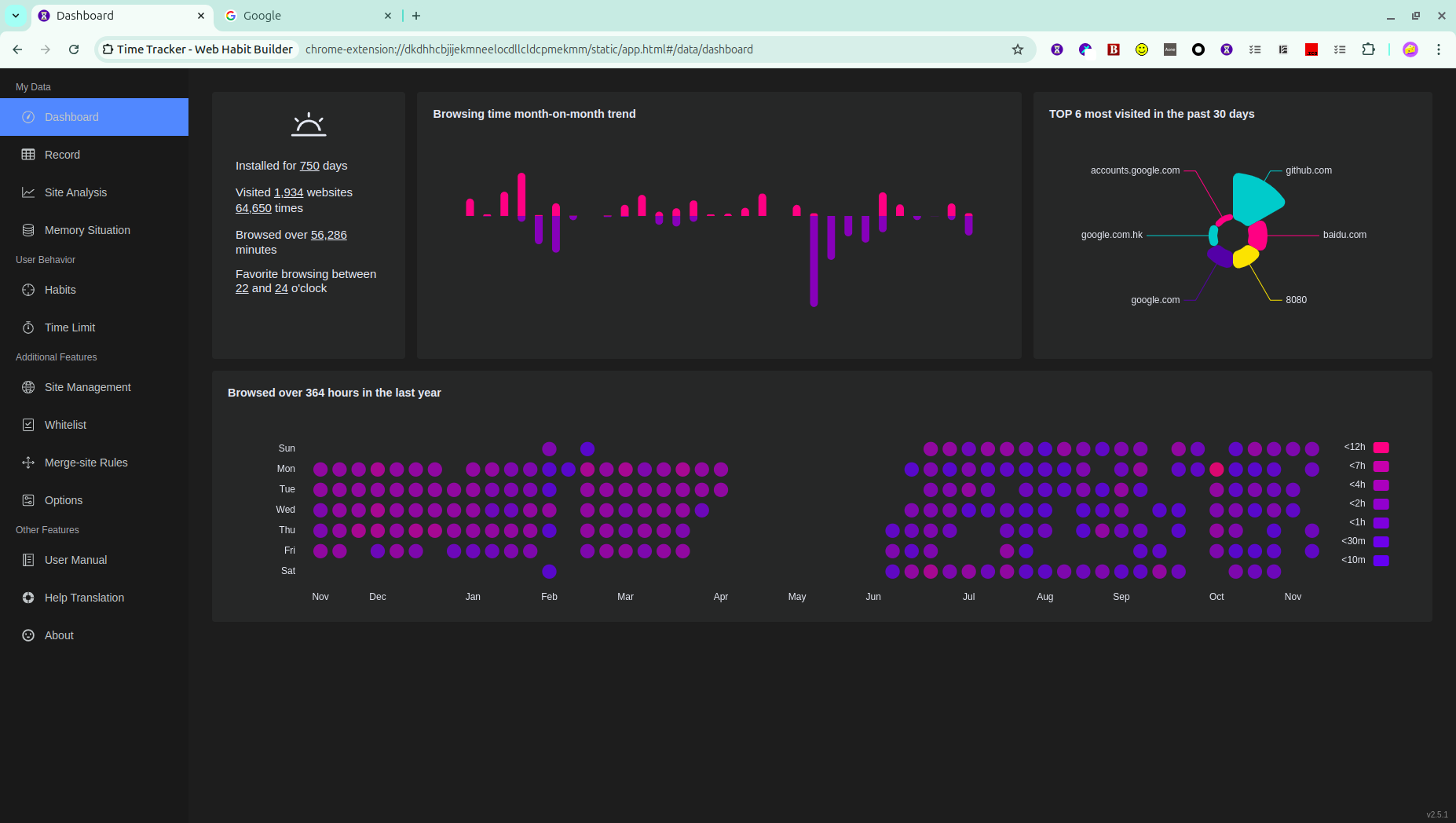
Clear Statistics
- Daily and weekly reports in easy-to-understand charts
- Time distribution across website categories
- Activity comparison by day of the week
-
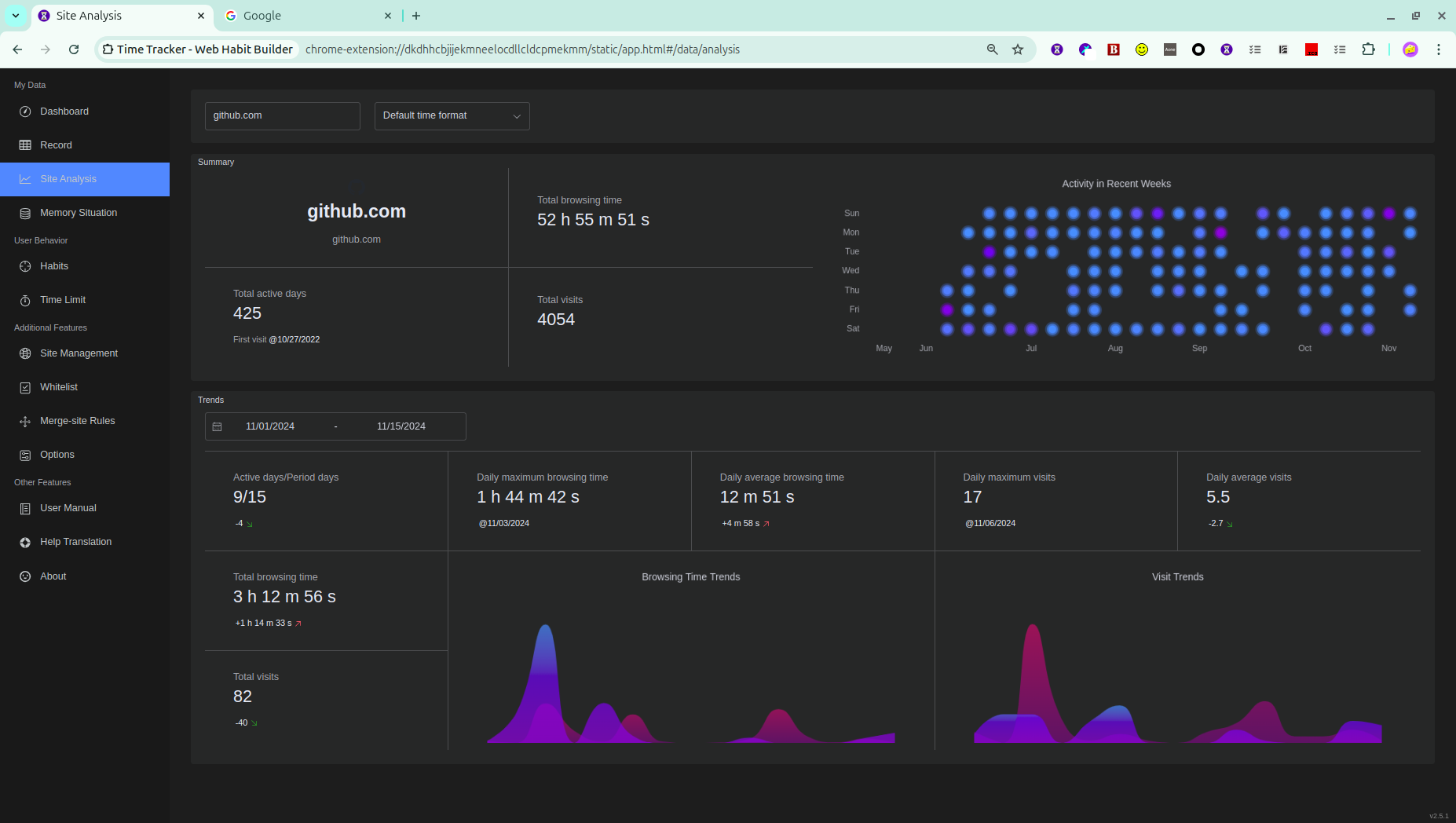
Habit Analysis
- Identifying the most time-consuming websites
- Monthly activity trends
- Comparison with previous periods
-
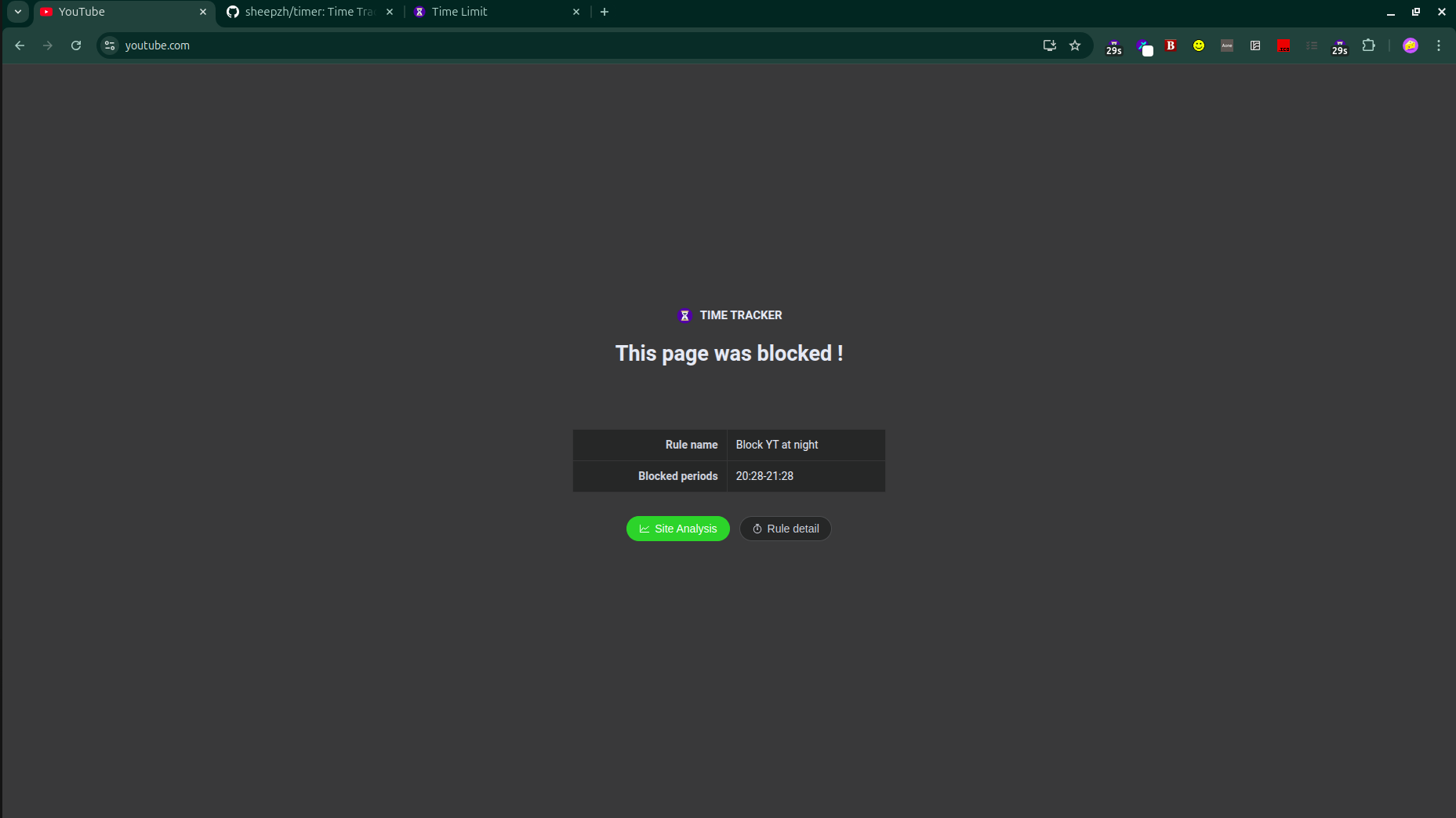
Blocking Feature
- Setting time limits for specific websites
- Notifications when limits are exceeded
- Option to temporarily block time-wasters
-
Flexible Settings
- Ignoring certain domains
- Grouping websites by categories
- Data export for further analysis
-
Complete Privacy
- All data stored locally
- No information sent to third-party servers
- Open source code (MIT License)
Technical Details
The project is written in TypeScript using:
- Vue 3 for the interface
- Element Plus as the UI library
- ECharts for data visualization
- Rspack as the bundler
It's worth noting that the developer chose a modern stack that balances performance with development convenience. If you're familiar with these technologies, the project is open to contributions.
Who Will Find It Particularly Useful?
- Freelancers who want to accurately track their working hours
- Parents monitoring their children's screen time
- Students struggling with procrastination
- Teams looking to analyze work patterns
- Everyone who wants to use the internet mindfully
Personal Experience
After a week of using Time Tracker, I was surprised to discover I spend about 2 hours a day reading news — now I consciously limit this to 30 minutes. Do you know where your precious minutes go?
How to Get Started?
- Install the extension from Chrome Web Store, Edge Addons or Firefox Add-ons
- Use the internet as usual
- After a day, check the statistics — ready for surprises?
Time Tracker is more than just a tracker — it's a mirror of your digital habits. Try it, and you'll see web surfing in a completely new light.
関連プロジェクト