How to Turn Any External Repository into an Interactive Course
Recently I caught myself thinking: writing code with neural networks has become so easy that it's easy to fall into a trap. You press a couple of buttons, the agent generates a working prototype of a couple thousand lines, everything seems to run fine, but there's an emptiness in your head. When the app crashes with a strange error or gets stuck in an endless loop of fixes, the magic fades away. You have to dig into the code and figure out how this stack actually works.
Usually you open files one by one, try to build a call graph in your head, and waste a lot of time. The codebase-to-course project by developer Zara offers a different approach. It's an extension (skill) for Claude Code that takes any local project and assembles it into a beautiful interactive single-page course in a single HTML file format.
Who it's for and why
The project author targets so-called vibe coders. These are people who build software through text prompts without formal Computer Science education. When the application works, they don't need boring theory from university textbooks. They need to understand practical things:
- How to better direct AI and make sound architectural decisions.
- How to spot hallucinations and bad patterns in generated code early on.
- Which files to check first when the assistant hits a dead end.
- How to speak the same language as engineers without feeling like an outsider.
However, the tool isn't just for beginners. If you need to quickly get up to speed on an unfamiliar open-source project or onboard an intern to your company's internal codebase, such an interactive guide will save hours of manual analysis.
What you get
The skill produces a self-contained HTML document. It has no heavy external dependencies, requires no build step or local server. Open the file in a browser and start learning the project immediately, even without internet access.
The page includes several interesting mechanics.
Synchronous code-to-human translation
The screen is split into two parts. On the left is the original code snippet from the repository without simplifications or truncations. On the right, a line-by-line explanation in plain language describes what's happening and why that line exists.
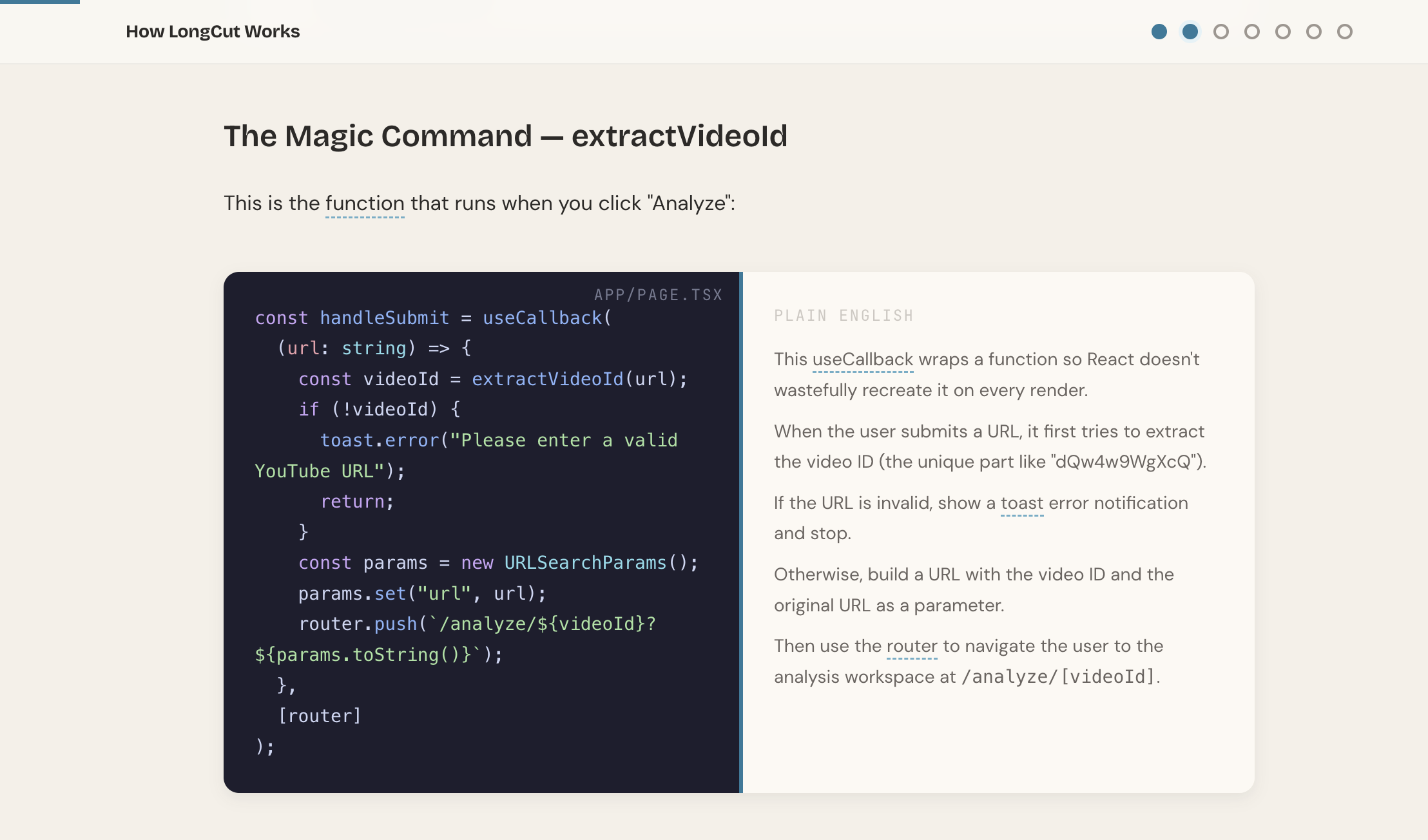
This approach helps connect abstract syntax with the application's logic. You immediately see which fragment handles event processing and which simply formats the response.
Animated diagrams and data flow visualization
Instead of lengthy paragraphs describing architecture, the course generates visual blocks. For example, a data transfer chain between components or a simulation of service-to-service dialogue.
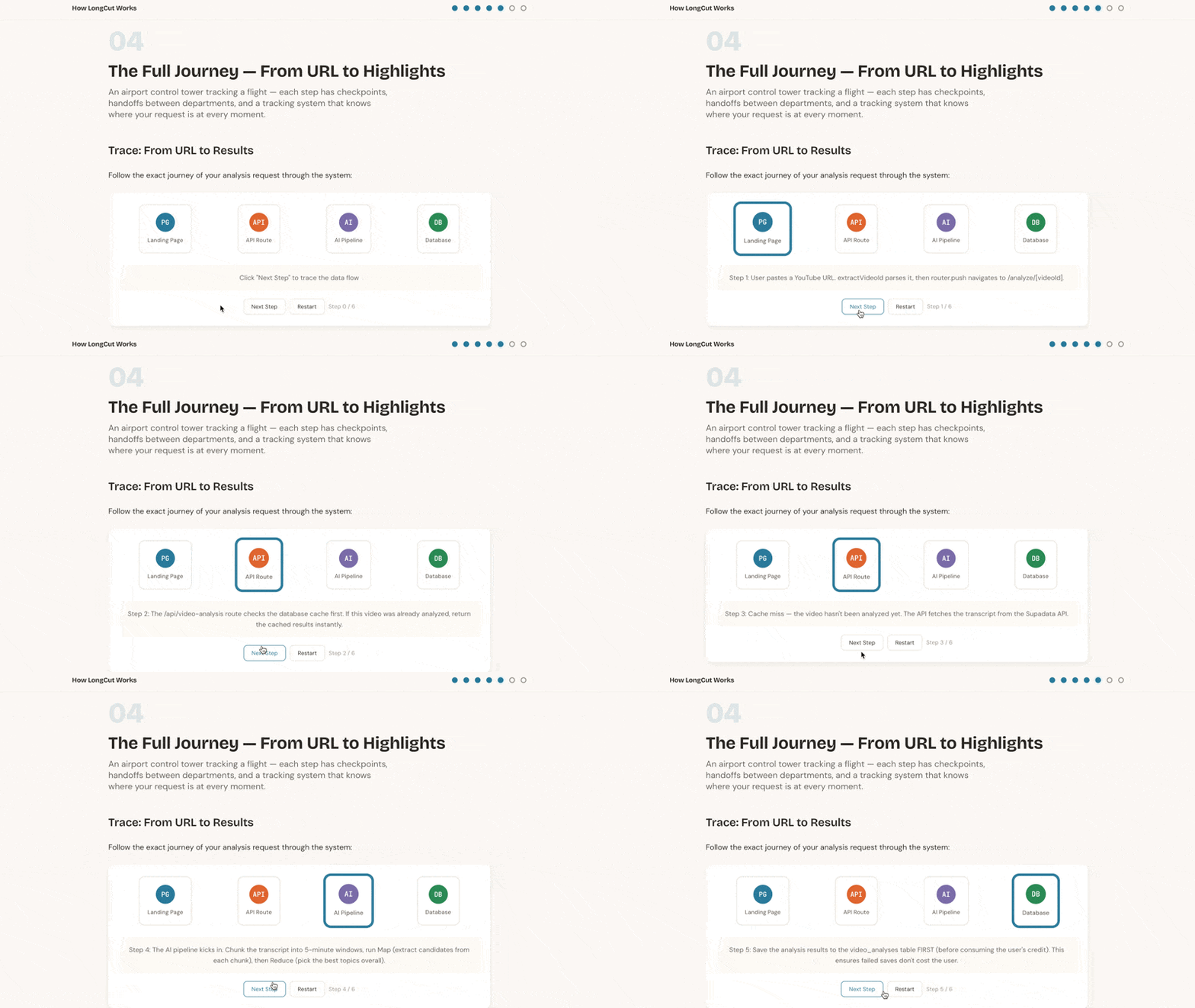
The author embedded a clear rule in the design: each screen should have at least half visual content, and text blocks shouldn't exceed two to three sentences. If a connection can be shown with an arrow or timeline, the text simply isn't written.
Knowledge application tests, not memory tests
Typical quizzes in tutorials test term memorization. The concept here is different. Questions simulate real engineering tasks.
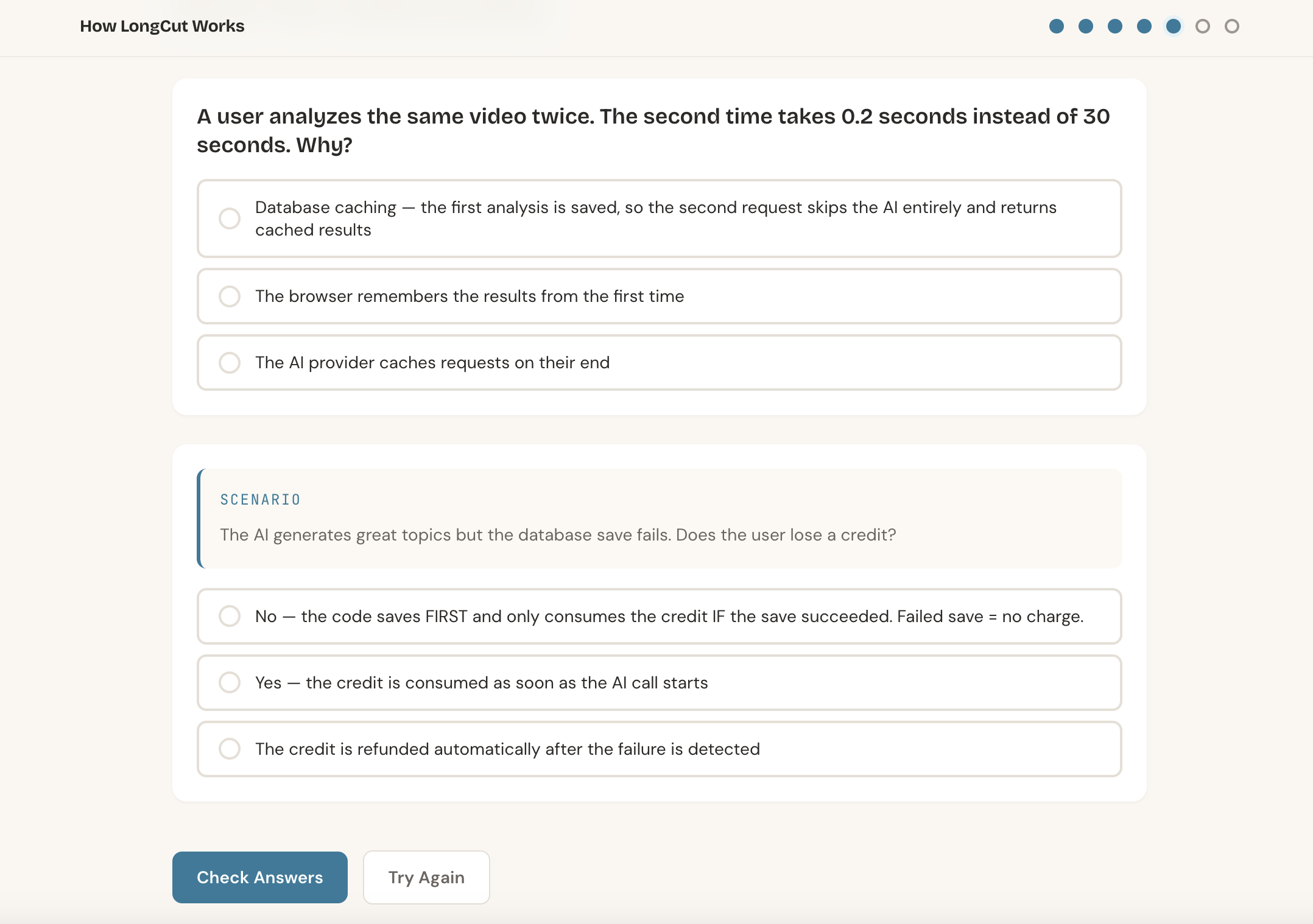
You won't be asked "what is a state manager." Instead, they'll ask: "A user reported that the filter resets when navigating between pages. Which file would you open first to make changes?" This forces you to think about the project structure rather than mechanically clicking through options.
Hover tooltips for terms
When the text includes specific terms like hydration, debounce, or webhook, you can hover over them to see a brief explanation without pretentious academic definitions.
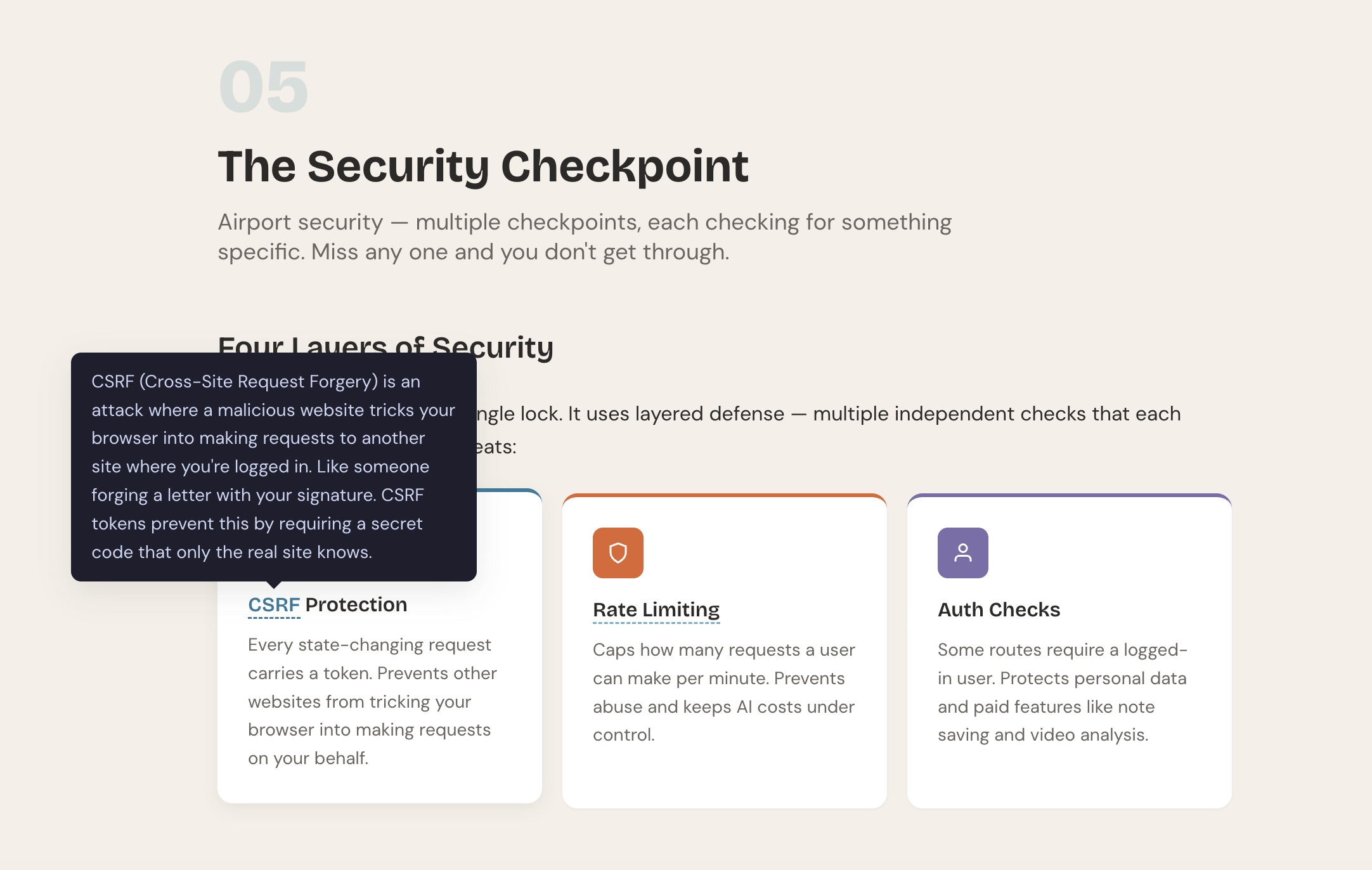
The page design is deliberately done in warm tones. There are no familiar purple gradients and neon glow that clutter almost all modern AI startups.
How the skill works under the hood
The repository itself is surprisingly compact. There's no heavy Python backend or complex pipelines. All the magic rests on clear prompts and design system specifications for Claude Code:
codebase-to-course/
├── SKILL.md                          # Главные инструкции для агента
└── references/
    ├── design-system.md              # Токены стилей, сетка, типографика и цвета
    └── interactive-elements.md       # Паттерны квизов, анимаций и графики
The SKILL.md file instructs the model on the teaching methodology. The core principle is an inversion of traditional learning: practice and a working project first, then mechanics breakdown. The instructions also strictly prohibit the model from modifying or simplifying code from the repository. Course snippets must exactly match the project files so developers can open the project in an editor and immediately locate the relevant fragment.
Files in the references folder provide a ready-made component framework in plain HTML, CSS, and vanilla JavaScript. This allows Claude to generate a clean interface with smooth scrolling and responsive layout without reinventing the wheel each time.
How to run it on your project
To use the tool, you'll need Anthropic's Claude Code command-line interface installed.
- Clone the repository or copy the project folder to the skills directory:
cp -r codebase-to-course ~/.claude/skills/
-
Navigate to any of your project's directories in the terminal and start a Claude Code session.
-
Write a command in natural language:
Turn this codebase into an interactive course
Phrases like "Explain this codebase interactively" or "Teach me how this code works" will also work. The agent will scan the repository files, identify key nodes, and generate a ready HTML file right in the root folder.
Things to keep in mind
The idea of packaging an architecture breakdown into a standalone interactive file looks very fresh. In just a few days, the project gathered over five thousand stars on GitHub, indicating high demand for tools that enable meaningful code understanding.
The main limitation of the utility comes down to the context window and repository size. On projects with several hundred thousand lines, the model physically cannot account for all connections and will inevitably focus only on the top-level structure or entry point. However, for mid-sized libraries, microservices, pet projects, and typical fullstack applications, this is an excellent way to quickly understand external source code. Try pointing the skill at an old project you haven't opened in a while—the result will likely surprise you.
Gerelateerde projecten