Woodpecker CI - When Simplicity is the Key to Success in Automation
Sound familiar: you want to set up CI/CD to automate builds, tests, and deployments, but you're faced with monstrous configurations, dozens of dependencies, and endless hours of debugging? Or maybe your current CI system consumes so many resources that it feels like it's a separate project requiring constant attention? If these questions resonate with you, then you should definitely take a closer look at Woodpecker CI.
Woodpecker CI: A Fresh Look at Automation
Woodpecker CI is not just another CI/CD system, but rather a fresh take on how continuous integration and delivery should work: efficiently, without frills, and with respect for your resources. The project positions itself as a simple yet powerful and easily extensible CI/CD engine. And, believe us, it fully delivers on these claims.
Who needs it? Everyone who values minimalism, performance, and full control over their CI/CD infrastructure. From small startups and teams to individual developers tired of the complexity of market giants.

Key Advantages That Will Surprise You
Let's explore what makes Woodpecker CI so attractive for the modern developer.
1. Lightweight and Phenomenally Cost-Effective
Imagine a CI/CD server that idles at just 100 MB of RAM, with the agent consuming a mere 30 MB! That's no joke. Woodpecker CI runs on SQLite as its default database out of the box, allowing you to deploy it in literally a couple of minutes without the need to spin up and configure heavy database systems. This is an ideal option for:
- Small teams and startups where every megabyte counts.
- Personal projects and hobby development when you don't want to spend a lot of money on expensive servers.
- Deployments on VPS or budget cloud instances.
This lightweight nature is achieved thanks to Woodpecker CI being written in Go — a language known for its efficiency and performance. It doesn't burden the system and lets you focus on tasks rather than monitoring CI/CD resources.
2. Extensibility via Plugins: Docker Is Your Best Friend
Woodpecker CI is built on the idea of modularity. All pipeline step execution logic is implemented through plugins, which are essentially Docker images. This is a brilliant solution that provides incredible flexibility:
- Isolation: Each pipeline step runs in a separate, isolated container. This guarantees reproducible builds and minimizes dependency conflicts.
- Any language, any tool: Since plugins are Docker images, you can use any programming language and any tools, as long as they can be packaged in a container. Python, Node.js, Ruby, Java, Go — anything goes!
- Rich ecosystem: There's already a wide range of ready-made plugins for various tasks: building and publishing Docker images, deploying to Kubernetes, AWS, Google Cloud, sending notifications to Slack or Telegram, code testing, and much more.
By the way, they have a convenient plugin catalog that includes both official and community-developed solutions. If something is missing, writing your own plugin based on Docker takes just a few minutes.
3. Ease of Deployment and Management
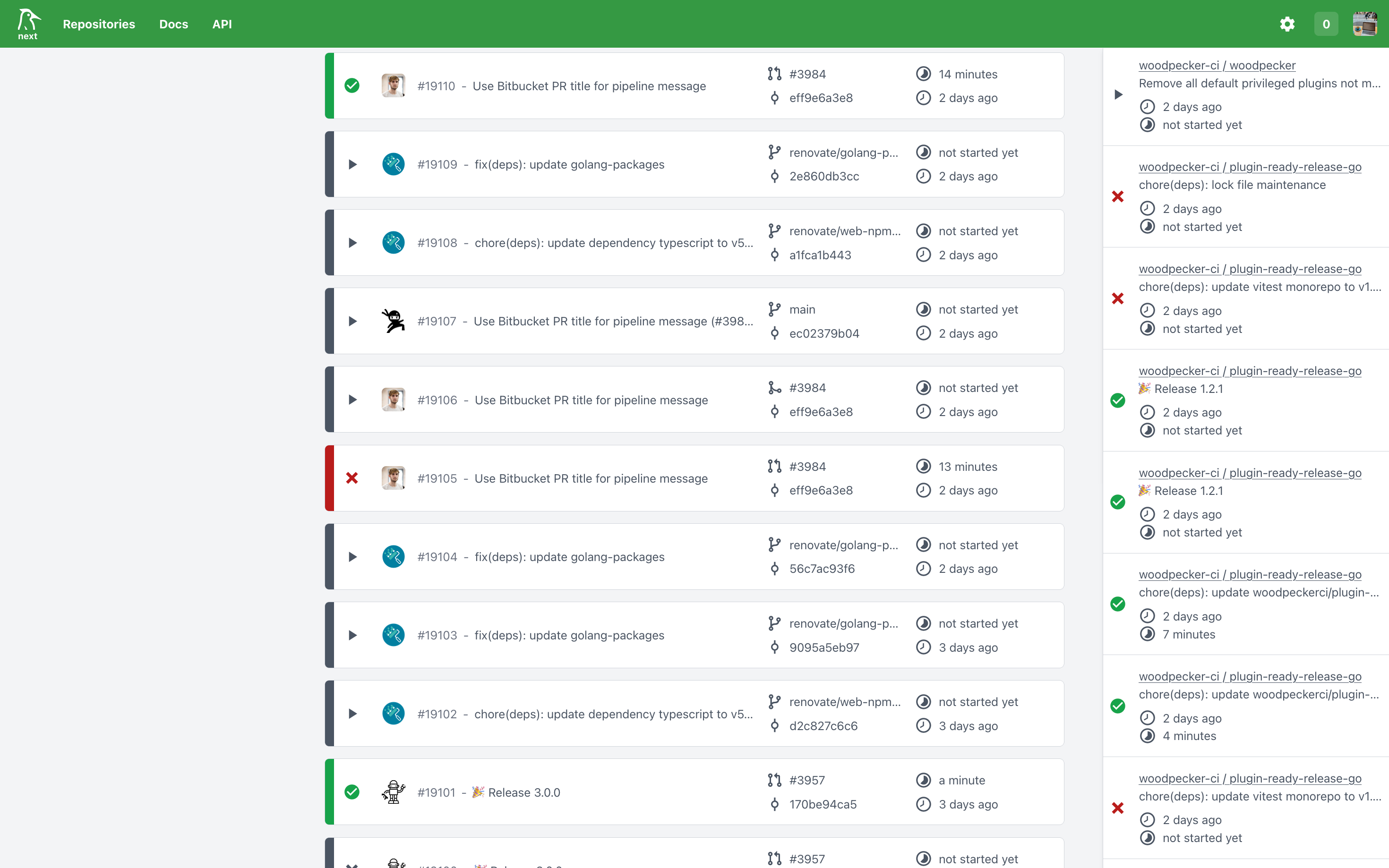
Installing Woodpecker CI is surprisingly simple. It supports various installation methods, including Docker Compose and Kubernetes. The project's documentation, available at woodpecker-ci.org/docs/intro, is very detailed and will help you get up to speed quickly, even if you're a newcomer to the CI/CD world.
Technical Nuances: What's Under the Hood?
As I mentioned earlier, Woodpecker CI is written in Go, which gives it high performance and low resource consumption. The architecture consists of two main components:
- Server: Handles the user interface, repository management, pipeline scheduling, and configuration storage.
- Agents: These are the workhorses that execute actual tasks in Docker containers. You can run multiple agents on different machines to scale your CI/CD infrastructure as your needs grow.
Fun fact: Woodpecker CI is used as the primary CI/CD system on Codeberg — a platform for hosting Git repositories that emphasizes privacy and open-source software. This speaks to the project's reliability, community focus, and commitment to open-source principles.
Practical Applications: Who Should Give It a Try?
Woodpecker CI is a versatile tool, but it really shines in several scenarios:
- For startups and small teams: If you're just starting out or your team doesn't want to spend a lot of time and money on setting up and maintaining a complex CI/CD, Woodpecker is an excellent choice. Quick start, minimal overhead.
- For resource-constrained projects: Perfect for deploying on VPS or small servers where every byte of RAM and every CPU cycle counts.
- For self-hosted solution enthusiasts: If you prefer to keep everything under your control, Woodpecker gives you complete freedom and transparency, allowing you to avoid vendor lock-in with proprietary cloud services.
- For those seeking an alternative: If you're tired of Jenkins' complexity, GitLab CI's resource hunger, or just want to try something new and more modern, Woodpecker can be a breath of fresh air.
- For automating routine tasks: Beyond classic CI/CD, it can be used to automate any tasks that can be described in Docker containers: from generating reports to deploying static websites.
Conclusion: Your Path to Lightweight Automation
Woodpecker CI is a breath of fresh air for those seeking a simple yet powerful and extensible CI/CD engine. It proves that automation doesn't have to be complex and resource-intensive. Thanks to its lightweight design, Docker-oriented approach, and active community, Woodpecker CI offers an excellent alternative to heavier solutions.
If you value performance, minimalism, and the ability to control your infrastructure, give Woodpecker a chance. It might just become your new favorite automation tool! Try it out — getting started is incredibly easy. Everything you need can be found in the official documentation.
Gerelateerde projecten