How to Consolidate Scattered Thoughts in One Android App
Ever been in a situation where a pet project idea is in Google Keep, your shopping list is in a reminder app, and an important link from Telegram got lost somewhere in "Favorites"? We often try to organize our lives using a dozen different services. As a result, data is scattered across clouds, and we spend time switching between tabs.
Recently I came across MyBrain — an open-source Kotlin project that tries to solve the "digital chaos" problem. The author decided to combine tasks, notes, calendar, and even a mood diary in one package. Sounds ambitious, let's see what's under the hood and how convenient it really is.



My Brain
What "My Brain" Can Do
The main idea behind MyBrain is complete privacy. The app works locally, doesn't collect your data, and doesn't require registration. For those who are paranoid about the security of their notes, this is a big plus.
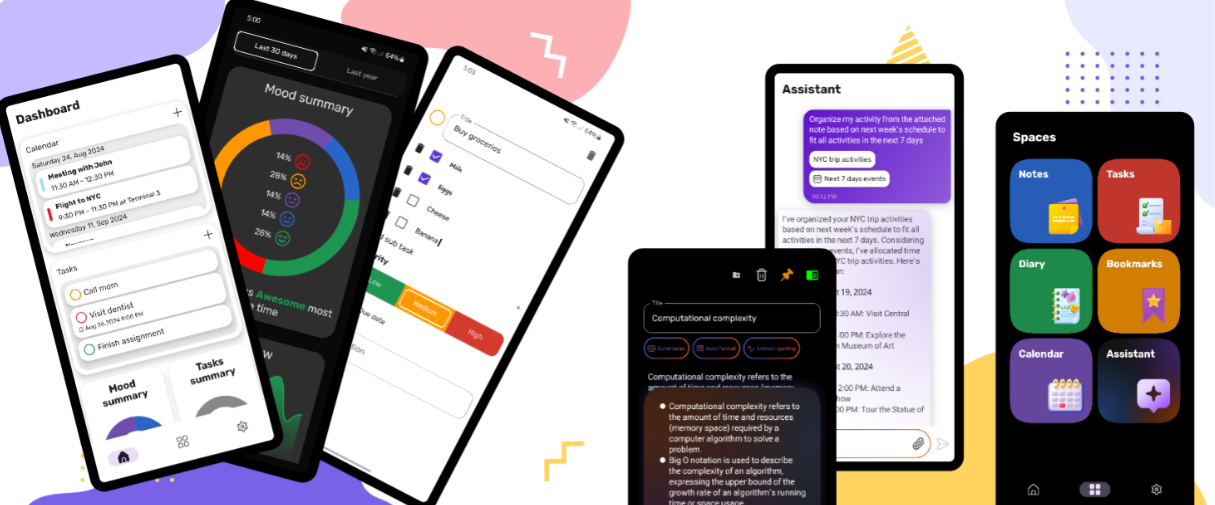
Here's what I found most interesting:
- Notes with Markdown support. You can format text with headings, lists, and links. This turns a regular notepad into a kind of knowledge base.
- Tasks and subtasks. Everything by the book here: priorities, deadlines, and reminders. It's convenient that tasks are integrated into the common dashboard.
- Mood tracker. Every day you can log your state. The app builds charts showing when burnout is approaching.
- Bookmark manager. Instead of keeping 100 open tabs in your browser, you can "share" links directly to MyBrain.
- AI assistant. There's an agent inside that can not only answer questions but also find the right items in your notes or create new tasks.
A Developer's Perspective
If you write for Android, MyBrain is a great example of a modern tech stack. The project is written 100% in Kotlin and uses a multi-module architecture. This isn't just a "single-screen app" — it's a well-structured codebase.
The project uses:
- Jetpack Compose for the UI.
- Jetpack Glance for creating home screen widgets.
- Room DB for local data storage.
- Koin as the DI framework.
- Ktor for network requests (e.g., for working with AI).
- MVI (Model-View-Intent) as the main design pattern.
The architecture follows Clean Architecture principles. The layers are clearly separated, which makes navigating the project easier. If you want to see how to properly implement biometric authentication or Alarm Manager for notifications — feel free to dive into the source code.
Why It's Worth Trying
MyBrain wins with its honesty. It's not another SaaS that will raise subscription prices tomorrow or shut down. It's a tool that lives on your device.
The app is suitable for those who:
- Are tired of overloaded Notion or Jira interfaces.
- Want a single entry point for all personal matters.
- Are looking for a quality code example with Compose and MVI for learning.
Of course, there's room for growth. For example, syncing between devices is still an issue (since the app is local), but for a personal organizer on your phone — it's one of the most balanced solutions on GitHub.
You can find the project on F-Droid or build it yourself from the repository. If you were looking for a project to contribute to, the author actively accepts PRs and works on localization through Crowdin. The code is clean, the logic is clear — a great option to get started with open source.
Gerelateerde projecten