Combining Obsidian and Claude Code for Knowledge Accumulation Without File Clutter
Anyone who has tried to maintain a personal knowledge base has encountered the same problem. It all starts with good intentions: setting up a beautifully structured Obsidian, arranging thoughts neatly, linking notes together. And a couple months later, the vault turns into a chaotic dump of copied code snippets, unprocessed links, and abandoned drafts left half-finished.
Researcher Andrej Karpathy once described the concept of an LLM Wiki: a concept where a neural network helps structure personal knowledge, turning it into a coherent graph. The claude-obsidian repository puts this idea into practice. It's a local tool for Claude Code and compatible Agent Skills hosts that processes incoming materials on its own, verifies facts against primary sources, and organizes everything into Markdown files on your disk.

Why bother when there are regular AI plugins
Most note-taking extensions with AI work simply: they take your text, send it to a cloud database, build a vectorized index, and output another piece of generative text. If you close the plugin or cancel your subscription, all this "smart" scaffolding disappears.
In claude-obsidian, the approach is different. The knowledge base remains a regular folder with Markdown, JSON, and source files. Data isn't hidden in the plugin's internal cache and doesn't fly off to third-party servers without your consent. All the magic happens on top of your own files.
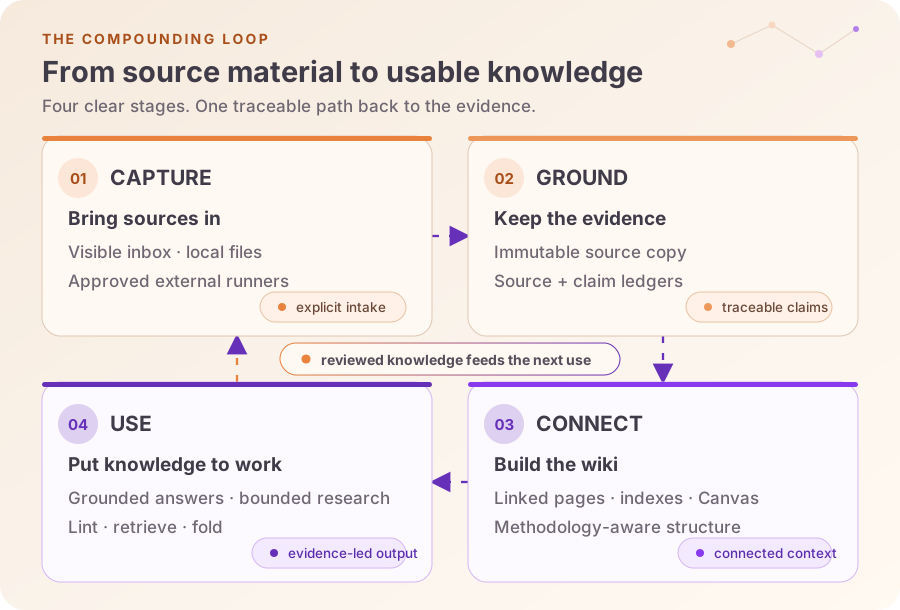
The system is built around a cyclical process:
- You drop material into the
inbox/folder. The tool creates an exact, immutable copy with a fixed hash. - During analysis, the AI extracts specific statements from the text. If facts are questionable or contradict each other, they are marked separately. The system doesn't invent sources—it explicitly references the saved original.
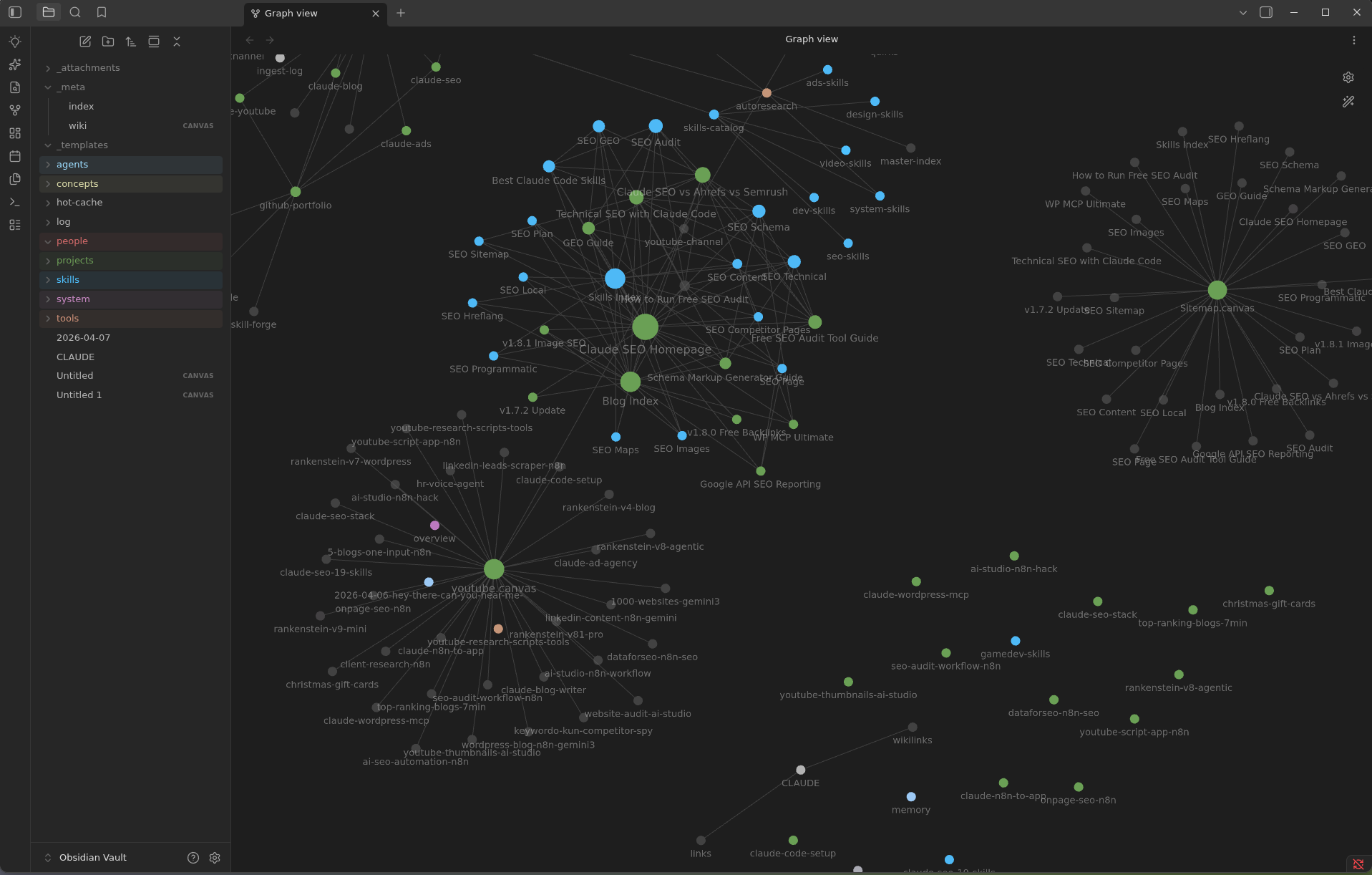
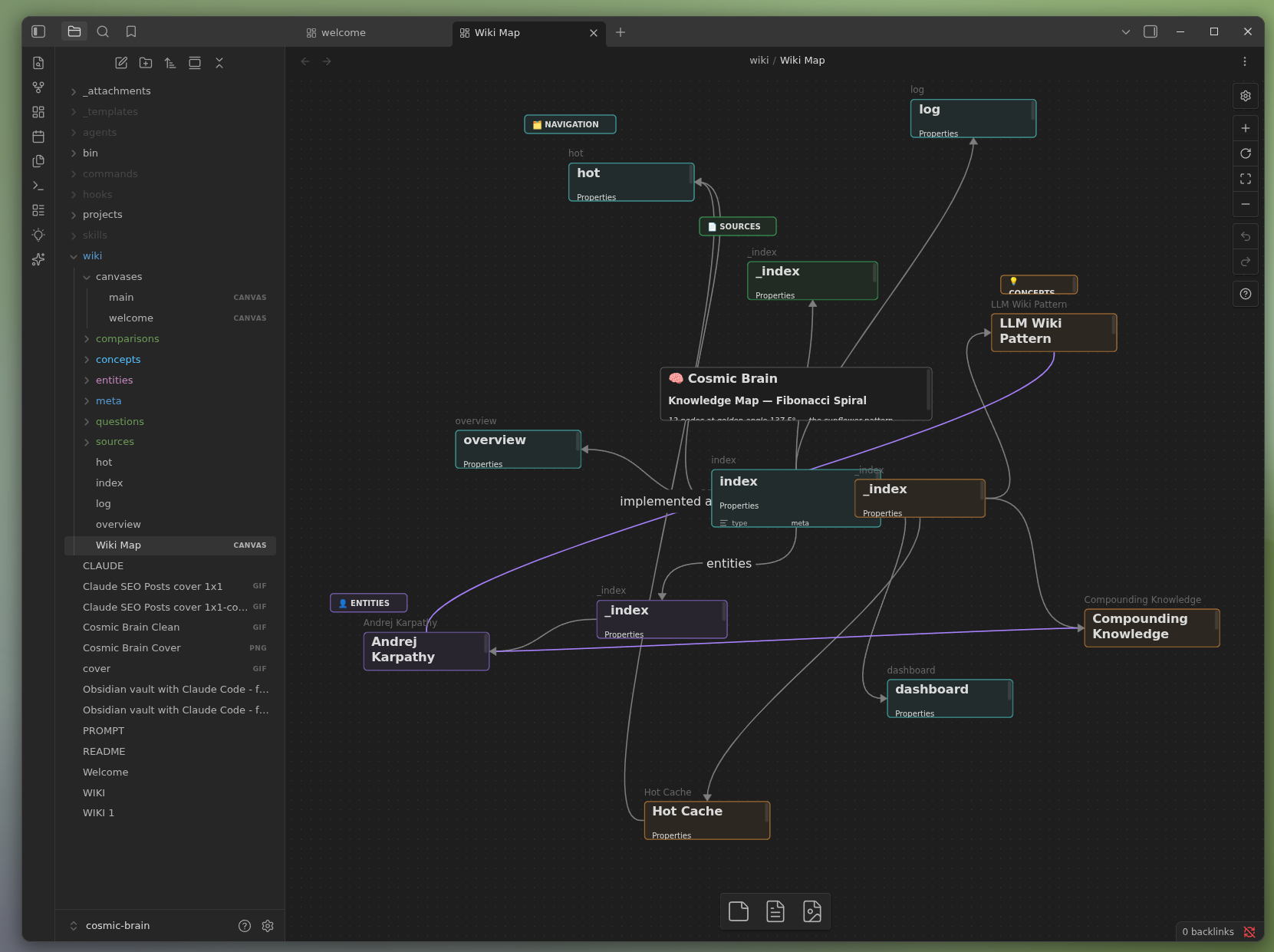
- From the processed material, atomic notes, indexes, and visual diagrams on Obsidian Canvas are generated.
- The finished base can be queried through Claude Code, contradictions can be found, broken links can be searched for, and new topics can be added.
The result looks like a neatly organized knowledge base that is equally convenient to work with both through an AI agent and manually through the standard Obsidian interface.
What's under the hood: 15 skills in one CLI
The developers organized the functionality as a set of 15 so-called skills. They can be invoked as separate commands from Claude Code or used as standalone scripts.
All skills are divided into three logical groups:
- Database and wiki operations — vault initialization (
wiki), saving exact answers without logging unnecessary clutter (save), parsing input files (wiki-ingest), answering only based on verified facts from the database (wiki-query), and finding issues like orphan pages or empty sections (wiki-lint). - Advanced scenarios — autonomous web search with isolated result saving (
autoresearch), generating Obsidian Canvas boards (canvas), cleaning web pages of clutter before reading (defuddle), log aggregation (wiki-fold), and contextual BM25 search with optional reranking (wiki-retrieve). - Formatting and methodology — support for note-taking methodologies (
wiki-mode), correct Obsidian Flavored Markdown markup templates (obsidian-markdown), and native tables with databases (obsidian-bases).
A nice detail: the wiki-mode command can organize new notes into popular systems like PARA, Zettelkasten, or LYT (Linking Your Thinking). At the same time, old files are left untouched and no one tries to forcibly rename them.
Protection against clumsy hands and parallel agents
If you give a language model direct write access to the file system, sooner or later it will corrupt something or delete a needed note. The author of claude-obsidian accounted for this risk and designed a strict trust boundary.
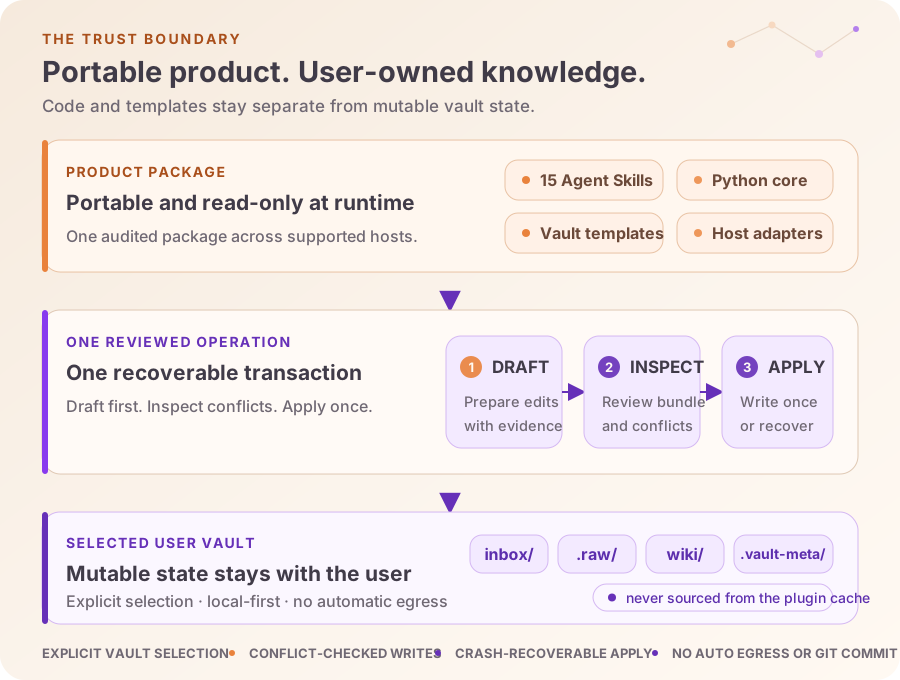
Any modification operation consists of safe steps. First, the system takes SHA-256 hashes of all affected files. Parallel processes generate only change drafts. Then the orchestrator assembles this into a single package, shows the user the final JSON plan, and waits for confirmation.
Only after you verify the hash of the approved plan and pass it to the --apply command will changes be written to disk. If a file has been modified during preparation, the write will be cancelled. If the process is interrupted halfway, the operation will roll back from backup.
Quick start and daily use
Python version 3.11 or newer is required to run it. If you are on Windows, you'll need to write changes through WSL, since the native Windows version currently only works in read-only and dry-run modes.
Clone the project repository to your machine:
git clone https://github.com/AgriciDaniel/claude-obsidian.git
cd claude-obsidian
Create a separate folder for your notes database and request an initialization plan:
export GENERATED_AT="$(date -u +%Y-%m-%dT%H:%M:%SZ)"
export OPERATION_ID="init-reviewed"

python3 scripts/claude-obsidian.py init "$HOME/Documents/MyKnowledgeVault" \
  --generated-at "$GENERATED_AT" --operation-id "$OPERATION_ID"
In the response, you'll see a detailed JSON and the approved_plan_sha256 line. Copy the hash and confirm execution:
python3 scripts/claude-obsidian.py init "$HOME/Documents/MyKnowledgeVault" \
  --generated-at "$GENERATED_AT" --operation-id "$OPERATION_ID" \
  --approved-plan-sha256 "<полученный-хэш>" --apply
If you already have a working Obsidian vault, you won't need to rewrite it from scratch. For this, the adopt command is provided, which carefully adds the necessary index files and tables without touching your personal content.
Next, open the created folder in Obsidian, and from the console launch Claude Code:
cd "$HOME/Documents/MyKnowledgeVault"
claude --plugin-dir /абсолютный/путь/к/claude-obsidian
Quick commands become available inside Claude Code:
/claude-obsidian:wiki
/claude-obsidian:wiki-ingest
/claude-obsidian:wiki-lint
Drop any text file or article into inbox/ and invoke /claude-obsidian:wiki-ingest. The tool will parse the text, create the necessary cards, link them with cross-references, and update the overall knowledge map.
Who this project is perfect for
claude-obsidian is hardly needed by those who use Obsidian once a week for a shopping list. But the project will be a find for those who:
- Read a lot of technical documentation, articles, and specifications that they want to save in a convenient format.
- Conduct architecture research and want to see connections between different technologies without manually creating hundreds of notes.
- Are not ready to hand over their personal notes to closed clouds or tie themselves to proprietary formats.
The system wins with its honesty: transparent transactions, clean Markdown output, and no attempts to make the model an "omniscient oracle." If the neural network is not confident in a fact or cannot find confirmation in the saved files, it will simply tell you directly.
Gerelateerde projecten