How to Move Discord to the Terminal and Why You Might Want To
Sometimes you catch yourself thinking that switching between your IDE and the heavy Electron Discord app is starting to get annoying. RAM is melting away, fans are spinning up, and all you need is to reply to a colleague in chat or check a log in a channel. I stumbled upon the Concord project — a TUI client for Discord written in Rust. It transforms the familiar messenger interface into a lightweight console application that consumes a fraction of the resources and is controlled almost like Vim.
What It Is
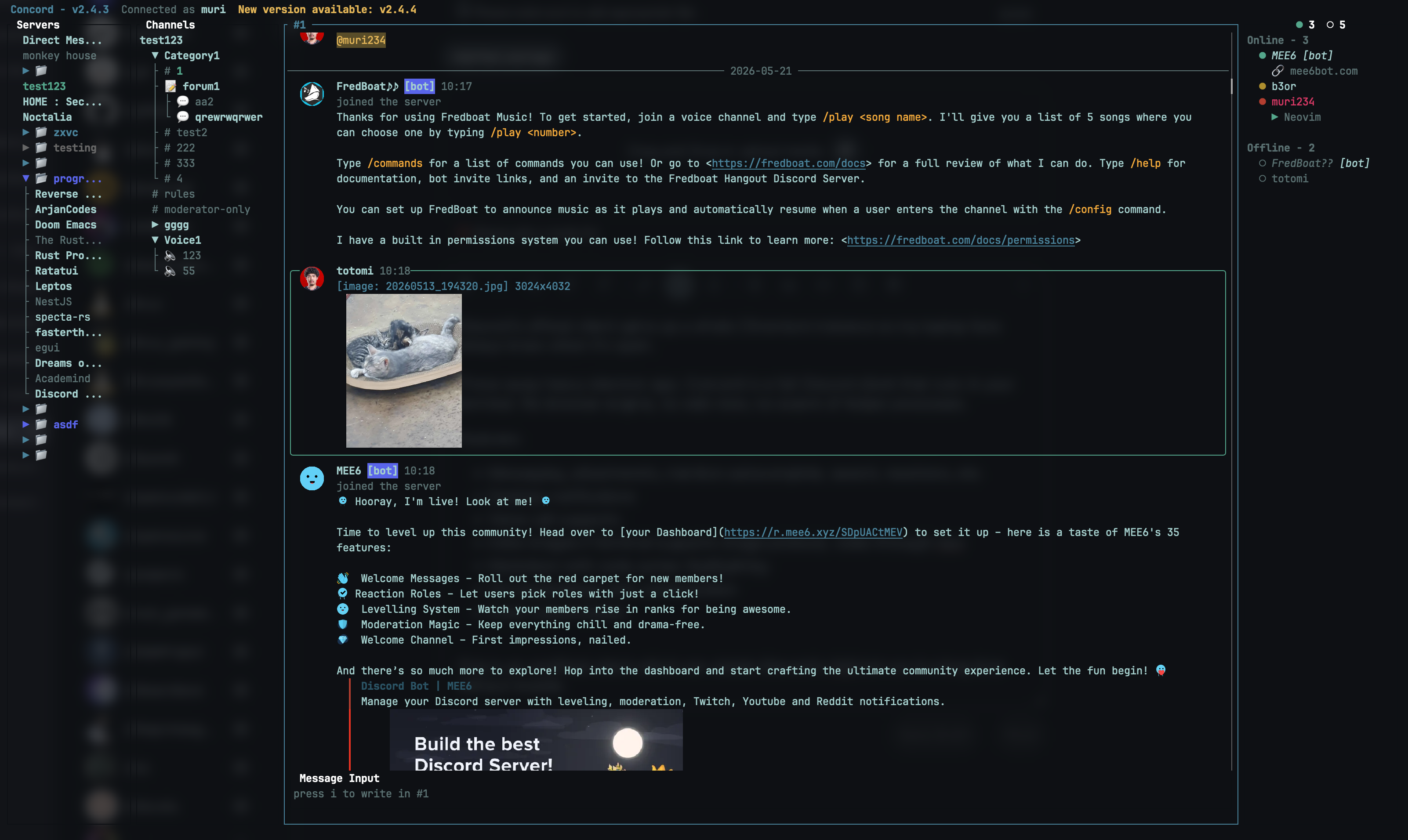
Concord isn't just a message reader — it's a full-featured client built on the ratatui library. The author clearly drew inspiration from developer console utilities: there's panel layouts, hotkey support, and even image rendering directly in the terminal.
The project is useful for those who spend their entire day in the console and want to minimize context switching. Instead of alt-tabbing to a browser or desktop app, you simply switch to the next terminal window or tmux session.
Key Features That Won Me Over
Graphics Rendering
The most impressive thing about modern TUI tools is their image handling. Concord can display images, avatars, and custom emoji. It automatically detects your terminal's capabilities and selects the protocol: Kitty, iTerm2, or Sixel. If your terminal is quite old, the client falls back to halfblocks, which look like pixel art.
Navigation for Vim Enthusiasts
If you're used to h, j, k, l, you'll feel right at home. The interface is divided into four zones: servers, channels, messages, and member list. You can easily jump between them using 1-4 keys or tab. There's even a leader key (space by default) for quick actions, similar to Neovim.
Full Markdown and Code Support
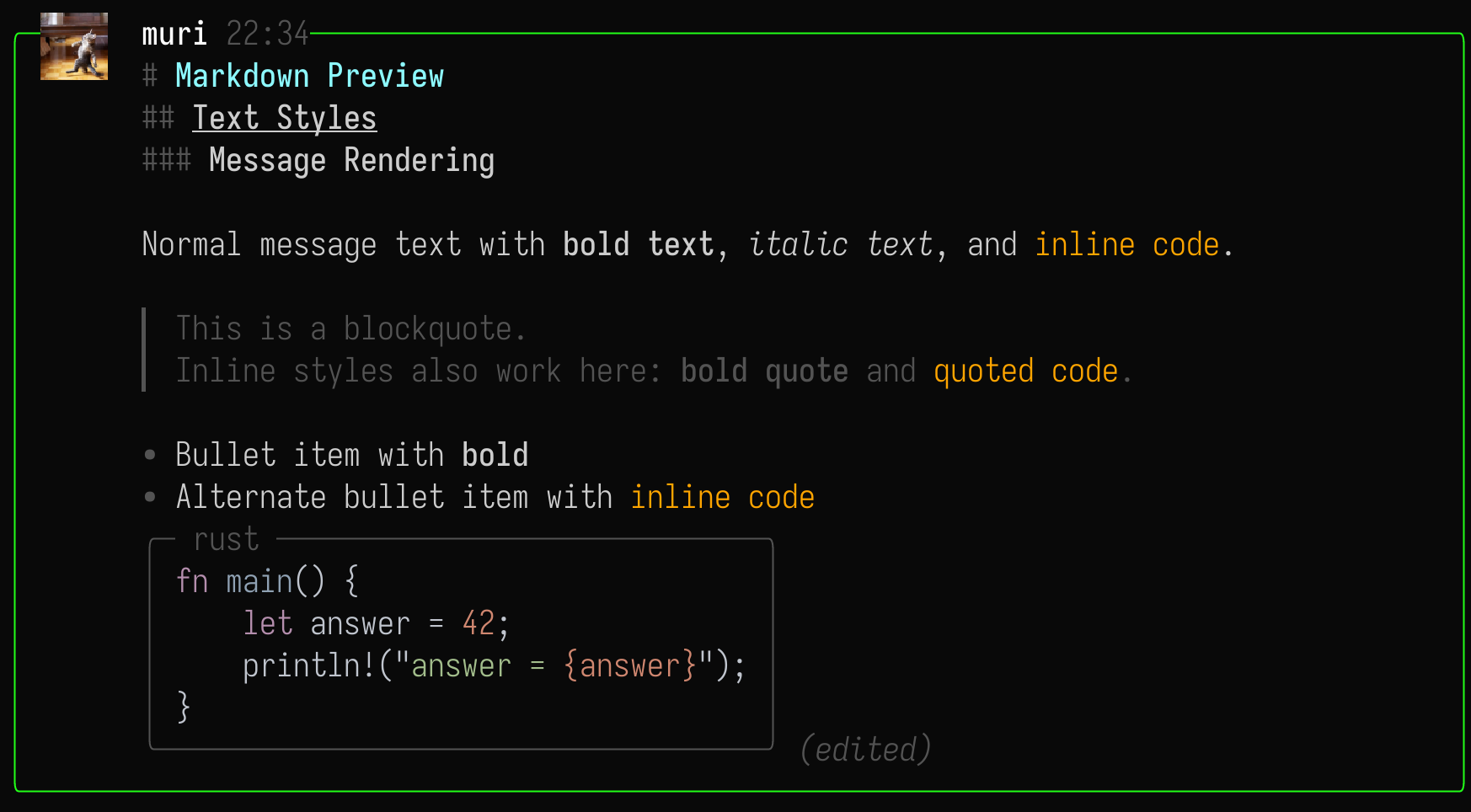
Discord is known for its formatting, and Concord handles it properly. Bold text, italics, lists, and most importantly for us, code blocks with syntax highlighting all look clean.
Voice Channels
Honestly, I expected voice in a console client to be just a checkbox feature, but here it's fully implemented. You can join voice channels, mute yourself, and even see who's currently speaking (active speakers are highlighted). mpv handles audio output.
Technical Details
The project is written in Rust, which explains its modest resource usage. In normal mode, Concord consumes around 20–40 MB of RAM. Of course, if you open a channel full of heavy images, consumption may briefly spike to 100–200 MB during decoding, but it's still nowhere near Electron's hunger.
For media handling (audio and video), Concord relies on mpv installed on your system. If you plan to watch YouTube videos directly through the client, make sure you have yt-dlp configured.
Getting Started
Installation is pretty straightforward. If you're on macOS, one command will do:
brew install concord
Linux users have Nix packages available or can build from source using cargo.
The first launch will prompt you to authorize. You have three options: login/password, QR code, or token. The author recommends using a token since Discord frequently triggers captcha for third-party clients, and Concord can't solve captchas.
By the way, regarding security: tokens are stored in the system keychain by default, so they won't be exposed in plain text in config files unless you explicitly choose otherwise.
Who It's For
Concord definitely won't replace the official client for everyone. For instance, if screen sharing or complex streaming settings matter to you, a TUI won't help. But if your Discord usage involves threaded conversations, monitoring alerts in channels, and occasional calls, this tool could become your primary one.
Concord is especially great on low-end machines or remote servers where a graphical shell is an unaffordable luxury. Plus, the aesthetic pleasure of working in a unified style with the rest of your terminal environment is undeniable.
It's worth remembering that using unofficial clients technically violates Discord's ToS. In practice, bans are rare (usually if you start spamming or using self-bots), but the risk, though minimal, remains your responsibility. As the author notes, it's best to avoid creating new DMs with strangers through Concord — that's one of the triggers for anti-fraud systems. Otherwise, it's smooth sailing.
Powiązane projekty