How to Organize Your Network Infrastructure with NetBox
Every network engineer or sysadmin probably has a sad story about an Excel spreadsheet. For years they tracked available IP addresses in it, until someone accidentally assigned the same address to both a gateway and a new database server. And when it comes to physical racks in the server room, documentation usually lags behind reality by several months. No one can remember exactly which patch panel port that blue cable goes into.
The NetBox project emerged in 2016 as a direct response to this chaos. Built with Python and Django, it was conceived as a replacement for fragmented IP address management systems (IPAM) and data center resource management (DCIM). Today, the repository has garnered over 21,000 stars on GitHub and has become the de facto standard for maintaining the authoritative state of your network.
What is Source of Truth and Why Do You Need It
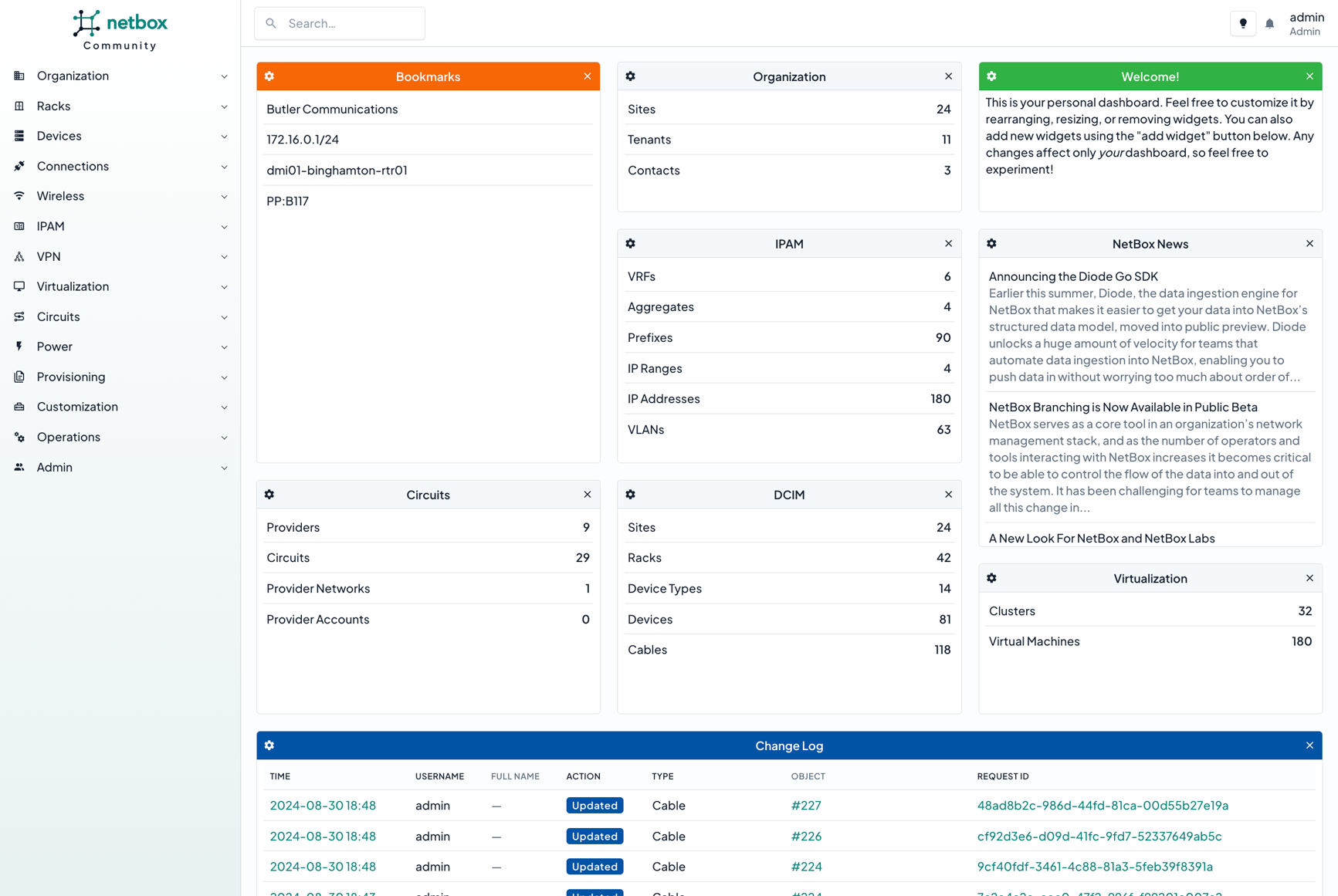
The core principle behind NetBox is the Source of Truth concept—a single source of authoritative information. NetBox captures the intended state of your network rather than its current operational state.
This is a fundamental distinction. The program doesn't poll switches via SNMP or scan ports. It describes how the network should be configured according to the engineer's design.
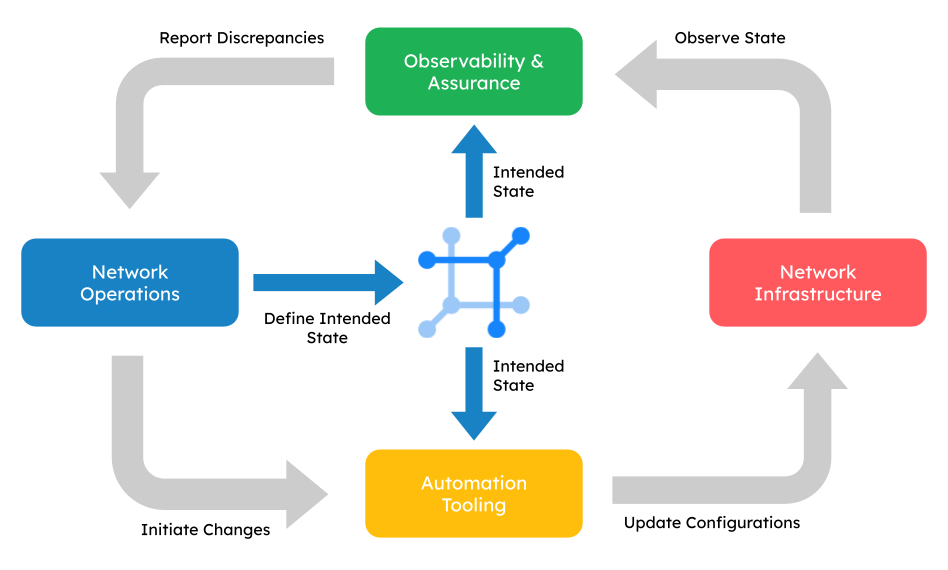
This separation of concerns fundamentally changes the approach to automation. Instead of manually configuring devices and then struggling to compile reports, the engineer makes changes directly in the NetBox database. Scripts or orchestration systems like Ansible and Salt then retrieve these parameters via REST API, generate configurations, and deploy them to the equipment.
Key Features
The developers deliberately focused on network-specific requirements, so the data model is ready to use immediately after installation.
1. Detailed Physical and Logical Modeling
The system can unify all infrastructure layers:
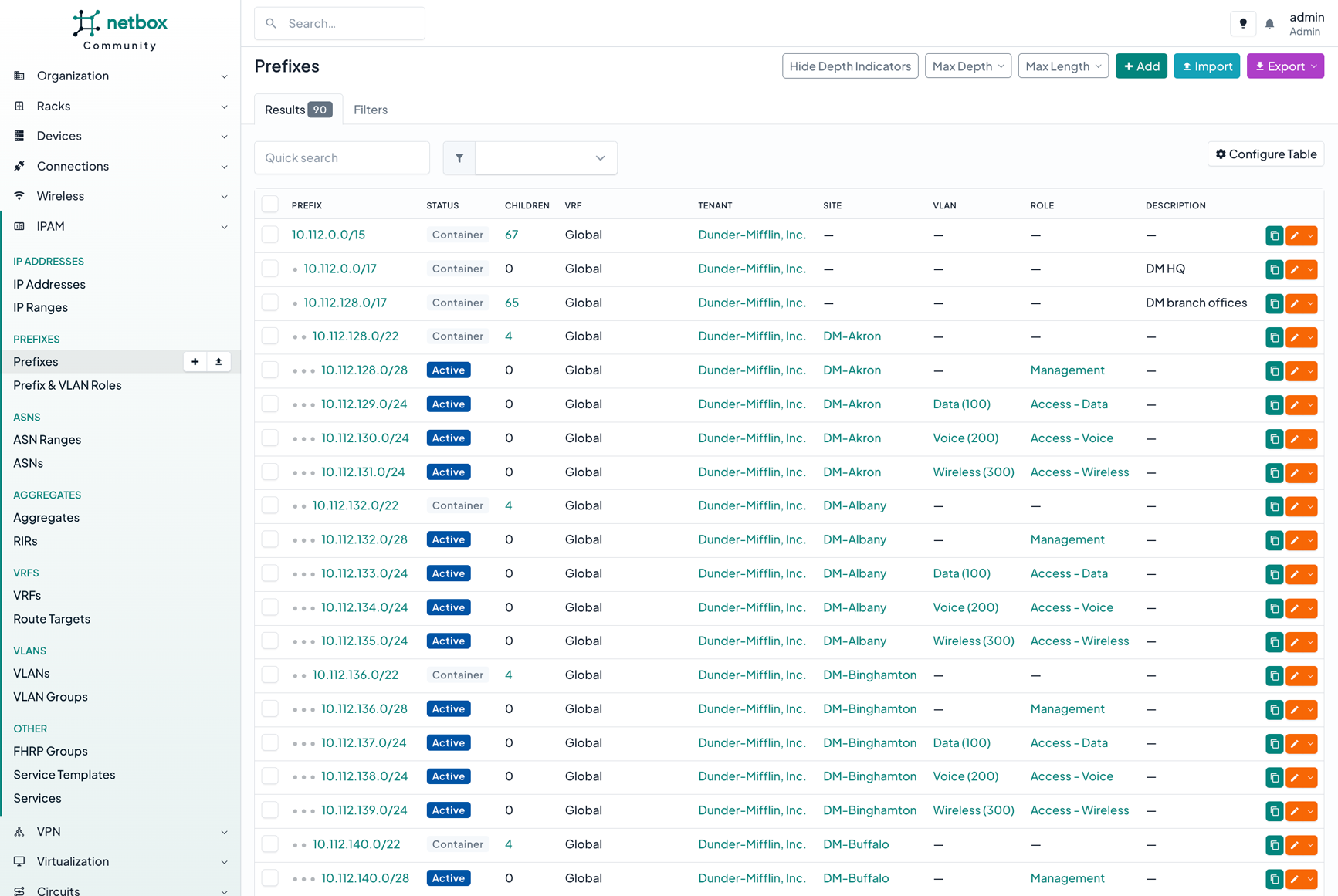
- Site locations, server rooms, racks, and specific units
- Device types, expansion modules, power supplies, and network interfaces
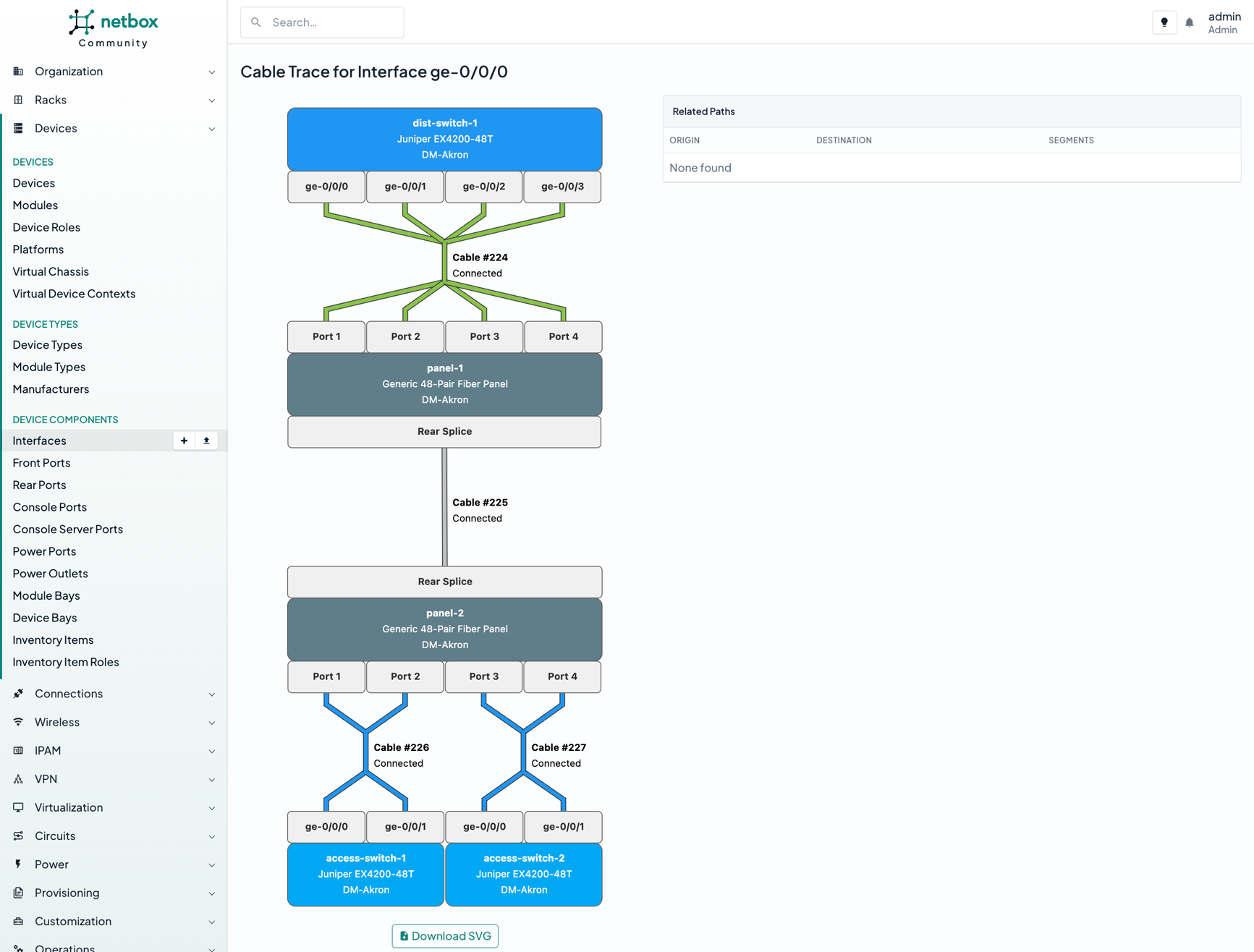
- End-to-end cable path tracing from server ports to core switch ports
- IP prefixes, address pools, VLANs, and VRFs
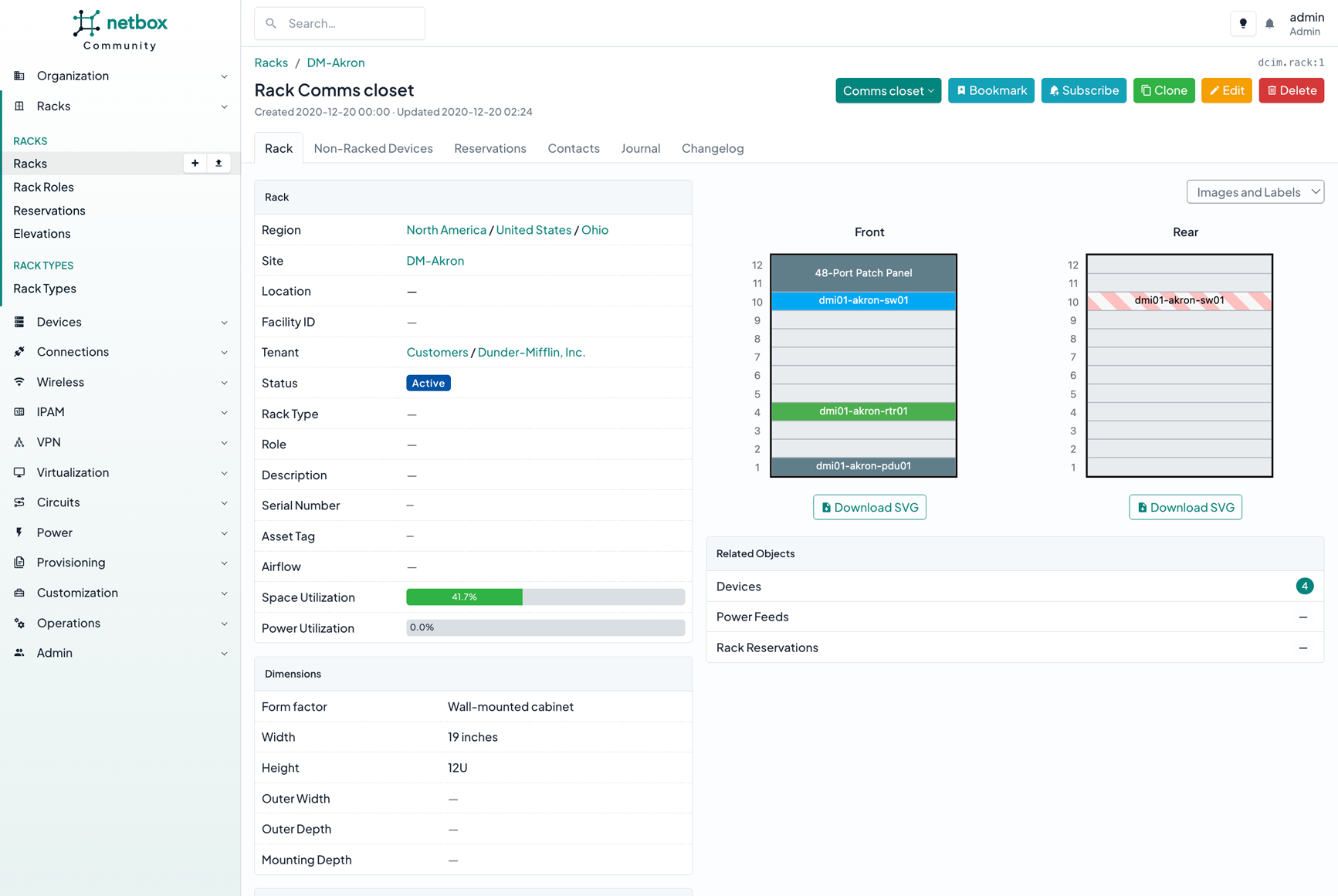
The interface can visualize racks with installed equipment and trace complete cable paths through patch panels.
2. Configuration Rendering via Jinja2
You can store Jinja2 templates directly within NetBox. These templates pull parameters from the database and generate ready-to-use configurations for Cisco, Juniper, Mikrotik, or Linux servers. Templates can be uploaded through the web interface or synchronized with an external git repository.
3. Custom Scripts and Webhooks
Routine operations, such as bringing a new branch online, consume significant time when manually filling out dozens of forms. NetBox includes built-in support for custom Python scripts. You write a script with the necessary input fields, and an engineer runs it directly from the browser. The script automatically allocates required subnets, creates devices, and assigns addresses according to company policies.
Webhooks enable integration with other services. When you add a new server, a webhook immediately sends an event to your monitoring system or updates a record on the DHCP server.
4. Change Control and Validation Rules
The system maintains a complete audit log of all actions. You can see exactly who changed a port status, when an address was allocated, and what request was associated with it.
To prevent employees from violating company standards, administrators can configure custom validation rules. For instance, you can prohibit deleting devices marked as "Active" or require mandatory inventory number fields for specific server models.
Technical Stack and Extensibility
Under the hood, NetBox runs on a classic, battle-tested stack:
- Python 3 and the Django web framework
- PostgreSQL as the primary database
- Redis for task queues and caching
The application exposes an open API based on REST and GraphQL, which greatly simplifies building integrations.
When standard entities aren't sufficient, functionality can be extended through plugins. For example, the official NetBox Branching plugin introduces Git-like branching logic for data management. An engineer creates a branch, makes planned topology changes, gets approval from colleagues, and merges into the main database only before deploying to production. Other popular plugins add DNS zone management and BGP session tracking.
Who Can Benefit from This Project
If your company has just a couple of servers and one unmanaged switch, deploying NetBox doesn't make sense. The overhead of maintaining it would outweigh the benefits.
However, if your infrastructure includes dozens of switches, hundreds of virtual machines, or multiple branch locations, the project quickly pays for the implementation time. It transforms scattered knowledge from individual engineers into a structured database ready for automation.
You can explore the interface without installing anything locally through the public demo, and the project documentation provides detailed installation steps via Docker or directly on the host.
Related projects