Joshuto: A Modern Terminal File Manager Written in Rust
Familiar situation: you're working in the terminal and need to quickly navigate between directories, browse files, copy or rename something. The usual ls and cd commands don't seem as convenient anymore, and launching a full GUI file manager feels like overkill. This is exactly what Joshuto was made for — a lightweight yet powerful terminal file manager written in Rust.
What is Joshuto?
Joshuto is a modern alternative to the popular ranger file manager, but with a focus on speed and usability. The project is actively developed and has already gathered over 3.5 thousand stars on GitHub.
Key advantages over alternatives:
- Lightning-fast performance thanks to Rust
- Minimal resource consumption
- Flexible hotkey system
- Tab support and asynchronous operations
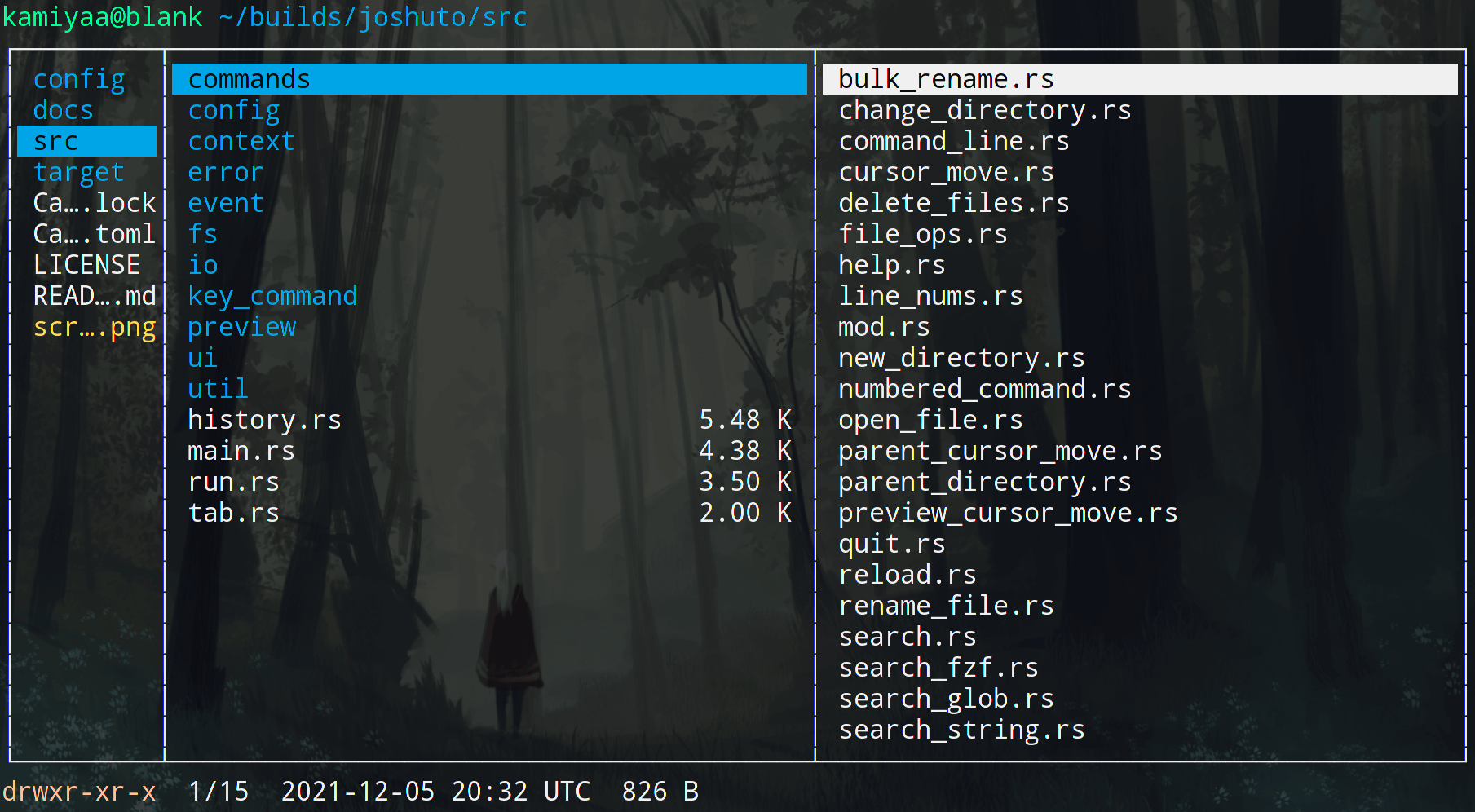
Key Features
1. Fast Navigation
Joshuto supports all familiar keyboard shortcuts:
j/k— down/uph/l— back/forwardgg/G— to beginning/end of list
But there are also unique features like quick jump to line numbers.
2. Convenient File Operations
- Copy/paste (
yy/pp) - Create symlinks (
pl/pL) - Batch renaming
- Trash support
3. Customization
Through TOML files you can configure:
- Color scheme
- Hotkeys
- File handlers
- Bookmarks
# Пример настройки темы
[theme]
directory = "blue"
executable = "green"
link = "cyan"
Technical Details
Joshuto is written in Rust, which guarantees:
- No memory leaks
- Native performance
- Type safety
The project uses:
- Termion for terminal handling
- Asynchronous operations for file operations
- fzf support for fuzzy search
How to Install?
For Linux/macOS there are several options:
- Via Cargo:
cargo install --git https://github.com/kamiyaa/joshuto.git
- Pre-built packages:
- Arch Linux (AUR):
yay -S joshuto - Fedora:
sudo dnf copr enable atim/joshuto - Homebrew:
brew install joshuto
- Installation script:
bash <(curl -s https://raw.githubusercontent.com/kamiyaa/joshuto/master/utils/install.sh)
Who is Joshuto for?
- Developers working in the terminal
- Server administrators
- Minimalist tool enthusiasts
- Those who want to speed up file operations
Joshuto is an excellent choice for anyone looking for a modern, fast, and customizable terminal file manager. Thanks to Rust, it runs noticeably faster than many alternatives, and the flexible configuration system allows you to adapt it to any workflow.
Give it a try — it might just be the tool you've been missing for comfortable terminal work!
Related projects