Practical guide to the Model Context Protocol ecosystem using the Awesome-MCP-ZH repository as an example
In November 2024, Anthropic released the Model Context Protocol. The topic of autonomous agents instantly shifted from theoretical discussions to everyday development practice. Whereas before, neural networks only generated text in a chat, the open communication standard made it possible to connect them directly to databases, local files, console, and third-party service APIs.
When searching for ready-made solutions, developers typically land in the official catalog or English-language collections. These contain standard integrations with Slack, GitHub, and PostgreSQL. However, Chinese developer yzfly assembled the Awesome-MCP-ZH catalog, which went far beyond databases and popular American SaaS services. Currently, the project has collected over 7.4 thousand stars on GitHub and has become one of the most detailed catalogs of tooling around MCP.

What problem this project solves
The main challenge when working with autonomous agents is the scattered nature of the tooling. For a neural network to execute a real task, it needs a client (interface or code editor) and servers (bridges to specific programs or APIs).
The official documentation provides a general concept. However, when assembling a working environment, you face dozens of questions. Which client should you choose for local work? How do you launch a server without paying for subscriptions? Where do you find a ready-made connector for browser automation or parsing specific data?
The Awesome-MCP-ZH catalog structures this area. It divides the available tooling into clear groups: from clients and ready-made servers to libraries for writing your own code.
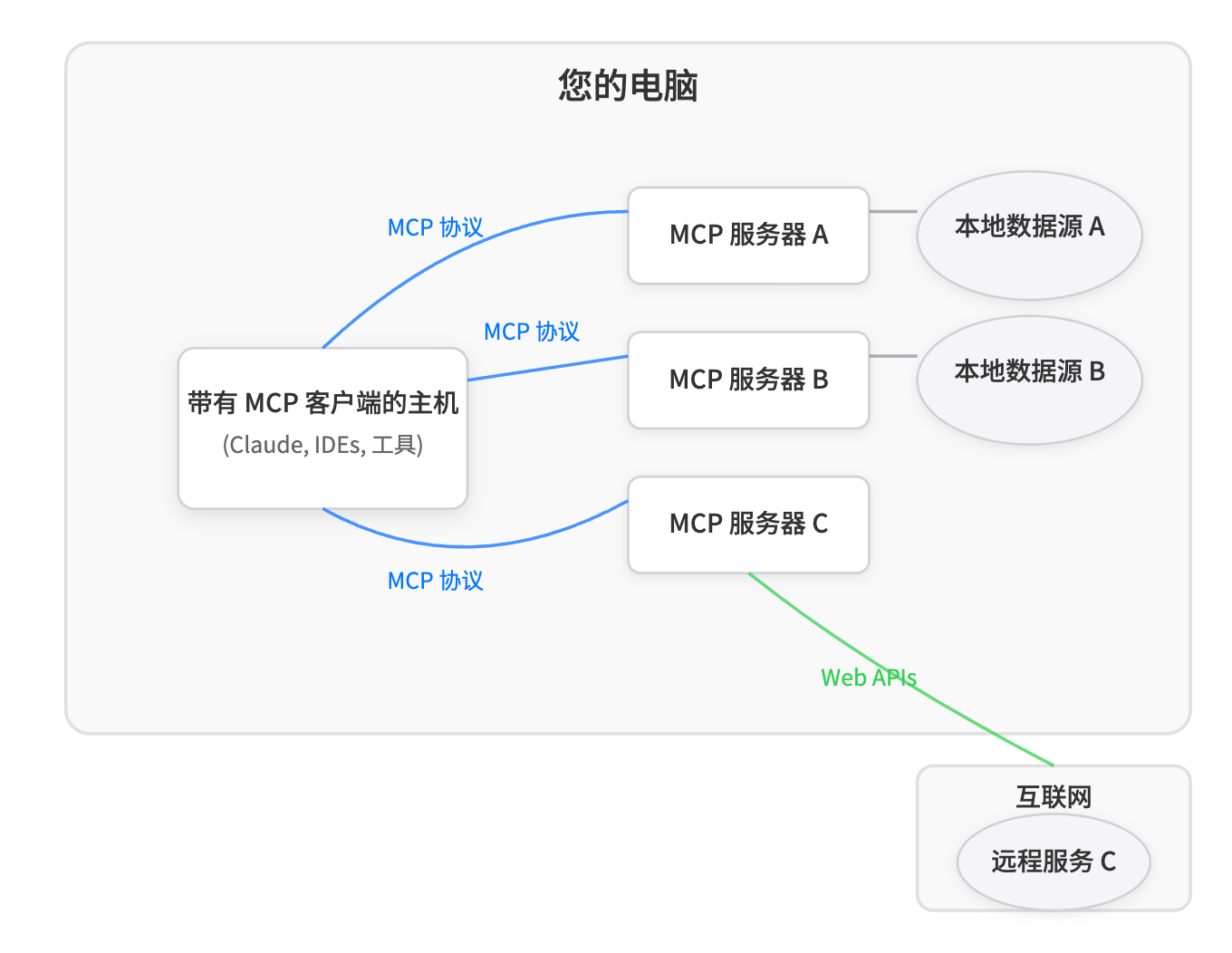
What's interesting inside the repository
The repository contains tools for a wide variety of tasks. Let's look at the most notable categories.
Client applications for working with MCP
The catalog author has organized popular and niche clients. Alongside the standard Claude Desktop, the list includes:
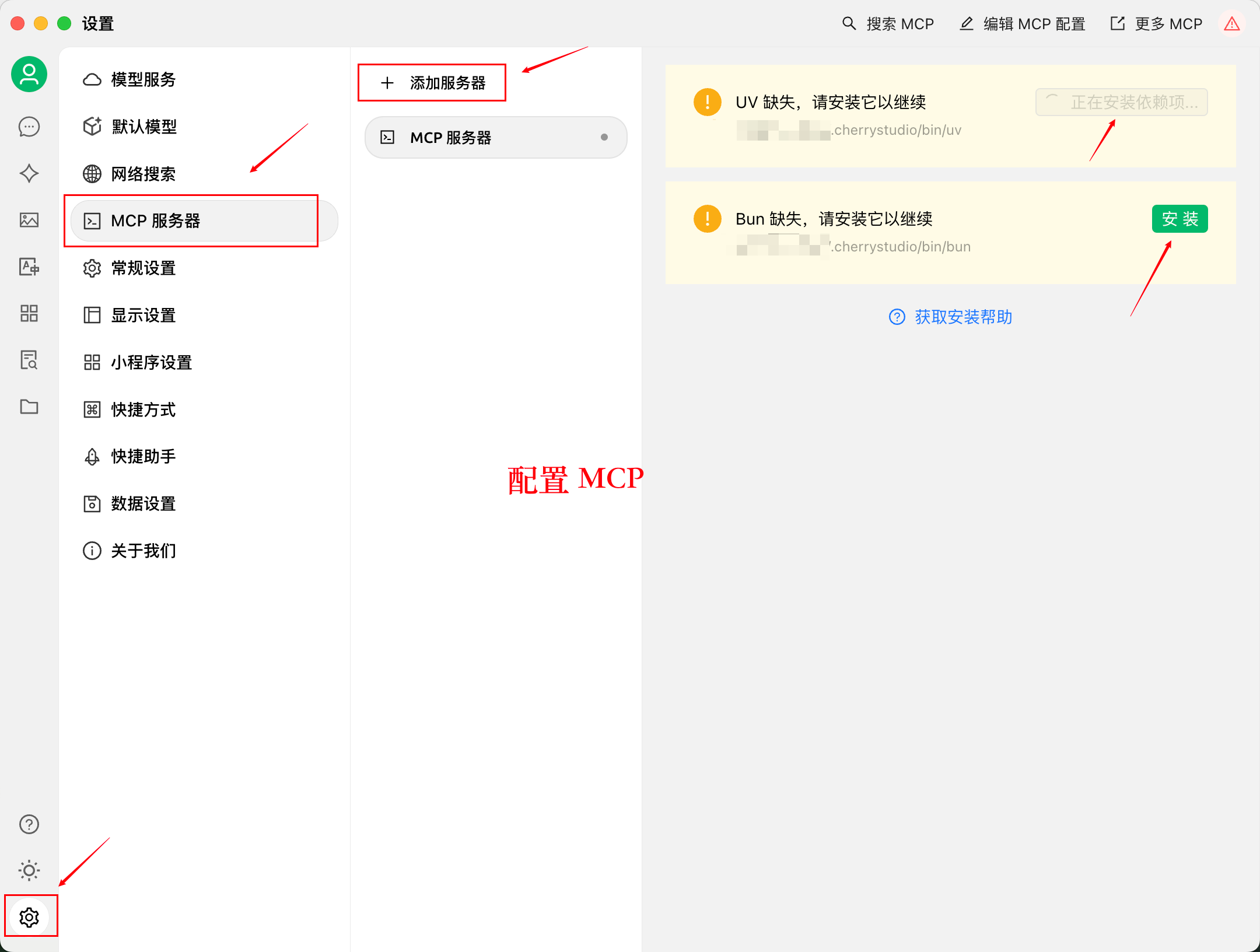
- Cherry Studio and DeepChat — convenient graphical interfaces for visually configuring servers and connecting models via local or cloud APIs.
- Cursor and Cline — solutions for embedding MCP directly into a code editor.
- MCP Dock — a utility for centralized server management across 14 different clients at once.
- Claude Code and Goose — terminal agents for CLI environment enthusiasts.
Browser automation and data collection
For gathering information from the web, the collection offers solutions for every taste. If the standard Fetch isn't enough, you can use microsoft/playwright-mcp or chrome-devtools-mcp from the Google Chrome team. These tools give the neural network the ability to control a real browser, take screenshots, interact with the DOM, and analyze network requests. To bypass automated data collection protection, the catalog includes specialized services like Bright Data, Firecrawl, and Oxylabs.
Working with code and infrastructure
Developers will find useful the section with tools for code analysis and server management. Highlights include:
- DeusData/codebase-memory-cp indexes the entire codebase into a knowledge graph, helping the language model understand the architecture and relationships in the project.
- pydantic/mcp-raw- python provides a secure sandbox container for executing generated code.
- Servers for Kubernetes, Docker, Terraform, and AWS translate text prompts into precise commands for cloud infrastructure.
Long-term memory and RAG
A large section is devoted to the problem of maintaining context. The repository contains dozens of servers for working with vector and graph databases (Qdrant, Milvus, Chroma, Neo4j), as well as local memory tools like Mem0, Basic Memory, and Cognee. They help preserve information between different conversation sessions with the model.
Practical usage example
Imagine you need to analyze an external project and prepare a report on it. Instead of manually copying files and writing scripts, you link the necessary tools through MCP.
As a client, we take Cursor or Cherry Studio. Connect to it a Git server (for reading commit history), a browser server based on Playwright (for checking documentation online), and a local SQLite database for storing results.
After such setup, the model can independently study the repository code, check the current documentation on the library website, execute test queries, and save the result to the database.
Developing your own servers
If you couldn't find a ready-made connector for your task, the repository has a section for developers. It contains links to official SDKs for TypeScript, Python, Go, C#, and Rust.
For a quick start, the author recommends the FastMCP framework. It reduces creating a new server to just a few lines of Python:
For debugging calls and checking JSON-RPC format, the list includes the MCP Inspector tool. It allows you to manually test methods, resources, and prompts before connecting them to the main client.
Who will find this repository useful
Awesome- MCP-ZH is useful not only for those interacting with Chinese services like Gitee or Bilibili. The project turned out to be broader than its original description.
You should check it out if you're building your own auto-agent, looking for ways to extend Cursor's capabilities, or want to see how real servers are structured in Python and TypeScript. The project is actively updated by the community, so you can easily find fresh frameworks and tools that haven't yet made it into Anthropic's official catalogs.
Related projects