Termux:X11 – Desktop Linux Right on Your Android: Dream or Reality?
You know the situation: you're on the go, you only have your smartphone or tablet, but you urgently need to do something in your familiar Linux environment? Or maybe you just want to experiment with a desktop Linux, but don't have a laptop at hand? Until recently, this seemed like something from the realm of science fiction or required complex manipulations. But what if I told you that it's now much simpler than you think?
Termux:X11 – Your Pocket Linux Desktop
Meet Termux:X11 – an addon for the legendary Termux that turns your Android device into a full-fledged X server. Essentially, it's a bridge between the power of Termux's Linux tools and a familiar graphical interface. Forget about VNC servers with their latency and limitations – here we're talking about a native X server optimized for Android. This means you get not just a remote desktop, but a complete graphical environment running right on your device.
Who needs this? Everyone who wants to get the most out of their mobile device: developers, system administrators, students, and just Linux enthusiasts who want a full desktop always at hand. Imagine your smartphone or tablet becoming a flexible tool for solving a wide variety of tasks, from writing code to administering servers.
Key Features That Will Surprise You
Let's figure out what makes Termux:X11 so interesting and useful for developers.
Full-Featured X Server on Android
Termux:X11 is not an emulation, but a real X server built using the Android NDK. If you're familiar with how Linux's graphics subsystem works, you know that the X server is responsible for rendering graphics, handling input (mouse, keyboard), and interacting with window managers and applications. Here it does the same thing, but in the context of Android. This means graphical applications run fast and responsively, as if you're sitting at a regular Linux computer. You get a familiar window with a desktop environment right on your smartphone or tablet screen.
Integration with Termux and Desktop Environments
The project integrates seamlessly into the Termux ecosystem. Installing it is just a matter of a few commands. And then – choose any desktop environment you like! The README recommends starting with XFCE, and it's an excellent choice for mobile devices thanks to its lightweight nature and functionality. Imagine: you launch XFCE, and there before you is a full desktop with panels, menus, and the ability to run familiar Linux programs. This opens the door to using many graphical utilities that were previously inaccessible on Android.
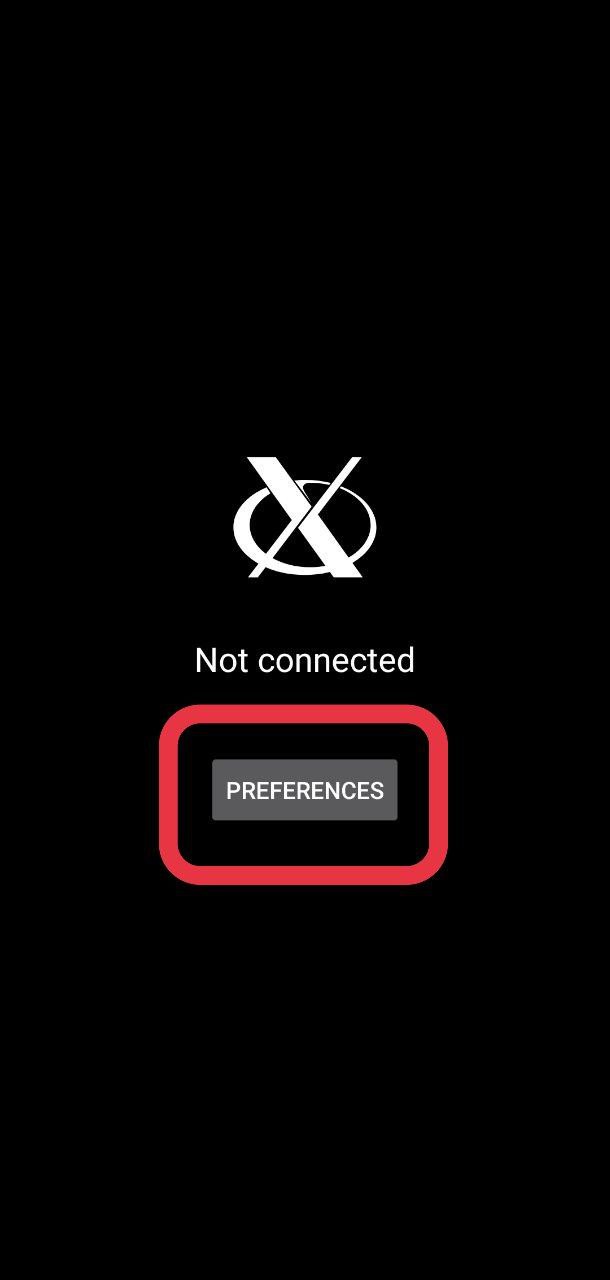
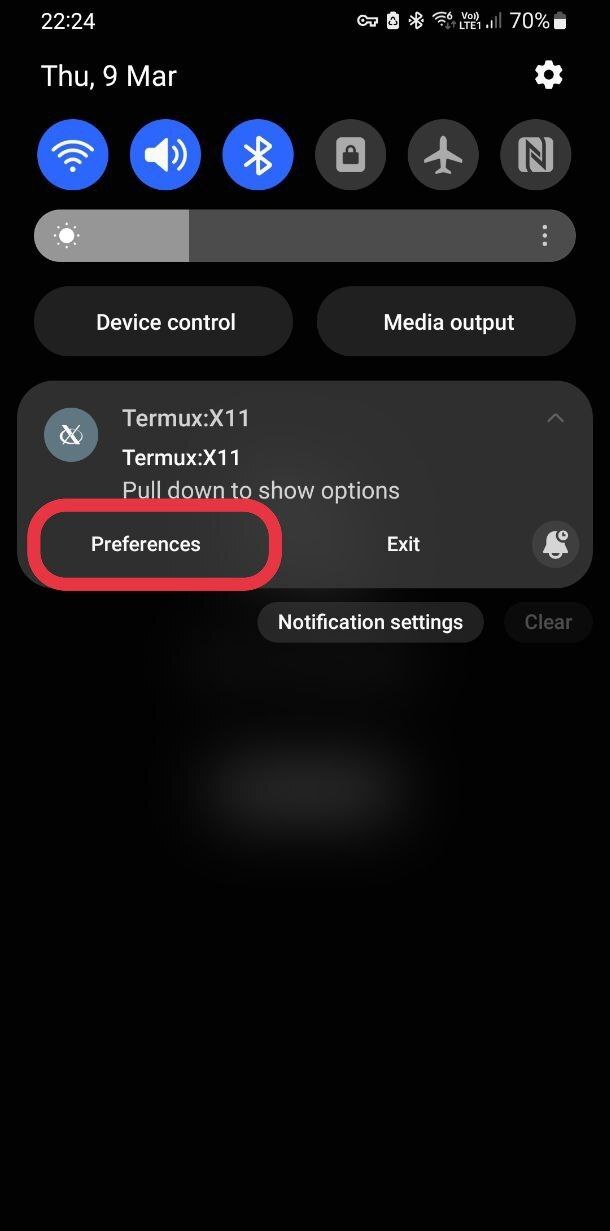
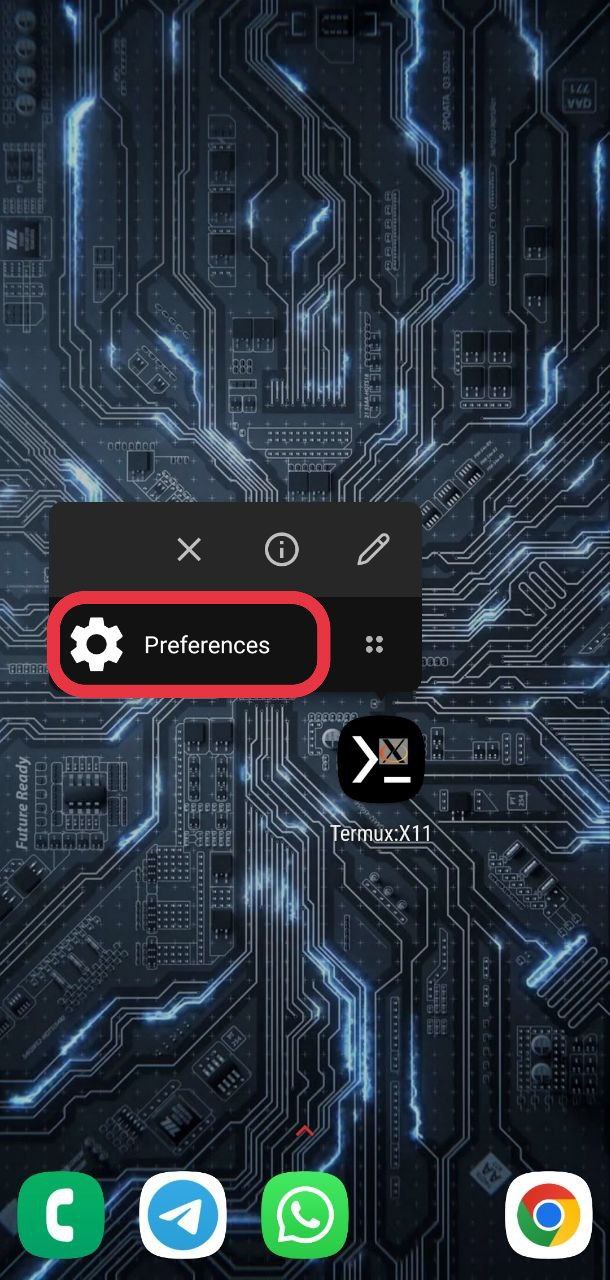
You can also access the settings menu in several ways:
On the home screen when the client is not connected
Via notification
Via app shortcut (long press on the icon)
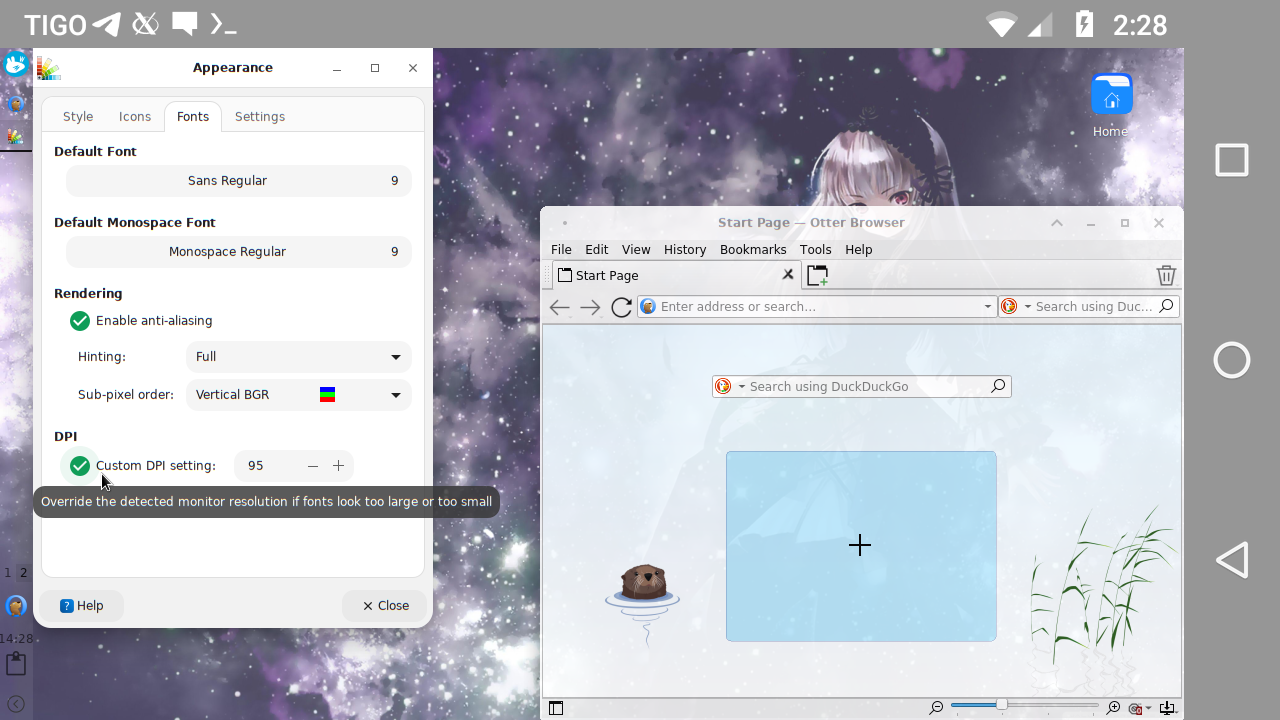
And here's how you can configure DPI in XFCE:
DPI configuration in XFCE
Flexible Configuration for Mobile Experience
The developers took into account the specifics of mobile devices, providing various options for comfortable work. If you happen to have a black screen or color issues, there are special launch options (-legacy-drawing, -force-bgra). And what about scaling? With -dpi or through window manager settings, you can easily adjust font sizes and interface elements to fit your screen. This is critically important for comfortable work on different display sizes.
By the way, gesture control is also well thought out: there are touchpad emulation and simulated touchscreen modes that allow comfortable interaction with the graphical interface without an external mouse. Two-finger tap for right click, three-finger tap for middle click – convenient and intuitive!
Video: Enabling notifications on Android 13
Managing Settings from the Command Line
For advanced users, there's the termux-x11-preference utility that allows you to view, modify, and even save/restore all Termux:X11 settings right from the terminal. This is incredibly convenient for automation, quick profile switching, or integration into your scripts. For example, you can switch to fullscreen mode or activate an additional keyboard panel with a single click.
How It Works Under the Hood: Technical Details
Termux:X11 is not just a wrapper, but a full-fledged X server that runs as a separate Android application. The Termux package termux-x11-nightly provides the necessary utilities for interacting with it from your Termux environment. This allows you to most effectively use device resources and avoid the overhead inherent in remote solutions.
Interestingly, the project supports working with proot and chroot environments. This opens the door to running more complex and isolated Linux distributions inside Termux while preserving graphical functionality. Though, you'll need to do some tweaking with environment variables (TMPDIR, XKB_CONFIG_ROOT) and possibly temporarily disable SELinux, but for those seeking maximum flexibility, these capabilities will be quite valuable.
Practical Applications: Why Is This Useful for Developers?
Think it's just a toy? Not at all! Termux:X11 can become a serious asset in your daily work.
Mobile Workstation
Imagine your tablet transforming into a full-fledged Linux laptop. You can run IDEs (for example, lightweight editors or work with VS Code via SSH X-forwarding), work with Git, compile code, write scripts – all with a familiar graphical interface. Connect a Bluetooth keyboard and mouse, and you now have almost a complete workstation that easily fits in a backpack.
Development on the Go
The need to quickly check code, make edits to a server configuration, or debug a script while away from your main computer ceases to be a problem. Your mobile device becomes a fully capable tool, always ready for work. No more waiting until you reach your stationary machine.
Running Specialized Linux Software
If you need some graphical tool that's only available on Linux, Termux:X11 can be the solution. Of course, you shouldn't expect to run heavy CAD systems or professional video editors, but for many utilities such as GIMP, Inkscape, or even some IDEs, it's quite feasible. This expands the arsenal of available tools on your mobile device.
Learning and Experiments
For those just starting their journey in the Linux world, this is an excellent opportunity to experiment with various desktop environments, window managers, and applications without risking your main system and without spending resources on virtual machines. This is a safe and accessible sandbox for learning Linux interactively.
Conclusions: Should You Try Termux:X11?
Termux:X11 is undoubtedly one of the most impressive projects in the Termux ecosystem. It blurs the line between a mobile device and a full-fledged Linux desktop, offering a flexible and powerful solution for those seeking more from their Android gadget.
Of course, it's not a replacement for a full laptop for heavy tasks requiring serious computational resources. However, for mobile development, system administration, experiments, or just convenient access to graphical Linux applications on the go – it's a real find. The project is actively developing, and its capabilities are constantly expanding.
If you already use Termux or have always dreamed of having Linux on your phone, definitely give Termux:X11 a chance. Installation is quite simple, and the potential it opens up may pleasantly surprise you. Try it, and perhaps your Android smartphone will become your new favorite tool!
相关项目