How to Turn a Complex Scientific Paper into Clear Slides and Diagrams with One Command
Anyone who has ever tried to parse fresh preprints on arXiv knows this feeling of dread. You open a forty-page PDF, and it's nothing but a solid gray wall of two columns of tiny text, Greek subscripts, and blurry screenshots of graphs. To summarize the key points for colleagues at a meetup or put together a presentation for the team, you have to spend half a day proofreading and another half drawing in Figma or PowerPoint.
I recently came across the paper-craft-skills repository. It's a set of skills for Claude Code, Cursor, Codex and Windsurf that handles all the tedious work of parsing scientific publications.
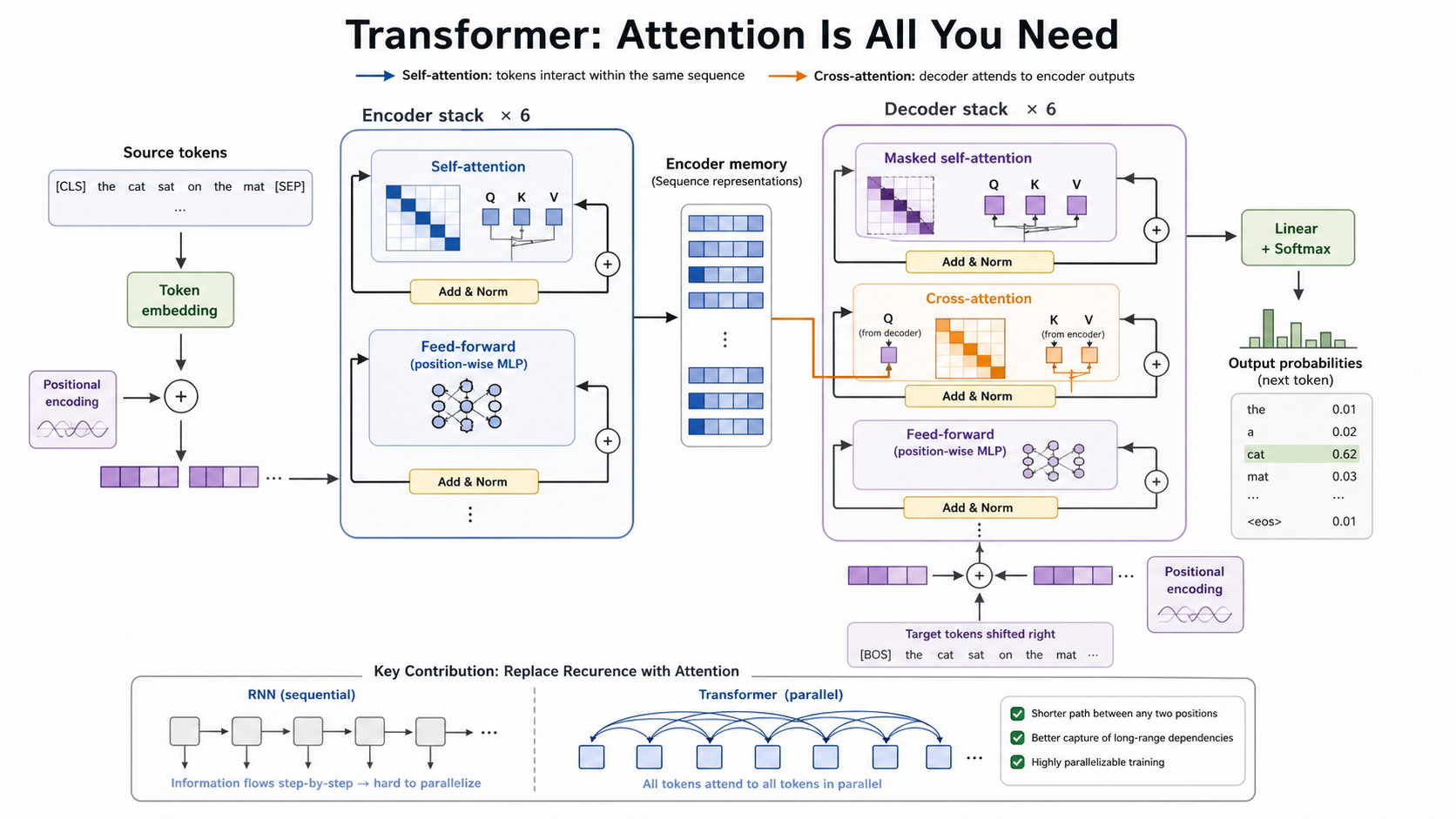
The project doesn't require setting up separate API keys or registering for services. You give the agent a link to arXiv or a local PDF file, and it generates neat academic diagrams, ready-made slides in PPTX format, or a detailed long-form article with formulas and references to GitHub repositories.
What the Skill Set Can Do
The repository contains three main modules. Each one handles a separate visualization and text analysis task.
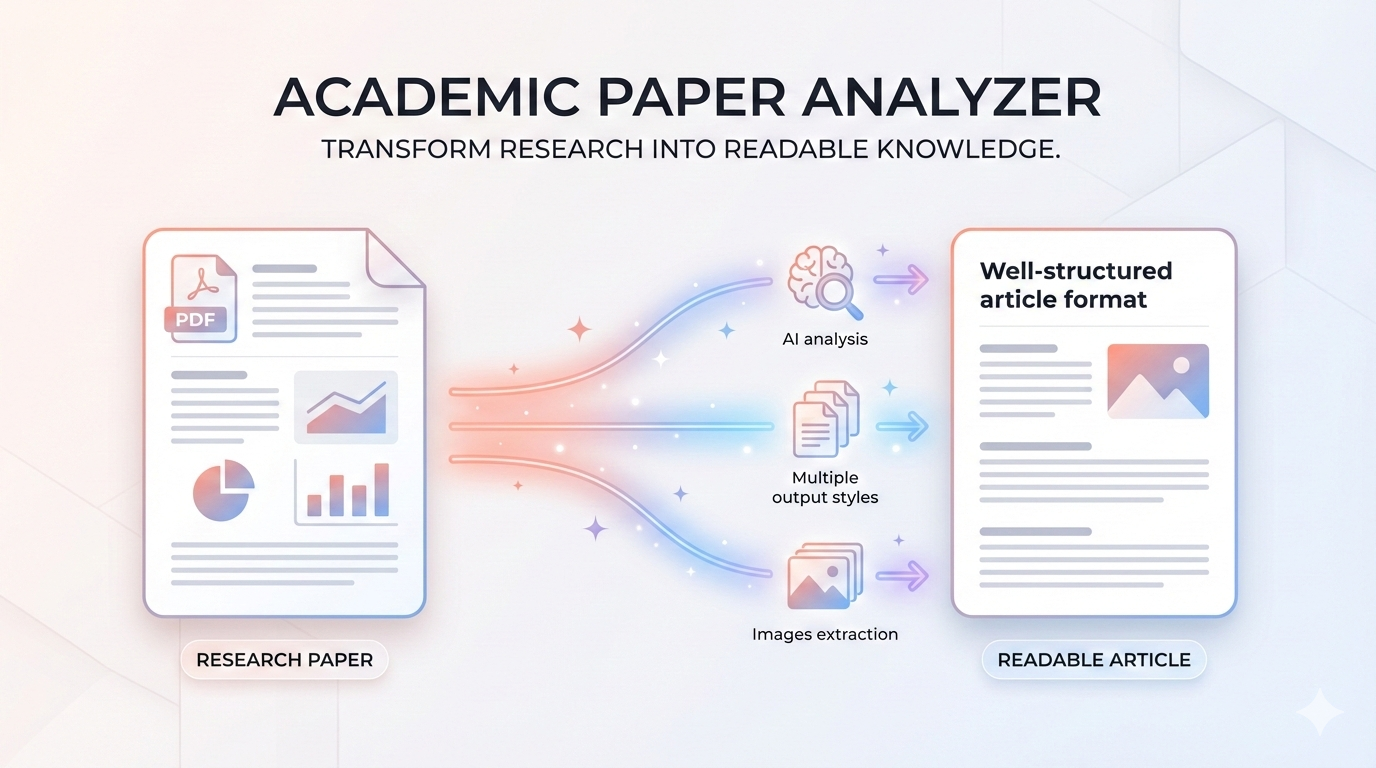
Generating Illustrations with paper-comic
This module takes the architecture from the paper and transforms it into a clean diagram. The agent first reads the publication, then suggests a list of illustrations on its own. For instance, with the classic paper "Attention Is All You Need," it immediately identified six options: the overall transformer pipeline, the self-attention mechanism, the decoder block, and the final graphs.
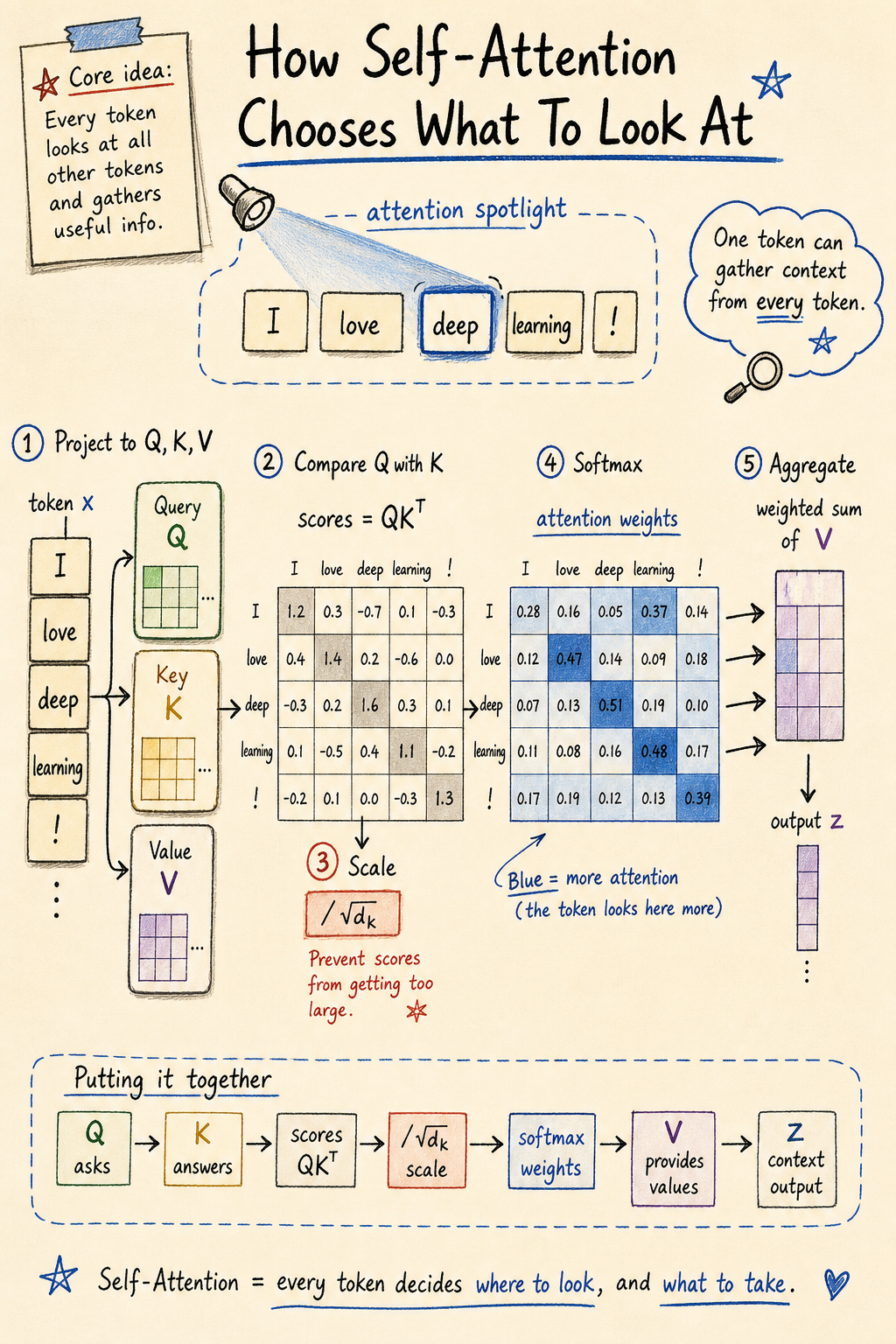
There are two styles to choose from:
- paper-figure for strict vector diagrams at the level of Nature or IEEE journals
- sketchnote for warm hand-drawn notes that work well in educational materials
You confirm the list or ask to keep only one main diagram, and the tool outputs a ready-made graphic file.
Building Presentations with paper-deck
Most presentation generators suffer from one problem: they dump a bunch of meaningless text onto a generic template. The approach here is different.
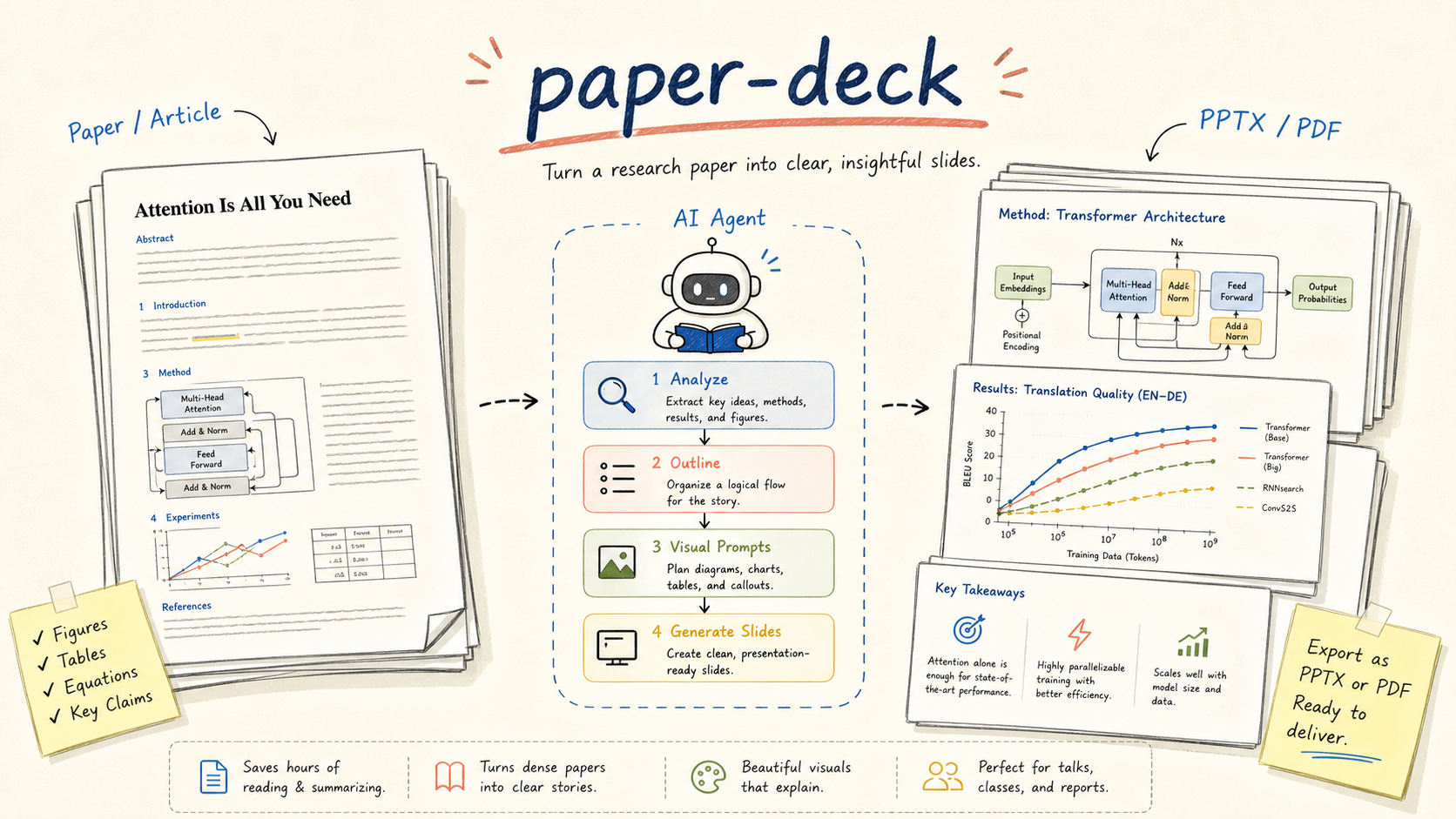
The module builds a detailed presentation outline, generates text prompts for each slide separately, renders 16:9 visual pages, and stitches them together into a final PDF or editable PPTX.
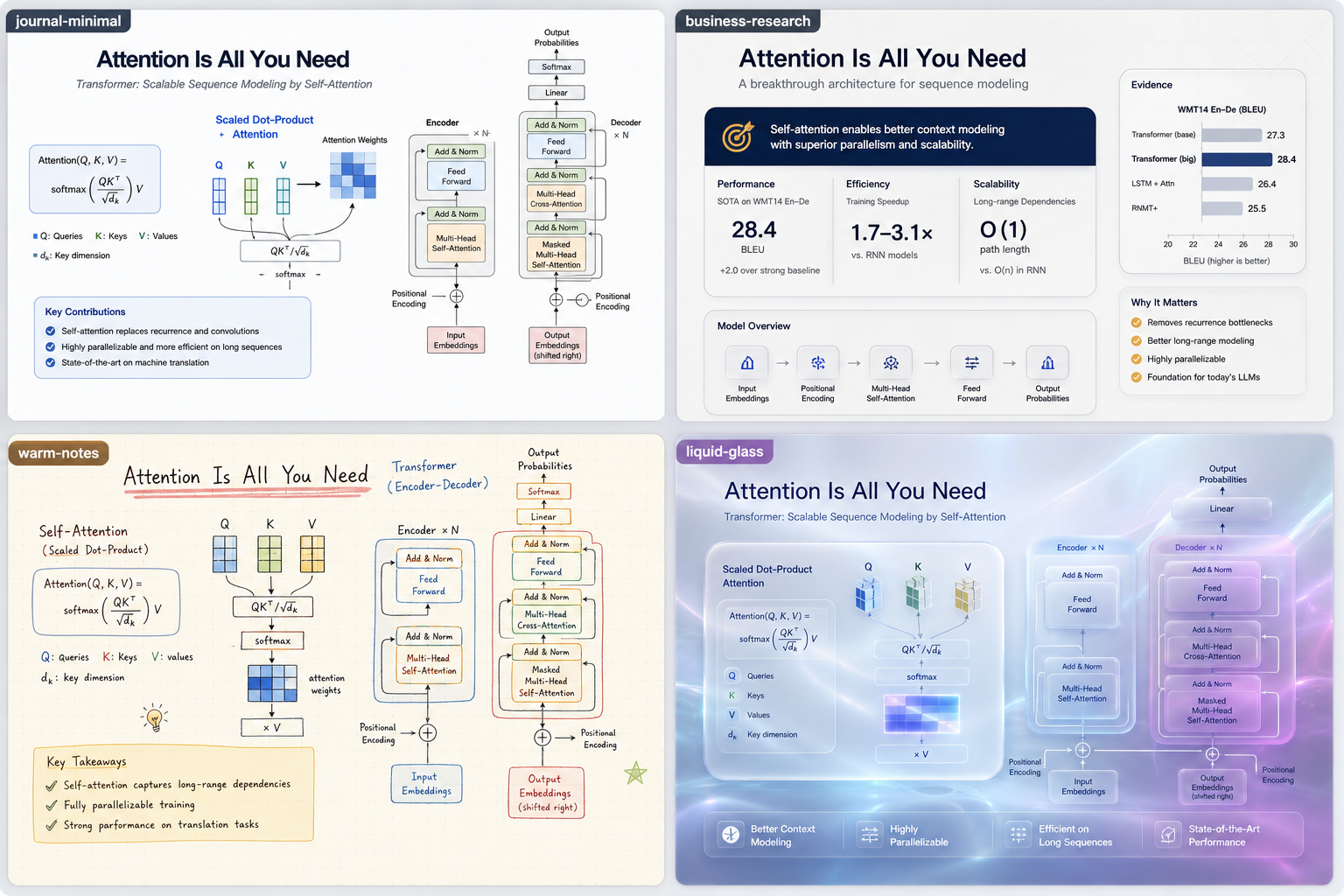
Four design presets are available:
- journal-minimal for thesis defenses and academic reports
- business-research for strategic notes and briefs
- warm-notes for educational lectures and walkthroughs
- liquid-glass for vibrant product presentations in the Apple style
An interesting detail: if the source PDF already contains good graphs or benchmarks, the tool doesn't try to invent new ones through neural networks. It carefully extracts the original tables and embeds them into the slide layout. Additionally, any slide can be regenerated with a separate command without breaking the rest of the deck.
/paper-deck https://arxiv.org/abs/1706.03762
/paper-deck /path/to/paper.pdf --style journal-minimal --slides 12
/paper-deck notes.md --style liquid-glass
Deep Analysis with paper-analyzer
Standard LLMs often summarize papers in vague terms. This module takes a different approach. It searches for open source code on GitHub, matches code snippets with equations from the text, and generates a standalone HTML document with KaTeX and Mermaid support.
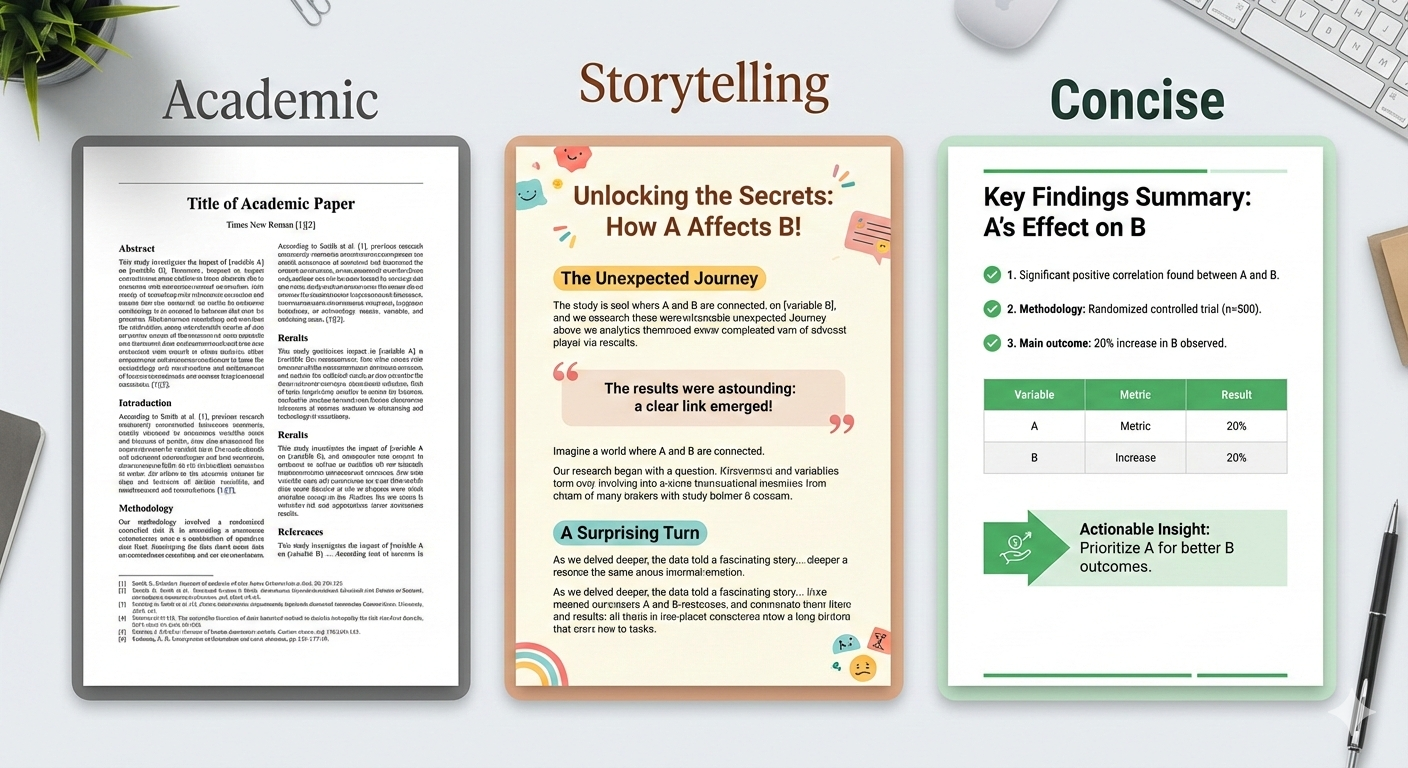
The analysis can be requested in three presentation formats:
- storytelling for blog posts with vivid examples and hooks
- academic for laboratory seminar analyses with rigorous derivations
- concise for a quick reference sheet with a diagram and summary table
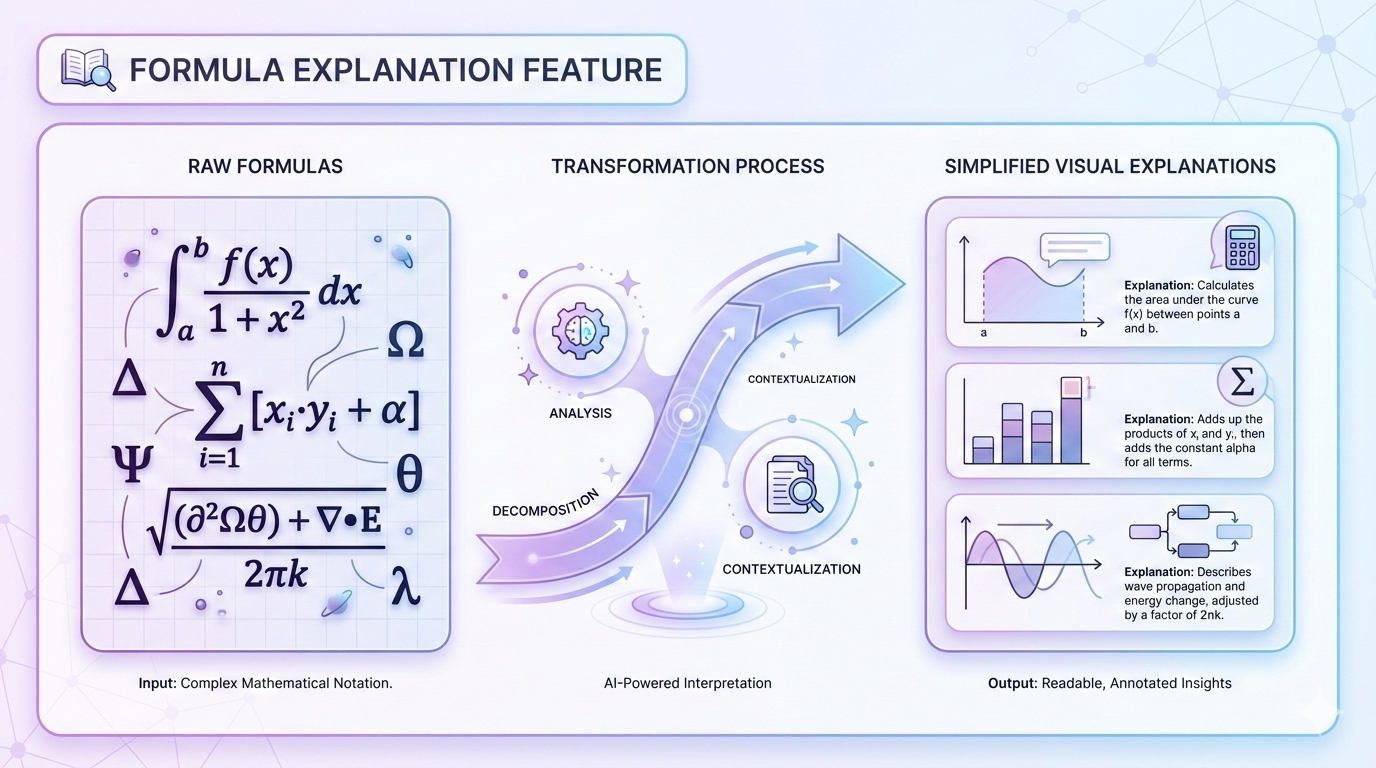
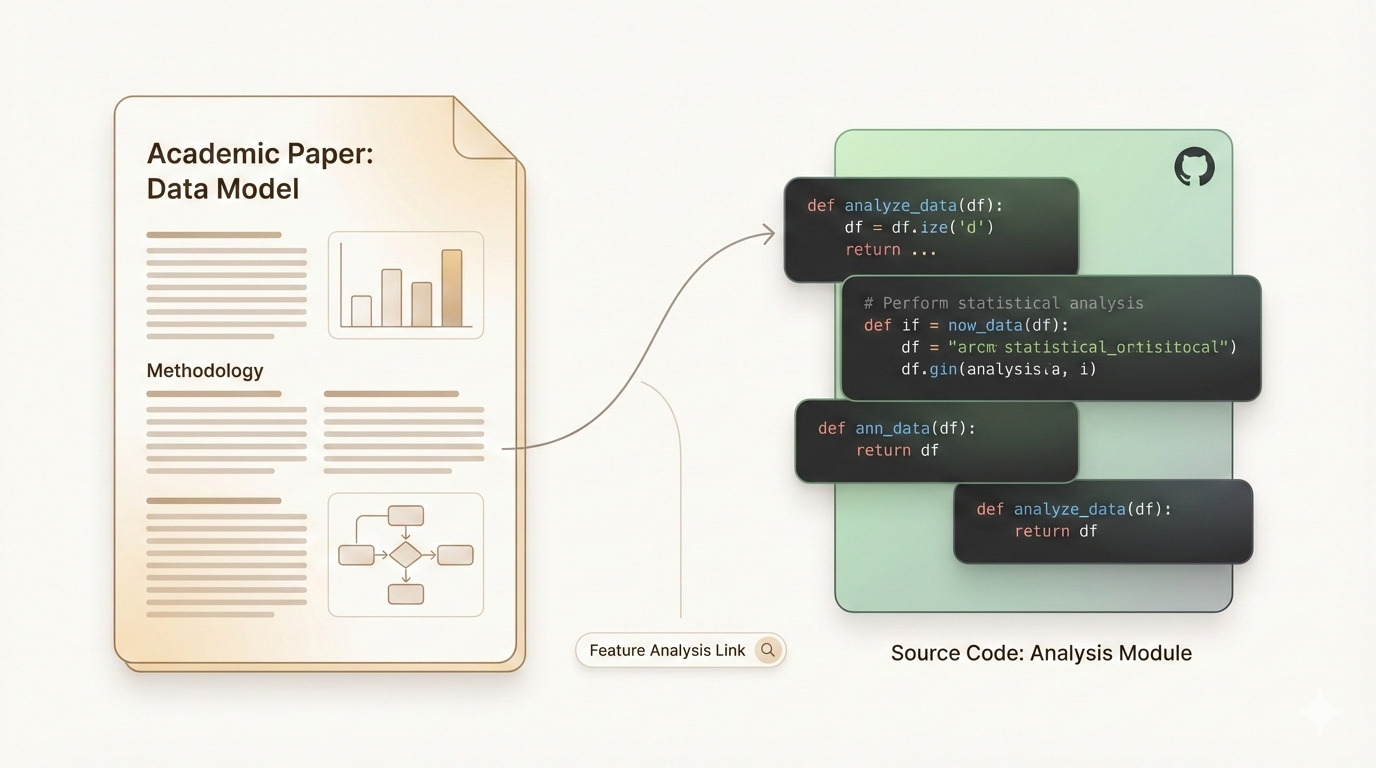
Formulas are broken down character by character: the agent explains what each Greek symbol means and in which line of the repository that mathematics is implemented.
How to Install and Run
Installation is designed to be as seamless as possible for agent editor users. If you have Claude Code or Codex open, just send the message:
Please install zsyggg/paper-craft-skills for me.
GitHub: https://github.com/zsyggg/paper-craft-skills
The agent will clone the repository, create the necessary symlinks, and register the commands itself. Terminal enthusiasts can install everything via npx:
npx skills add zsyggg/paper-craft-skills
After installation, the commands /paper-deck, /paper-comic, and /paper-analyzer become available in the environment.
Who Will Find This Useful
The project will clearly appeal to researchers tired of preparing slides for defenses late into the night. It will be useful for tech leads for quickly onboarding teams into new architectures and technical blog authors who want to illustrate model breakdowns with beautiful posters instead of blurry screenshots.
The source code is open under the MIT license. The repository has already collected over a thousand stars on GitHub and continues to grow its audience thanks to its ease of integration with modern AI assistants. If you regularly read arxiv, add this tool to your workflow.
相关项目