git-cliff — When the Changelog Writes Itself and You Relax
Remember how at the end of each sprint or before a release you'd sit down and think with dread: "Again with the Changelog..."? Going through commits, trying to remember what was actually done, and how to phrase it so it's clear for both users and colleagues. Familiar situation, right? Manually writing a Changelog is not only tedious but also prone to errors, omissions, and inconsistency. And after all, the Changelog is your project's face, its history of development that helps users understand what's new and helps developers track changes.
Fortunately, in the open source world there are solutions that free us from this routine. Today we'll talk about one such project — git-cliff. It's not just another Changelog generator, but a real Swiss Army knife for those who value automation, flexibility, and order in their Git history.

What is git-cliff and who needs it?
git-cliff is a high-performance tool written in Rust that automatically generates Changelog files based on your Git commit history. Its main feature is deep integration with the Conventional Commits concept, but it doesn't limit you with strict frameworks and allows you to configure literally every aspect of the output.
Who will this be useful for? Pretty much any developer or team that:
- Is tired of the routine: No more spending hours writing Changelogs manually.
- Strives for order: Want your Changelog to always be up-to-date, complete, and consistent.
- Uses Conventional Commits:
git-cliffis perfect for projects that follow this standard. - Needs flexibility: Standard generators don't fit?
git-clifflets you configure everything down to the smallest details. - Works with CI/CD: The tool integrates easily into pipelines for automatic Changelog generation on each release.
Key Features: Why We Love git-cliff?
git-cliff stands out from other tools thanks to several powerful features. Let's break them down in detail.
1. Intelligent Generation Based on Git History
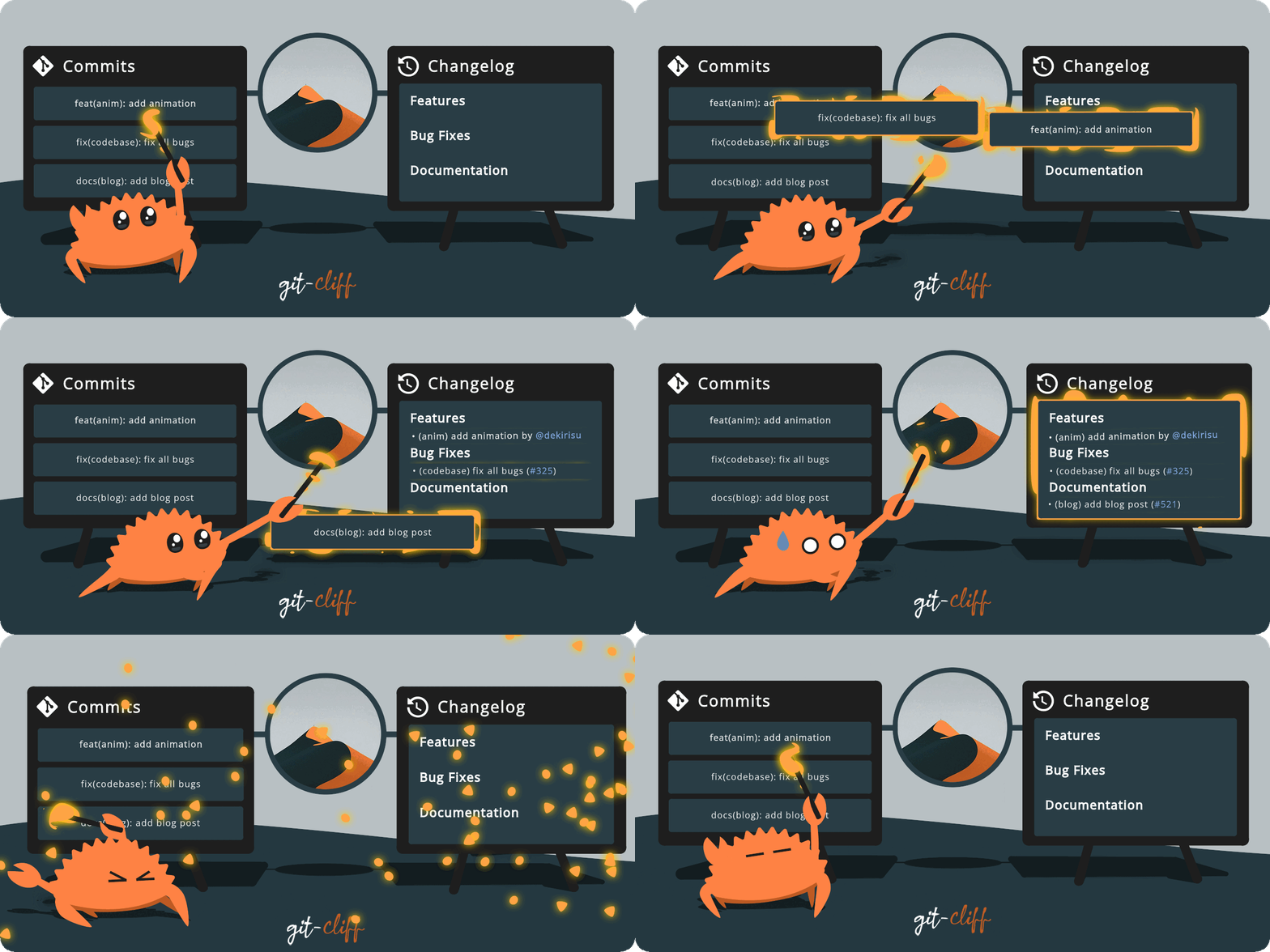
At the core of git-cliff is smart analysis of your Git history. It doesn't just output a list of commits but groups them by type (for example, feat, fix, chore), automatically determines versions, and can even link commits to corresponding issues or pull requests. This produces not just a list of changes, but a meaningful and structured document.
2. Full Support for Conventional Commits and More
If you already use Conventional Commits (for example, feat: add new feature, fix: resolve bug), then git-cliff will become your best friend. It understands this specification out of the box and uses it for categorizing changes. But what if your project uses its own, unique commit format? No problem!
git-cliff allows you to create custom parsers based on regular expressions. This means you can teach it to understand any commit format used in your project. This is an incredibly powerful feature that makes git-cliff a universal tool.
3. Incredible Flexibility of Templates and Configuration
Imagine being able to control every byte of your Changelog output. With git-cliff, this is reality. You can define a custom template using Jinja2 syntax so the Changelog looks exactly how you need it. Want Markdown? AsciiDoc? JSON? No problem. You can configure:
- Format of headings and subheadings
- Grouping of commits
- Display of authors
- Links to issues and PRs
- And much more!
All this magic is configured through a simple and clear cliff.toml file.
# Пример части конфигурации cliff.toml
[changelog]
body = "Full Changelog: {url}/compare/{from}...{to}"

[git]
conventional_commits = true
filter_unconventional = false

[git.commit_parsers]
# Кастомный парсер для коммитов, если Conventional Commits недостаточно
"^(?P<type>\w+)(?:\((?P<scope>.*)\))?!?:\s(?P<subject>.*)" = {
    group = "{type}",
    default_scope = "other"
}

[changelog.release]
format = "## {{version}} ({{timestamp | date(format='%Y-%m-%d')}})"
4. Ready for Automation and CI/CD
git-cliff is a command-line tool, which makes it an ideal candidate for integration into your CI/CD processes. You can set up GitHub Actions, GitLab CI, or any other system to automatically generate Changelogs on each push to main or when creating a new version tag. This ensures your Changelog is always up-to-date and requires no manual intervention.
Technical Details: Under the Hood — Rust
git-cliff is written in Rust, which in itself is great news. This means the tool:
- Is fast: Rust is known for its performance, which is critical for large repositories with long histories.
- Is reliable: The language provides memory safety and high stability.
- Is cross-platform: You get a single binary that works everywhere, with no dependencies.
Configuration is done through a cliff.toml file, which allows very fine-grained control over the generator's behavior. This is the central element where you define parsing rules, output structure, and other parameters.
Practical Application: How Does It Work?
Let's see how git-cliff can help in everyday work.
Local Changelog Generation
The simplest way to get started is to generate a Changelog locally. Let's say you want to get a Changelog for the latest version:
git cliff --output CHANGELOG.md
This command will analyze your Git history and create or update the CHANGELOG.md file in your project root. You can specify a version range if you want to get a Changelog only for a specific period:
git cliff --tag 1.0.0 --output CHANGELOG.md
CI/CD Integration for Automatic Releases
Here's where git-cliff truly shines. You can add it to your pipeline so the Changelog is generated automatically on each release. For example, in GitHub Actions it might look like this:
name: Release

on:
  push:
    tags:
      - 'v[0-9]+.[0-9]+.[0-9]+'

jobs:
  generate-changelog:
    runs-on: ubuntu-latest
    steps:
      - uses: actions/checkout@v3
        with:
          fetch-depth: 0
      - name: Generate Changelog
        uses: orhun/git-cliff-action@v2
        with:
          config: cliff.toml
          output: CHANGELOG.md
          args: --latest --prepend
      - name: Commit and Push Changelog
        run: |
          git config user.name github-actions
          git config user.email [email protected]
          git add CHANGELOG.md
          git commit -m "docs: update changelog [skip ci]"
          git push
This example shows how when a new version tag is created, git-cliff automatically updates CHANGELOG.md, and then the changes are committed and pushed to the repository. This fully automates the process, freeing you from manual work.
Working with Monorepositories
git-cliff also knows how to work with monorepositories, which is a common pain point for many teams. Thanks to flexible configuration and path filtering capabilities, you can generate separate Changelogs for each subproject in a monorepo while maintaining overall consistency.
Conclusion: Should You Try git-cliff?
Absolutely yes! git-cliff is not just a tool, it's a philosophy of order and automation in release management. It solves a real problem that many developers face, offering unprecedented flexibility and performance thanks to Rust.
If you:
- Value your time and want to automate routine tasks.
- Strive for cleanliness and consistency in your Git history and Changelog.
- Use or plan to use Conventional Commits.
- Are looking for a reliable and fast tool that integrates easily into CI/CD.
Then git-cliff is something you should try. It will help you focus on writing code rather than documentation, making the release process smooth and predictable. Check out the project website and documentation to learn more and start using this great tool today!
相关项目