Gaining Full Control Over Windows Network Activity
Have you ever wondered how much background noise a freshly installed Windows generates? Dozens of services, telemetry, updates, and applications that reach out to the network without asking. Windows Firewall is technically there, but configuring it through the classic interface is a questionable pleasure. You could, of course, install a heavy antivirus suite, but for traffic filtering alone that seems excessive.
I recently stumbled upon the simplewall project. It's a tiny utility under a megabyte that does one thing but does it damn well: it manages network activity through the Windows Filtering Platform (WFP).
https://github.com/henrypp/simplewall
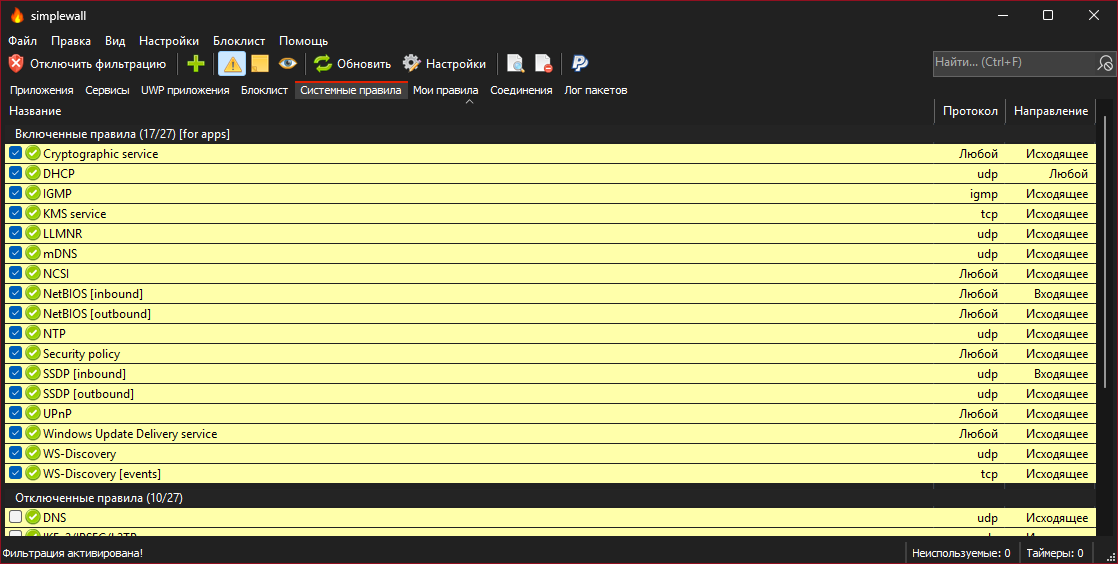
What this tool is about
The project author, developer known as Henry++, immediately warns: this is a tool for advanced users. Simplewall is not an add-on over the familiar Windows Firewall and doesn't interact with it in any way. Instead, the program works directly with WFP — a set of APIs and system services inside Windows designed specifically for traffic filtering.
Essentially, it's a convenient control panel for low-level system rules. The program is free, open-source, and supports everything a modern developer or admin needs: from IPv6 to WSL and Windows Store.
What makes simplewall compelling in practice
The main feature I fell in love with this tool for is the "Whitelist" mode. By default, simplewall blocks everything. When an application needs network access, you get a notification and decide: allow once, allow permanently, or keep it blocked.
Built-in telemetry blocking list
The program already has a database of addresses associated with tracking and data collection in Windows. You don't need to search for host lists on forums and manually edit the hosts file. Just go to settings and enable blocking of Microsoft's "spyware" modules.
Rule editor without the fluff
The interface here is austere, in the old-school spirit. You create rules by specifying IP addresses, ports, or ranges. The syntax is straightforward. For example, if you need to open a port for a local server or block a specific subnet, it takes just a couple of clicks.
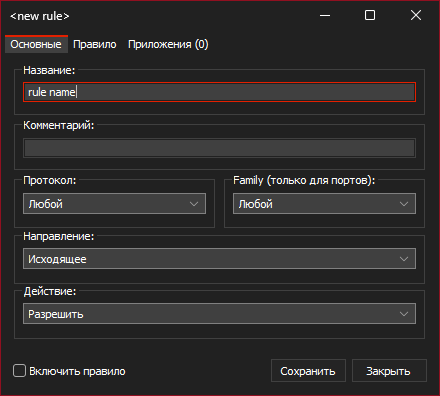
Working with WSL and system services
For those who live in the console, it's important that simplewall correctly picks up traffic from the Linux subsystem (WSL). You can also fine-tune access for individual Windows system services, which often becomes a stumbling block in other firewalls.
Technical nuances and installation
The tool is written in C, which explains its microscopic size and speed. Administrator rights are required for operation, since the interaction goes through system filtering drivers.
There are two modes for installing rules:
- Permanent — they work even after reboot and closing the program.
- Temporary — they reset after a reboot. This is convenient for testing or when you're temporarily working on an untrusted network.
An interesting point: if you decide to remove simplewall, filters may remain active in the system. To "restore everything to how it was," you first need to click the "Disable filters" button in the program itself, and only then remove the executable.
Who this will be useful for
I would recommend simplewall in three cases:
- You want to know exactly where and why your programs are going (especially proprietary software).
- You need to quickly "shut up" Windows telemetry without digging into the registry.
- You're developing network software and need a simple tool for simulating connection drops or port restrictions.
The project is alive and actively updated (the author even humorously posted screenshots of "idiot reviews" in the README from people who couldn't figure out git submodules). If you need a lightweight, transparent, and powerful network control without ads and registration — this is an excellent candidate for a spot in your tools folder.
By the way, if you plan to use the portable version, just create a file simplewall.ini in the program folder, and it will store all settings alongside itself.
Related projects