How to Write Code with AI in the Terminal Without Electron and Node.js
Most modern AI coding assistants are built roughly the same way. They're packed into monstrous Electron apps, dragging along Node.js, Python, or heavy runtimes, consuming a couple hundred megabytes of RAM before the first request, and trying to take over the entire screen. If you're working on a weak server, an old laptop, or just prefer fast Unix utilities, this approach quickly becomes frustrating.
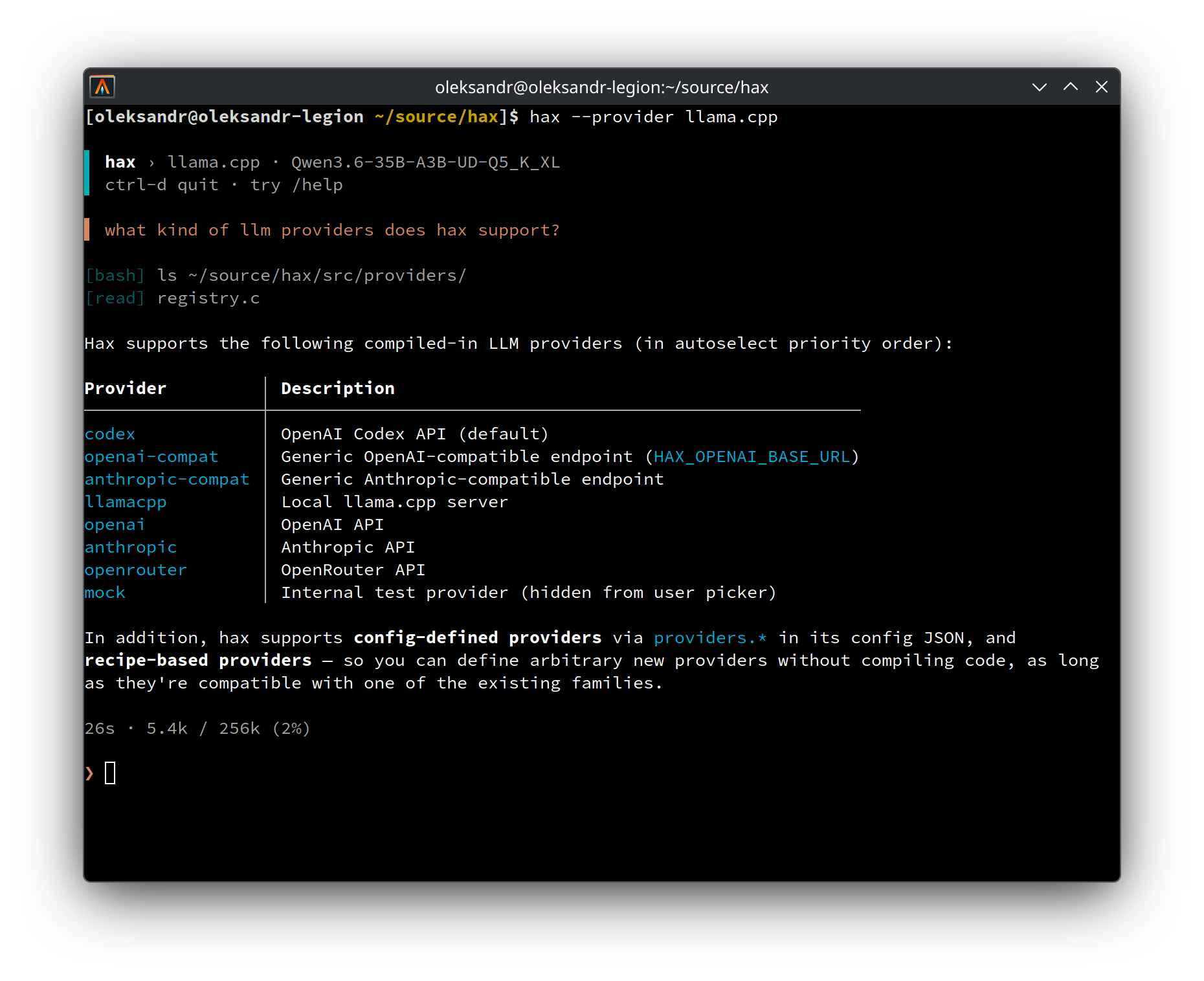
Recently stumbled upon an interesting project hax by Alexander Chekhovsky. It's a compact terminal coding agent written in pure C. The author decided to go against the trend of heavy wrappers and created a tool that launches instantly and weighs just a few megabytes.
What It Is and Why You Need It
Hax is a CLI utility compiled into a single native binary. The process takes only a few megabytes in memory. If you're running local neural networks through llama.cpp directly on your workstation, every saved gigabyte of RAM matters, since memory is needed for the model context and weights.
The tool was designed for those who don't want to see plugin marketplaces, bulky web dashboards, and endless permission confirmation dialogs. Everything here follows the classic Unix philosophy: there's stdin, stdout, clear configs, and the ability to embed the utility into regular pipelines.
What Makes This Project Interesting in Practice
Unlike many CLI wrappers around APIs, hax is designed specifically as a tool for continuous console work.
Gentle on the Terminal
Hax doesn't break terminal scrollback and doesn't redraw the entire screen through ncurses. The utility outputs streaming Markdown with line wrapping and only updates the current line or input area. Your entire terminal history stays in place, and text can be safely copied with the mouse without pseudographic artifacts.
Local Models Without the Fuss
For local running, just spin up llama-server or launch ollama. Hax can automatically detect running llama.cpp instances, determine model parameters, and adjust context. No need to write multi-page JSON configs just for a local test.
Network Request Transparency
At any point, you can press Ctrl+T right in the interactive session and see the exact transcript of what was sent to the model and what came back in response. If you're debugging prompts or want to verify that extra files haven't leaked into the context, this feature saves a lot of frustration. There's also a mode for collecting detailed network protocol logs.
Support for Different Providers
The utility works with standard cloud APIs and local engines:
- OpenAI and compatible endpoints via the
OPENAI_API_KEYkey - Anthropic Claude via
ANTHROPIC_API_KEY - OpenRouter, OpenCode Zen / Go
- Codex via interactive ChatGPT subscription login (
/login) - Local llama.cpp and Ollama
Installation and Building
Hax works on Linux, macOS, FreeBSD, and OpenBSD. Windows users can run it inside WSL.
On macOS and Linux, the easiest way to install the utility is via Homebrew:
brew install oleksandrchekhovskyi/hax/hax
In Arch Linux, the package is available in AUR under the name hax.
If you want to build the binary manually and link it with system libraries:
git clone https://github.com/OleksandrChekhovskyi/hax.git
cd hax
scripts/install_deps.sh
make
make install
The dependency script pulls in the C compiler, libcurl, jansson, meson, ninja, pkg-config, and fzf for file name autocompletion via @file syntax.
How to Work with It
The primary mode of operation is an interactive REPL right in the project directory:
hax
Slash commands are available inside. For example, /provider outputs a list of available backends and models, while /help shows hotkeys. Hax remembers the selected model and provider between runs.
For scripts and quick automation, there's a one-off mode -p:
# Задать разовый вопрос по коду в текущей папке
hax -p "найди места с утечками памяти в main.c"

# Передать данные через пайп
git diff | hax -p "напиши понятный commit message по этому диффу"

# Продолжить последнюю сессию для этого каталога
hax -c
In -p mode, the utility outputs only the clean response to stdout, sending service hints to stderr. This makes it easy to combine with grep, xargs, and other Unix utilities.
Under the Hood
The project is written in standard C without heavy frameworks. Network requests are handled through libcurl, and JSON parsing and construction rely on a compact library jansson.
The entire architecture is built around code auditability. Sessions and settings are stored as plain text files following the XDG standard. Instead of a complex plugin system, functionality is extended by spawning OS subprocesses.
Who This Project Is For
If you need a heavy IDE suite with built-in chats and visual graphs, hax probably won't suit you. There are no plugins or editor menu integrations here.
But if you're used to working in tmux, running local LLMs via llama-server on your own hardware, or administering remote servers over SSH, hax is definitely worth trying. It doesn't make noise, doesn't consume resources, and does exactly what's asked of it.
Related projects