Berkeley Mono without purchasing a license: custom font Ioskeley Mono
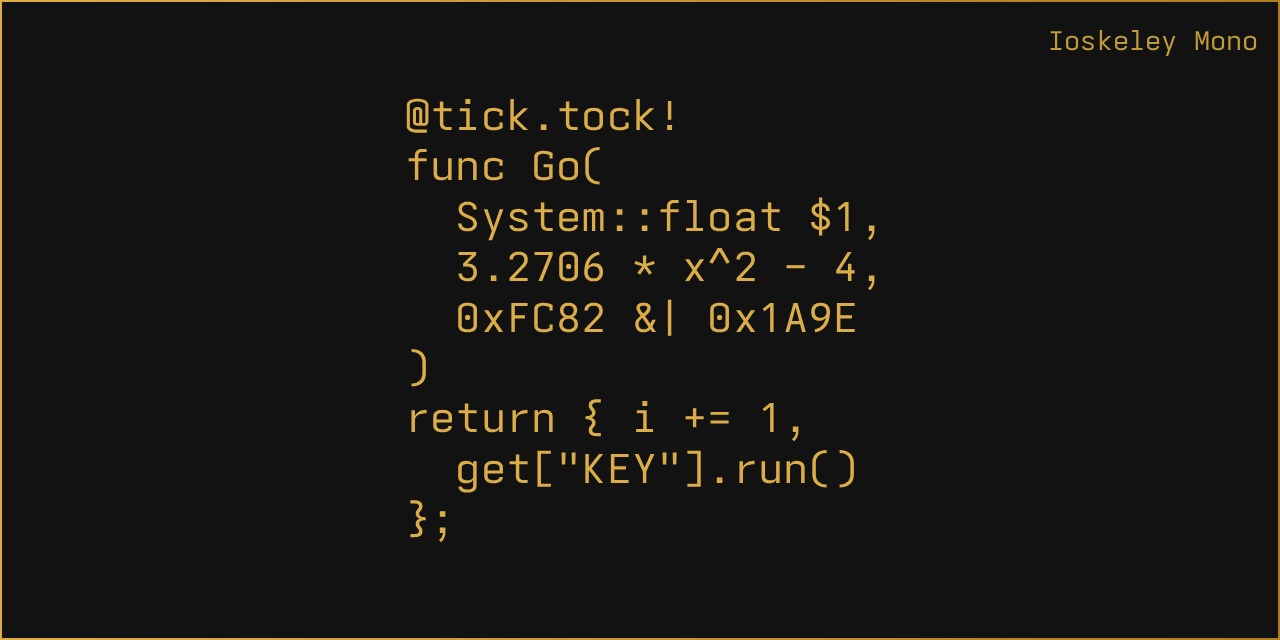
A beautiful monospace font in your code editor is a minor obsession for many programmers. We're willing to spend hours cycling through themes, switching from JetBrains Mono to Fira Code, then to SF Mono. But at some point, Berkeley Mono catches your eye. It looks aesthetic, clean, with just the right amount of geometry for comfortable reading.
One problem: Berkeley Mono is distributed under a paid license. Not everyone is ready to spend a significant amount on a font for their terminal or favorite IDE.
Recently I came across the IoskeleyMono repository. Developer Ahmed Hatem solved this elegantly. He took the popular open-source font Iosevka with its endless customization capabilities and built a build plan that closely replicates the geometry and characters of Berkeley Mono.
What it looks like in practice
The font got a hybrid name from its two parents: Iosevka + Berkeley = Ioskeley.
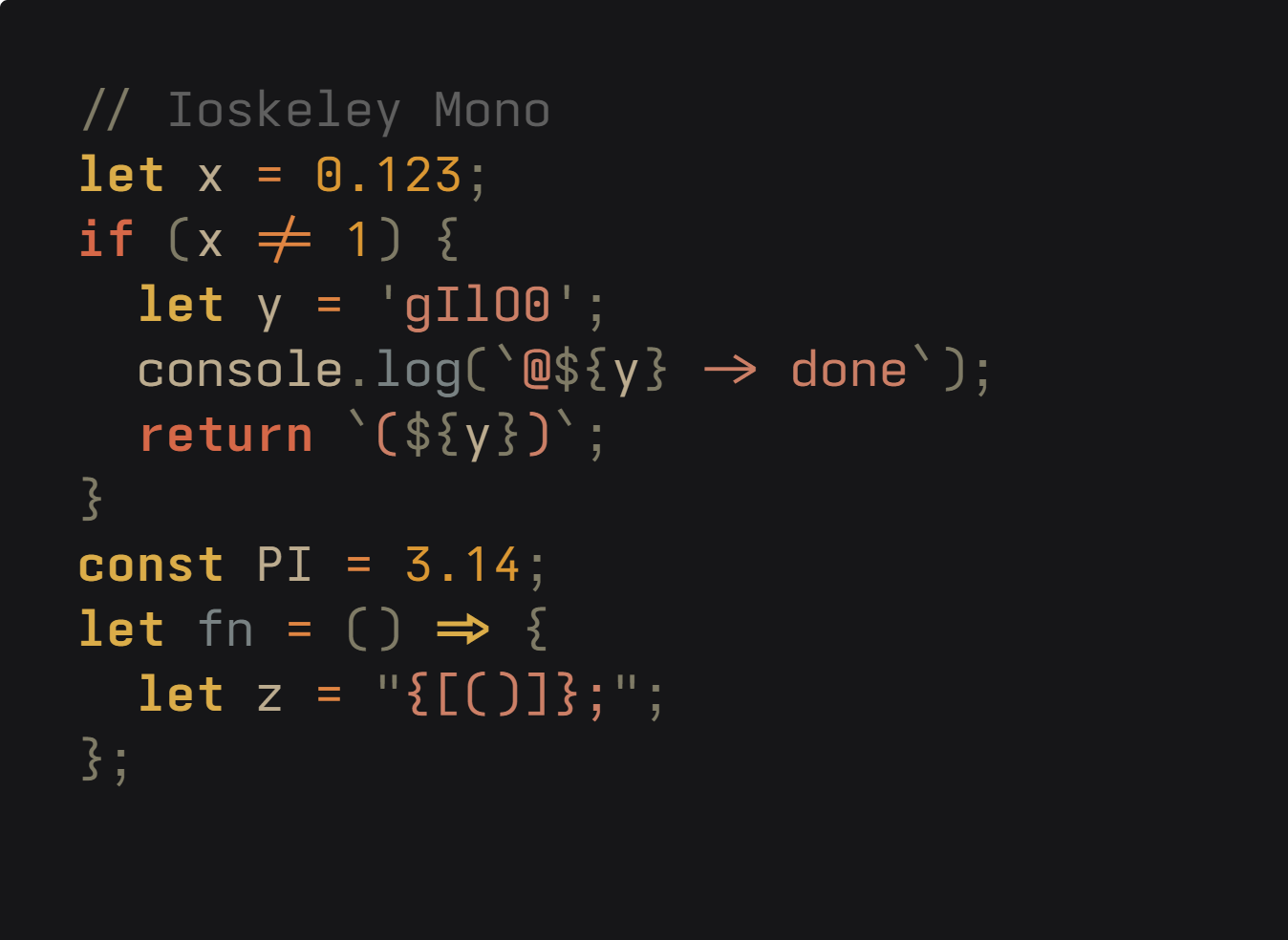
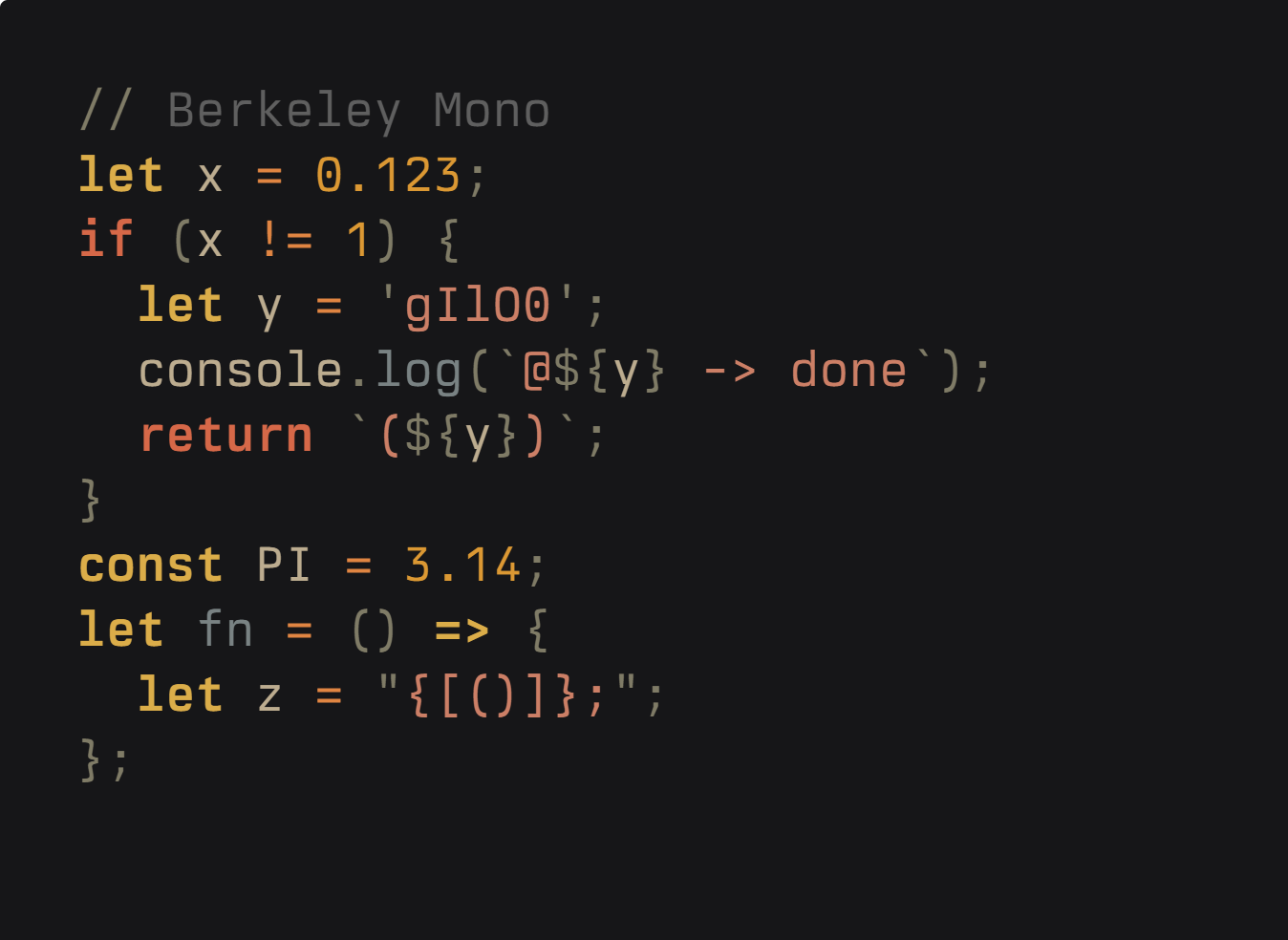
The author tuned the proportions so that vertical metrics, letter spacing, and bracket sizes match the original style. The characteristic glyphs immediately stand out: single-story g, round zero with a dot inside (0), figure-eight made of two equal circles (8), open contours on the six and nine (6, 9), as well as square dots in punctuation and a slightly raised underscore.
Here's a side-by-side comparison. Ioskeley Mono on the left, original Berkeley Mono on the right:
| Ioskeley Mono | Berkeley Mono |
| --- | --- |
|  |
|  |
|
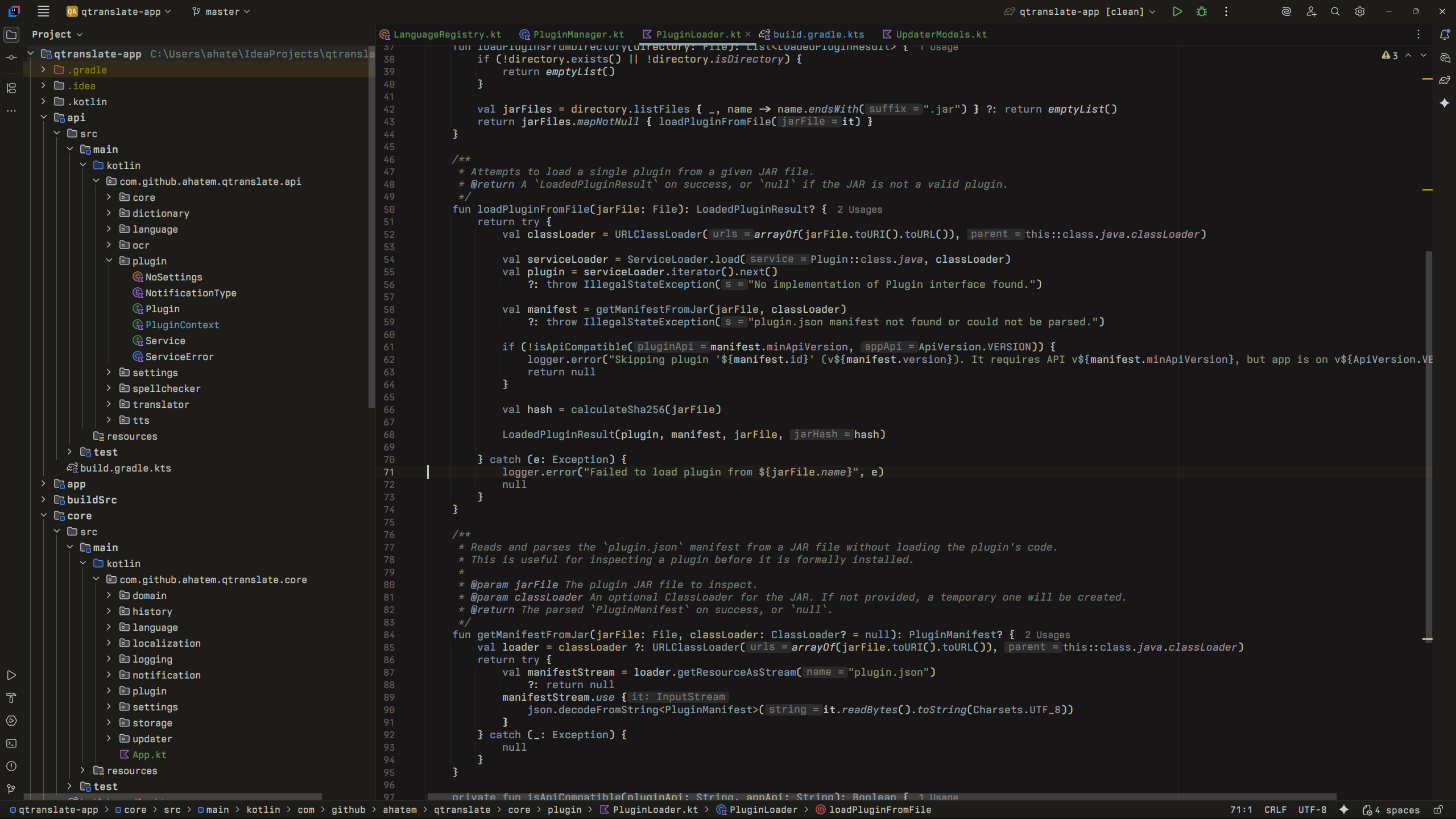
When looking at screenshots in a real development environment, it's genuinely hard to spot the difference. In an editor with a dark theme, the font looks tidy and polished:
For those who want to try the font before downloading, the author created an interactive web demo. On the demo page, you can switch programming languages, change the theme, enable comparison with the original, or type your own code snippet.
Bundles and build variants
When downloading open-source fonts, you often have to manually search for icon patches or deal with broken ligatures in the terminal. In this project, the author approached the release with full seriousness.
The releases section contains about a dozen ready-made zip archives for different use cases:
IoskeleyMono.zipfor VS Code, JetBrains IDE, or Zed.IoskeleyMono-NerdFont.zipwith embedded Nerd Fonts icons, if you have a custom prompt set up in Starship or Neovim.IoskeleyMono-Term.zipwith a strict terminal grid (spacing = "term"). This comes in handy if your terminal (e.g., kitty or Ghostty) breaks the display of arrows or box-drawing characters.IoskeleyMono-NL.zipwithout ligatures. Useful in environments like Xcode, where you can't disable ligatures through the program's own settings.IoskeleyMono-Web.zipwith web fonts for@font-facefor websites and documentation.
Each archive contains width variants: Normal, SemiCondensed, and Condensed. If you have to read code on a small laptop screen, the condensed variants save horizontal space without sacrificing readability.
It's worth mentioning the Hinted and Unhinted folders in each archive. For standard pixel density monitors on Windows, you're better off installing files from the Hinted folder so the font engine hits the pixel grid more precisely. On macOS Retina displays or Linux HiDPI screens, the Unhinted variants are preferable.
The weight range is complete: from thin Thin (100) to heavy Black (900), including upright and italic styles.
How to build the font yourself
Since Ioskeley Mono is essentially a configuration file for the Iosevka builder, you can build it from source right on your machine. This is useful if you want to tweak a couple of glyphs to your liking.
The build process looks like this:
git clone https://github.com/ahatem/IoskeleyMono.git
git clone --depth 1 https://github.com/be5invis/Iosevka.git

cp IoskeleyMono/private-build-plans.toml Iosevka/
cd Iosevka
npm install
npm run build -- contents::IoskeleyMono contents::IoskeleyMonoTerm
All custom font parameters are described in the private-build-plans.toml file. If you want to switch the style of the digit 7 or choose different equal signs, just edit a few lines in that file and run npm run build.
Is it worth installing
If you like the clean engineering style of Berkeley Mono but purchasing a separate license isn't in your plans, Ioskeley Mono fills that need. The project is active, with fresh releases built automatically via GitHub Actions when updates land in the Iosevka codebase.
You can try the font in literally a couple of minutes. Download the archive, install the necessary files to your system, and select Ioskeley Mono in your editor's settings.
Related projects