How to Turn an AI Agent into a Slide Layout Engineer with open-slide
Every time I need to put together a presentation for a meetup or internal meeting, I catch myself procrastinating. Fiddling with fonts and block alignment in PowerPoint and Google Slides is tedious. Markdown tools like Marp or Slidev make layout easier, but if you want non-standard animations, interactive charts, or a neat callout box, the markup quickly falls short.
It would seem that neural networks now write React code excellently. But if you ask Claude Code or Cursor to build a presentation from scratch, they'll write a dozen disconnected components, forget about screen scaling, get tangled up in routing, and leave you dealing with layout bugs on your own.
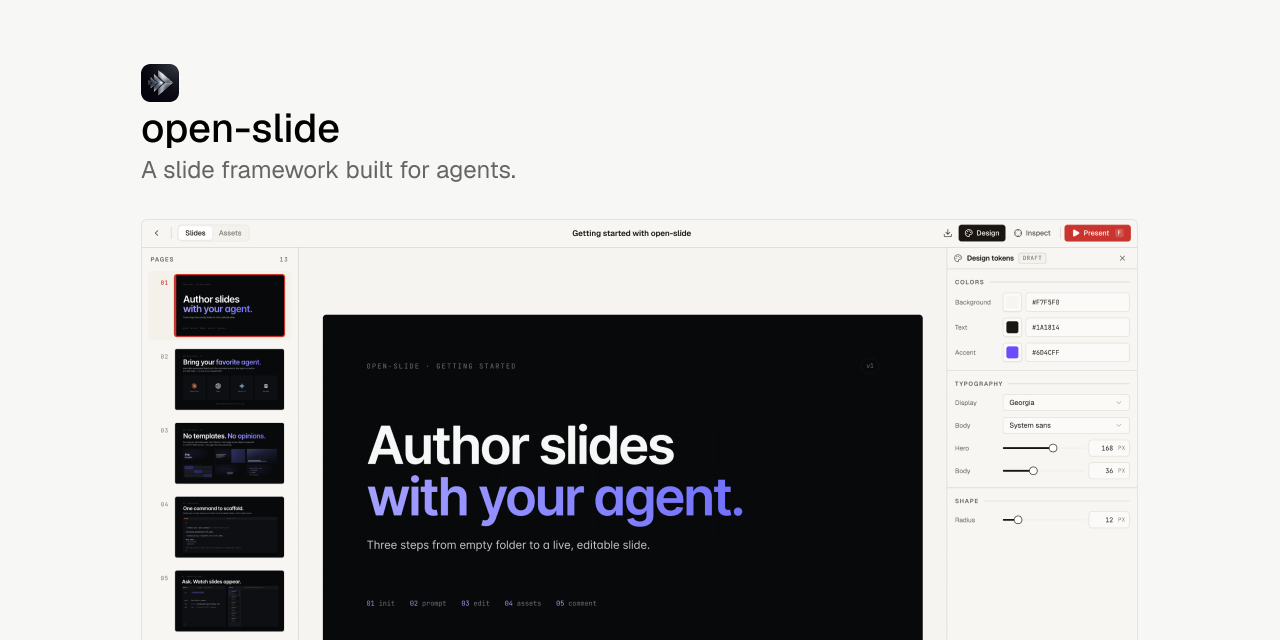
The open-slide project solves this exact problem. It's a presentation framework designed specifically to work alongside AI agents.
The Project Idea
The creator of open-slide reasoned simply: slides are visual code, and modern agents write code quickly without complaints. The only issue is the execution environment.
Instead of inventing its own limited markup language (DSL), open-slide gives the agent standard React and handles all the routine work itself. The framework locks the canvas at 1920 × 1080 pixels, ensures adaptive scaling for any monitor, configures screen switching, hot reloading, and speaker mode.
The agent only needs to generate components following clear markup rules, without getting distracted by infrastructure.
npx @open-slide/cli init my-slide
cd my-slide
pnpm dev
After initialization, the project already contains ready-made scripts for Claude Code and system instructions that explain the canvas structure, typography, and palette to the model.
Built-in Editing Cycle via Inspector
Usually, working with AI on visuals turns into endless attempts to explain verbally: "move that gray button on the third slide slightly to the left of the heading". The model makes mistakes, edits the wrong file, and the dialogue drags on.
open-slide has a built-in visual inspector right in the dev server:
- You open the slides in the browser and click on any element.
- In the field that appears, you write a comment: "make the background darker", "reduce the heading size", or "add bottom padding".
- The framework saves these notes directly in the source code as markers
@slide-comment. - You run the
/apply-commentscommand in the terminal with the agent. - The agent reads the markers, makes edits to JSX, removes the comments, and reloads the page.
This editing cycle saves a lot of nerves. You play the role of an art director leaving sticky notes on the layout while the neural network fixes the components.
Logo Search and Asset Management
If you're doing a pitch or technical talk, half the time goes to finding SVG logos of technologies. open-slide has a built-in svgl catalog. Just open the assets panel, type in the library or service name, and insert the vector icon directly into the slide code.
The assets panel also lets you centrally pull in local fonts, images, and videos so you don't have to manually organize them across random project folders.
Export and Presentation
For live presentations, the project includes a full speaker mode. A separate screen shows the current slide, preview of the next step, presentation timer, and speaker notes.
Once the presentation is ready, you can build it into a fully static bundle:
- Generate a standalone HTML file that opens without a server and can be deployed to Vercel, Netlify, or Cloudflare Pages.
- Export the deck to PDF for printing or sending to conference organizers.
If you accumulate many presentations, the built-in deck manager organizes them into folders with emojis and supports sorting through simple drag-and-drop.
Repository Structure
Under the hood, open-slide is a monorepo based on pnpm and Turborepo:
- The
@open-slide/corepackage contains the core runtime, canvas scaling engine, edit inspector, Vite plugin, and CLI interface. - The
@open-slide/clipackage handles initializing new projects, hiding build configs inside the core to avoid cluttering the working file tree. - Inside there's a demo
apps/demowhere the author tests new releases.
The stack is entirely TypeScript, with fast Biome for linting and formatting, and the project uses the permissive MIT license.
Who Will Find This Useful
If you're used to building presentations only with a mouse in Figma or Keynote, switching to text prompts might feel unfamiliar. But for developers who regularly give talks and already use Claude Code or Cursor in their daily work, open-slide could be a solid alternative to traditional slide tools.
You get full access to the React ecosystem: embed an interactive Three.js scene, a functional Monaco code editor, or a Recharts graph, while letting the neural network handle the rough layout work.
Progetti correlati