How to Build Multimodal AI Cinema on a Single Infinite Canvas
If you've ever tried to create something more complex than a single image generation—like a short animated clip or a storyboard for a music video—you know this hell. The first browser tab has ChatGPT open for the script. The second runs Midjourney or Stable Diffusion. The third has ElevenLabs for voiceover. The fourth has Runway or Luma open for frame animation. And somewhere in the background, a local ComfyUI with a graph of three hundred nodes is humming away.
As a result, your desktop turns into a dump of PNG files with weird names like final_v2_really_final.png, and transferring context between neural networks takes more time than the actual creative work.
A Chinese developer under the nickname ashuoAI tried to solve this problem with the SHUO Canvas project (formerly known as AI-CanvasPro). It's a desktop application that combines text, graphics, audio, and video generation on a single interactive board.
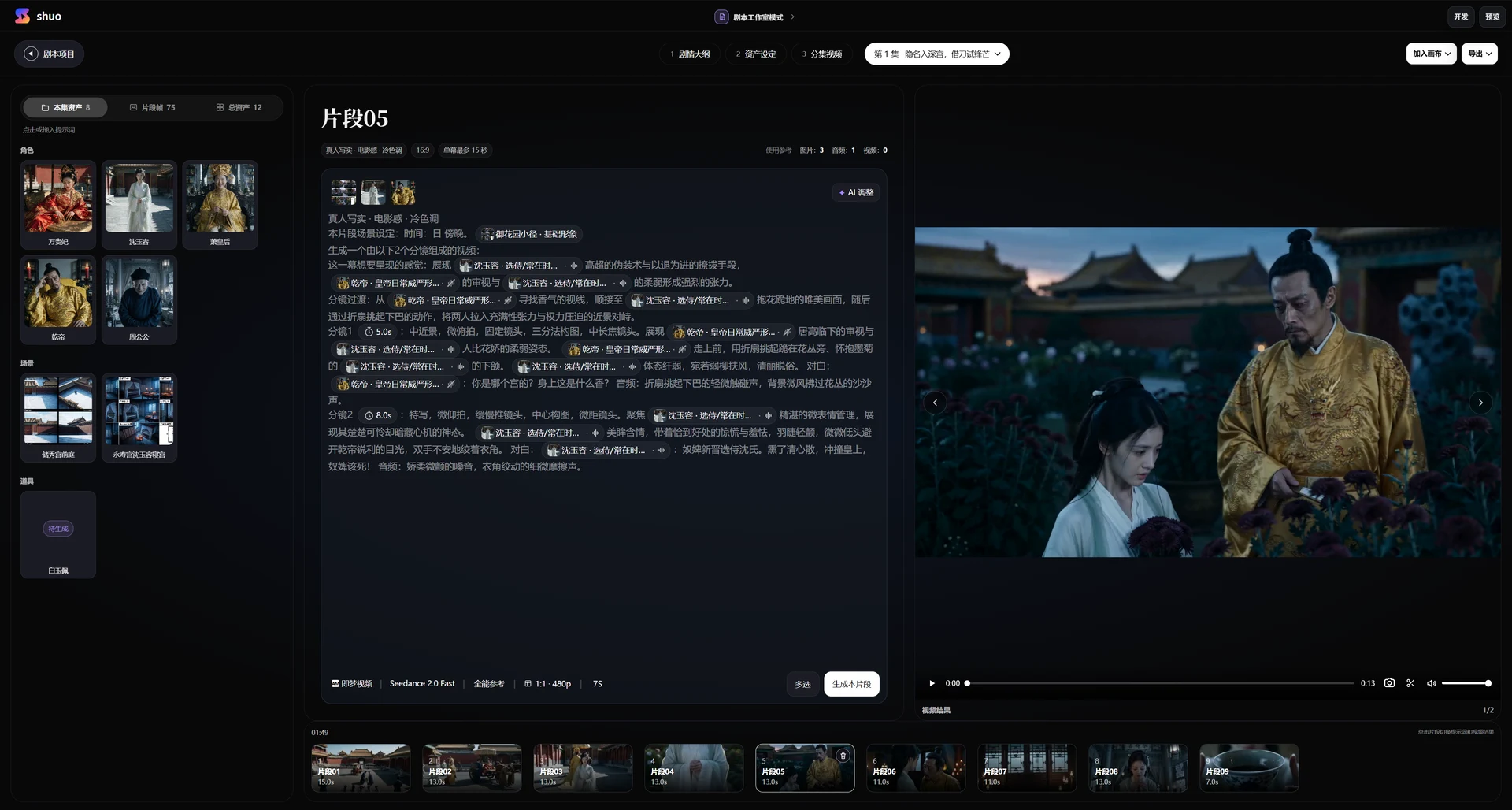
How the Canvas Works
At the core of SHUO Canvas is the idea of an infinite workspace, similar to Figma, Miro, or ComfyUI, but tailored for comprehensive media content production. Instead of switching between services, you lay out elements directly on the board and connect them with logical lines.
Every element on the board is a node. A node can be a text prompt, an uploaded image, a generated video clip, an audio track, or a full control block. You connect the outputs of some nodes to the inputs of others, building a chain: script -> frame generation -> animation -> voice-over and editing.
The application can automatically save the canvas state on restart, and to transfer a project to another PC, it generates a single archive .aicpkg with all the resources used.
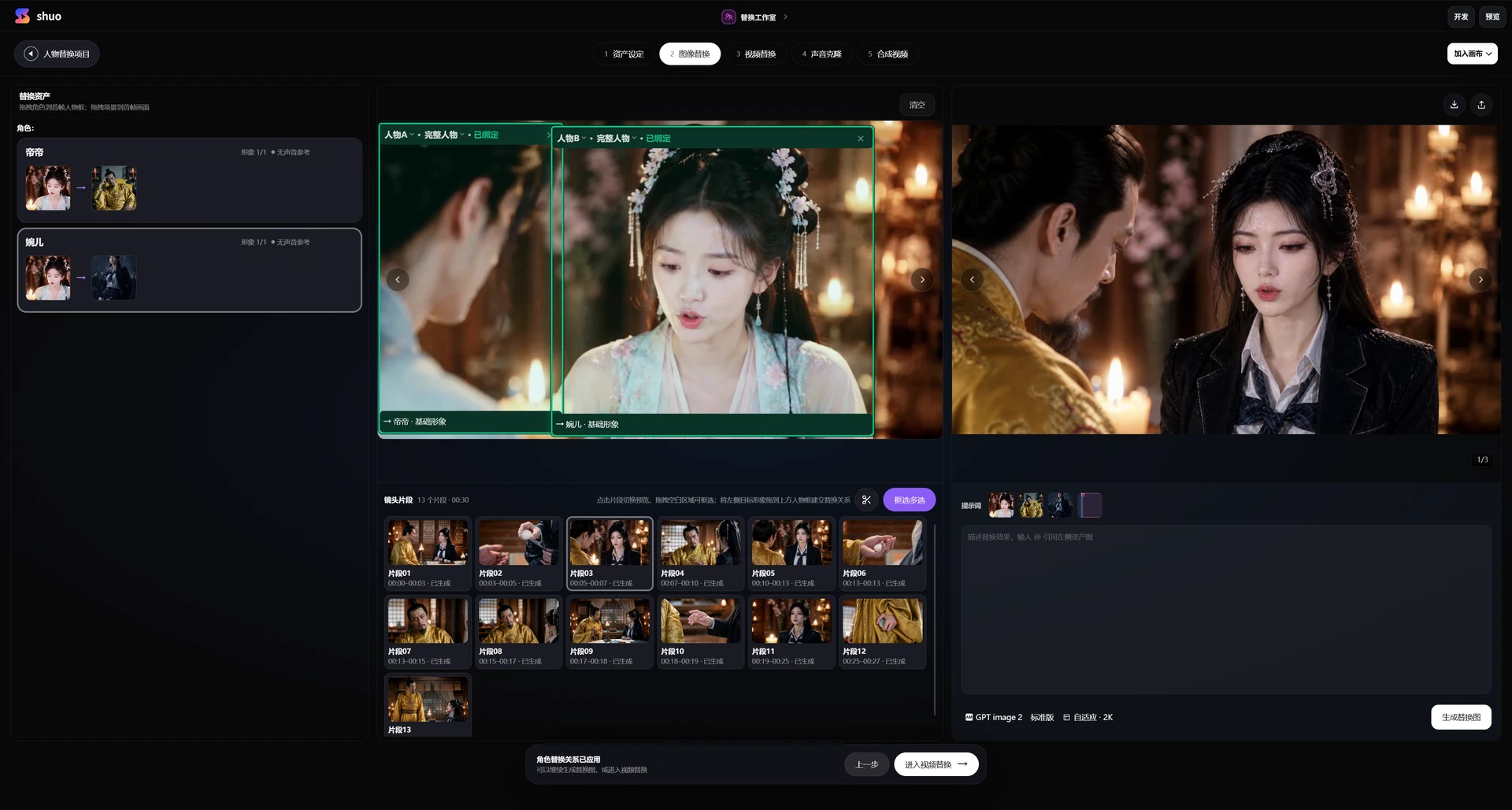
What's Interesting Inside
The developers didn't limit themselves to a basic grid of image generators. Inside the application, there are several specialized nodes that you rarely find in such all-in-one tools.
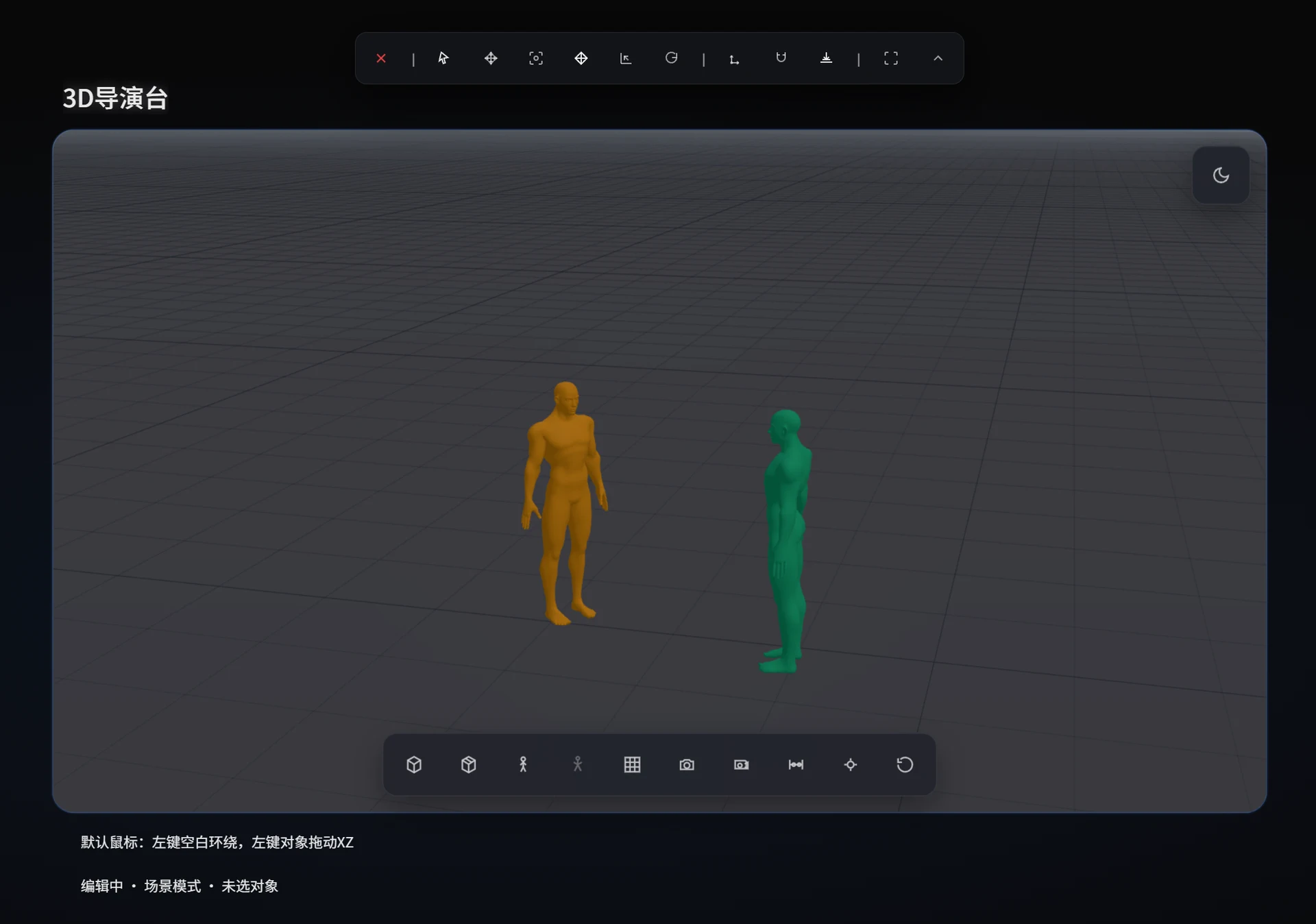
Storyboarding and 3D Directing
For those building video stories, a director's script node has been added. It helps break down text into individual scenes, describe camera movements, dialogues, and sound effects.
Working alongside it is a 3D directing node. Here you can schematically place characters in space, set the virtual camera angle, and position objects. The resulting 3D schematic is passed further down the chain as a reference image (ControlNet/IP-Adapter) for generating the final frame. This helps maintain perspective and composition from frame to frame.
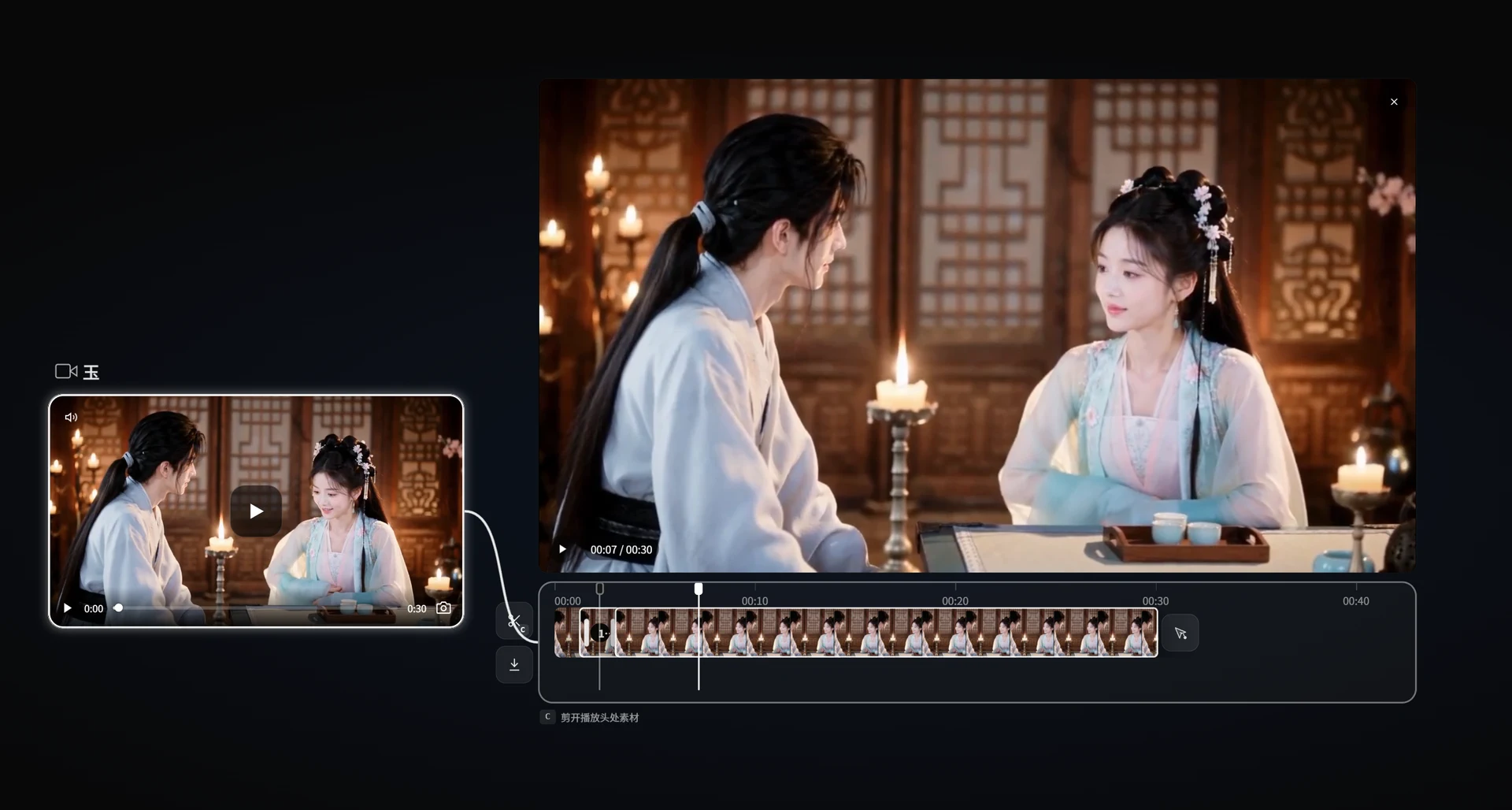
On-Canvas Processing Tools
Right on the canvas, you can crop video, cut audio tracks, remove backgrounds, remove unwanted objects from images, or assemble collages. For working with video generation pipelines, nodes for breaking video into individual frames and precise lip-sync have been added.
If you need to create a grid of variants or a panorama, separate nodes are used:
- Grid breaks the storyboard into blocks for batch generation.
- 360 Panorama transforms a flat image into an interactive spherical environment.
Built-in AI Assistant
To avoid spending time manually creating dozens of nodes, an agent is built into the system. Through the @ symbol in the text field, you reference any object on the canvas (image, text, or video). The / symbol calls up quick prompt templates.
Additionally, the dialog assistant in the corner of the screen can execute commands on the board itself: create nodes, connect them, and launch batch generation from a text query.
Integrations and Connecting Neural Networks
SHUO Canvas doesn't include its own generative models out of the box. It's a graphical client that sends requests to external providers or local servers.
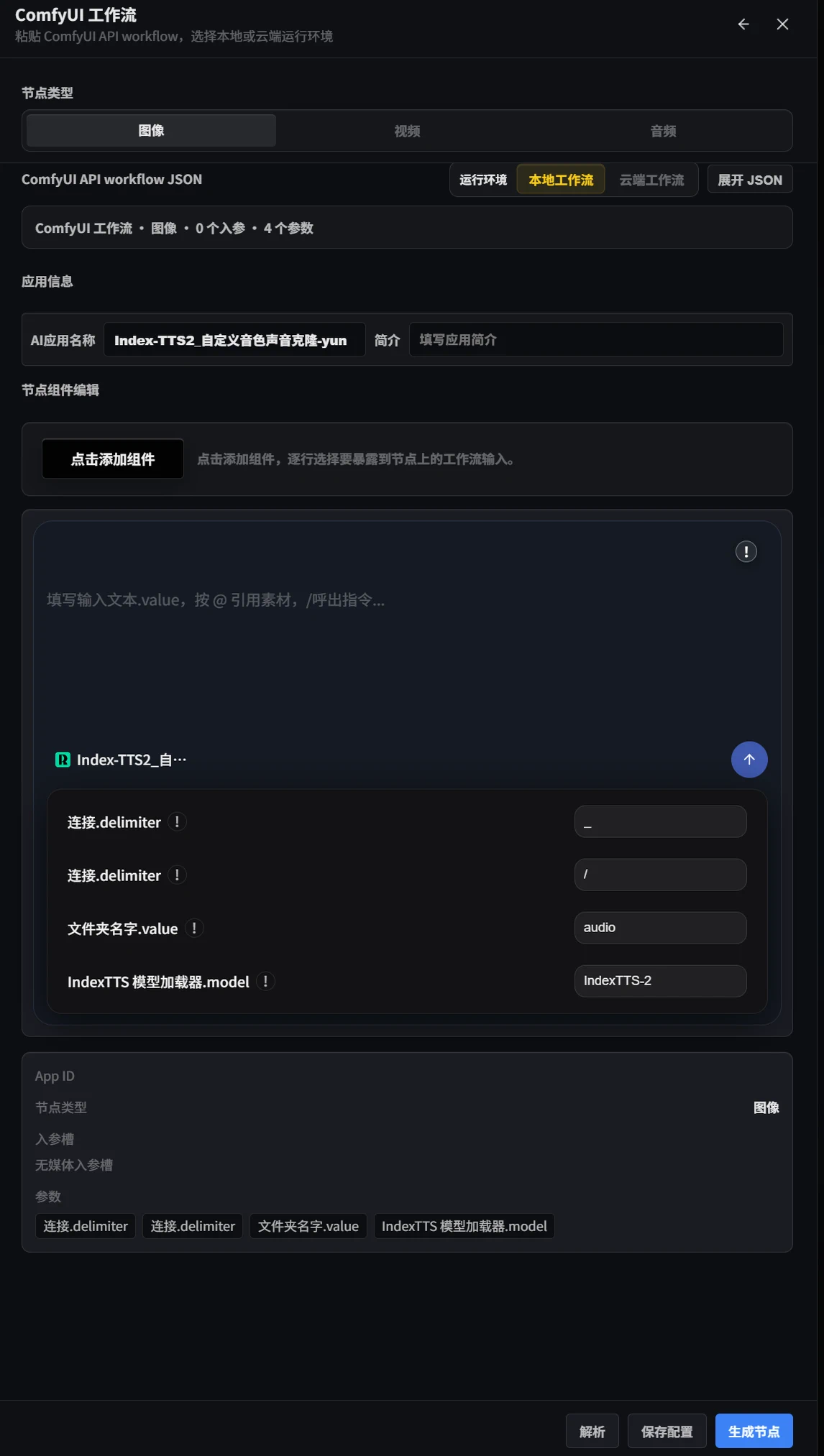
The following connection options are supported:
- Local or cloud ComfyUI. You can import ready-made ComfyUI JSON workflows directly onto the SHUO Canvas board.
- The RunningHub platform for running ComfyUI pipelines in the cloud.
- Direct APIs of Chinese cloud services (Jimeng, Volcengine, APImart, GRSAI).
- Any providers with OpenAI-compatible API for text models.
This scheme provides freedom: if you want, you can run everything locally on your own GPU power through ComfyUI, or connect third-party APIs and not strain your hardware.
Several Important Nuances
Before downloading the distribution, you should consider a few characteristics of the project.
First, the project is not open source in the traditional sense (Non-Open-Source / NC). The GitHub repository serves as a platform for release publications, documentation, and a task tracker. The application itself is distributed as ready-made builds for Windows and macOS (Apple Silicon chips are supported).
Second, monetization is based on software activation. The developer charges a fee for the program license itself, and you pay for generations directly to the services whose API keys you enter in the settings.
Third, the interface and tutorial videos are primarily aimed at Chinese- and English-speaking audiences, although basic control through hotkeys doesn't cause difficulties. Familiar shortcuts are used for canvas navigation: Space + ЛКМ for moving, Alt + перетаскивание for duplicating a node with connections, Ctrl+Z for undoing actions.
Who Should Try It
SHUO Canvas will be interesting to those who are tired of the chaos when creating complex generative content. If your workflow involves a combination of ComfyUI, video editors, and speech generators, the single canvas concept will save a lot of time.
The project is developing quickly: version 0.7.1 brought updated character control algorithms and flexible hotkey customization. You can download builds for Windows and macOS in the releases section on GitHub.
Progetti correlati