RevPDF or How to Stop Uploading Work Documents to Other People's Servers
We've all been in a silly situation with PDF files at some point. You receive a twenty-page contract, but only two pages need to be signed and returned. Or the accounting department asks you to merge a dozen invoices into one neat document.
What does a rushed person usually do? Opens a browser, searches for "merge pdf online", and uploads the file to the first site that comes up.
At that moment, passport scans, bank statements, and confidential agreements fly off to someone else's server. Usually nobody thinks about who operates that web service, where the uploaded copies end up, or where the logs go.
The other extreme is installing heavy paid Adobe software that takes up gigabytes of space and requires a monthly subscription just for two basic operations per week.
I recently came across the RevPDF project on GitHub, designed specifically to solve this problem without the cloud and overpaying.
What it is
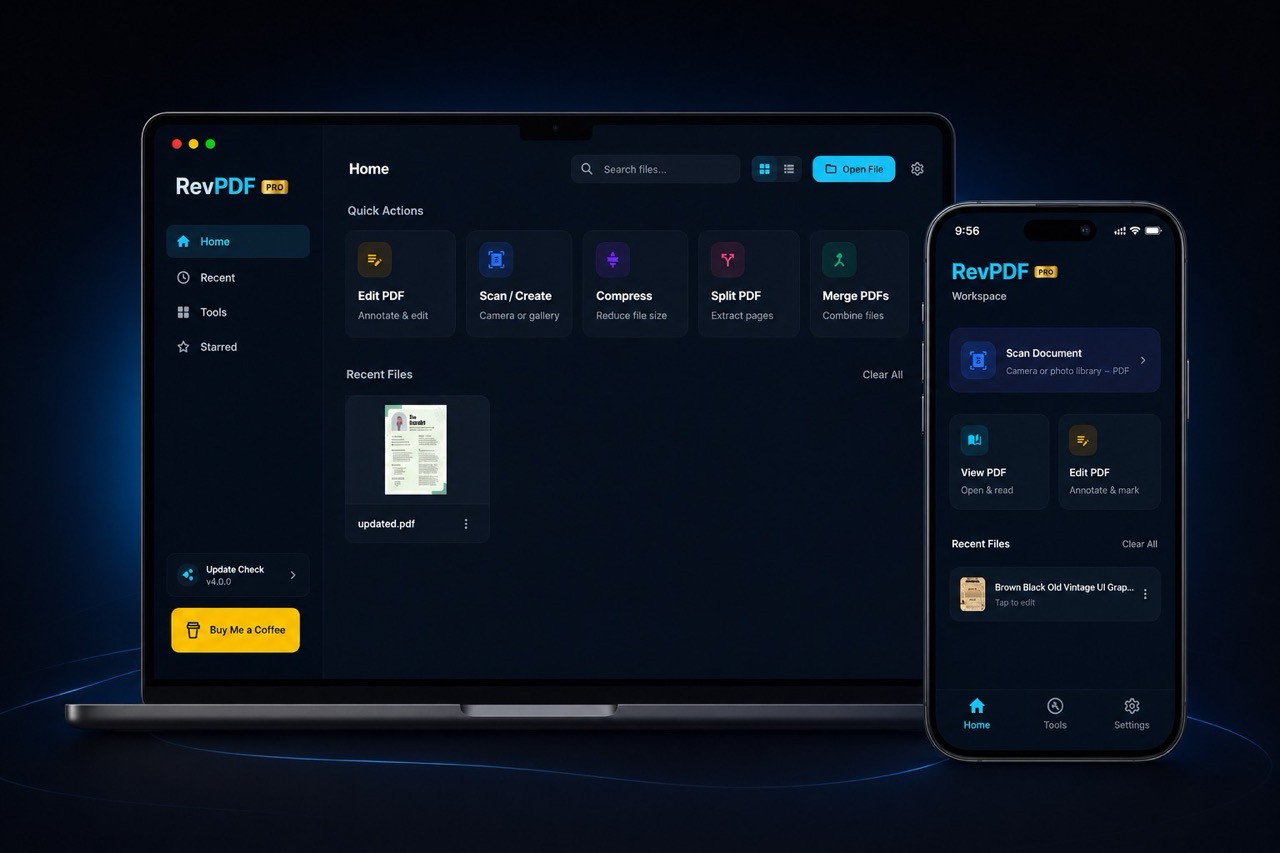
The revpdf-release repository contains ready-made builds of a local PDF editor. The main idea is straightforward: provide users with a quick tool for basic document manipulation that runs entirely on your machine.
There's no mandatory registration, hidden telemetry, or cloud sync involved. The program doesn't ask for an account, doesn't connect to the internet, and launches in a couple of seconds.
The application is cross-platform. The developer prepared packages for Linux (AppImage format), macOS (DMG), Windows (exe installer in beta), and an Android version through Google Play.
What RevPDF can do in practice
The utility's interface is clean and uncluttered. Instead of overloaded menus, the developer focused on the tasks users encounter most frequently.
Splitting and extracting pages
If you receive a heavy report but only need to send a colleague a couple of charts, you can split the document in two clicks. You specify particular pages or set a range of numbers. The program saves the needed portion to a separate file without quality loss from the original.
Merging multiple files
Combines a batch of separate PDFs into a single document. Page order is easy to rearrange directly in the utility window before final saving. This comes in handy when preparing reports and document packages for the tax office.
Compression without turning text into mush
High-resolution scans often weigh in at 50-80 megabytes. Email clients and government website forms don't accept such sizes. The built-in compression algorithm trims excess document weight while trying to preserve text and table clarity.
Converting to images and back
Sometimes you need to insert a PDF page into a presentation or send it in a messenger as a regular picture. The utility exports pages to high-resolution raster formats.
The reverse process works too. If you've snapped a bunch of receipts or certificates with your phone, you can feed them to the program, and it will assemble them into a clean, neat PDF file.
Nuances and project specifics
Before rushing to install the application, you should pay attention to the specifics of the repository itself.
The revpdf-release page is a release repository. It contains binary builds and download links, but the core source code itself is closed or stored in the author's private repository. If a complete audit of every line of source code before building is critical to you, keep this in mind.
Nevertheless, the application's behavior is easily verifiable with network monitors like Little Snitch or Wireshark. The program doesn't create outgoing connections during file processing and works fine in an isolated environment with no internet access at all.
The Windows build is currently marked as beta. In my tests, basic functions worked stably, but if you're on Windows, minor interface rough edges are still possible. On macOS and Linux, the application feels great.
Who will find this tool useful
RevPDF handles the everyday routine that previously required risking your data with online services:
- Developers and system administrators working with contracts, invoices, and NDAs on work laptops.
- Those who frequently work on the go or offline, where browser-based editors simply won't load.
- Linux users who are tired of fiddling with command-line utilities like
pdftkorghostscriptjust to merge two files. - Everyone who values privacy and doesn't want to share personal scans with unknown web services.
RevPDF solves one clear practical task: quickly splitting, merging, or compressing documents locally on your computer.
If you're tired of handing over passport scans and bank statements to random online converters, check out the repository's releases section. Just download the AppImage for Linux or DMG for Mac to handle quick document processing without heavy paid programs.
Progetti correlati