CleanMyMac Goes Terminal-Only to Clean Developer Caches
Where does all the free space on your Mac constantly disappear to? Yesterday you had 50 GB left, and today the system is complaining about running out of memory. A familiar picture for anyone who writes code. You open Finder and start guessing: did Docker eat your images, did Xcode bloat DerivedData to obscene sizes, or do old React projects store gigabytes of dependencies each?
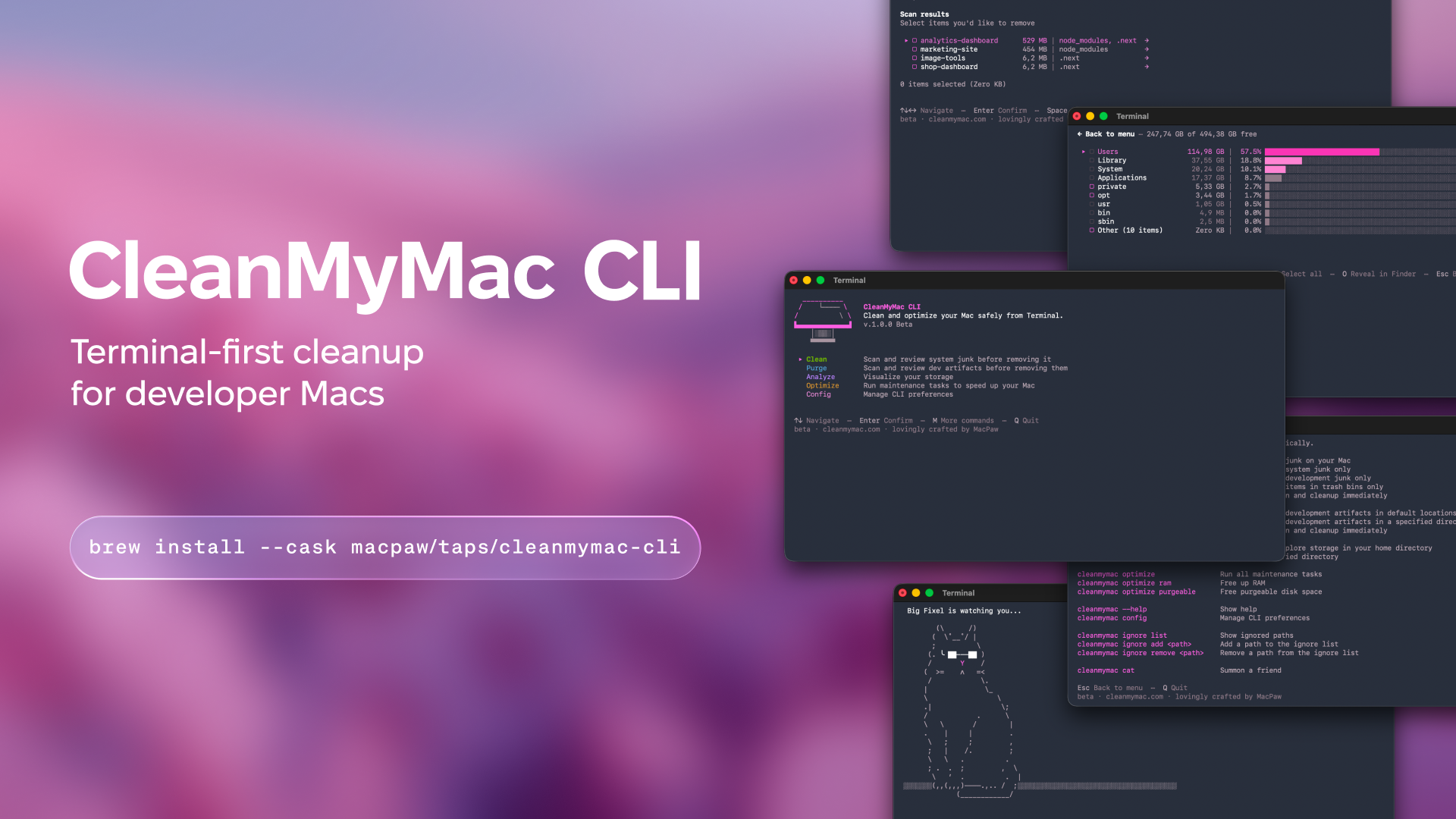
The MacPaw team released the cleanmymac-cli utility into public beta. It's a console version of their cleaner, but with a clear focus on developers. No bulky windows or unnecessary animations, just CLI and an interactive TUI right in the terminal.
What the Console CleanMyMac Can Do
The utility doesn't try to fully replace the desktop application. Instead of searching for viruses and optimizing startup items, the focus is shifted to compiler leftovers, package manager caches, and generated folders.
Cleaning Global Caches with the clean Command
The clean command scans the system for garbage accumulated outside source code directories.
cleanmymac clean
You can run targeted scanning by category:
cleanmymac clean devfinds caches from Homebrew, npm, Yarn, pnpm, pip, uv, Poetry, Cargo, Go, CocoaPods, Docker, VS Code, and JetBrains.cleanmymac clean junkcleans system logs and Xcode-specific garbage: DerivedData, Device Support, Module Cache.cleanmymac clean airemoves artifacts from local tools and assistants like Claude.cleanmymac clean trashempties the system trash.
After scanning, an interactive menu opens. You can use arrow keys to dive into any category, press space to uncheck files you want to keep, and only then press Enter to delete.
Finding Forgotten Project Artifacts with purge
The most practical feature for those who maintain dozens of repositories. The purge command walks through standard developer paths (~/Projects, ~/Code, ~/dev, ~/GitHub, ~/Workspace) and compiles a list of heavy folders:
node_modules,.next,.turbotargetin Rust projects.venv,venv,__pycache__DerivedData,Pods,.build,cmake-build-*
cleanmymac purge
Or with a specific path:
cleanmymac purge ~/Projects
Interesting detail: the utility checks file age. Artifacts older than seven days are automatically checked for deletion. Fresh projects you worked on yesterday remain unchecked in the list. You won't accidentally delete your current task's working environment unless you blindly press Select all.
Analyzing Disk Space with analyze
When the disk is full but it's unclear with what, the built-in file explorer helps:
cleanmymac analyze
It scans a directory, sorts folders by size, and draws ASCII charts right in the terminal. You can drill down into subfolders, open selected paths in Finder by pressing O, or selectively delete giant archives.
Freeing Up Memory with optimize
For quick maintenance there's the optimize command:
cleanmymac optimize ram
cleanmymac optimize purgeable
The first command flushes inactive RAM without calling sudo. The second asks macOS to immediately free up space the system has already marked as purgeable but somehow hasn't returned to disk.
Installation and First Steps
You'll need macOS 11 or newer and the Homebrew package manager installed.
Installation is done with a single line via the official tap:
brew install --cask macpaw/taps/cleanmymac-cli
After that, two equivalent commands become available in the terminal: cleanmymac and the short alias cmm.
If you run the utility without parameters, the main menu opens with a list of available modes. For scripts and automation, every command has a --force flag that removes found items without showing confirmation dialogs. Be careful with it and first run scans in interactive mode.
If some projects must never be deleted under any circumstances, add their paths to the whitelist:
cleanmymac ignore add ~/Projects/core-service
Nuances and Limitations
The project is in public beta, so command behavior may change. The utility itself is distributed for free, but under MacPaw's proprietary license—this is not open source.
Telemetry collects basic analytics by default, but you can disable it in settings via cleanmymac config. The utility doesn't transmit project source code or personal data anywhere.
Who Will Find This Useful
The tool saves time for those who constantly switch stacks, experiment with new frameworks, or build mobile apps in Xcode. Instead of writing custom bash scripts with endless find . -name "node_modules" -exec rm -rf, you can run purge once and clearly see how many gigabytes will be freed. If you work on a MacBook with a 256 or 512 GB SSD, the utility will definitely come in handy in your daily routine.
関連プロジェクト