Your Personal GitHub-Based Google Play: RepoStore Review
It's a common situation: you find a cool open-source project on GitHub, want to test it on Android, but you have to go through a whole ritual. First you go to the Releases section, then search through a pile of source files for the right APK, download it, allow installation from browser... And a week later you're wondering if a new version came out.
Indian developer Samyak Kamble decided that it was time to simplify this process, and built RepoStore. It's a native Android client that turns repositories into neat app cards.

Why do you need this when F-Droid exists
F-Droid is great, but not every project makes it there. Many developers don't want to deal with their inclusion criteria or simply prefer deploying directly through GitHub. As a result, hundreds of useful utilities remain "outside" convenient stores.
RepoStore works differently. It doesn't require the app author to register anywhere else. If a repository has a public release with an APK file — the app is already in RepoStore.
How it works under the hood
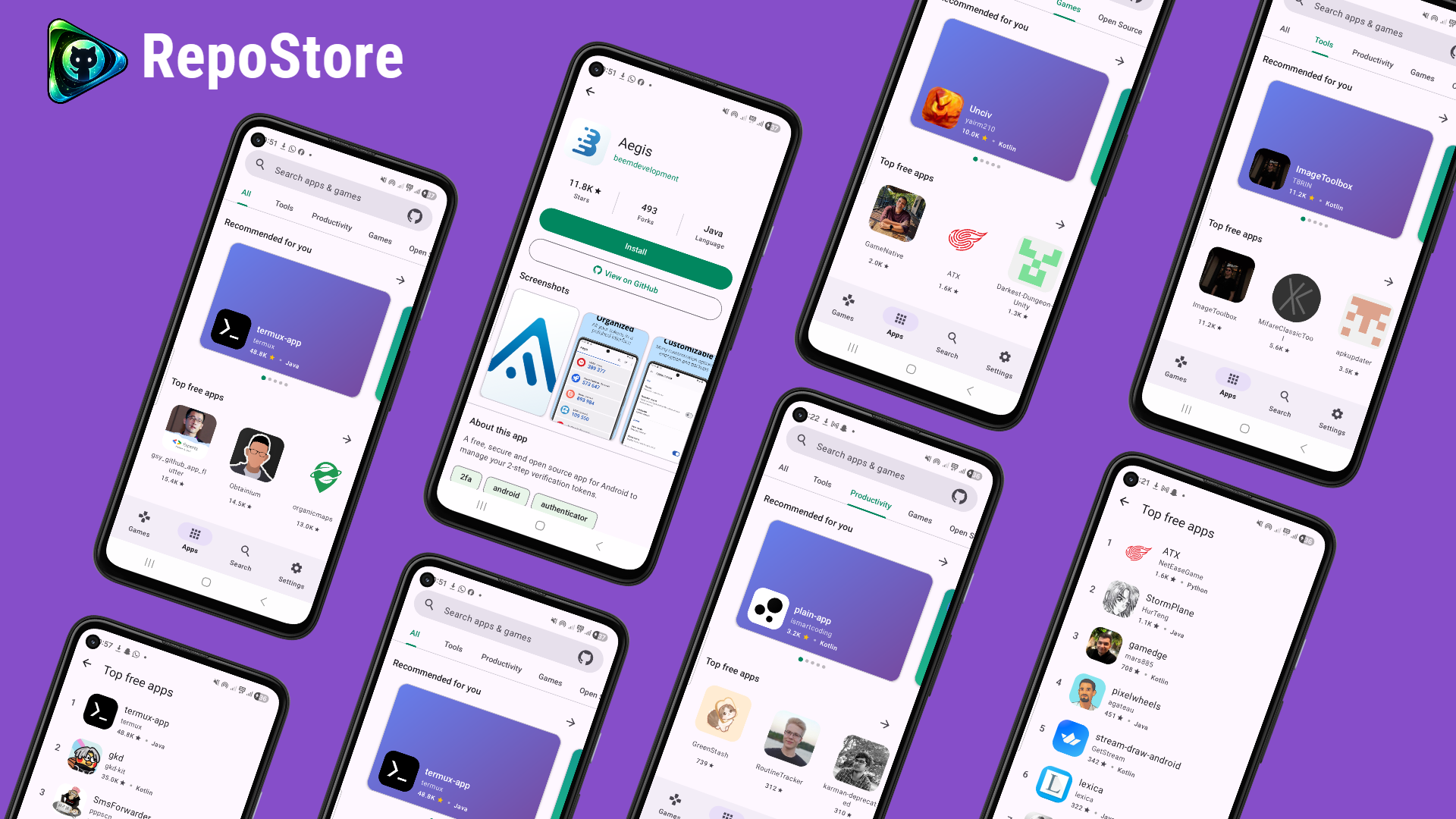
The app is written in pure Kotlin with Material 3. Visually, it resembles a modern Play Store: there are sections with trends, categories, and recently updated projects.
Key features I noticed during my analysis:
- Smart filtering. RepoStore doesn't show junk. It scans release assets and only displays projects where a ready-made installer is actually attached.
- Full-featured app pages. You don't just see a link — you get a rendered README (as the description), star and fork counts, and even screenshots if they're in the repository root.
- Update tracking. The app knows what you already have installed on your system and highlights the Update button when a new tag appears on GitHub.
- API limits. By default, GitHub allows only 60 requests per hour for unauthenticated users. RepoStore has built-in OAuth (Device Flow), so you can log in and increase the limit to 5,000 requests.
Technical stack of the project
For Android developers, there's plenty to look at in terms of implementation. The author didn't overcomplicate things and chose time-tested tools:
- Architecture: Classic MVVM with Repository Pattern. Code is split into fragments that live inside a single Activity.
- Networking: Retrofit + OkHttp combo. Gson is used for JSON parsing.
- Database: Room stores information about installed apps and caches data to avoid unnecessary network calls.
- UI: Full Material You support (dynamic colors based on the home screen wallpaper). The Markwon library handles Markdown rendering.
If you're planning to write your own client for any API, RepoStore's source code is a decent example of how to work with the GitHub API without unnecessary pain.
How to get listed in RepoStore
If you're a developer and want your app to appear in this store, there's almost nothing to do. You just need to meet four conditions:
- The repository must be public.
- You need to create at least one Release (a simple tag is not enough).
- The release assets (Assets) must contain a file with the
.apkextension. - It's recommended to add
androidorapktags to the repository description — this helps search algorithms rank you higher.
Is it worth downloading
RepoStore is definitely useful for those who frequently browse 4PDA or XDA looking for interesting mods and open-source utilities. It's a great way to organize your "homemade" installs and avoid manually checking for updates to every ad blocker or alternative social media client.
The project is still young, and the README honestly warns: you install software at your own risk. RepoStore is just a convenient storefront — it doesn't audit the security of the code of the apps it finds.
You can try the APK by downloading it from the project's official releases or through F-Droid/IzzyOnDroid.
Related projects