Databag - your personal messenger without dependencies
Did you know that modern messengers consume so many resources that they require servers with dozens of gigabytes of RAM? But what if I told you there's a solution that works even on a Raspberry Pi Zero — a single-board computer costing $5? Meet Databag — a messenger that flips the script on what communication platforms should be.
What is Databag?
Databag is a federated open-source messenger designed for self-hosting. Unlike traditional solutions, it:
- Doesn't require powerful hardware (works even on Raspberry Pi Zero v1.3)
- Supports end-to-end encryption
- Allows creating an unlimited number of accounts on a single server
- Provides direct communication between nodes without a central server

Who is this for?
- Developers who value privacy
- Families wanting their own communication space
- IT enthusiasts experimenting with decentralized technologies
- Companies that need control over corporate communications
5 reasons to take a look at Databag
-
Incredible lightness — the server component uses minimal resources. For comparison: Matrix Synapse requires 2 GB of RAM just to start, while Databag works on devices with 512 MB of memory.
-
True federated messaging — you can communicate between different nodes, like email, but with guaranteed encryption.
-
Topic-based organization — instead of traditional chats with contacts, thematic threads are used, which is especially convenient for project work.
-
Flexible notifications — all major push notification systems are supported: UnifiedPush, FCM, and APN.
-
Easy deployment — ready-made containers for Docker, detailed instructions for various platforms, and even integration with OpenWrt.
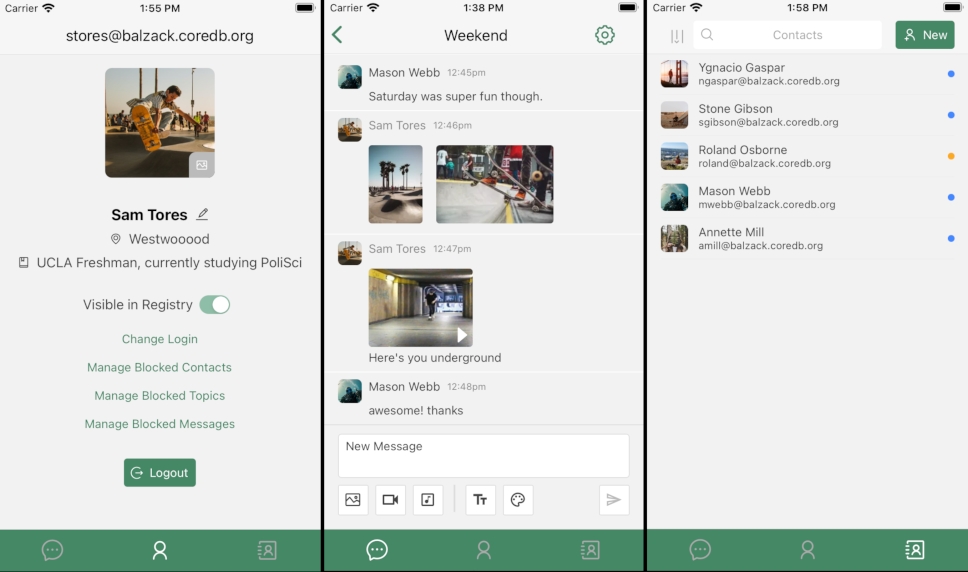
Technical features
Databag is written in TypeScript and Go, which provides:
- High backend performance
- Cross-platform client applications
- WebSocket support for instant notifications
The project architecture is built around the Self-Sovereign Identity concept, where:
- Each user is identified by a key pair
- The server administrator cannot access encrypted data
- Messages are transmitted directly between nodes
How to get started?
The easiest way — Docker
docker-compose -f compose.yaml -p databag up
For production deployment with SSL:
mkdir -p ~/appdata
docker-compose -f net/container/docker-compose-swag.yml -p databag up
Alternative options
Video and audio calls
Databag supports video and audio calls via WebRTC. You'll need to set up a STUN/TURN server (for example, coturn). For testing purposes, you can use a demo configuration:
WebRTC Server URL: turn:34.210.172.114:3478?transport=udp
WebRTC Username: user
WebRTC Password: pass
Where to download clients?



Conclusion: is it worth trying?
Databag is a great choice for:
- Those tired of "heavy" solutions like Matrix
- Professionals who value communication privacy
- Enthusiasts wanting full control over their data
The project is actively developing, and you can contribute through issues or suggest UI/UX improvements in Figma.
Try the demo version: https://databag.oredb.og/#/create (data is periodically reset).
Related projects