TermPair — Terminal in Browser with Full Data Protection
Imagine this situation: you need to help a colleague configure a server, but explaining each step over the phone is time-consuming and inefficient. Or you want to do a command-line demonstration for your team, but screenshots don't capture the workflow dynamics. This is exactly the kind of problem TermPair solves — a tool for secure remote terminal access directly from the browser.
What can TermPair do?
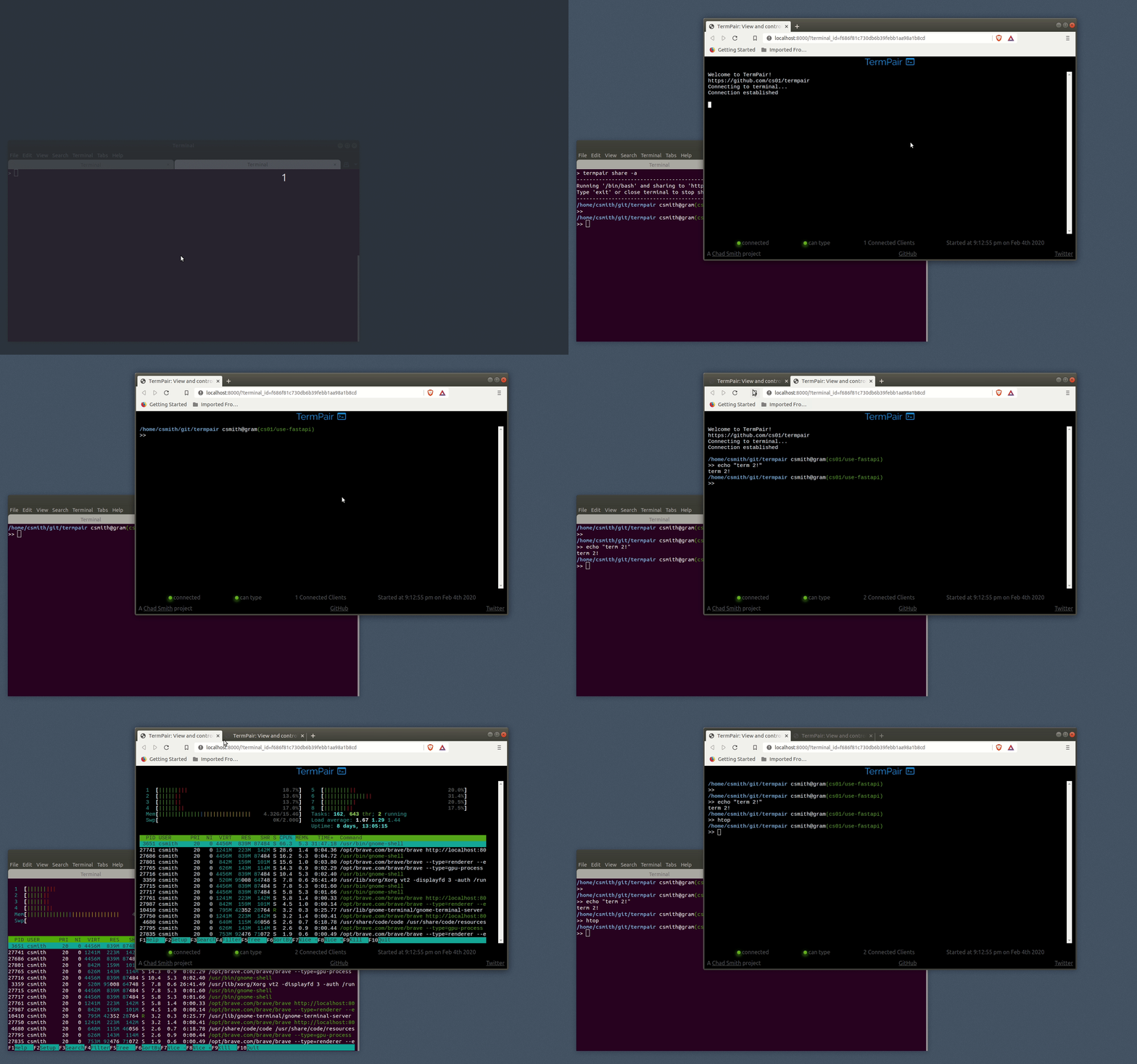
TermPair is a Python utility that creates a secure bridge between your terminal and a web browser. Here's what makes it special:
- Real-time: all terminal actions are instantly displayed in the browser
- Bidirectional interaction: you can not only watch but also enter commands
- Group access: multiple users can connect to a single session
- Flexible permission settings: read-only access or full control
- Complete security: AES-128 end-to-end encryption (the server doesn't see your data)
How does it work technically?
The TermPair architecture consists of three components:
- Server — routes encrypted data between the terminal and browsers
- Terminal client — starts a session and encrypts data before sending
- Web application — displays the terminal in the browser and sends user input
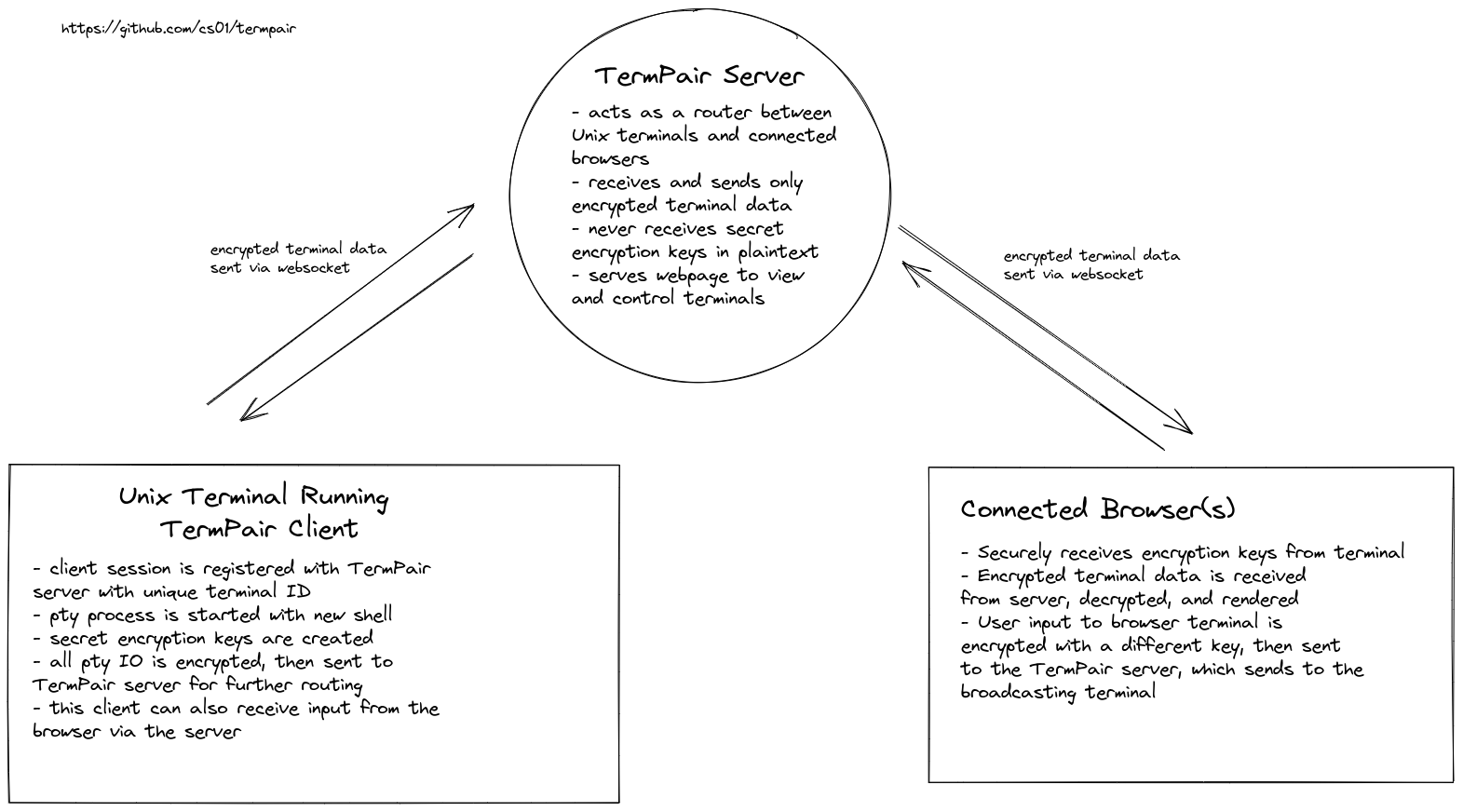
Encryption is implemented at three levels:
- For terminal output
- For browser input
- "Bootstrapping" key for initial connection
Keys are automatically rotated after one million messages, and initialization vectors never repeat.
Practical applications
TermPair is especially useful in the following scenarios:
- Remote support: help a colleague configure their environment
- Demonstrations: show CLI usage at a meetup or webinar
- Training: explain Linux commands to beginners in real time
- Collaborative debugging: multiple developers can work together on a problem
- Monitoring: observe long-running processes from any device
How to get started?
Installation is simple:
# Рекомендуемый способ через pipx
pipx install termpair

# Или через pip
pip install termpair
Starting the server:
termpair serve
Starting a session for shared access:
termpair share
After that, you'll get a unique link that you can send to colleagues. They'll be able to connect to your terminal via the browser.
Security first
TermPair uses multiple layers of protection:
- Data is encrypted on the client before sending
- The server only acts as a router
- Option to self-host the web application
- HTTPS connection required
For the security-conscious (in a good way), there's an option to build the web part yourself and host it on GitHub Pages or another hosting provider.
Conclusion: is it worth trying?
TermPair offers:
✅ Easy installation and use ✅ Full terminal access from the browser ✅ Reliable encryption of transmitted data ✅ Flexible access settings
Especially recommended for:
- DevOps engineers for remote support
- Instructors teaching command-line work
- Teams working with server applications
Try the demo right now: https://chadsmith.dev/termpair or install TermPair and experience the freedom of remote terminal work.
Related projects