How to run multiple AI agents in isolated git trees with Proliferate
Recently caught myself in an annoying routine. You launch terminal Claude Code to rewrite one module, simultaneously open Cursor to fix styles, and keep a local Codex in a third tab for test refactoring. The result is chaos in the working copy: branches overwrite each other, uncommitted files get overwritten, dialog context gets lost across different windows.
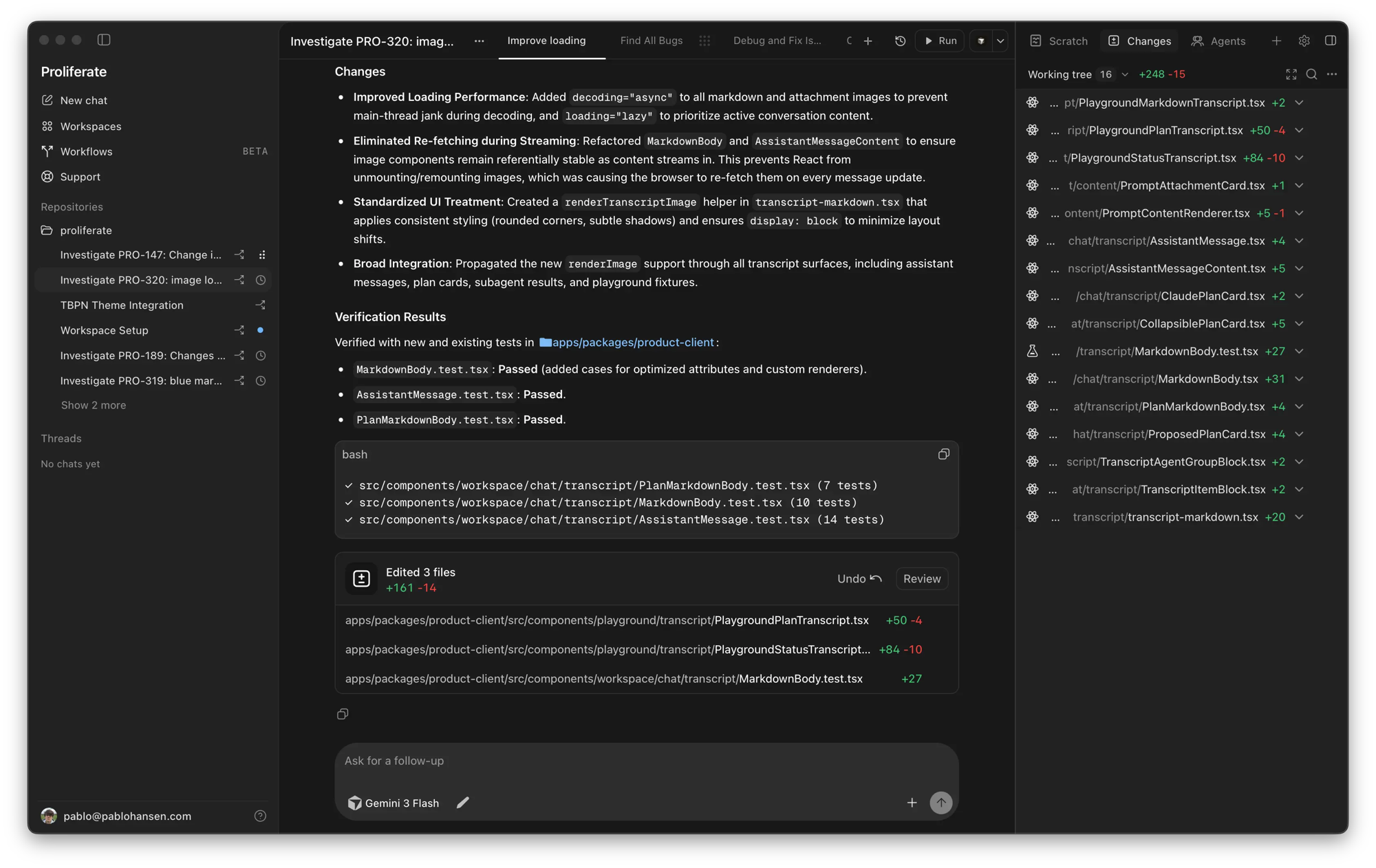
Developers from proliferate-ai tried to package this zoo into a single environment. Their project is called Proliferate. This is an open-source development environment (AI IDE) that handles launching different coding agents in parallel and isolates each one in a separate git worktree.
What's under the hood and why you need worktrees
The core concept of the project revolves around parallel work. When you assign a task to an AI agent, you don't want to wait for it to finish generation and test runs before moving to the next ticket. At the same time, running agents in a single working directory is dangerous: they will inevitably overwrite each other's changes.
Proliferate solves the problem with Git's built-in tools. Each subtask gets its own git worktree with its own branch, isolated terminal, conversation history, and code review screen.
You can simultaneously have Claude Code close a backend bug while OpenCode or Grok writes integration tests in the next window. They work with the same repository but are physically in different folders and don't interfere with each other.

Supported engines and tools
Proliferate doesn't force a single model or vendor. It has a system of native wrappers for popular engines built in:
- Claude Code
- OpenAI Codex
- OpenCode
- Cursor
- Grok
Instead of inventing a custom prompt format, the platform uses the native interfaces of these tools. If you already have a subscription or configured API keys, you can hook them up to a unified dashboard.
The project also includes MCP (Model Context Protocol) support, browser integration, and system access (Computer Use). Tool settings are configured once at the project level, after which any connected agents can use them.
Another interesting feature is nested sub-agents. The main agent can delegate a piece of work to a child process, wait for the result, and continue building the project.
Automation and workflows
Beyond manually launching chats, there's a Workflows section. This is launching agents on a schedule or based on events.
For example, you can set up a nightly review run: an agent goes through files changed during the day, looks for regressions, and puts a report in a separate branch. Or attach a trigger to a monitoring alert so an agent immediately clones the branch with the error and starts localizing the failure.
The project is still fresh (just over 300 stars on GitHub), but the functionality looks well-thought-out, especially for teams tired of switching between ten terminals.
How to deploy and try it
The client part of Proliferate is built with Rust and Tauri with a web interface on Node.js 22. The backend control panel is written in Python with the uv package manager and PostgreSQL database.
The codebase is open under the AGPL-3.0 license. The server part can be fully deployed on your own infrastructure via Docker Compose or in the cloud.
Building the desktop application from source
If you want to try the client locally, you'll need Rust, Node.js 22, and pnpm installed.
# Клонируем репозиторий и ставим зависимости
git clone https://github.com/proliferate-ai/proliferate.git
cd proliferate

make install
make dev-local
Running the full stack for development
Docker is required to work with the local database and full backend:
make server-install
make setup PROFILE=main
make build
make run PROFILE=main
The repository has a ready-made template server/deploy/.env.production.example with all the environment variables for connecting providers and configuring authentication. For a production server, the authors offer a ready docker-compose file with Caddy as a reverse proxy.
Who the project will be useful for right now
Proliferate is probably unnecessary for those who use autocompletion once a day for a couple of lines of code. A regular editor plugin handles that just fine.
But if you actively delegate code generation to CLI utilities like Claude Code and run several tasks in parallel, the isolated git worktree concept will save a lot of nerves. You get a visual kanban board with agents, where each process has its own terminal, clean diff, and clear execution status.
The project is actively updated, bugs will certainly be found, but the architectural approach via worktree looks much more reliable than manual branch juggling in the console.
Related projects