Why Search for Samsung Firmware All Over the Internet When There's Bifrost
Samsung smartphone owners know this pain: when you need to flash a device, you have to go to sketchy forums or paid aggregator sites. There you'll face speed limits, endless captchas, and tons of ads. I've run into these pitfalls myself many times, trying to revive an old tablet or update a phone that stopped receiving OTA updates.
There's a project on GitHub called Bifrost. It's a tool for downloading official Samsung firmware that works directly with the company's servers. The best part — it's completely free, open source, and, rare for utilities like this, it actually looks decent.
What this thing can do
Bifrost isn't just a Python script wrapped in a UI. The author rewrote the popular Samloader in Kotlin using Compose Multiplatform. The result is an app that runs everywhere: from Windows and macOS to Android.
Main features that caught my eye:
- Cross-platform without workarounds. You can download firmware on your PC, or right on the phone you're about to flash. Even ARM versions of Windows and Linux are supported.
- Download without IMEI. Previously, checking for updates often required a serial number or IMEI. Here, a method is used that bypasses this limitation. You just need to know the model (e.g., SM-S918B) and region (CSC).
- Built-in decryptor. Samsung firmware comes encrypted (usually .enc4 files). Bifrost downloads and decrypts them on the fly into a ready-to-flash archive. No need to find additional utilities.
- Region search. The program has a convenient CSC selector. If you don't know your country's code, you can just find it in the list.
How it works under the hood
The project is interesting from a technical standpoint. The author, zacharee, chose a modern stack: Jetpack Compose for Android and JetBrains Compose for desktop. This allows using the same code for UI across different operating systems.
Interesting detail: the app uses Bugsnag for error reporting and Weblate for translations. If the Russian interface seems inaccurate to you, you can easily fix it in the community project.
By the way, if your antivirus suddenly decides Bifrost is a trojan, don't panic. There's an old piece of malware with the same name, and some heuristic engines trigger just on the filename. The source code is open, so you can verify everything or build it yourself via Gradle if you want.
How to use it in practice
Scenario: you need to roll back to a previous Android version or just download a clean image without carrier bloat.
- Launch Bifrost.
- Enter the device model. You can find it in the phone's settings ("About phone" -> "Software info").
- Specify the region. If you don't know yours, there's a button with a list in the program.
- Click Check for Updates.
- If firmware is found, click Download.
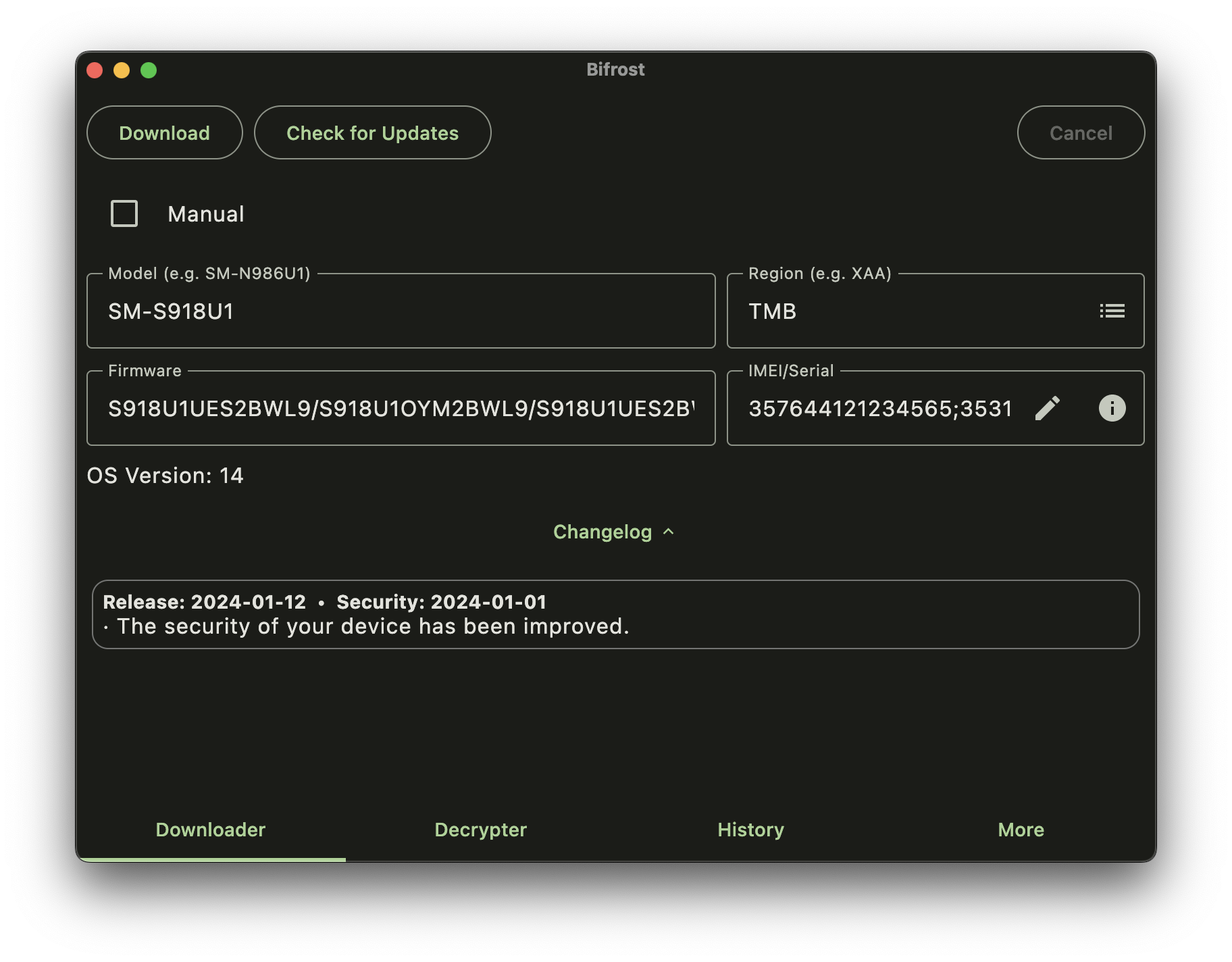
The program will download the package, verify its integrity, and decrypt it. Speed is usually limited by Samsung's servers — sometimes they serve files at up to 100 Mbps, and sometimes they throttle to 3-5 MB/s. It's a matter of luck.
There was a case where on Windows the program opened with a white screen. It turned out to be a Skia rendering bug on some graphics cards. The fix is simple — run as administrator or switch to integrated graphics.
Who this is useful for
First and foremost — those who frequently mess with Samsung devices. Enthusiasts who like changing regions to enable call recording or Samsung Pay, as well as repair technicians.
Bifrost wins with its simplicity. You don't need to install Python, figure out command-line arguments, or pay for subscriptions on firmware sites. It's just a handy working tool that does one thing, but does it well.
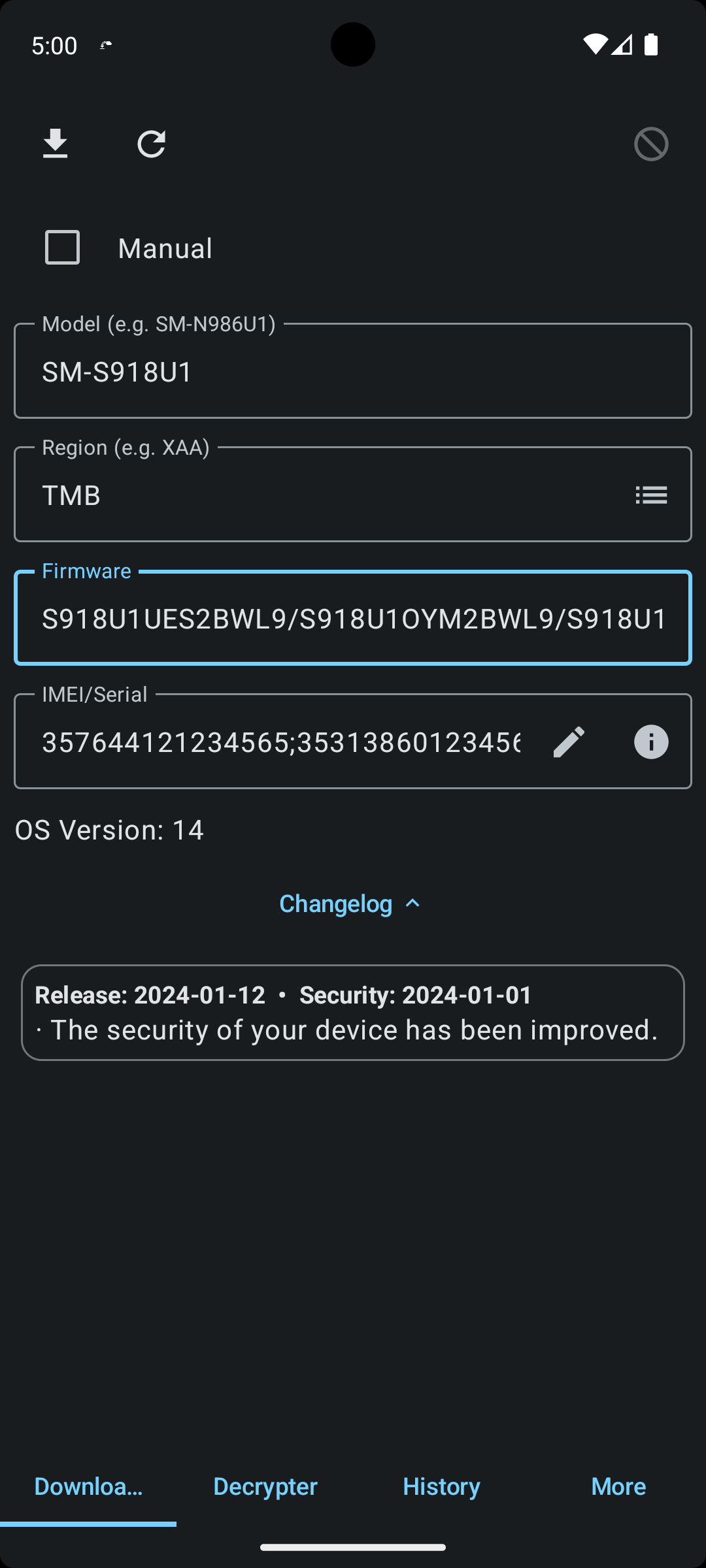
If you're planning to use it on Android, just download the APK from the releases on GitHub. For iOS, there's a version in TestFlight, though it's a bit more complicated due to system restrictions.
Is it worth trying
If you have a Samsung — definitely yes. Even if you don't need firmware right now, it's worth having this utility bookmarked. The project is active, updates regularly, and has a solid community behind it. The only limitation: Samsung watches (Galaxy Watch) aren't supported, since the company doesn't release complete firmware files for them publicly. For everything else — smartphones and tablets — this is probably the most sensible solution available right now.
Related projects