How to Run a Browser, Terminal, and VSCode in One Sandbox for LLMs
When I first put together a stack for an autonomous AI agent, everything quickly turned into a nightmare of a dozen different services. The browser ran in one isolated container, the Python interpreter in another, and files had to be shuttled between them via S3 or hacky volume mounts. As a result, the agent would download a PDF in the browser but couldn't open it in a bash session because the filesystems were isolated from each other.
The folks at agent-infra took a pragmatic approach. They built the AIO Sandbox project (All-in-One Agent Sandbox Environment), packaging all the infrastructure an agent needs into a single Docker container with a shared disk.
What's Inside the Box
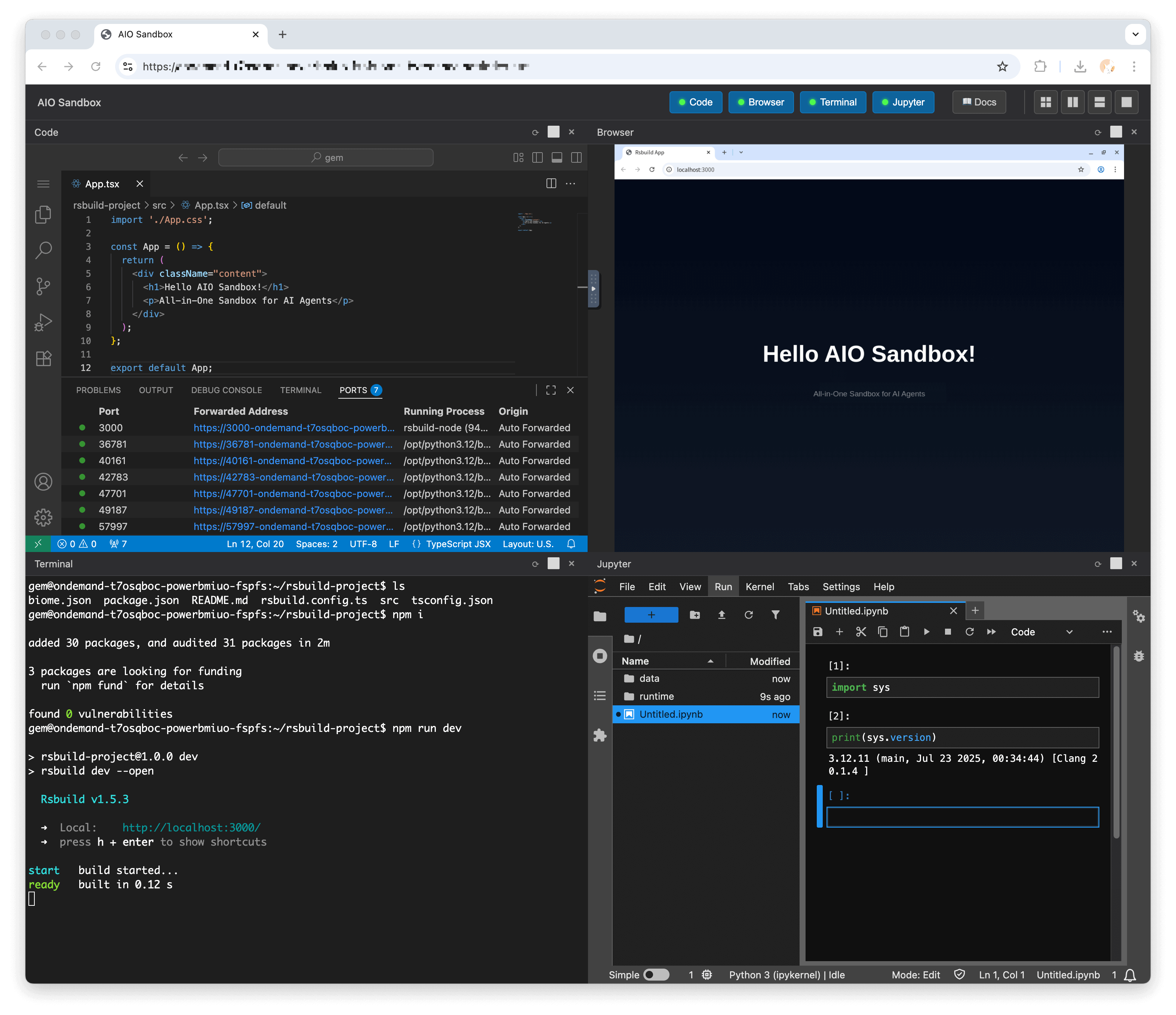
The project's concept is straightforward: provide LLMs access to all essential developer tools while keeping everything isolated from the host system. Within a single image, you get:
- Headless Chromium with CDP protocol support and remote access via VNC directly in the browser
- VSCode Server (code-server) and interactive Jupyter Notebook for code execution
- WebSocket terminal for running bash commands
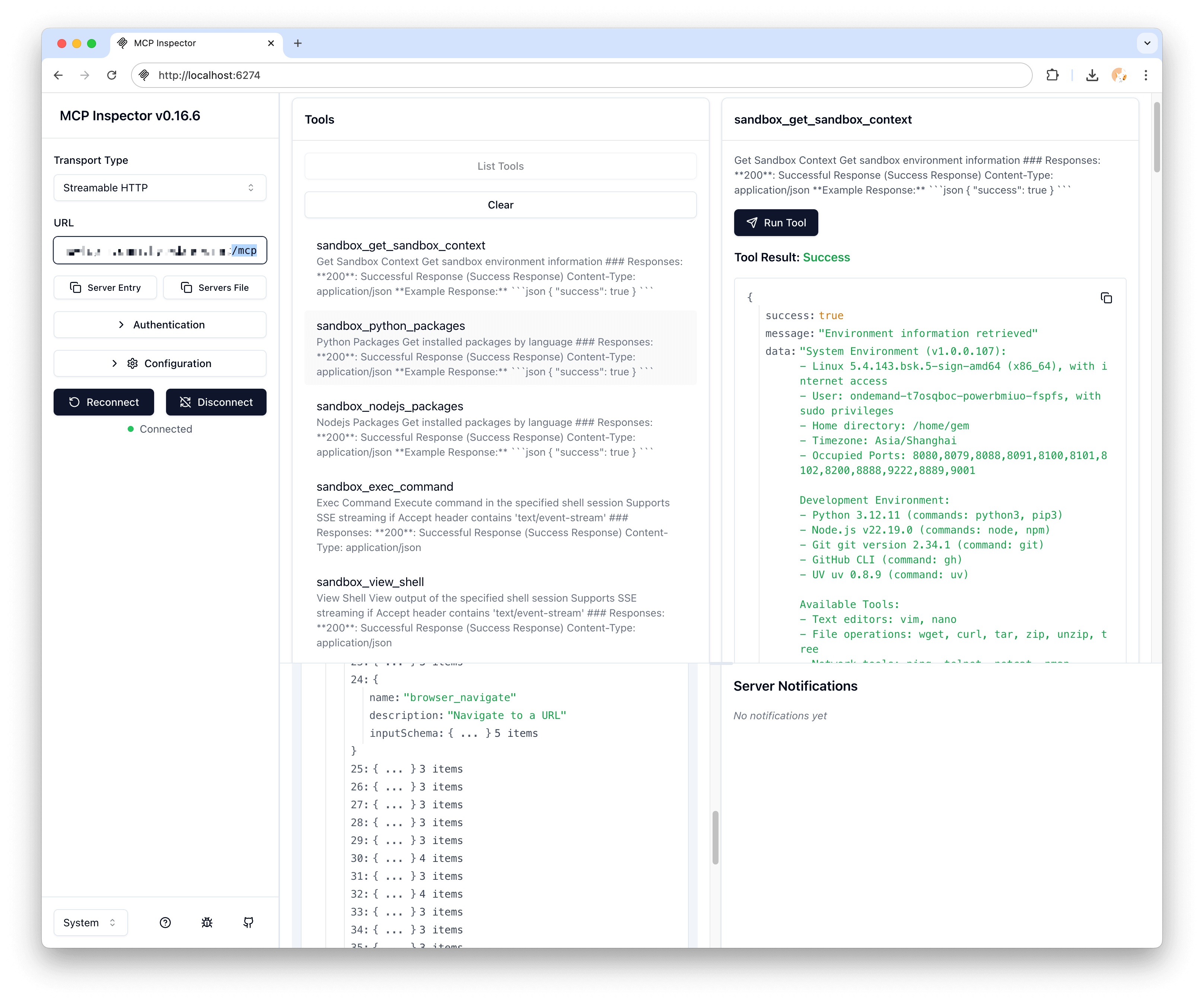
- Built-in MCP servers (Model Context Protocol) for direct integration with Claude, Cursor, or custom agents
- Proxy for previewing ports and web applications
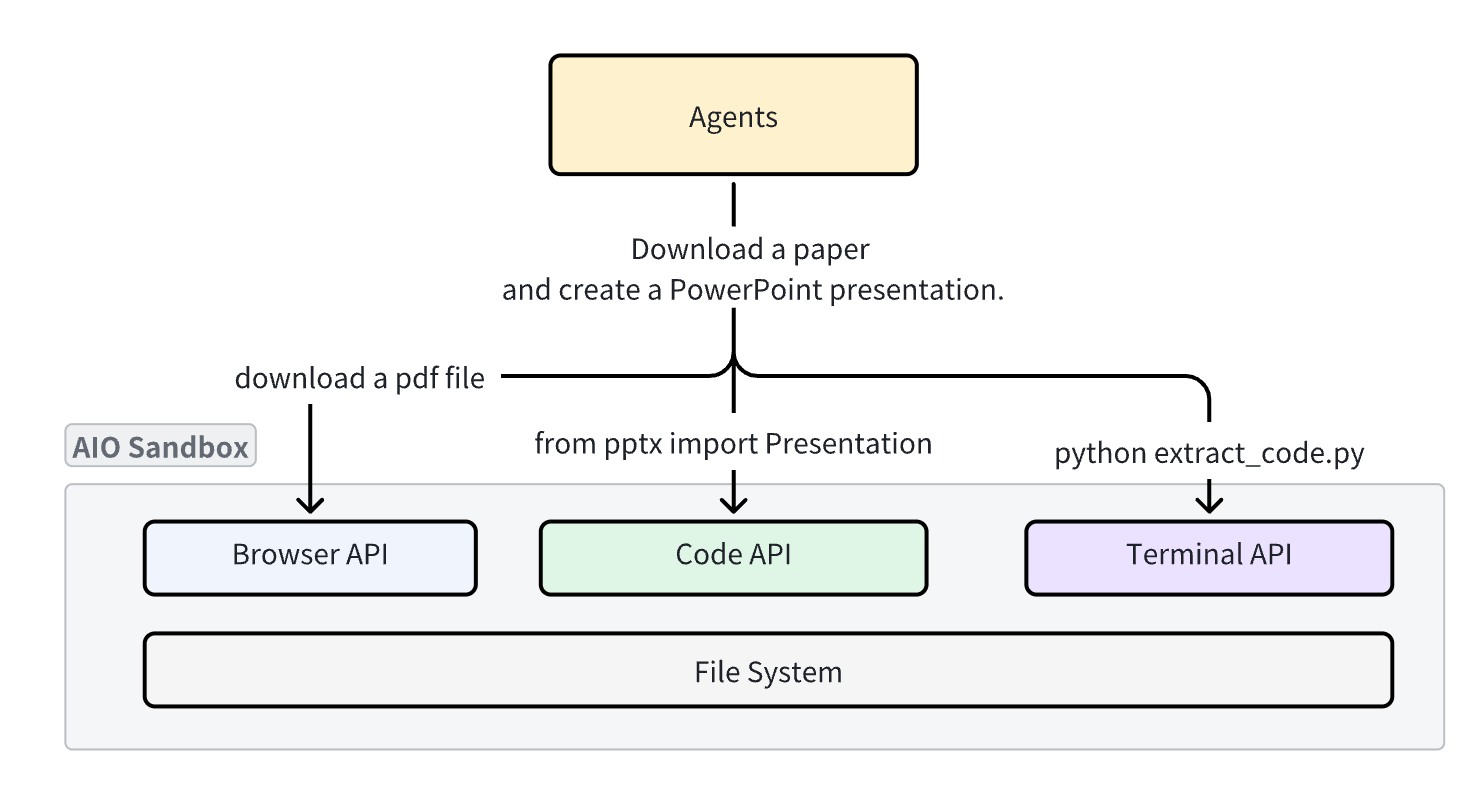
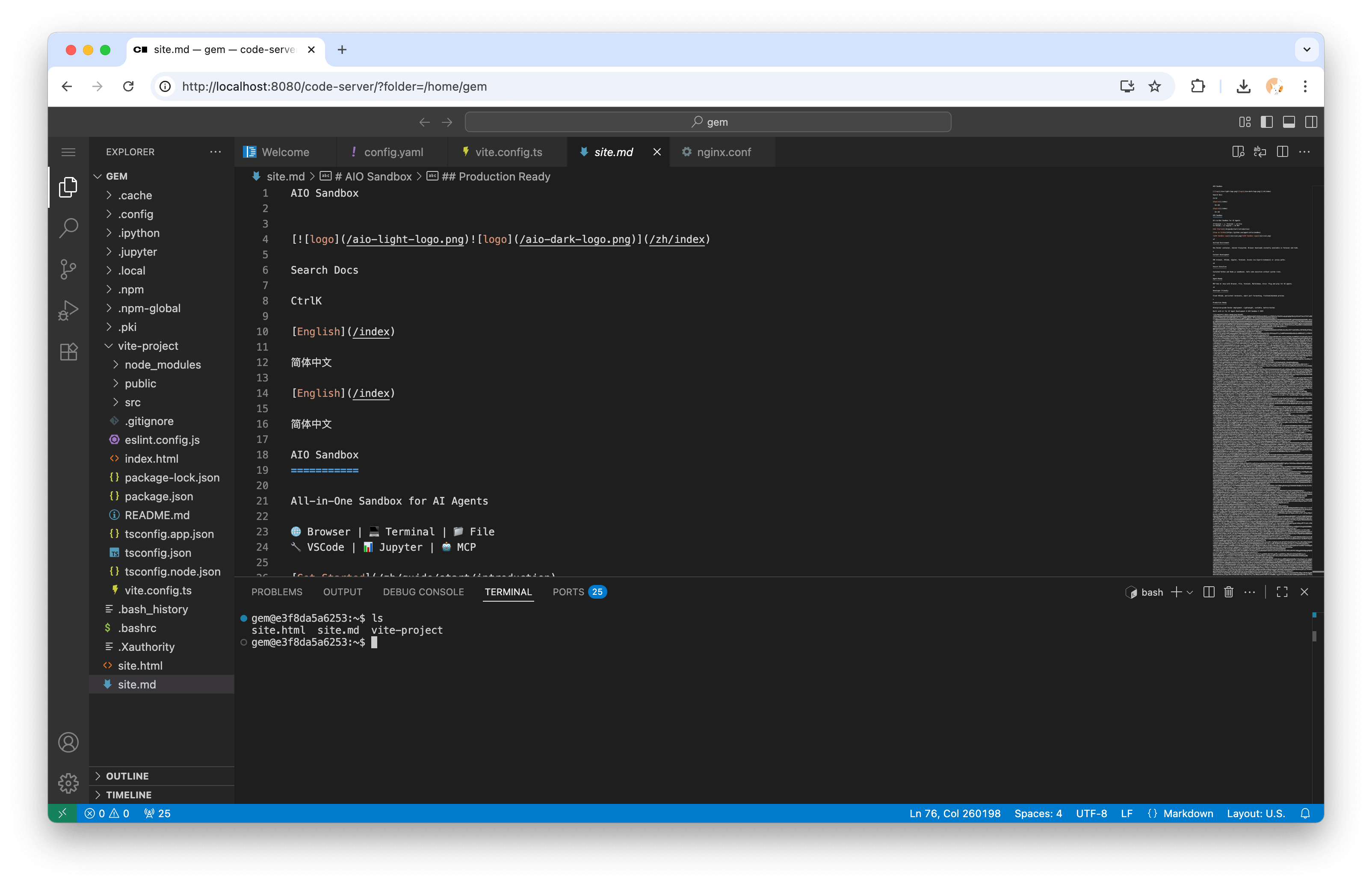
The main advantage of this setup is the unified filesystem. If an agent saves a screenshot or downloads a CSV to the home directory via Playwright, it can immediately read that file with a bash script, process it in Jupyter, and open the result in the code editor. No complex synchronization or network overhead required.
Quick Start
You can spin up the container locally with a single command:
docker run --security-opt seccomp=unconfined --rm -it \
  -e SANDBOX_API_KEY=your-secret-key \
  -p 127.0.0.1:8080:8080 ghcr.io/agent-infra/sandbox:latest
Once running, port 8080 provides access to a complete tool suite:
- API documentation:
http://localhost:8080/v1/docs - Browser desktop streaming via VNC:
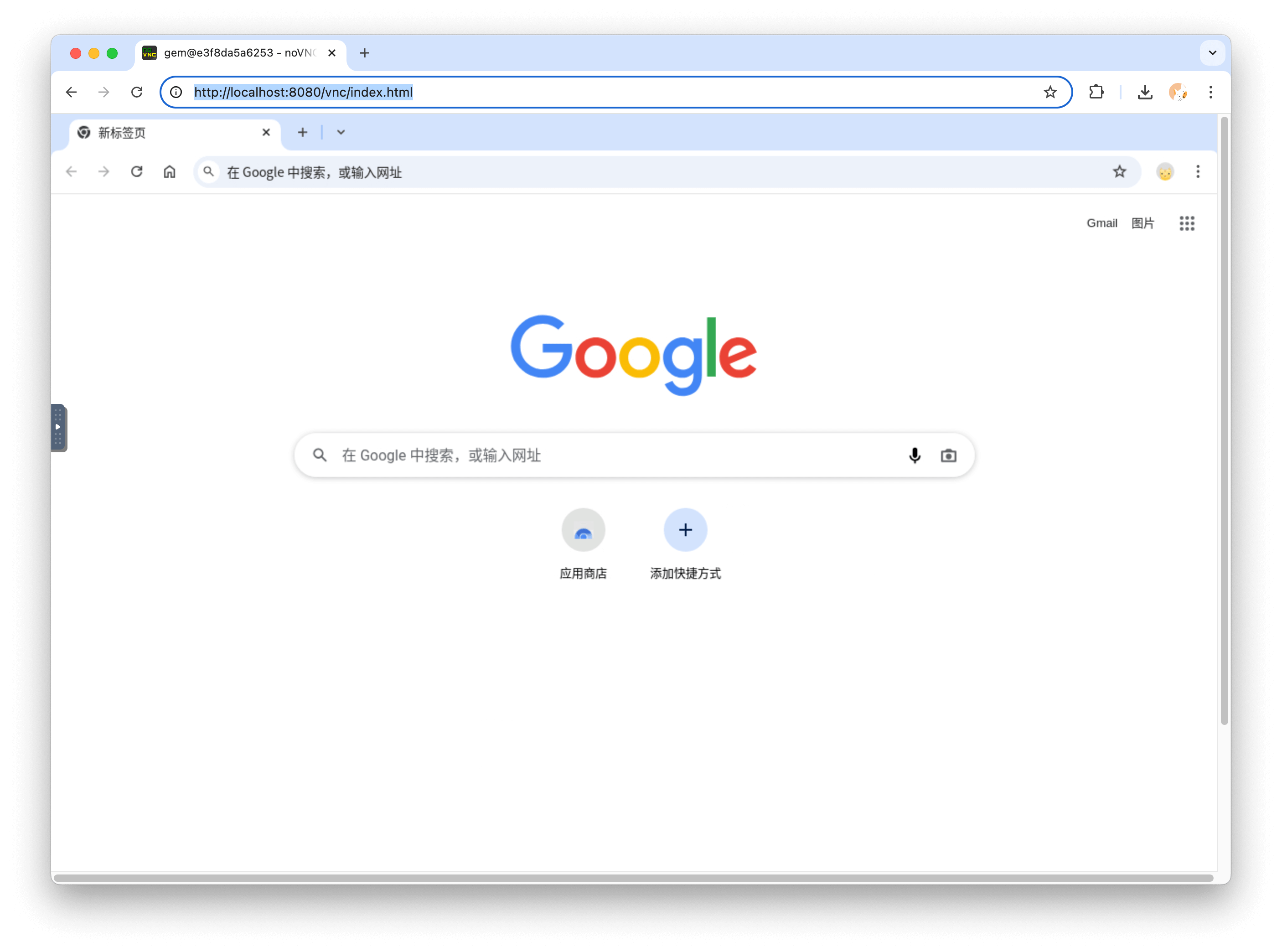
http://localhost:8080/vnc/index.html?autoconnect=true - Web version of VSCode editor:
http://localhost:8080/code-server/ - MCP endpoints:
http://localhost:8080/mcp
If you need to deploy the environment to production, the repository includes ready-made manifests for Docker Compose and Kubernetes. When deploying to the cloud, port 8080 should be hidden behind a reverse proxy with authentication since the agent executes arbitrary code inside the container.
How to Work with the Sandbox via Code
The authors provide official SDKs for Python, TypeScript, and Go. Working with the API is straightforward.
Installing the Python package:
pip install agent-sandbox
Basic shell and file operations:
from agent_sandbox import Sandbox

client = Sandbox(base_url="http://localhost:8080")
home_dir = client.sandbox.get_context().home_dir

# Выполняем bash команду
result = client.shell.exec_command(command="ls -la")
print(result.data.output)

# Читаем конфигурационный файл
content = client.file.read_file(file=f"{home_dir}/.bashrc")
print(content.data.content)

# Делаем снимок экрана в браузере
screenshot = client.browser.screenshot()
The TypeScript SDK has nearly identical signatures:
import { Sandbox } from '@agent-infra/sandbox';

const sandbox = new Sandbox({ baseURL: 'http://localhost:8080' });

const result = await sandbox.shell.exec({ command: 'ls -la' });
console.log(result.output);

const content = await sandbox.file.read({ path: '/home/gem/.bashrc' });
console.log(content);
End-to-End Scenario: From Web Page to Markdown Report
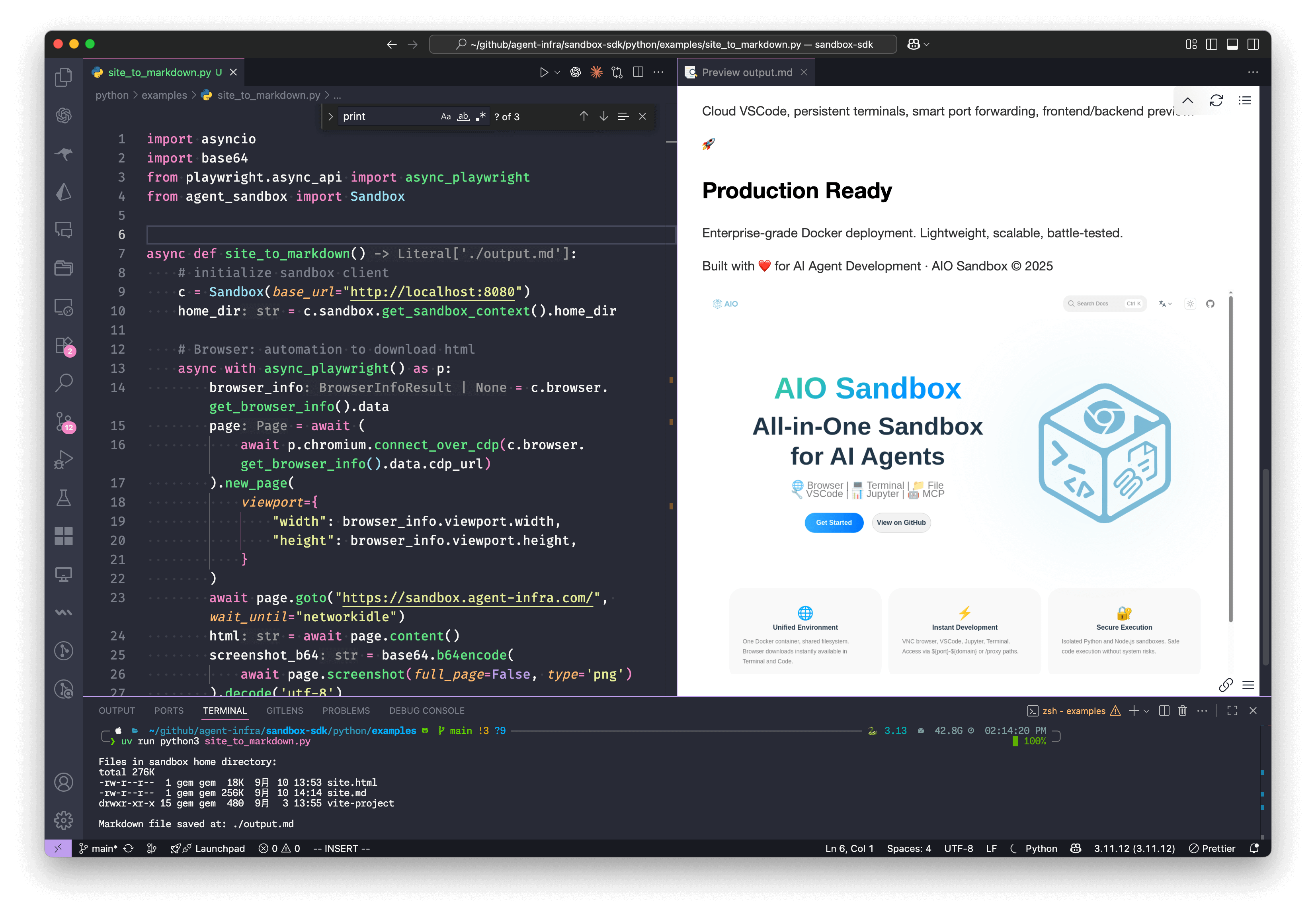
Here's an example demonstrating how the components work together. The script connects to the sandbox browser via Chrome DevTools Protocol, loads a page, takes a screenshot, then passes the HTML to the Jupyter kernel for conversion and saves the final file.
import asyncio
import base64
from playwright.async_api import async_playwright
from agent_sandbox import Sandbox
async def site_to_markdown():
c = Sandbox(base_url="http://localhost:8080")
home_dir = c.sandbox.get_context().home_dir
# 1. Браузер: заходим на сайт и забираем разметку
async with async_playwright() as p:
browser_info = c.browser.get_info().data
page = await (await p.chromium.connect_over_cdp(browser_info.cdp_url)).new_page()
await page.goto("https://example.com", wait_until="networkidle")
html = await page.content()
screenshot_b64 = base64.b64encode(await page.screenshot()).decode('utf-8')
# 2. Jupyter: выполняем скрипт конвертации внутри песочницы
c.jupyter.execute_code(code=f"""
from markdownify import markdownify
html = '''{html}'''
screenshot_b64 = "{screenshot_b64}"
md = f"{{markdownify(html)}}\\n\\n"
with open('{home_dir}/site.md', 'w') as f:
f.write(md)
print("Done!")
""")
# 3. Shell: проверяем созданные файлы
list_result = c.shell.exec_command(command=f"ls -lh {home_dir}")
print(f"Файлы в песочнице: {list_result.data.output}")
# 4. File API: забираем готовый markdown
return c.file.read_file(file=f"{home_dir}/site.md").data.content
if __name__ == "__main__":
result = asyncio.run(site_to_markdown())
print("Отчет успешно сохранен")
Integration with Ready-Made Frameworks
The sandbox can be easily integrated with popular libraries like LangChain, Browser Use, or the standard OpenAI API.
Here's how function calling in OpenAI Chat Completions looks for executing Python and Node.js code:
import json
from openai import OpenAI
from agent_sandbox import Sandbox

client = OpenAI(api_key="your_api_key")
sandbox = Sandbox(base_url="http://localhost:8080")

def run_code(code, lang="python"):
    if lang == "python":
        return sandbox.jupyter.execute_code(code=code).data
    return sandbox.nodejs.execute_nodejs_code(code=code).data

response = client.chat.completions.create(
    model="gpt-4o",
    messages=[{"role": "user", "content": "Посчитай факториал числа 12 на Python"}],
    tools=[
        {
            "type": "function",
            "function": {
                "name": "run_code",
                "parameters": {
                    "type": "object",
                    "properties": {
                        "code": {"type": "string"},
                        "lang": {"type": "string"},
                    },
                },
            },
        }
    ],
)

if response.choices[0].message.tool_calls:
    args = json.loads(response.choices[0].message.tool_calls[0].function.arguments)
    result = run_code(**args)
    print(result['outputs'][0]['text'])
Who Is This Project For
If you're building an AI assistant that needs more than a simple text response, this project will save you a ton of time on environment setup. It excels at autonomous web scraping, data analysis, code generation and debugging, as well as UI testing via VNC.
One obvious caveat: the container image is quite large due to the installed Chromium, Node.js, Python, and code-server. For lightweight tasks where the agent only needs bash, this may be overkill. But if you need a full tool stack with a shared filesystem, AIO Sandbox looks like one of the most well-thought-out solutions on GitHub.
Projetos relacionados