How to Build a Complete Face Analysis Pipeline in a Single Python Package with the UniFace Library
If you've ever had to build a face recognition project, you probably remember the dependency nightmare.
For detection, you grab one PyTorch repository; for 3D face mesh, you pull in the cumbersome MediaPipe; for segmentation, you dig up an archive with a five-year-old model; and to estimate gaze direction, you write your own workarounds on top of raw weights from Google Drive. The result is a virtual environment ballooning to dozens of gigabytes, library versions conflicting, and Docker image builds turning into a gamble.
I recently came across a fresh library called UniFace, whose author decided to bring order to this zoo. The project consolidates virtually all core computer vision tasks related to the human face under a single, minimalist interface.
What's Inside the Box
UniFace works like a construction kit. All inference logic runs on ONNX Runtime, so you won't have to struggle with compiling custom C++ extensions or assembling finicky dependencies.
Installation comes in two variants:
pip install "uniface[cpu]"   # Для обычных процессоров и Apple Silicon
pip install "uniface[gpu]"   # Для машин с NVIDIA CUDA
On the first launch, the library automatically downloads the required pretrained weights and verifies their checksums via SHA-256. No corrupted files or manual checkpoint placement in folders.
The entry point to the library is the FaceAnalyzer class. By default, it performs basic operations like detection, alignment, and embedding generation. If you need additional attributes, you simply pass the required modules into the predictors list.
import cv2
from uniface import FaceAnalyzer, FairFace

# Подключаем предиктор демографии
analyzer = FaceAnalyzer(predictors=[FairFace()])

# Анализируем изображение
image = cv2.imread("photo.jpg")
for face in analyzer.analyze(image):
    print(face.bbox, face.sex, face.age_group, face.embedding.shape)
As long as you don't explicitly connect a module, the corresponding fields (emotion, quality, age_group) remain None. This conserves computational resources and keeps memory from being clogged with unnecessary models.
Breaking Down the Key Features
UniFace covers fifteen applied tasks. Let's see how they look in practice.
1. Detection, Keypoints, and Quality Assessment
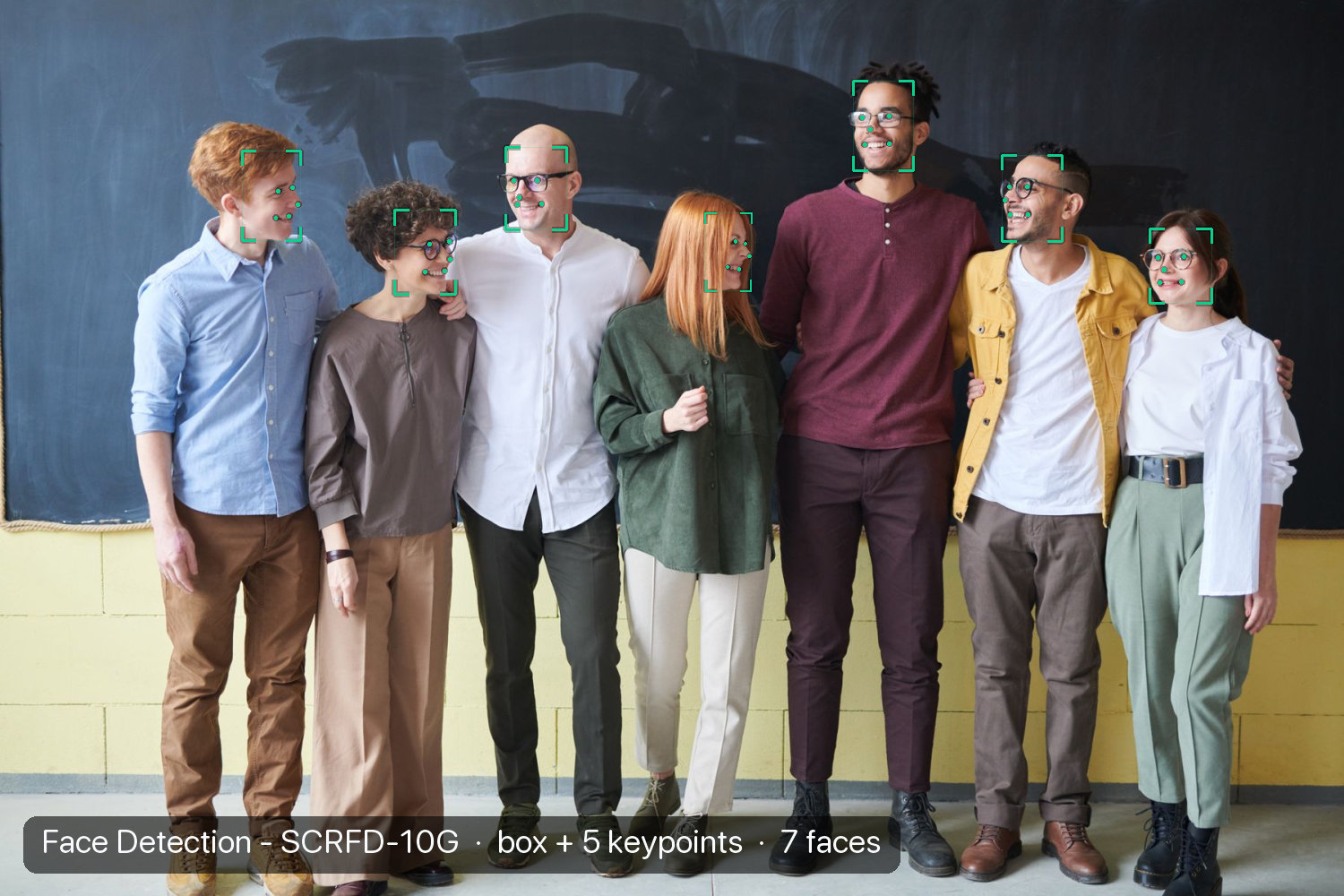
The library includes six detection architectures: RetinaFace, SCRFD, CenterFace, BlazeFace, as well as YOLOv5-Face and YOLOv8-Face adaptations. You can easily switch between lightweight models for mobile chips and heavy networks for complex angles.
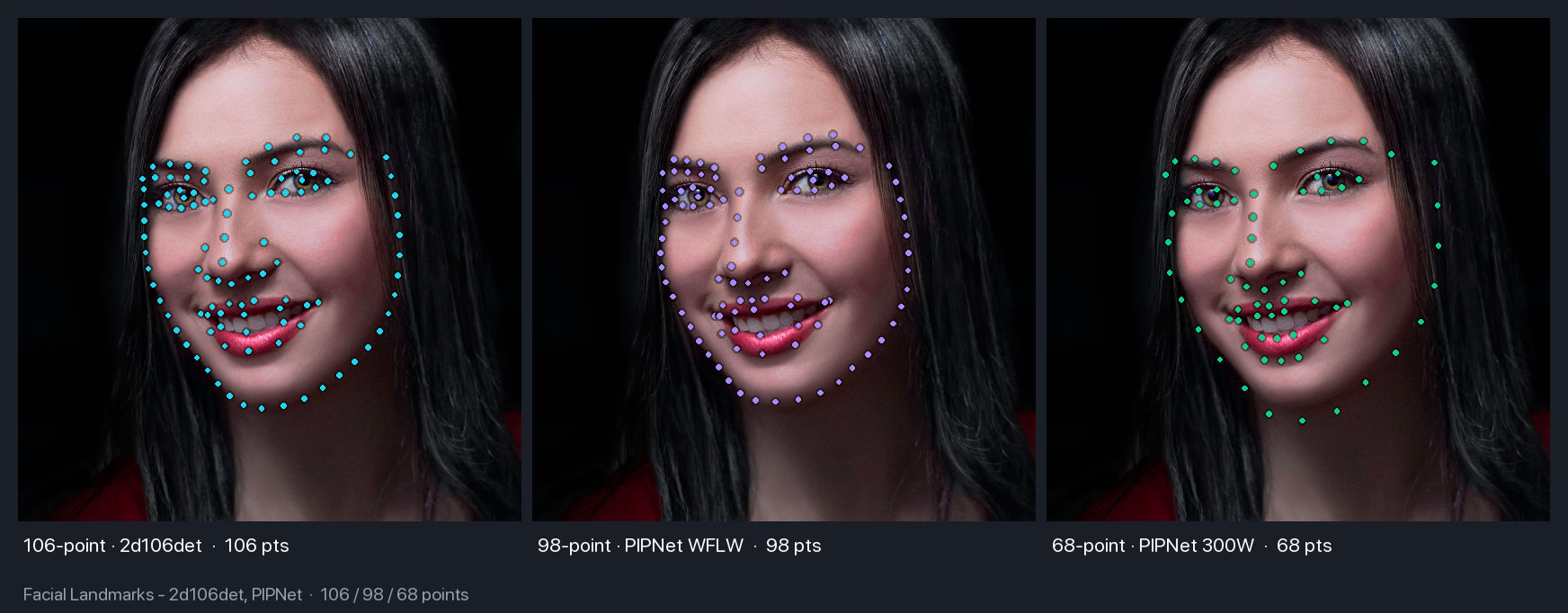
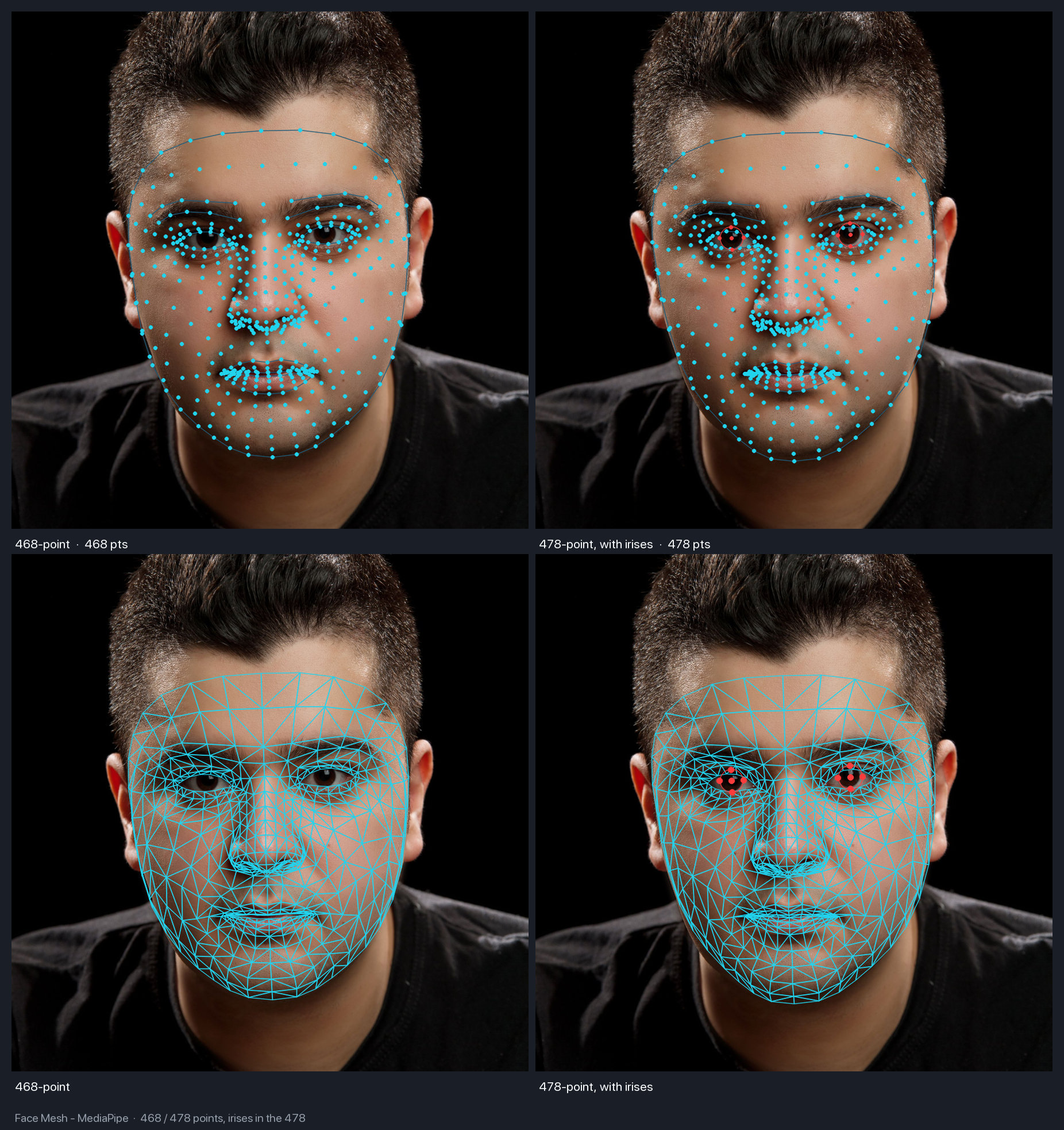
For landmark placement, both classic 68 and 106-point annotations (via PIPNet and 2d106det) and dense 3D Face Mesh grids with 468 and 478 points are available.
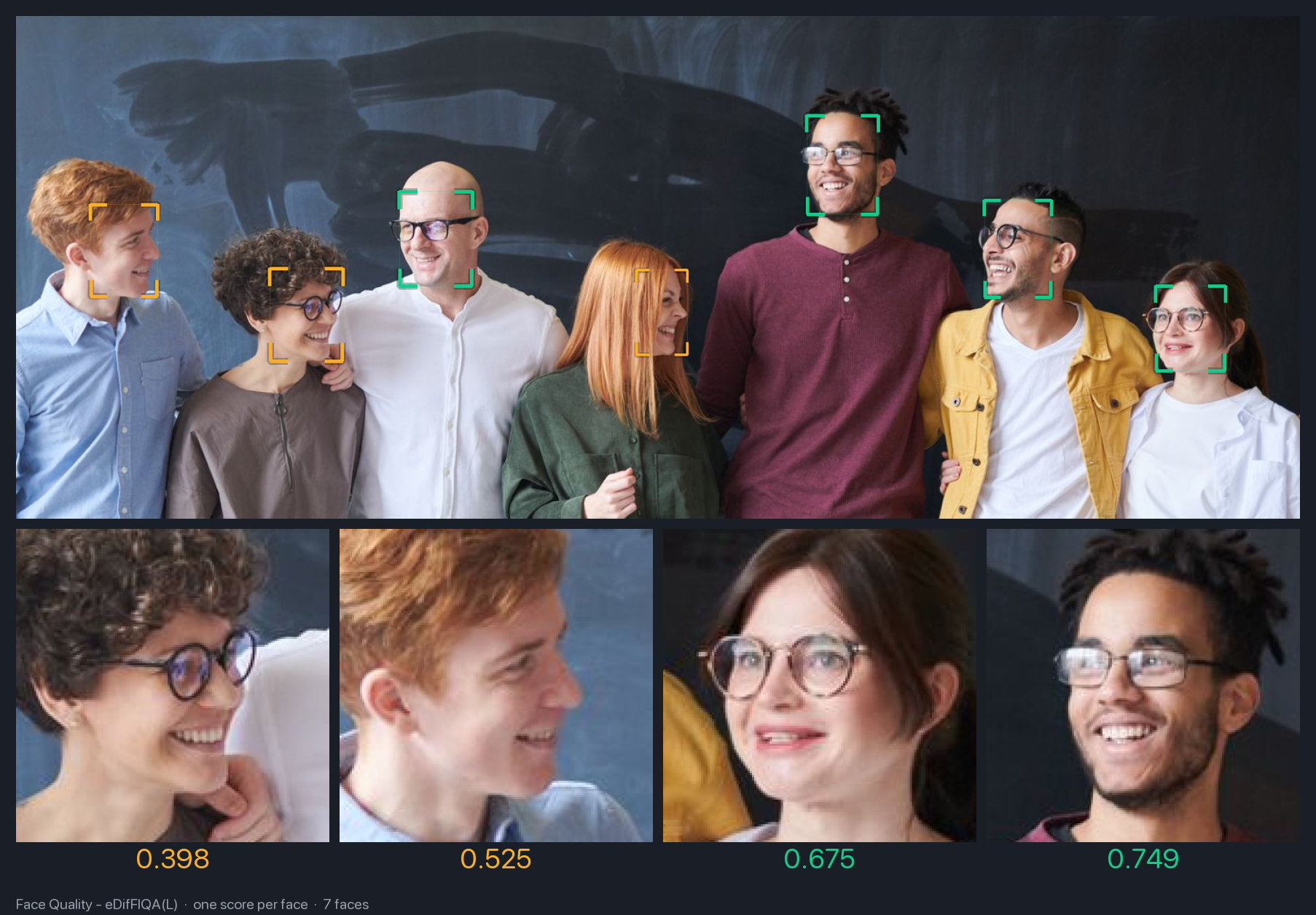
In real-world recognition pipelines, you often need to filter out blurry or too-dark frames. To address this, UniFace added the eDifFIQA quality metric in four sizes (T, S, M, L).
2. Portrait Segmentation and Matting
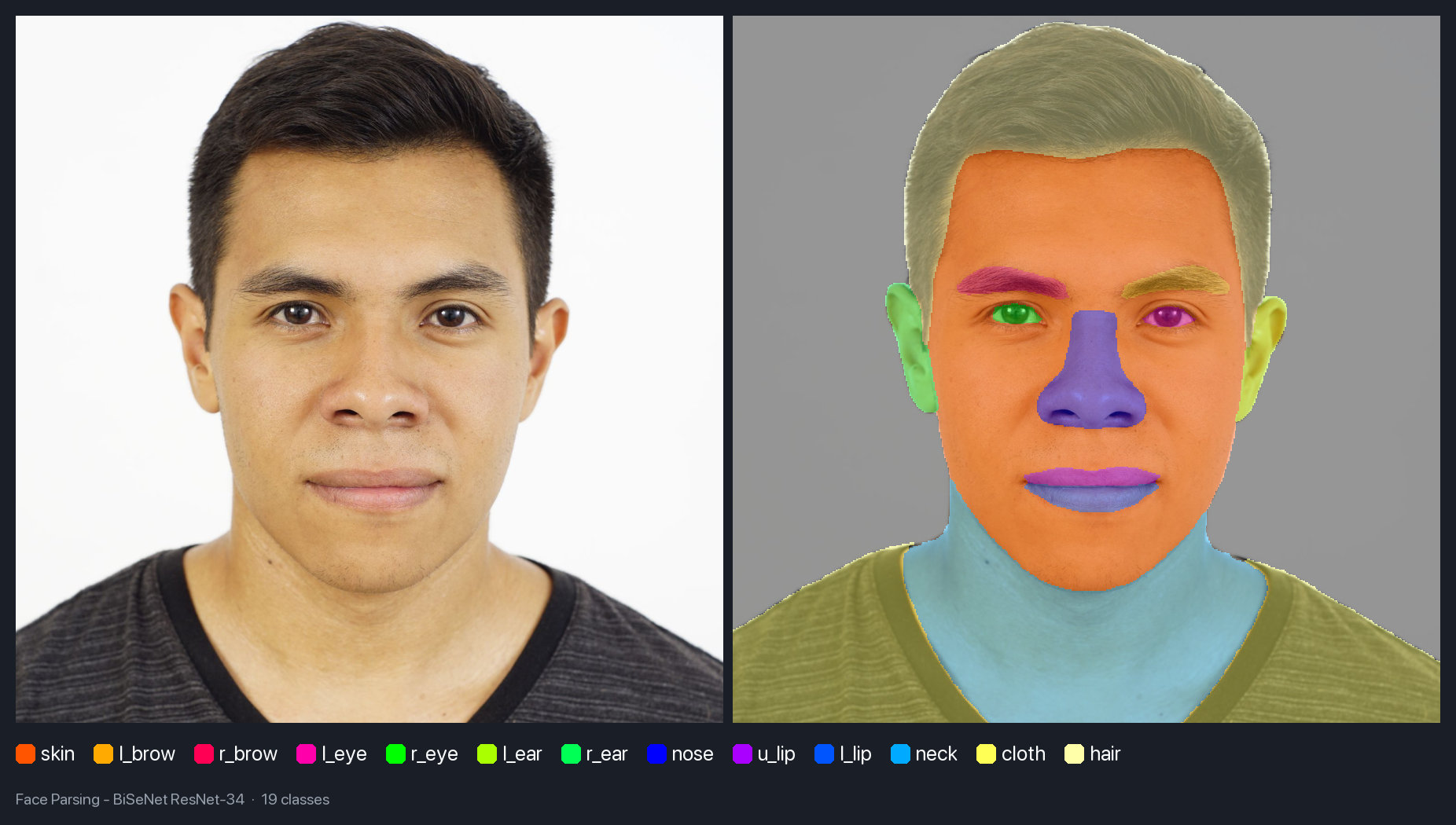
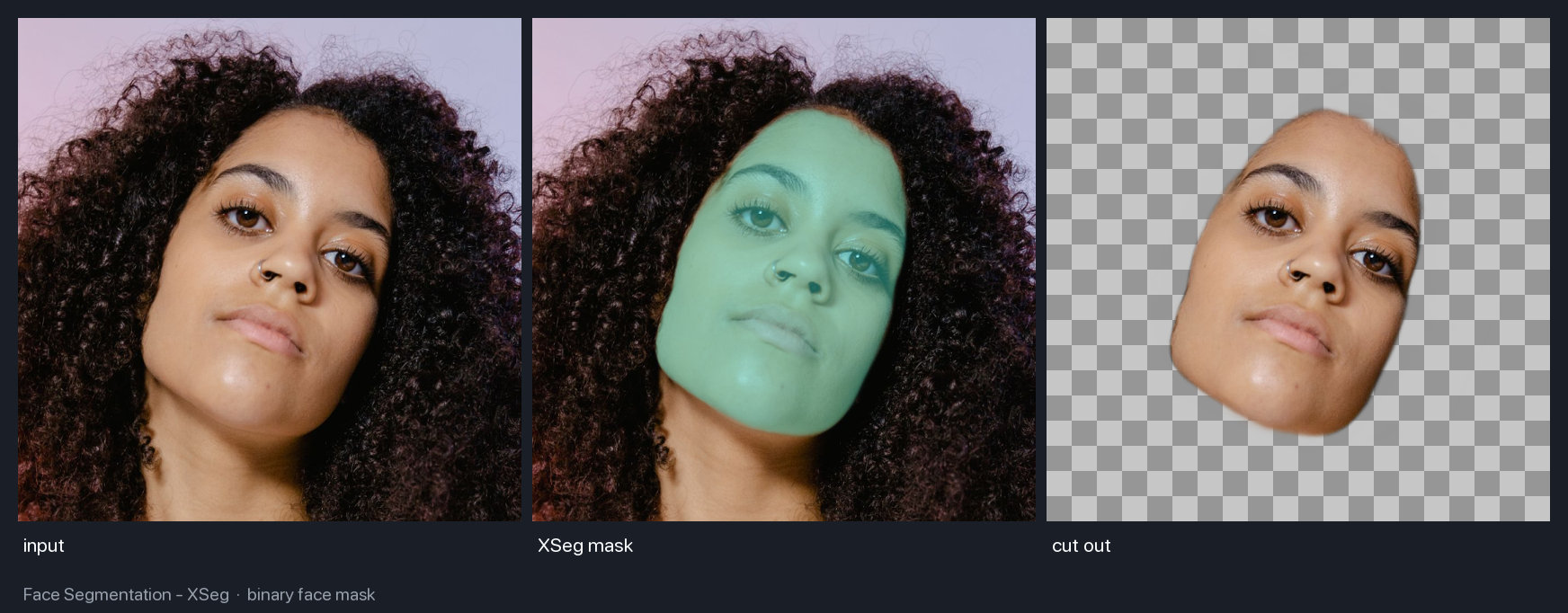
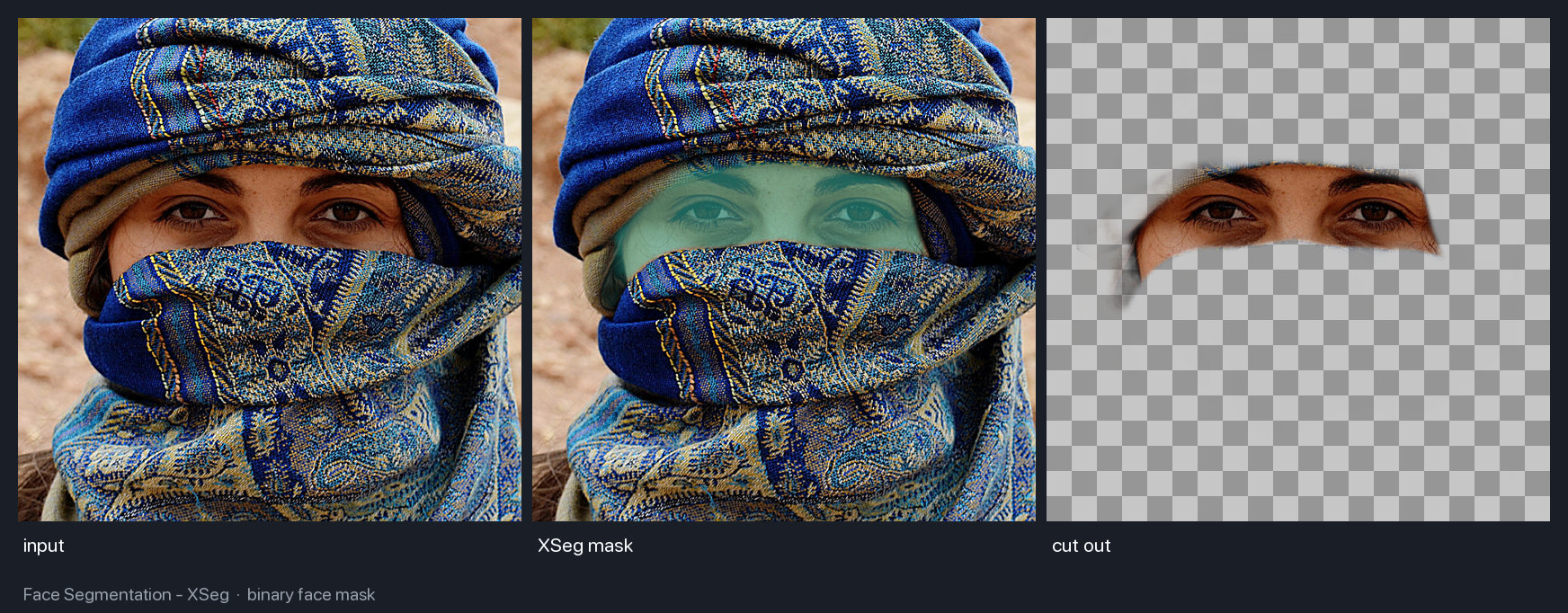
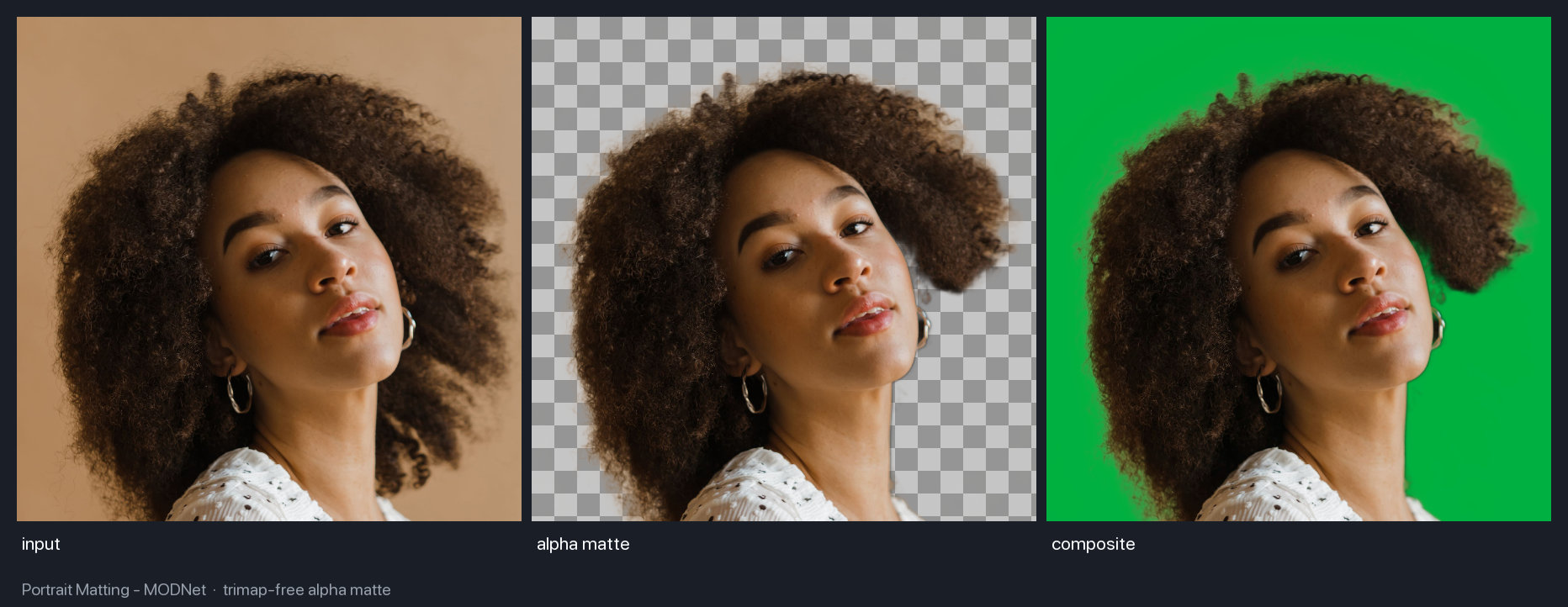
When you need to separate a person from the background or isolate specific facial regions (lips, eyes, hair, skin), parsing models come into play:
- BiSeNet segments the face into 19 classes.
- XSeg creates masks even with partial occlusion of the face by foreign objects.
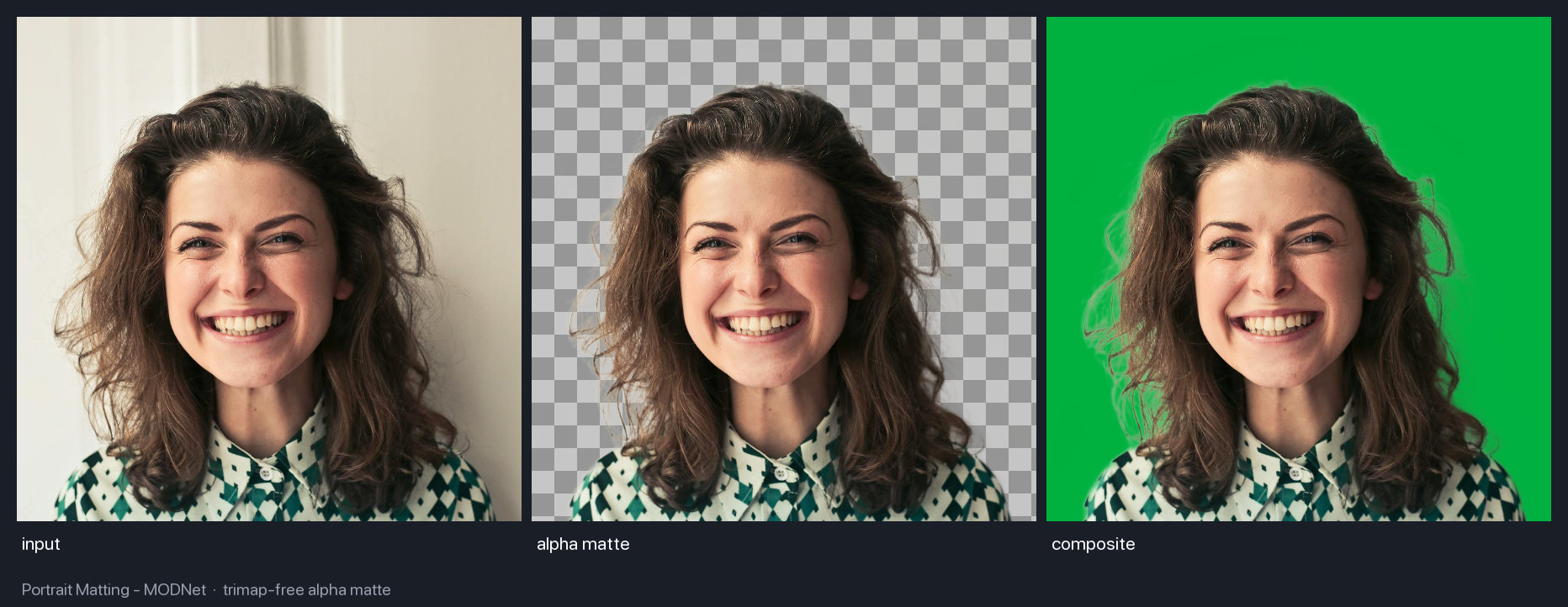
- MODNet performs seamless portrait matting without using trimaps.
The matting result stays clean even on complex contours like loose hair:
3. Head Pose and Gaze Direction
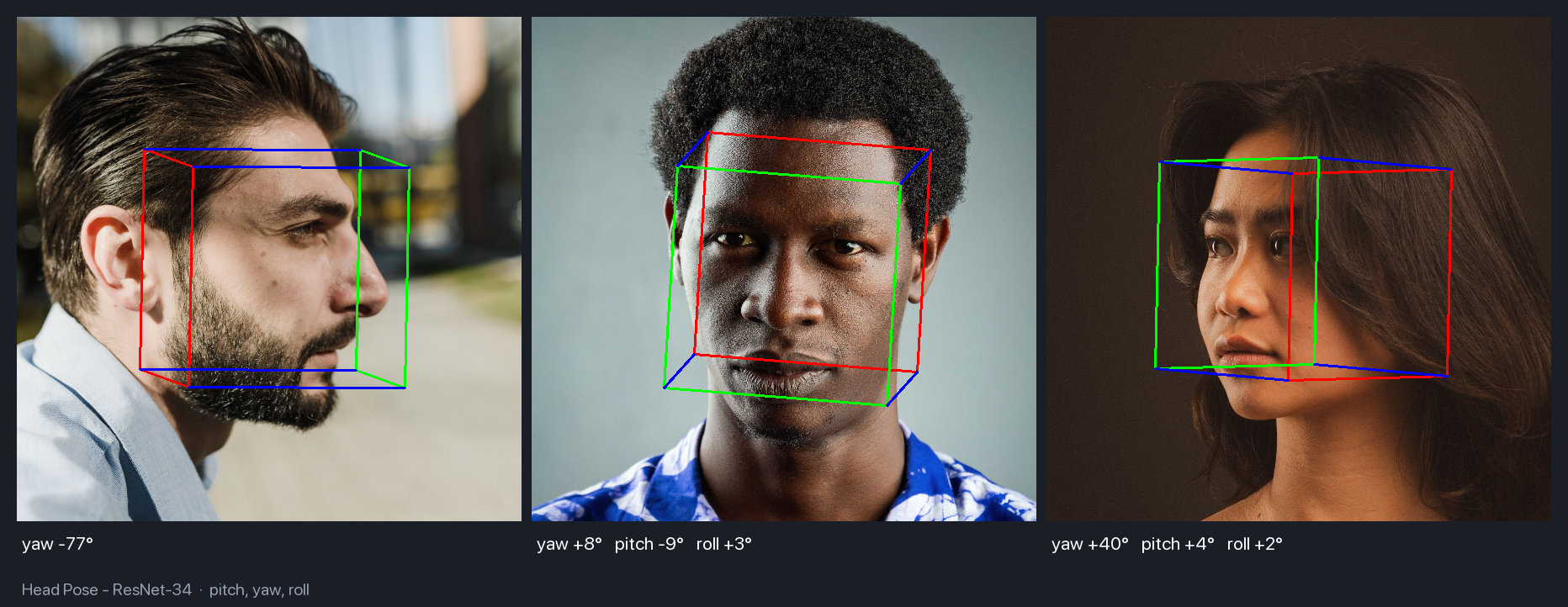
Head rotation angle estimation (Head Pose) uses a six-dimensional vector representation of rotation and returns pitch, yaw, and roll angles.
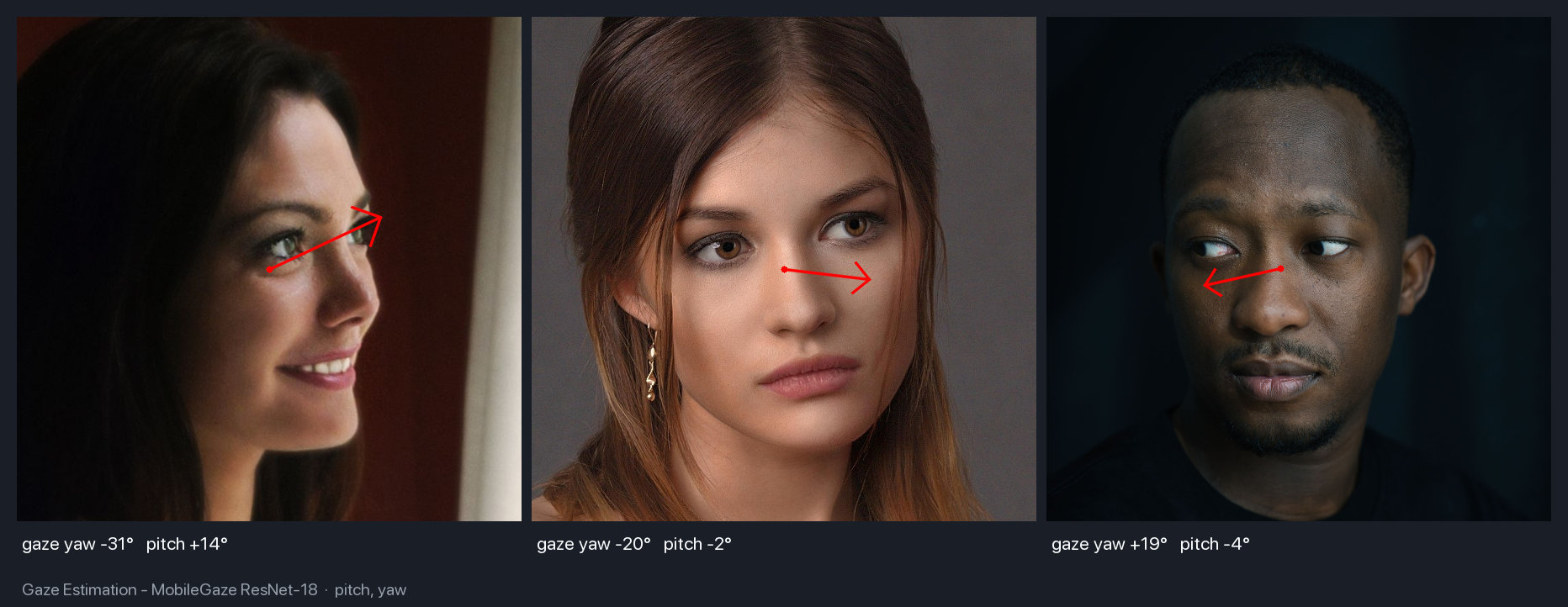
For user attention tracking, MobileGaze based on ResNet and MobileNetV2 is built in. It predicts the gaze vector in space, which is convenient for driver attention monitoring interfaces or screen interaction analysis.
4. Attributes, Emotions, and Liveness Detection
Attribute modules determine gender, age group, and race via FairFace, recognize emotions on the AffectNet-7 and AffectNet-8 scales, and detect the presence of glasses, sunglasses, or medical masks.


For biometric systems, spoofing protection is critical. UniFace contains MiniFASNet, which determines liveness and blocks attempts to present a printed photo or video replay from a smartphone screen.

5. Comparison, Search, and Anonymization
For face matching, the library offers modern feature extractors: ArcFace, AdaFace, EdgeFace, MobileFace, and SphereFace. To search faces across a large database, a vector index based on FAISS is integrated under the hood.

If the task is reversed—hiding personal data in videos or photos for public release—there's an anonymization module with five blurring algorithms.

What to Watch Out for Before Production
Although the UniFace repository source code itself is distributed under a clean MIT license, the pretrained weights of some models (such as FairFace or AffectNet) have non-commercial restrictions from their original authors. If you're planning a commercial release, be sure to check the project's licensing documentation section and verify the selected checkpoints.
Who Will Find This Project Useful
UniFace is a great fit for those tired of gluing together disparate CV libraries into a single pipeline. It's a ready-made Swiss Army knife for rapid prototyping of biometric systems, video analytics, interactive applications, and content moderation services.
The easiest way to get started is with the official documentation and interactive notebooks on Kaggle, where you can test each model on your own images in a couple of minutes.
Projetos relacionados