How to Run Local Scripts and Web Apps Through a ChatGPT Account Instead of the Paid OpenAI API
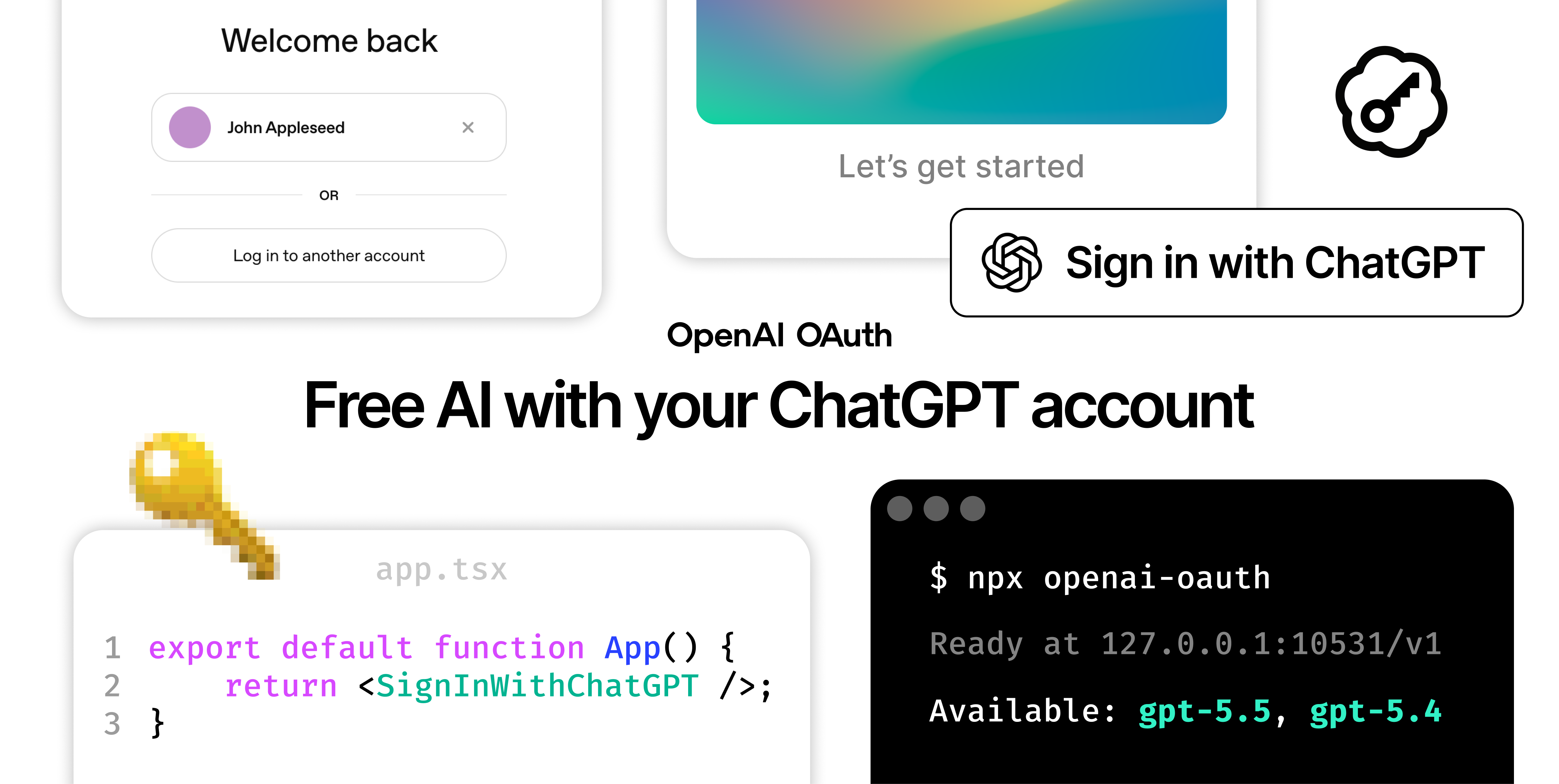
OpenAI API bills are growing faster than your latest side project reaches completion. Meanwhile, many already have a paid ChatGPT Plus subscription, yet you have to pay again for each request to access models like gpt-5.4-mini or generate images.
The EvanZhouDev/openai-oauth project offers a way to avoid this double payment. It turns a regular ChatGPT account into an API endpoint, fully compatible with the standard OpenAI client and Vercel AI SDK.
Why run a local proxy
OpenAI offers the Codex CLI tool for working with code. Under the hood, this CLI makes requests to internal endpoints chatgpt.com/backend-api/codex, using OAuth authorization.
The library openai-oauth intercepts these tokens and spins up a local HTTP server. You send standard requests to localhost:10531/v1, and the library translates them to ChatGPT.
The tool solves two problems:
- Spins up a local server for scripts and utilities without purchasing API keys.
- Provides a "Sign in with ChatGPT" button for third-party React apps. Users log in with their own account, and requests go through their own subscription.
Local launch in one command
The fastest way to test the proxy is through the CLI. No API keys need to be entered.
npx openai-oauth
The utility will open a browser window for ChatGPT authorization, save tokens to ~/.codex/auth.json, and output the address to the console:
OpenAI-compatible endpoint ready at http://127.0.0.1:10531/v1
Use this as your OpenAI base URL. No API key is required.
Available Models: gpt-5.6-terra, gpt-5.6-sol, gpt-image-2
The server can be sent to background mode with the --detach flag, or managed with logs and stop commands.
If you're writing in TypeScript, you don't need to spin up a separate proxy process. The library connects directly in your code:
npm i @openai-oauth/local @openai-oauth/ai-sdk ai
import { createOpenAIOAuth } from "@openai-oauth/ai-sdk";
import { openaiCredentials } from "@openai-oauth/local";
import { generateText } from "ai";

const openai = createOpenAIOAuth(openaiCredentials());

const result = await generateText({
	model: openai("gpt-5.4-mini"),
	prompt: "Привет!",
});
The code takes authorization from the local Codex profile and sends requests directly to the ChatGPT backend.
How the SDK works
The library architecture is split into two levels: Credential Sources and Client Adapters.
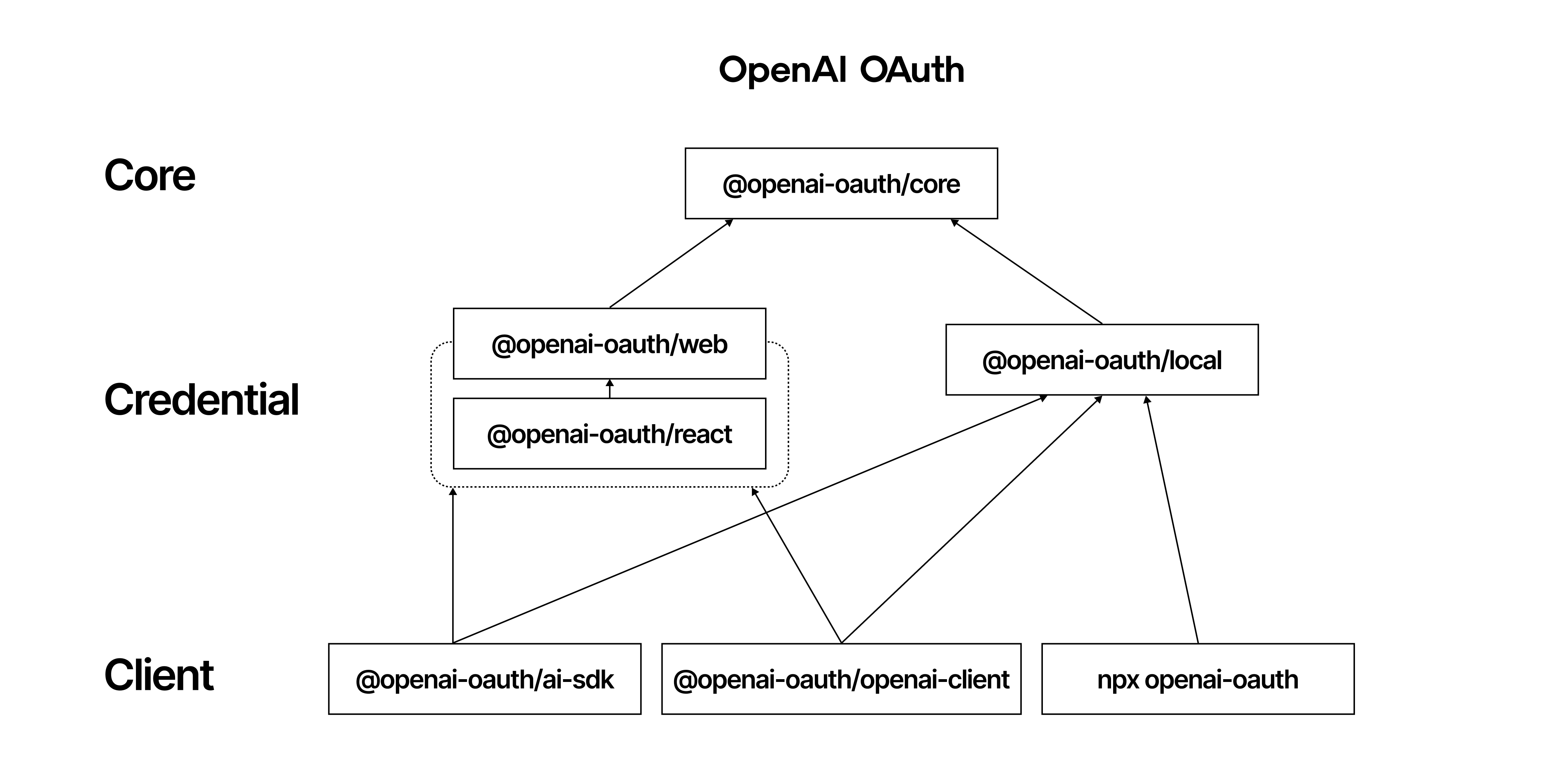
Authorization sources handle token retrieval:
@openai-oauth/localreads tokens from the local disk in the~/.codexdirectory.@openai-oauth/reactpulls the token from the user's browser session.
Adapters wrap the token into the required format:
@openai-oauth/ai-sdkprepares a provider for Vercel AI SDK.@openai-oauth/openai-clientcreates a configuration for the officialopenaipackage.@openai-oauth/coregives a low-levelfetchandbaseURLfor use in any other client.
Here's an example of working with the official openai client:
import { createOpenAIOptions } from "@openai-oauth/openai-client";
import { openaiCredentials } from "@openai-oauth/local";
import OpenAI from "openai";

const client = new OpenAI(createOpenAIOptions(openaiCredentials()));

const response = await client.chat.completions.create({
  model: "gpt-5.4-mini",
  messages: [{ role: "user", content: "Привет!" }],
});
Image generation
The repository supports working with the GPT Image 2 model. Endpoints /v1/images/generations and /v1/images/edits are proxied the same way as text models.
Example request via cURL:
curl http://127.0.0.1:10531/v1/images/generations \
  -H "Content-Type: application/json" \
  -d '{"model":"gpt-image-2","prompt":"A tiny house in a forest"}'
Or in code with Vercel AI SDK:
const result = await generateImage({
	model: openai.image("gpt-image-2"),
	prompt: "A tiny house in a forest",
});
Sign in with ChatGPT in React

The most tempting feature in v2 is ready-made authorization for web services. You install the @openai-oauth/react package and add a button to your interface:
import { SignInWithChatGPT } from "@openai-oauth/react";

export default function LoginPage() {
	return <SignInWithChatGPT />;
}
Browsers block direct calls to third-party APIs due to CORS. That's why the client sends authorization headers to your backend, and the backend proxies the request further.
For secure OAuth session transmission, users need to install the "Sign in with ChatGPT" browser extension for Chrome or Firefox. The ready-made button will automatically detect the extension's presence and offer to install it if needed. Inside the browser, the session is encrypted using WebCrypto and stored in IndexedDB.
Limitations and risks
You can't call this project fully universal. It has notable limitations:
- The list of available models is limited to what Codex CLI provides for your plan.
- Web app authorization only works in Chrome and Firefox. No Safari support yet.
- The
/v1/responsesendpoint in the CLI works stateless. You'll need to pass the entire conversation history in each request. - Unofficial use of the ChatGPT backend violates OpenAI's terms of service.
The project shouldn't be used for public production services with many users. Account pooling or passing tokens to third parties can get your ChatGPT account banned.
Who will find this repository useful
The library wins with its simplicity of launch for individual development, side projects, and prototype testing. You get access to OpenAI models during local debugging without linking a credit card to the API dashboard.
The Apache-2.0 license opens the code for any experiments. You can try the proxy in action in a couple of minutes by running npx openai-oauth in your terminal.
Related projects