How ComfyUI's Template Factory Works Under the Hood
If you've worked with ComfyUI, you probably remember the feeling of opening someone else's workflow only to see it fall apart with red nodes. You're missing a couple of nodes, the model is in the wrong folder, and you have no idea where to start with the scheme. To solve this problem for all users, the ComfyUI team created the workflow_templates repository.
This isn't just a dump of JSON scheme files. The developers built a monorepo that transforms ready-made scenarios and subgraphs into a library of Python packages, automatically updates the template showcase, and pulls the required neural networks from Hugging Face directly into the application interface.
What's Inside the Repository
The official Comfy-Org/workflow_templates repository addresses two needs: it provides ready-made generation templates (images, video, audio) and offers reusable node blocks, known as Subgraph Blueprints.
The project architecture follows a separate package per media type approach:
templates/andpackages/media_*contain workflow files in JSON format and previews for the selection interface.blueprints/andpackages/blueprintsstore ready-made composite nodes (subgraphs) that appear in the node palette.packages/coreprovides the helper loader comfyui-workflow-templates-core.site/contains the Astro-based website (templates.comfy.org) with search, 11 language support, and description generation.
The entire project is distributed via PyPI under the name comfyui-workflow-templates. When you update ComfyUI, the new templates make their way into the interface from here.
Anatomy of a Proper ComfyUI Template
The most interesting part of the project is the template assembly requirements. The developers don't just dump an exported graph—they transform it into a self-contained bundle.
Let's take the example of adding a video generation template based on the Wan 2.1 model. For a workflow to become an official template, the authors go through several mandatory steps.
First, they clean up the scheme. ComfyUI is run with the --disable-all-custom-nodes flag. This ensures that third-party extensions don't pollute the JSON with extra metadata.
Then they prepare previews. For the template, they create a picture, WebP animation, or video. The dimensions are adjusted so the file weighs as little as possible. They typically use compression with quality reduced to 65%.
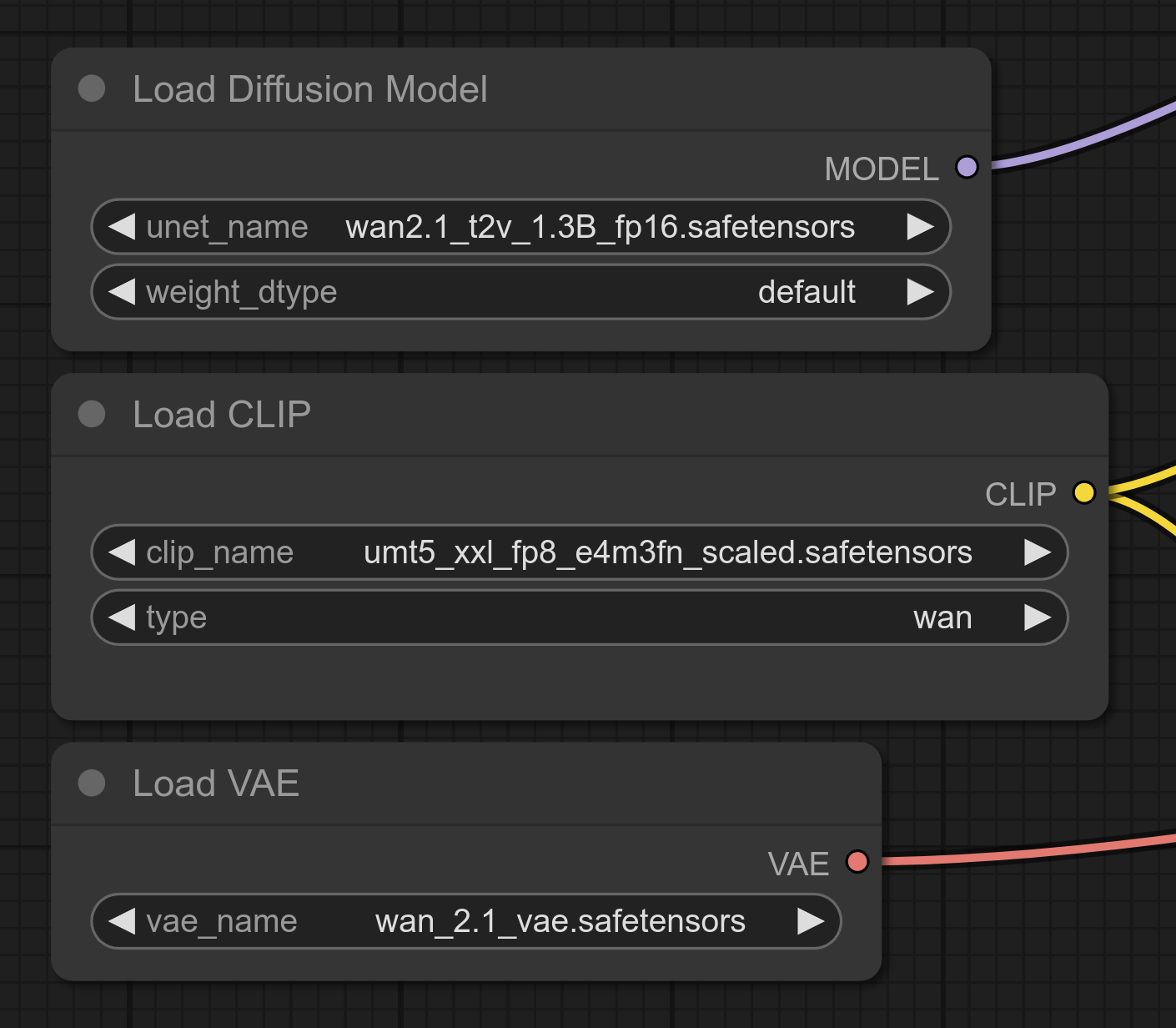
Next, they embed model bindings directly into the nodes. Users don't have to search for which VAE or CLIP model to download manually. A direct URL from Hugging Face, SHA256 hash, and target directory are added directly to the node properties (properties.models).
Here's what embedding VAE model metadata into a workflow JSON file looks like:
{
  "id": 39,
  "type": "VAELoader",
  "properties": {
    "Node name for S&R": "VAELoader",
    "models": [
      {
        "name": "wan_2.1_vae.safetensors",
        "url": "https://huggingface.co/Comfy-Org/Wan_2.1_ComfyUI_repackaged/resolve/main/split_files/vae/wan_2.1_vae.safetensors?download=true",
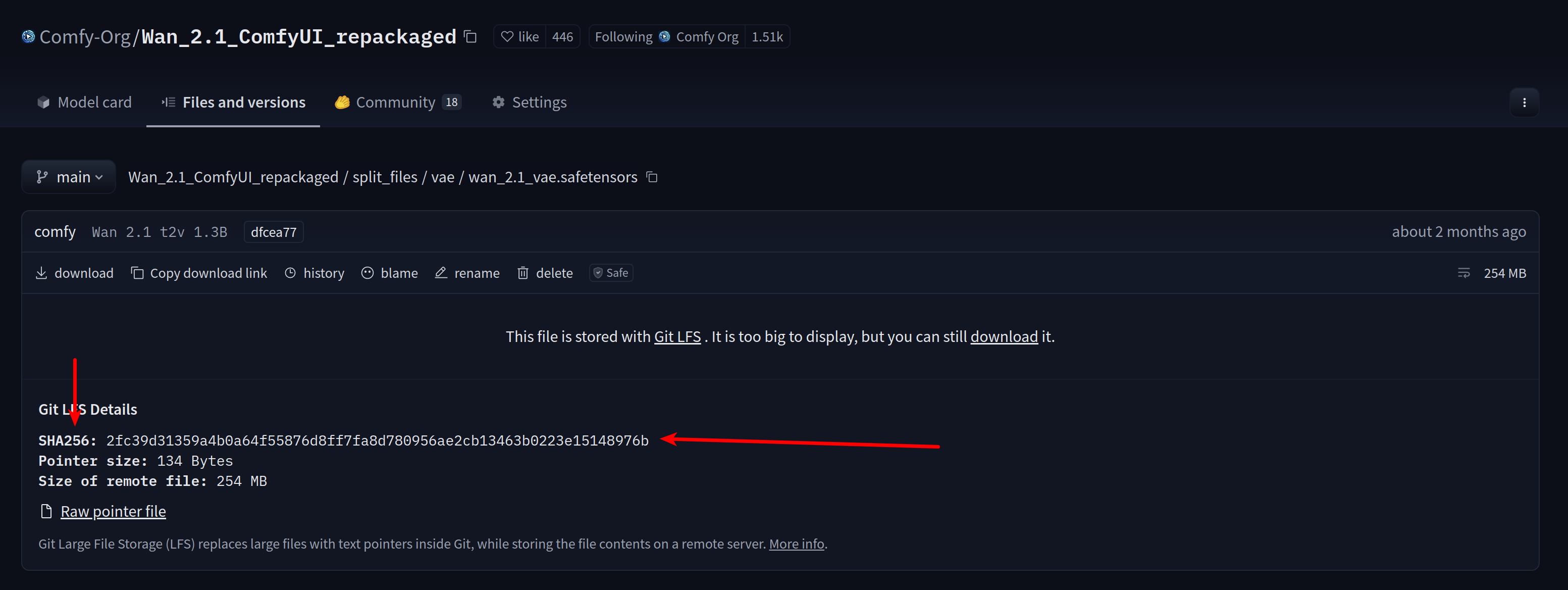
        "hash": "2fc39d31359a4b0a64f55876d8ff7fa8d780956ae2cb13463b0223e15148976b",
        "hash_type": "SHA256",
        "directory": "vae"
      }
    ]
  },
  "widgets_values": ["wan_2.1_vae.safetensors"]
}
Thanks to this entry, ComfyUI knows which file is missing, verifies its checksum, and automatically downloads the weights to the models/vae folder.
Hashes and links are taken directly from the file page on Hugging Face.
Beyond models, you can embed the minimum ComfyUI core version or a specific custom node version into node properties. For example, node SaveWEBM is given "ver": "0.3.26" so the user sees a warning if their client is outdated.
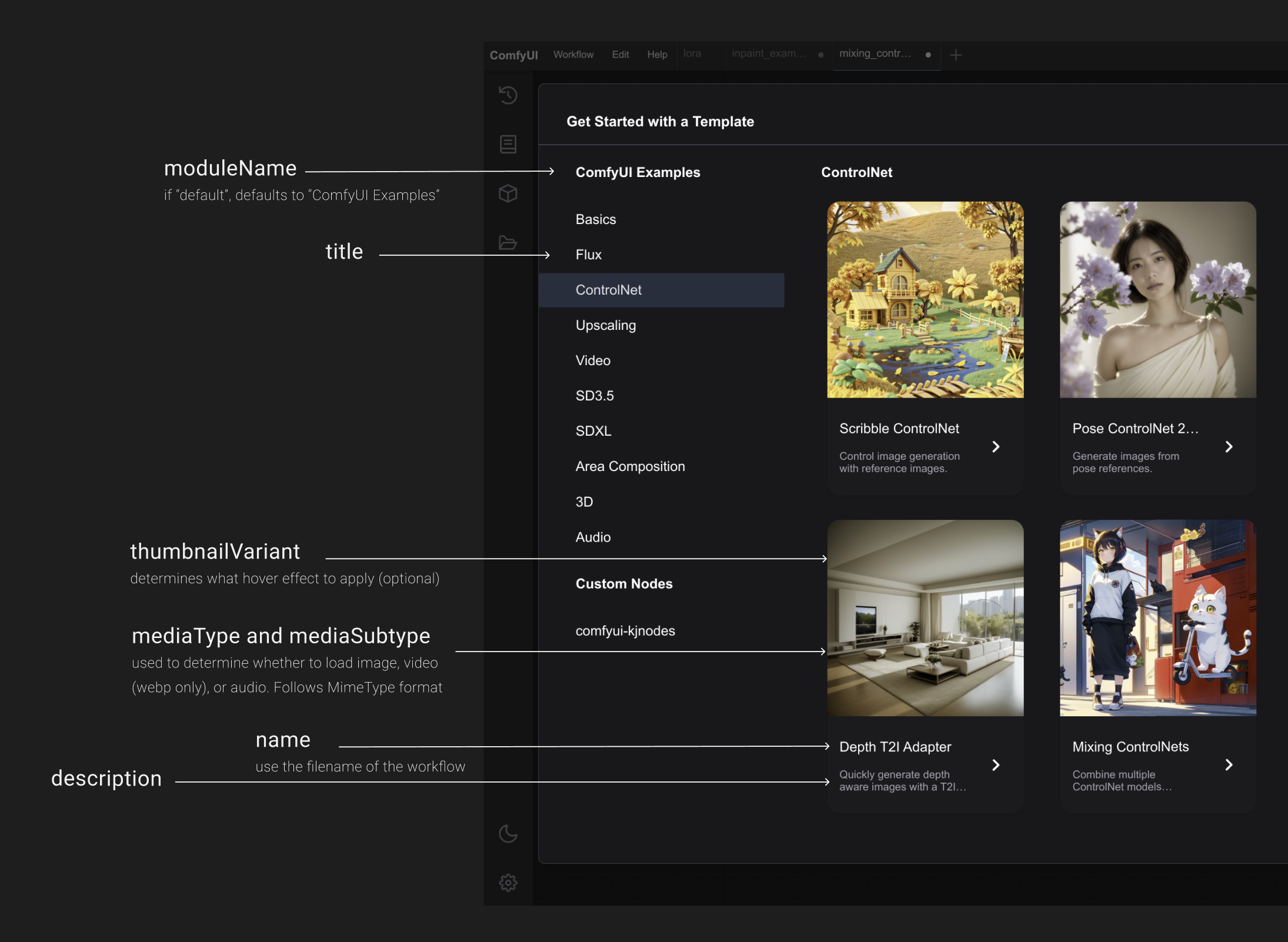
All templates are registered in a single configuration file index.json.
What Are These Subgraph Blueprints
Beyond complete scenarios, ComfyUI uses subgraphs. A complex combination of a dozen nodes is packed into a single block with clear inputs and outputs.
In the repository, blueprints for such blocks are stored in the blueprints/ folder. A blueprint file contains an interface description and the structure of internal connections:
{
  "id": "workflow-uuid",
  "nodes": [{"id": -1, "type": "subgraph-uuid"}],
  "definitions": {
    "subgraphs": [{
      "id": "subgraph-uuid",
      "name": "Text to Image (Flux.1 Dev)",
      "inputs": [
        {"name": "text", "type": "STRING"},
        {"name": "width", "type": "INT"}
      ],
      "outputs": [
        {"name": "IMAGE", "type": "IMAGE"}
      ],
      "nodes": [],
      "links": []
    }]
  }
}
The developer creates such a node in the graphical interface through "Create Subgraph", exports JSON, and runs the normalization script import_blueprints.py. After that, the block becomes available in the standard ComfyUI node palette for all users.
Build and Localization Automation
The content workflow is interesting. Every change to templates requires manifest synchronization and translation into 11 languages.
Python scripts from the scripts/sync/ directory handle synchronization:
sync_bundles.pydistributes templates across media packages and assembles the common manifest.sync_data.pypulls changed strings into a single translation filei18n.jsonand distributes localized files likeindex.zh.jsonorindex.ja.json.
The catalog site in the site/ folder is built with Astro. During the build, it queries the template hub API. The PUBLIC_APPROVED_ONLY environment variable filters out community workflows not approved for production, but leaves them in test preview environments.
Deployment is tied to GitHub Actions. Every day at 00:00 UTC, automatic rebuilds of test environments are triggered. When a version is bumped in the root pyproject.toml, CI determines which subpackages changed and publishes fresh releases to PyPI.
Interactive Preview Options
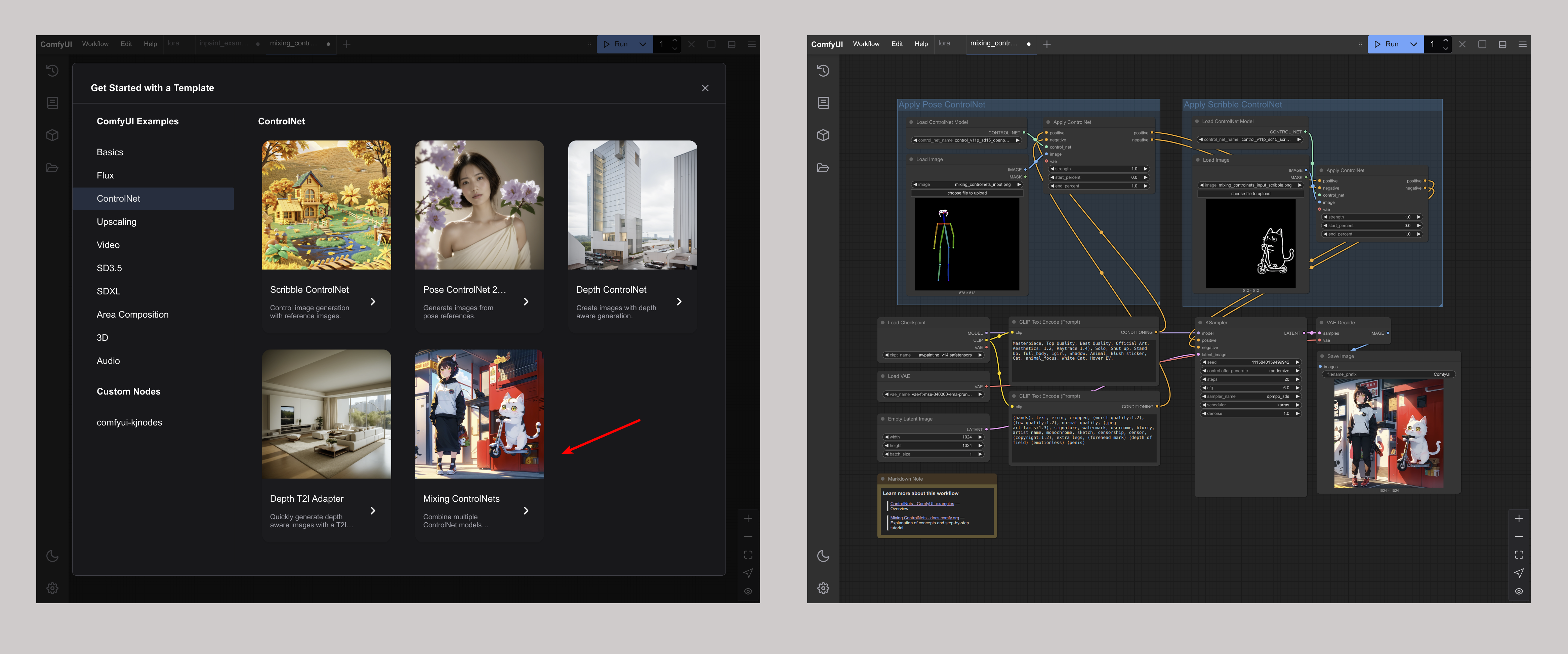
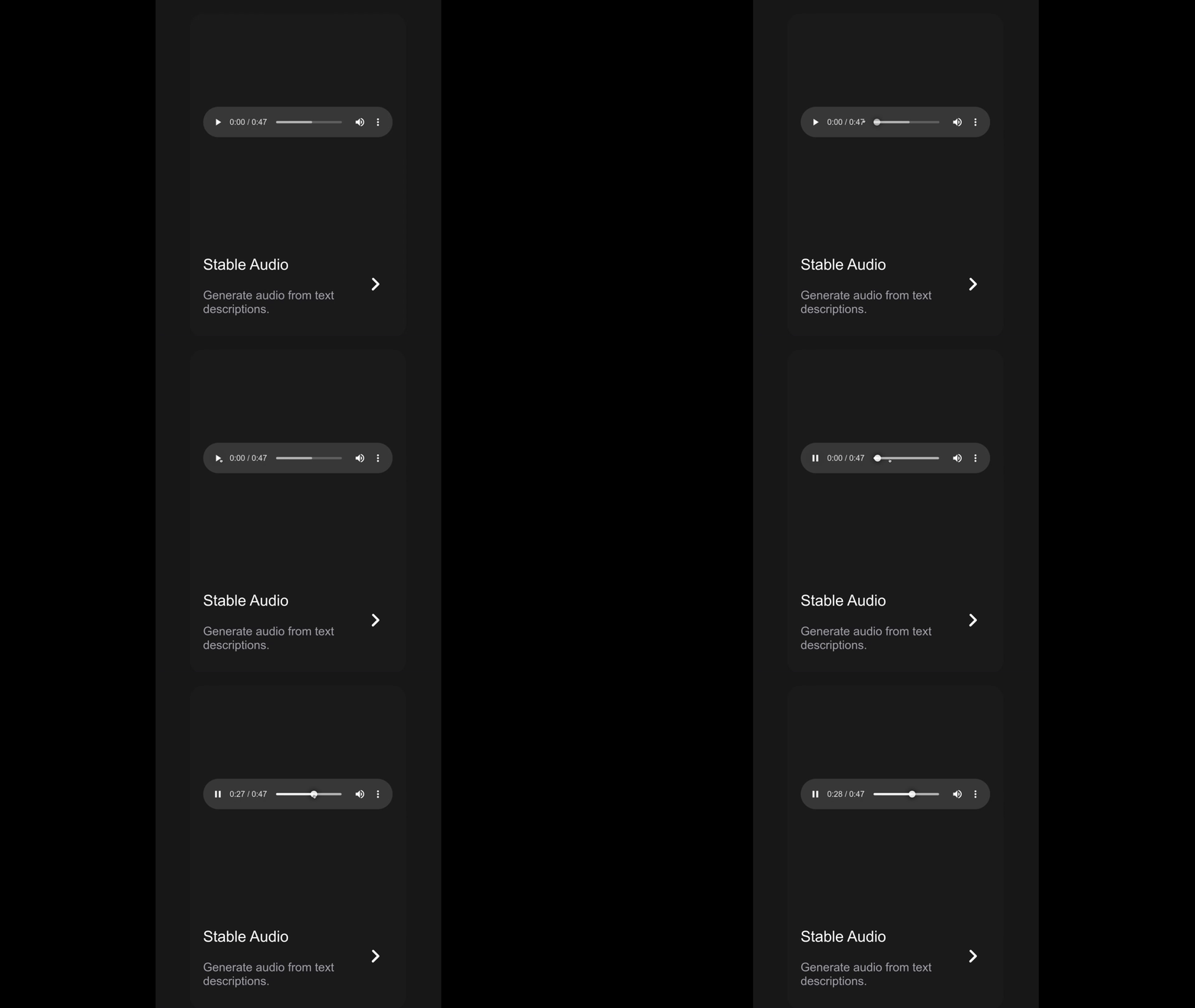
For each template in the catalog, instead of just a static image, an interactive element is defined. The repository supports several card display options:
- Standard image or GIF.
- Before-and-after comparison slider for processing evaluations like ControlNet.
- Player for demonstrating generated video or audio.
- Hover effects with zoom or smooth frame transitions.
Who Will Find This Repository Useful
If you write custom nodes for ComfyUI or build pipelines for generative tasks, you should definitely take a look at workflow_templates.
First, it's a reference guide for the ComfyUI JSON format specification. From the repository code, you can see how to properly format manifests, link model dependencies, and specify weight hashes.
Second, you can submit your own Pull Request with your workflow or subgraph. If the scheme passes automated validation and node compatibility checks (npm run validate:comfyui-nodes), it will be included in the standard ComfyUI distribution.
To explore the structure locally, just clone the repository and run the bundle generation command python scripts/sync/sync_bundles.py.
Related projects