Local Gmail Cleaner Without Sending Correspondence to Third-Party Servers
At some point, each of us opens our email and sees tens of thousands of unread messages. Discounts from stores where we bought something five years ago, service digests, task tracker notifications. Manual cleanup in Gmail's own interface becomes a nightmare because Google's web client reluctantly handles selections larger than 50–100 messages at a time.
Most commercial email cleanup utilities work on a subscription basis. They request full account access and send your emails to their own servers for analysis. The author of the gmail-cleaner project took a different approach: they wrote a lightweight local tool with a web interface that works exclusively on your machine via the official Gmail API.
Why Run Cleanup Locally
The main idea behind the project is complete privacy. No third-party backends, no external databases, and no paid plans. The entire stack runs locally, and your data goes nowhere.
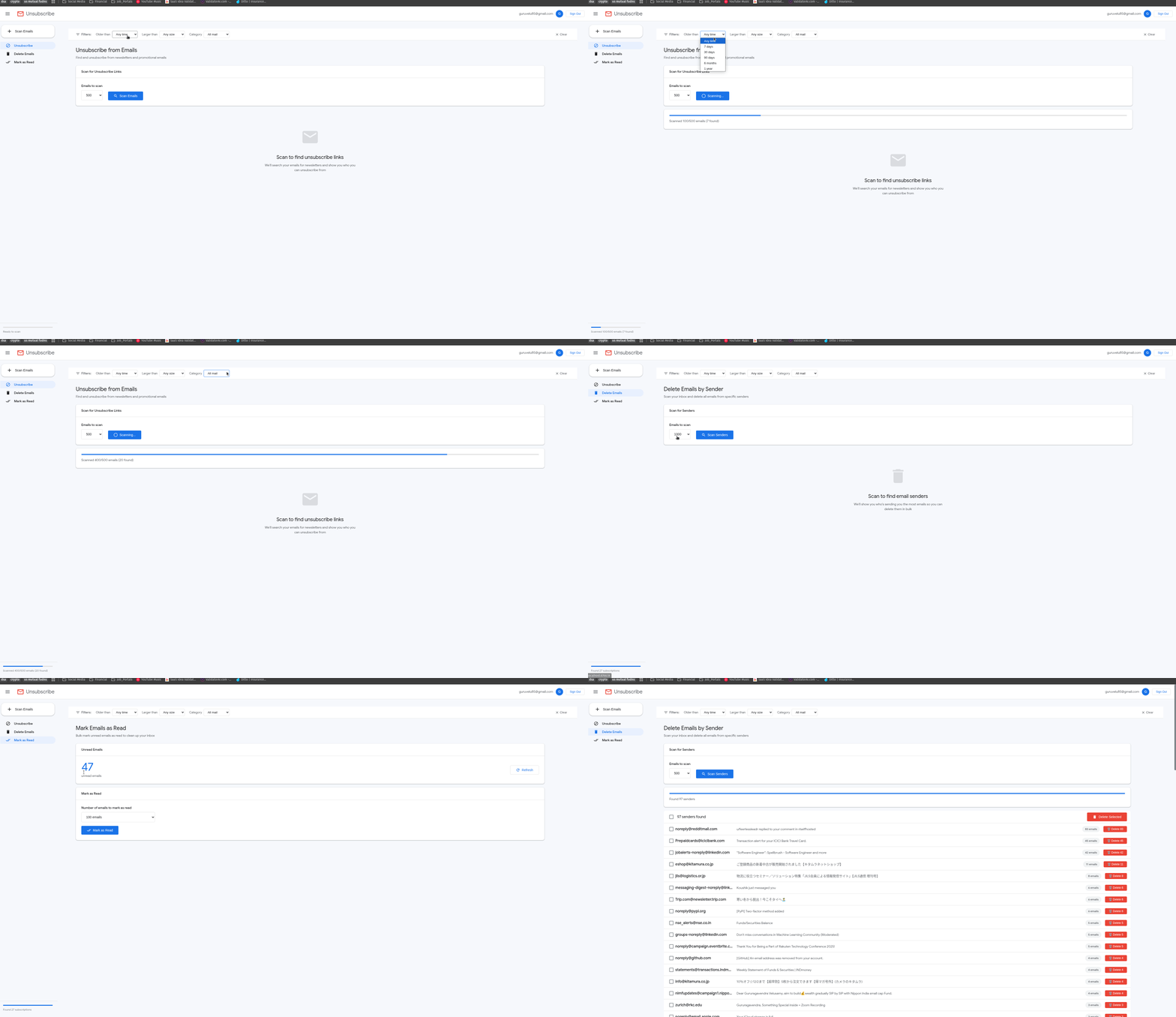
The application solves four common problems:
- Finds newsletters and helps you unsubscribe from them with one click.
- Groups emails by sender, showing who clutters your inbox the most.
- Mass deletes or archives threads from selected recipients.
- Marks thousands of emails as read in a couple of seconds.
All deleted emails go to Gmail's standard trash. If you accidentally delete something you needed, you have 30 days to recover the data through Google's standard web interface.
To speed things up, the utility uses Gmail API batch requests, packing up to 100 operations into a single call. This is why cleaning up several thousand emails takes minimal time.
What's Inside and How It Works
Under the hood is Python 3.9+ and a web server that serves a clean interface in the style of Gmail itself.
From a security perspective, you create your own application in Google Cloud Console. This means the OAuth tokens belong to you alone, and permissions are requested only for what's minimally necessary: read and modify access to move messages to trash and change read status.
Files credentials.json and token.json are stored locally. In the Docker build, a separate volume ./data is provided for this purpose, so you won't need to reauthorize after restarting the container.
How to Deploy the Project
The easiest way to run the project is via Docker. For virtual environment enthusiasts, there's also an option using the uv package manager.
First, you need to go to Google Cloud Console, create a project, enable Gmail API, and generate an OAuth Client ID (Web application type for Docker or Desktop app for direct Python execution). Make sure to add your email to the test users list on the OAuth consent screen.
Save the downloaded file as credentials.json in the project root.
Running via Docker
Clone the repository:
git clone https://github.com/Gururagavendra/gmail-cleaner.git
cd gmail-cleaner
Place the credentials.json file alongside it and start the container:
docker compose pull && docker compose up
Then open http://localhost:8766 in your browser, click the Sign In button, grab the Google authorization link from the container logs, and confirm access.
Running via Python and uv
If you don't want to set up Docker, you can run the script directly via uv:
uv sync
uv run python main.py
The interface will be available at the same address http://localhost:8766.
Filters and Data Export
Beyond simple cleanup, the project includes advanced filters. You can sort emails by attachment size, date range, or standard Gmail categories (Promotions, Social, Updates, Forums, Primary).
If you need to preserve information about senders and dates before deleting old work correspondence, the interface can export metadata to CSV.
Who Will Find This Useful
The project is ideal for anyone whose inbox has crossed the 50,000 message mark and is approaching Google Drive's free storage limit.
Yes, the initial setup requires 5–10 minutes of work with Google Cloud Console and creating OAuth keys. But in return, you get a tool that doesn't read your emails on third-party servers and doesn't require a monthly subscription for basic cleanup functionality.
Related projects