Maple Mono: When Code Becomes Art
Familiar situation: you spend hours, or even days, staring at the screen, looking at lines of code. And if your font doesn't please the eye, doesn't help you read information quickly and effortlessly, then it's not just a minor issue – it's daily discomfort that accumulates. We, developers, know how important every detail in our work environment is. And the font is probably one of the most underrated.
Today I want to tell you about a project that can change your perception of what code should look like. Meet Maple Mono, an open-source monospaced font created with one goal: to make your coding process as smooth and enjoyable as possible. The project author, subframe7536, clearly poured their heart into this font, striving to improve their own work experience, and it seems like they nailed it!
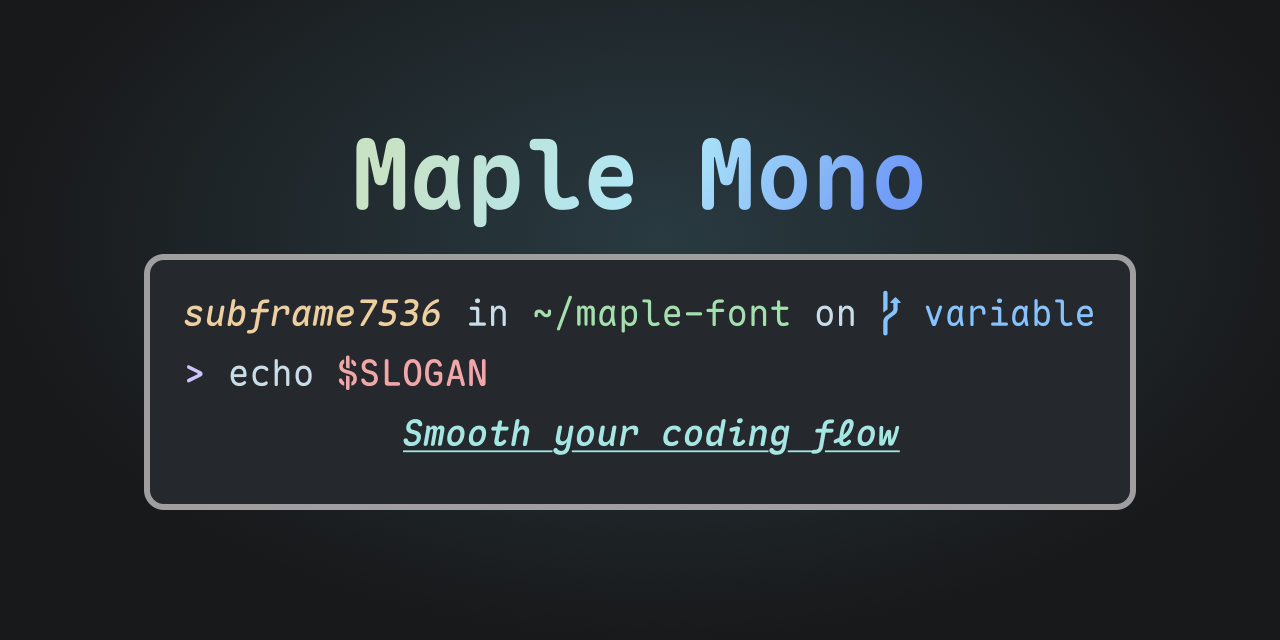
Why Maple Mono? More Than Just Letters
Maple Mono is not just a set of characters. It's a carefully crafted tool that offers a range of unique features capable of significantly improving your code interaction experience. Let's break down what makes it so special.
1. Visual Magic: Smoothness and Aesthetics
The first thing that catches your eye with Maple Mono is its softness and rounded corners. Forget about harsh, angular symbols that can tire your eyes. Here, every glyph, whether it's @, $, % or &, looks neat and harmonious. And the italic variants for f, i, j, k, l, x, y are simply captivating in their elegance, adding a certain refinement to the code. It's like looking at a well-polished tool – you immediately sense the quality.
2. Smart Ligatures: Reading Code Like Prose
Ligatures are when multiple characters merge into a single, more intuitive glyph. For example, -> turns into a beautiful arrow, === becomes a triple equals sign, and != turns into a crossed-out equals sign. Maple Mono offers a huge number of smart ligatures that significantly improve code readability, making it more compact and visually pleasant. This is especially useful when working with functional languages or complex operators. By the way, version V7.3 even introduced "infinite" arrow ligatures inspired by Fira Code!
3. Nerd-Font: The Terminal Comes Alive
For those who spend a lot of time in the terminal, Nerd-Font is a must-have. Maple Mono comes with first-class Nerd-Font support, which means your terminal, file managers (like ranger or lf), and status bars (for example, tmux or polybar) will display thousands of additional icons. This isn't just beautiful, it's functional: icons help you navigate the file system faster, see Git repository statuses, and much more. Your terminal will no longer be a boring text field and will turn into a living, informative panel.
4. Variable Fonts and Customization: Your Font, Your Rules
One of the most powerful features of Maple Mono is its support for Variable Fonts. This means you get an infinite number of font weight variations with fine-tuned italic settings. No more choosing between Regular, Medium and Bold – you can adjust the weight with single-unit precision!
But that's not all. The project offers deep customization capabilities. You can:
- Enable or disable individual OpenType features.
- Change glyph widths (
default,narrow,slim). - Configure Nerd-Font icon display (fixed or variable width).
- Even override font weight mapping so that
Regularis slightly lighter or heavier.
This gives you full control over how your font looks, allowing you to create a truly unique and comfortable workspace.
5. Multilingual Support: Not Just for English
For developers working on multilingual projects, especially with Asian languages, Maple Mono offers full support for simplified and traditional Chinese, as well as Japanese. Interestingly, Chinese and English characters align perfectly in a 2:1 ratio, making Markdown tables and mixed text incredibly neat and readable. This is a real find for international teams!
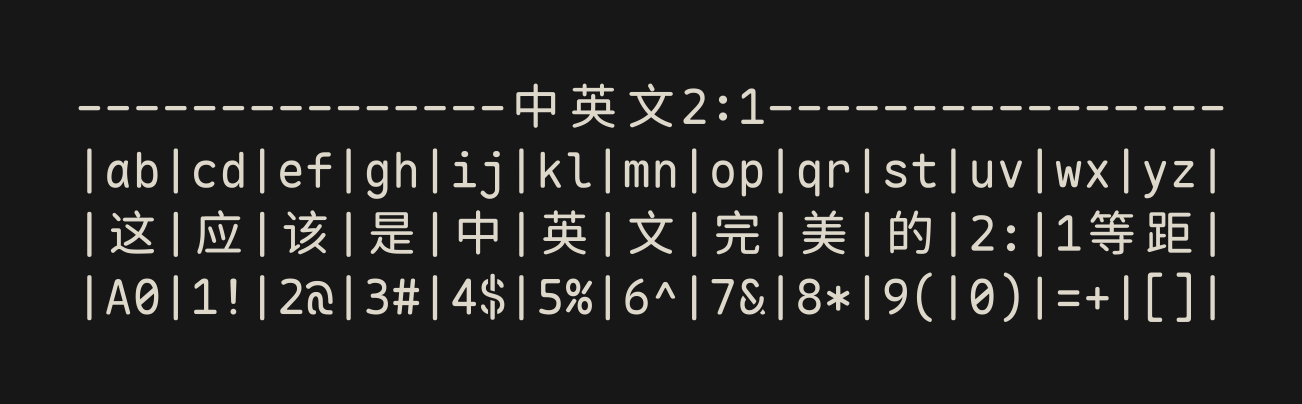
How It Works and How to Try It
Maple Mono is an open-source project with active development. Version V7, by the way, was completely reworked, bringing variable fonts, project sources, and a rework of over half the glyphs.
Installing Maple Mono is quite straightforward, with support for popular package managers:
- Windows (Scoop):
scoop bucket add nerd-fonts scoop install Maple-Mono-NF-CN # Полная версия с Nerd-Font и китайским - macOS, Linux (Homebrew):
brew install --cask font-maple-mono-nf-cn # Полная версия - Arch Linux (paru):
paru -S ttf-maplemono-nf-cn-unhinted # Полная версия - NixOS, Linux, macOS (Nixpkgs):
fonts.packages = with pkgs; [
  maple-mono.NF-CN-unhinted
];
Of course, you can always download pre-built archives from the releases page or even build the font yourself using Docker, GitHub Actions, or locally with Python. This opens up limitless possibilities for fine-tuning to your needs. For example, you can change glyph widths, enable or disable ligatures, configure Nerd-Font icon display, and much more.
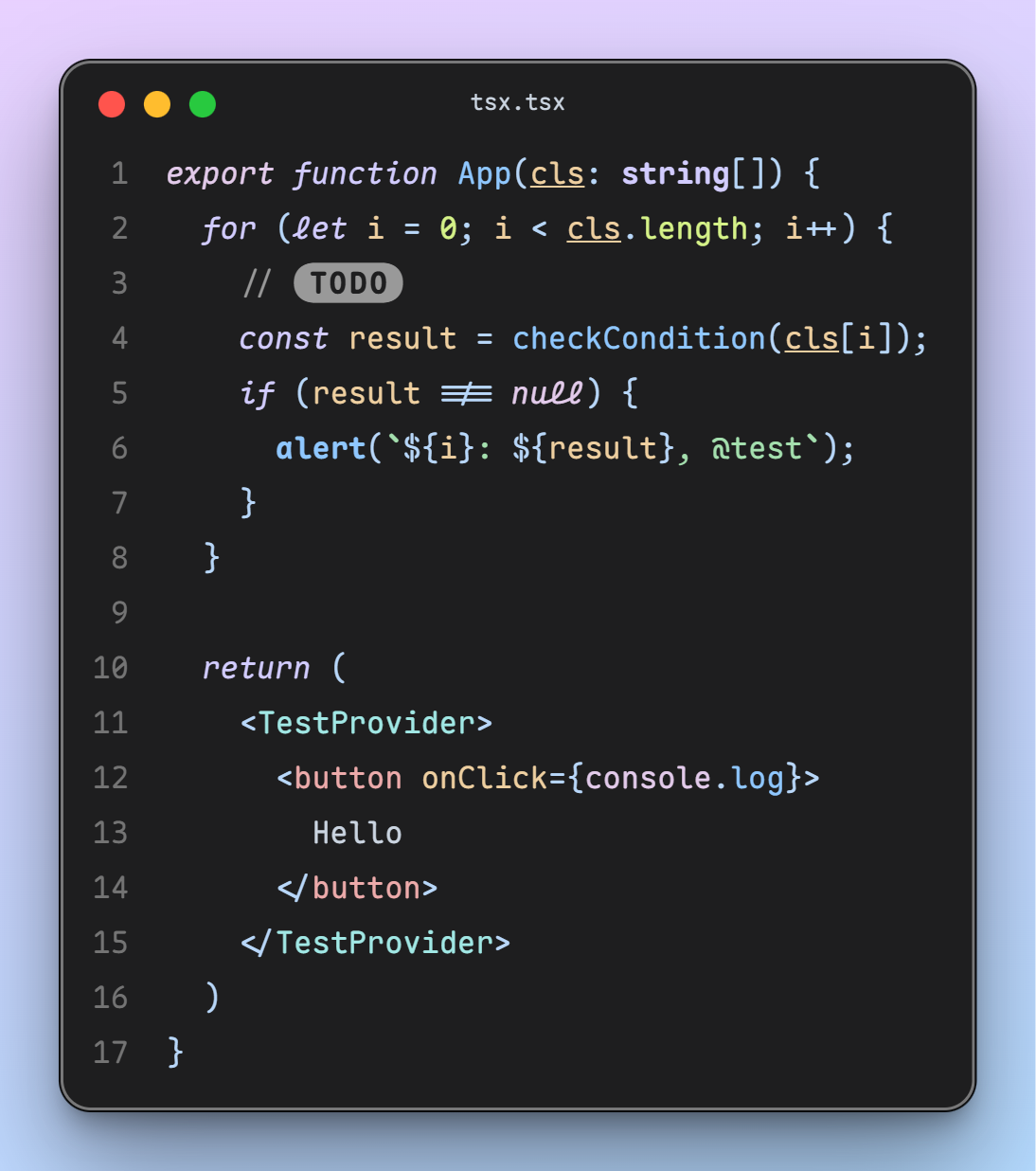 In the screenshot: Maple Mono, Maple theme, CodeImg plugin. Font size 16px, line height 1.8.
Conclusions: Is Maple Mono Worth a Chance?
If you, like me, value comfort and aesthetics in your work, then Maple Mono definitely deserves your attention. It's not just another monospaced font, it's a well-thought-out tool that offers:
- Visual comfort thanks to rounded corners and smooth lines.
- Improved readability through smart ligatures.
- Terminal functionality and beauty with Nerd-Font support.
- Unprecedented customization capabilities allowing you to create your dream font.
- Excellent multilingual environment support, which is especially relevant in today's world.
I would recommend Maple Mono to all developers looking for a fresh perspective on their work font, those tired of standard solutions and ready to experiment. It will especially appeal to lovers of minimalism, clean code, and those who actively use the terminal.
Try Maple Mono. Perhaps it will become your new favorite and make every day of coding just a little bit more pleasant!
Related projects