Managing Cloudflare Infrastructure Directly from Your AI Chat
How many times a day do you switch between your code editor, Cloudflare dashboard, and AI chat window? The usual workflow looks like this: a worker crashes, you open logs in the console, copy the stack trace, paste it into Claude or Cursor, get advice, go back, and fix the config.
Cloudflare engineers have open-sourced a repository cloudflare/mcp-server-cloudflare. This is a collection of remote servers using the Model Context Protocol (MCP) that connect your development environment or favorite AI assistant directly to platform services.
The Core Idea
The MCP protocol standardizes context transfer and external tool invocation for large language models. Instead of manually gathering data across different browser tabs, you give the LLM access to a dedicated interface. The model reads your current account configuration, analyzes logs, suggests fixes, and applies them when needed.
Unlike a single monolithic solution, this repository contains a set of specialized servers for specific tasks.
What's Inside the Repository
Developers have split Cloudflare's capabilities into isolated microservices. Each one handles its own area of responsibility:
- Documentation (
docs-ai-search). Finding current API and product reference information without model hallucinations. - Worker management (
workers-bindingsandworkers-builds). Configuring connections to databases, KV storage, R2, vector indexes, and tracking build status. - Observability (
workers-observabilityandlogpush). Searching application logs, error analysis, and monitoring background log delivery tasks. - Sandboxed browser (
browser-rendering). Loading web pages, converting them to Markdown, and creating screenshots on the fly. - Analytics and security (
dns-analytics,auditlogs,radar,cloudflare-one-casb). DNS performance analysis, user action auditing, and access to global internet traffic statistics.
Two Integration Approaches
Cloudflare has two repositories with MCP servers, and it's easy to get confused here.
The first option is in the repository cloudflare/mcp. This is the so-called Code Mode server (mcp.cloudflare.com). It gives the model access to the full spectrum of APIs through code generation and execution. Suitable when you need broad coverage of many services at once.
The second option is assembled here, in cloudflare/mcp-server-cloudflare. This is a set of typed tools for specific domains. They're more convenient to use when solving a specific task: for example, optimizing DNS or setting up worker monitoring. The model receives strict function call schemas and makes fewer parameter errors.
How It Works Technically
All servers operate in Streamable HTTP mode via endpoints /mcp. No need to deploy them locally via Docker or Node.js—they're already hosted on Cloudflare infrastructure:
https://docs.mcp.cloudflare.com/mcp
https://observability.mcp.cloudflare.com/mcp
https://bindings.mcp.cloudflare.com/mcp
https://browser.mcp.cloudflare.com/mcp
Requests don't require server-side session state persistence. Authentication, tokens, and context are passed within specific calls.
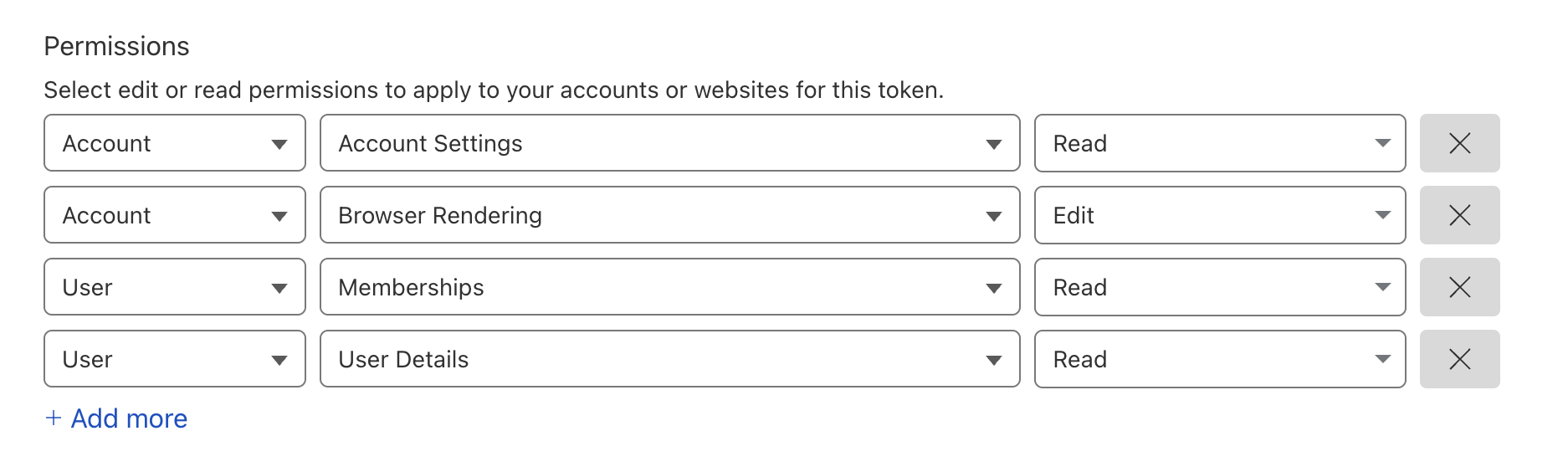
If you want to connect such a server to the OpenAI Responses API, you'll need to create a token with appropriate permissions in the Cloudflare dashboard.
To work with the Claude or Cursor desktop client, simply add the required URL to the MCP client config.
Nuances and Limitations
When actively working, there are a couple of things to keep in mind:
- Context overflow. If the assistant starts chaining heavy tool calls (especially when searching large volumes of logs in the observability server), Claude may throw an error
Claude's response was interrupted.... Requests are better formulated precisely and complex investigations should be broken down into separate steps. - Paid plans. Some features like Browser Rendering or advanced logs require a paid Workers Paid subscription.
If you're heavily invested in Cloudflare infrastructure and already use AI assistants for code writing, connecting these endpoints is definitely worth it. The easiest way to start is with documentation and log search: this immediately eliminates routine tab switching. Full resource management via chat requires careful token handling, but for everyday debugging the combination is very convenient.
Related projects