Controlling AI Agents from a Messenger with botmux
Imagine a familiar scenario. You've started a heavy refactoring with Claude Code or Codex on your workstation, then stepped away for tea or headed home. Five minutes later, the CLI freezes, waiting for confirmation to delete a file. You're sitting on public transport with your smartphone, and the process is stuck.
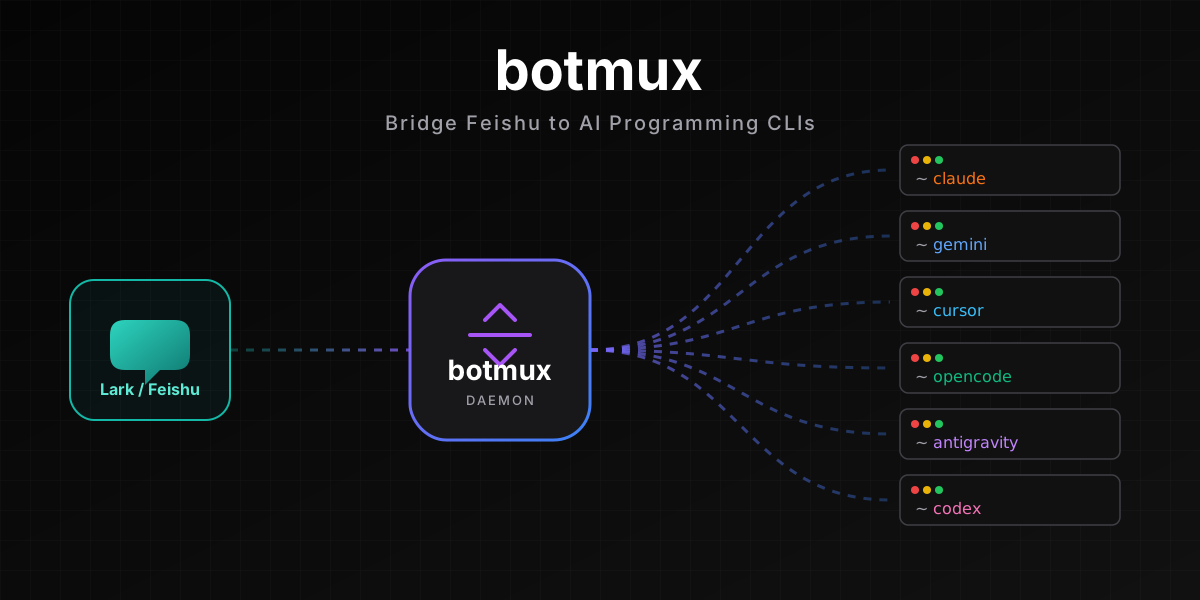
For those who actively use console AI assistants, developer deepcoldy has written the botmux utility. It transforms the Feishu messenger (known as Lark outside China) into a control panel for two dozen console agents.
What's the Project's Core Idea
Most platforms for integrating AI into chats take the complex route. Developers grab the necessary model's SDK, build a wrapper on top, reimplement function calls, memory, and file handling. The result is a stripped-down version of a real console agent.
botmux takes a different approach. The tool doesn't attempt to be an AI agent or manage context through its own code. Instead, a background service spins up a full console utility process on your server or workstation. Each new topic or dialog in the chat creates a separate session, with outputs streamed to the messenger as interactive cards.
This architecture delivers a nice benefit. When Claude Code, Codex, Gemini CLI, or Cursor developers release updates with new commands or MCP server support, botmux doesn't need rewriting. You work with the original console application with all its features intact.
Four Interesting Features
Below are details on how working with agents in chat is structured.
Streaming Cards and Control Handoff
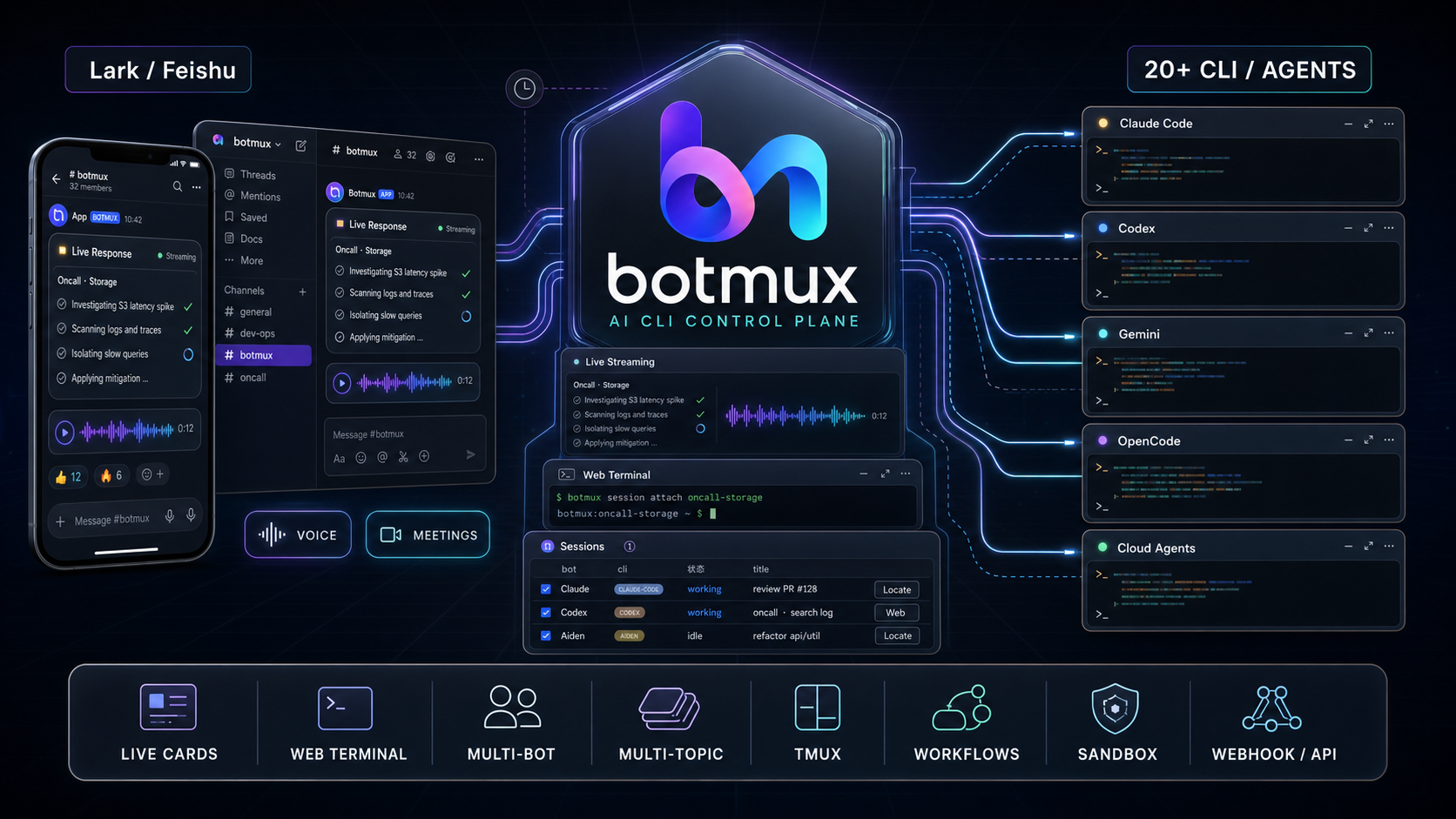
CLI output streams directly into the messenger message. You see updating text and can control the process through card buttons. Viewing terminal screenshots, collapsing long logs, and restarting a frozen session are all available.
If interactive buttons aren't enough, botmux provides a web terminal link. You can work directly from your smartphone, with a special keyboard displayed on screen featuring Esc, Ctrl+C, and navigation arrow buttons.
Multi-Model Teamwork
You can add multiple bots tied to different console utilities to a single group chat. For instance, connect one bot to Claude Code and another to Codex.
When you mention a bot via @, the message goes to that specific agent. This is handy for cross-reviewing code. You can ask two different models to analyze the same pull request, and they'll start debating each other right in the discussion thread.
Session Migration Between Devices
Suppose you started a session locally in the familiar tmux. Using the /adopt command in chat, you can take control of that session right on your phone.
If a task discussion has gone on too long and needs to be shared with the whole team, the /relay command transfers the entire process along with accumulated memory and context to the shared group chat.
Automation and External Triggers
The utility supports scheduling and webhooks. You can set up periodic alert parsing or scheduled report generation by describing the task in plain language. External systems can trigger agents through standard HTTP requests.
How It Works Under the Hood
The project is written in TypeScript and runs on Node.js version 22 or newer. It uses an adapter architecture internally to support different CLIs:
claude-codecodexgeminicursoropencodecopilot
Local utilities run with process isolation. You can always connect to a running agent directly via tmux attach if you're at the workstation.
Installation and initial setup are streamlined to a minimum:
npm install -g botmux
botmux setup
botmux start
The interactive wizard botmux setup helps bind your Feishu account via QR code, automatically configures app permissions in the enterprise dashboard, and launches the basic configuration.
Is It Worth Trying
The project has garnered nearly 900 stars on GitHub, and not without reason. The code is neatly structured, and the idea of using a genuine CLI instead of writing another SDK sounds sensible.
The main downside of the utility is its tight coupling to the Feishu/Lark messenger. If your team sits in Slack or Telegram, you won't be able to use the ready-made tool. You'll either need to write your own bridge or port the adapters from the repository.
Nevertheless, if you work in Lark and actively use terminal AI agents, botmux frees you from the need to constantly sit at a monitor. Check out the project repository on GitHub to explore the list of supported adapters or look at architectural solutions.
Related projects