How to Deploy a Project Without Going Mad from YAML Configs
You know that feeling when writing the code takes a couple of hours, but setting up the deployment environment stretches into two days? First you battle with the Dockerfile, then you try to remember how to route SSL certificates through Let's Encrypt, and by the end you discover that the database somehow can't see the backend on the shared network. There's a sense that the entry barrier for "just deploying a pet project" has become unreasonably high.
I recently came across Openship. It's an open-source platform that tries to bring back the times when deployment was simple, while keeping all the power of modern containers. Essentially, it's your personal PaaS (Platform as a Service) that you can set up on any cheap server.
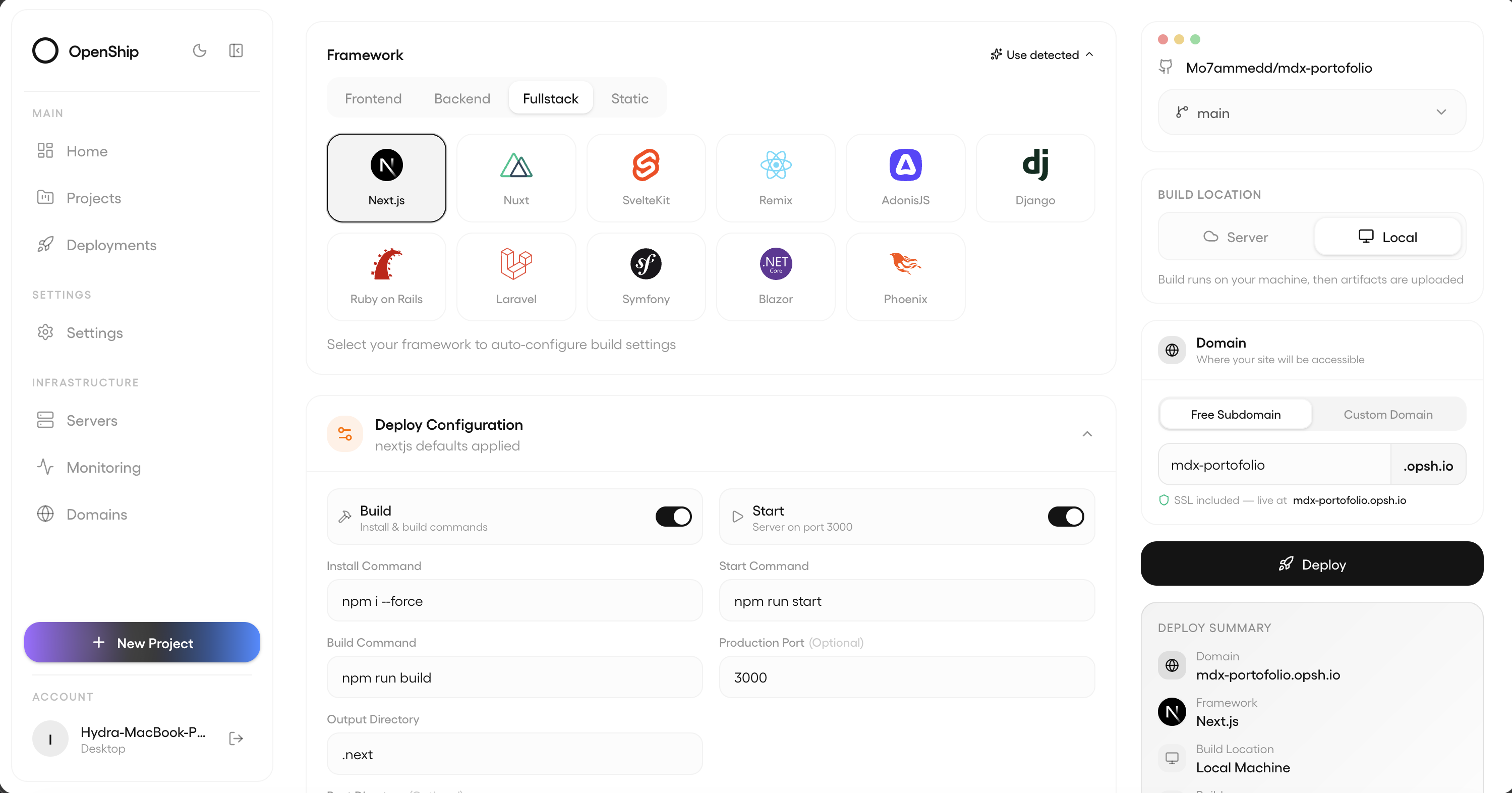
What even is this
Openship is a tool for those who are tired of configuring CI/CD pipelines manually. You give it a link to a repository, and it figures out what's inside: Node.js, Go, Python, or good old PHP. The system builds, packages into a container, and launches.
Unlike Vercel or Heroku, Openship is fully self-hosted. That means you're not paying for "platform resources" — you're using the power of your own hardware. And you can manage everything in three ways: through a desktop app, a web panel, or the familiar CLI.
What makes Openship compelling
What won me over is that the developers didn't just build another "Docker wrapper" — they put in one place everything you usually have to configure separately.
First, there's a built-in mail server. If you've ever tried to set up SMTP with proper DKIM and SPF records so your emails don't end up in spam, you know what a headache that is. In Openship, it works out of the box.
Second, domain management. The platform automatically issues SSL certificates and monitors their renewal. You don't need to log into the server console to add a new subdomain.
Third, database handling. Postgres, MongoDB, or Redis spin up in a couple of clicks. There's a built-in scheduled backup system with one-click restore. For small projects without a dedicated admin, this is a lifesaver.
How it looks in practice
Installation takes less than a minute. If you have a clean server running Ubuntu or any other Linux distribution, just run this in the console:
npm i -g openship
openship up
After that, the server comes alive. To deploy your project, you go to its folder on your local machine and type:
openship init
openship deploy
The platform automatically figures out how to build your application. If there's a package.json in the root, it will run a Node.js build. If there's a docker-compose.yml, Openship will just pick it up "as is." This is handy when you already have complex container setups configured and don't want to rewrite them for a new tool.
So what's the catch
The project is currently in active development. If you look at the documentation, it honestly says: "Work in progress." Some advanced features, like a visual CI/CD pipeline editor or complex private network settings between servers, aren't available yet — they're on the roadmap.
Another thing: Openship pulls quite a few dependencies when installing via CLI, so it works best in a Docker environment. Fortunately, the repository has a ready-made docker-compose.yml for quickly spinning up the entire infrastructure at once.
Who should give it a try
I'd recommend Openship to two categories of people. The first is solo developers who have accumulated 5-10 small projects across different stacks. Keeping them all on one server without getting lost in Nginx configs is quite a challenge. Openship turns this into an organized list in a nice interface.
The second category is small teams that need a staging server. The ability to quickly spin up a preview environment for each Git branch without configuring complex GitHub Actions is a very nice bonus.
For massive enterprise clusters, the tool is still a bit early, but as a replacement for custom deployment scripts on medium-sized projects, it looks very solid. The Apache 2.0 license lets you use it in commercial products without worrying about a subscription bill landing in your inbox tomorrow.
Overall, if you're tired of YAML hell and just want to "push and forget," Openship is a great candidate for a weekend project to get your projects in order.
Related projects