How to render streaming Markdown from neural networks without flickering and freezes
When you first connect streaming output from a language model to the frontend, a regular Markdown renderer almost immediately turns the page into a nightmare. Standard libraries like markdown-it or marked were designed for ready static documents. If you feed them a raw token stream via SSE or WebSocket, they re-parse the entire text on each chunk, redraw the DOM tree, and mess with scrolling.
At this point, the interface starts to noticeably flicker. Syntax highlighting blinks, unfinished code blocks break the markup below, and unclosed formulas get stuck in an endless loading state. The markstream-vue repository solves this exact frustrating problem.
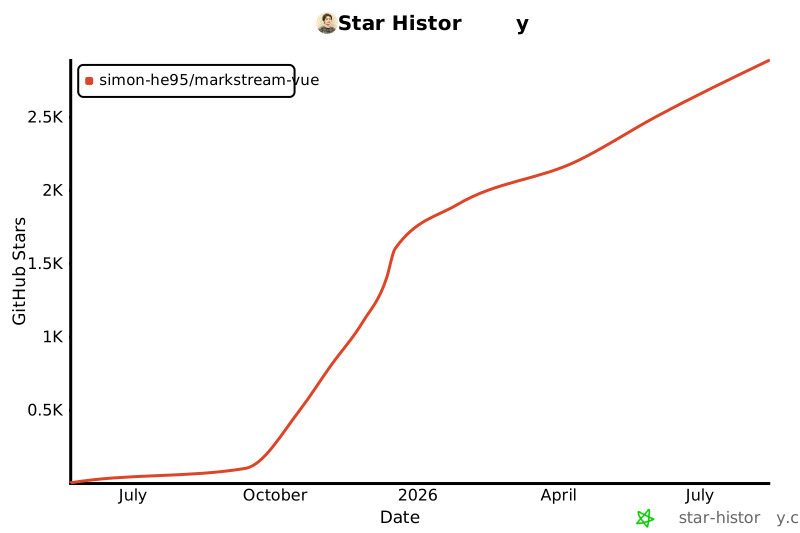
What's under the hood of the library
The project started as a specialized component for Vue 3, but over time the author split the architecture into a core stream-markdown-parser and adapters for different frameworks. There are now ready-made packages for Vue 3, Nuxt, React, Next.js, Svelte 5, Angular, and even the legacy Vue 2.
The main task of the renderer is to keep the DOM stable during frequent micro-updates of the text. The library parses the stream incrementally, understands intermediate states of unclosed tags, and updates only the changed nodes, leaving the rest of the page untouched.
Operating modes and load management
The library has two fundamentally different rendering approaches that can be switched via the mode prop.
The mode="chat" mode is designed for AI chats. In it, the renderer groups incoming tokens into small batches and outputs them with a smooth typing effect. At the same time, unnecessary opacity animations are disabled so the interface doesn't jitter with every new word.
If you need to display a huge generated longread or documentation, it's better to enable virtualization via mode="docs". The renderer keeps a fixed window of elements in the active DOM tree (about 220 nodes by default). This keeps the browser's memory consumption at a steady level and prevents freezes when scrolling through long conversations.
<script setup lang="ts">
import { ref } from 'vue'
import MarkdownRender from 'markstream-vue'
import 'markstream-vue/index.css'

const message = ref('')
const isDone = ref(false)

// Получаем чанки через EventSource или fetch
const eventSource = new EventSource('/api/chat')

eventSource.onmessage = (event) => {
  message.value += event.data
}

eventSource.addEventListener('done', () => {
  isDone.value = true
  eventSource.close()
})
</script>

<template>
  <MarkdownRender
    mode="chat"
    :content="message"
    :final="isDone"
    smooth-streaming="auto"
    :fade="false"
  />
</template>
The final prop is critical when working with a stream. While final="false" is true, the parser calmly tolerates constructs cut off mid-word. As soon as the completion signal arrives, the renderer clears the streaming cache and brings the markup to its final form.
Working with complex blocks
Regular parsers stumble on Mermaid diagrams or KaTeX formulas if the syntax hasn't been fully written yet. In markstream, this moment is thought through to the smallest detail.
Mermaid diagrams and formulas
Heavy dependencies like mermaid and katex are not included in the main bundle. You install them as peer dependencies and activate them by calling functions:
import { enableKatex, enableMermaid } from 'markstream-vue'
import 'katex/dist/katex.min.css'

enableMermaid()
enableKatex()
Mermaid diagrams are parsed progressively. If the graph is still being written by the model, the renderer shows a neat placeholder instead of a syntax error in the console. For KaTeX, you can offload formula parsing to a separate Web Worker via CDN, so heavy mathematical expressions don't block the main interface thread at all.
Code blocks and diffs
In version 2.0, the developers dropped the heavy Monaco editor in favor of integration with stream-diffs. Now you can display interactive file diffs directly in the stream, switch between light and dark themes, and configure block heights.
<template>
  <MarkdownRender
    :content="content"
    :is-dark="true"
    :code-block-props="{
      theme: { light: 'vitesse-light', dark: 'vitesse-dark' }
    }"
  />
</template>
Custom Vue components inside Markdown
Sometimes models output non-standard tags, for example <thinking> for a reasoning chain or custom shortcodes for calling buttons and widgets. You can intercept these and replace them with full Vue components:
import { setCustomComponents } from 'markstream-vue'

setCustomComponents('chat-scope', {
  CALLOUT: () => import('./components/Callout.vue'),
  THINKING: () => import('./components/ThinkingAccordion.vue'),
})
In the template, you just need to specify the same identifier:
<MarkdownRender
  :content="message"
  custom-id="chat-scope"
  :custom-html-tags="['thinking']"
/>
Server-side rendering and state transfer
If you're building an app with Nuxt or Next.js, you don't have to run the parser on the client from scratch. The document can be parsed on the server into a structure of typed nodes:
import { getMarkdown, parseMarkdownToStructure } from 'markstream-vue'

const md = getMarkdown()
const nodes = parseMarkdownToStructure(rawMarkdown, md, { final: true })
The client component accepts ready nodes via the :nodes="nodesFromServer" prop, which provides fast hydration without layout mismatches. If you need to continue streaming after the initial page load, the client simply picks up the buffer and parses new portions further.
Practical scenarios
The library covers several common frontend development tasks at once:
- Dialog interfaces with large language models, where it's important to eliminate flickering and screen shake.
- Code review and patch generation systems with diff display right during generation.
- Knowledge bases and changelog panels with dynamic section loading and interactive components.
- Technical documentation pages with formulas and complex diagrams.
Summary
If your project displays static Markdown files from a local folder, a proven markdown-it will handle it without unnecessary complications. But if you're working with a live token stream from an LLM, moving a chat interface to the web, or tired of fighting lag when rendering long responses, the library definitely deserves a place in your dependencies.
It eliminates dozens of non-obvious streaming problems and saves a ton of time on writing your own workarounds around parsers. For a quick start, you can check out the official online playground or deploy a test environment via StackBlitz.
Related projects