How to Connect Thousands of Ready-Made Parsers to Your LLM
When you work with language models in real projects, you pretty quickly run into the same problem. The model is great at reasoning and writing code, but it's blind. It needs fresh data from the external world: up-to-date posts from social networks, company contacts from maps, product cards from marketplaces, or fresh search engine results.
Usually at this point, a developer starts writing custom tools for Function Calling, building wrappers around Playwright, or assembling pipelines through Cheerio. After a couple of weeks of maintaining such scripts, you notice that half the time goes to fighting captchas, layouts, and outdated selectors.
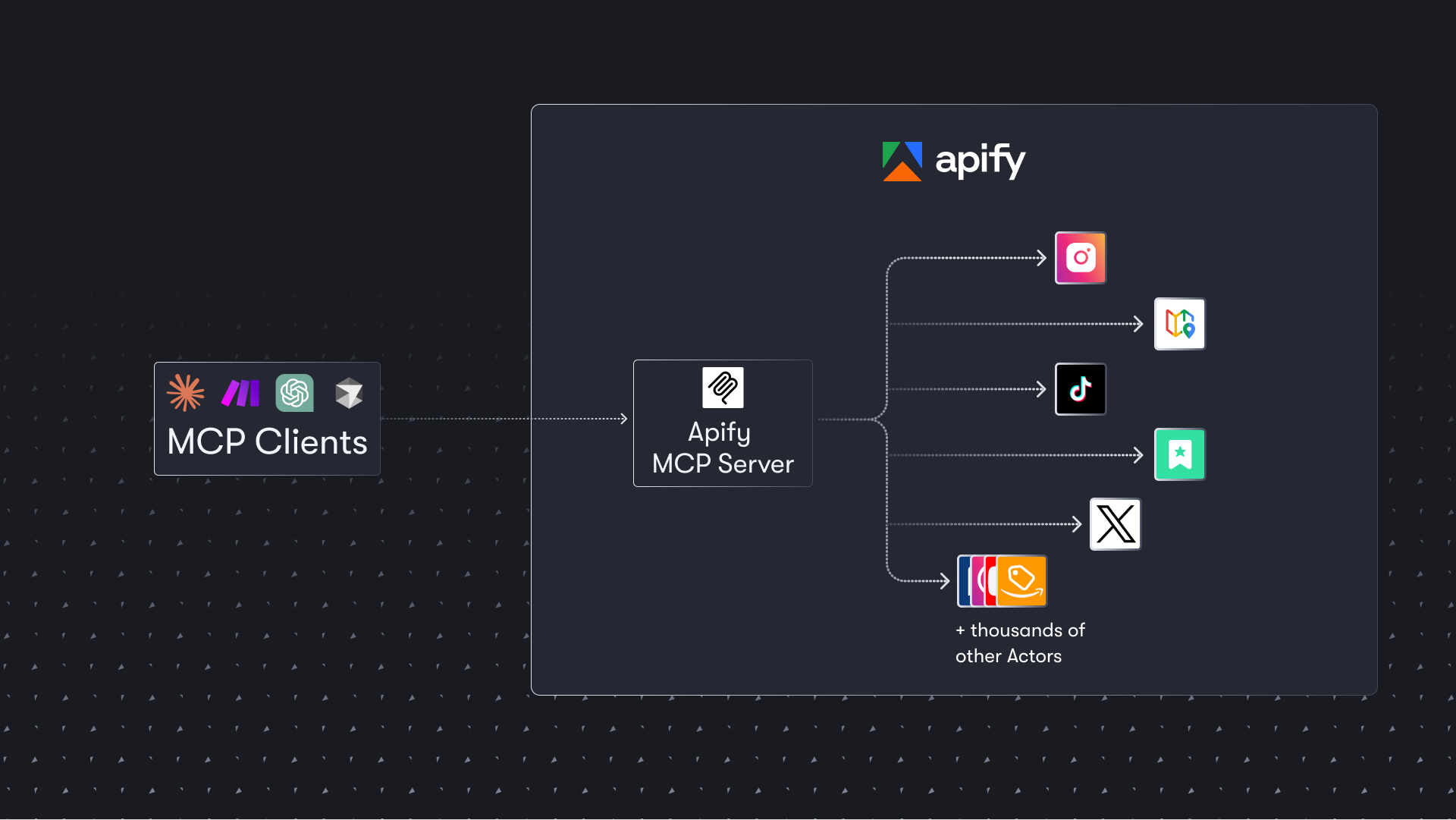
The Apify team solved this problem through the Model Context Protocol, releasing the apify-mcp-server project. Essentially, they turned their entire catalog of ready-made cloud scrapers into a unified tool-calling interface for AI agents.
What It Is and Why You Need It
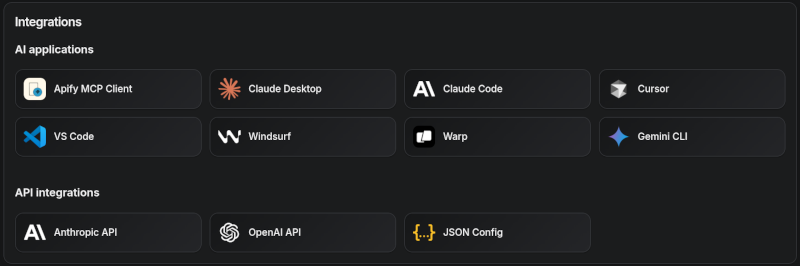
The repository contains an MCP server implementation that connects local or cloud clients (Claude Desktop, Cursor, VS Code, ChatGPT) with the Apify platform. The platform runs thousands of ready-made scripts called Actors. Each such Actor can fetch structured data from specific sites: Google Maps, Facebook, Instagram, online stores, or simply crawl websites for RAG.
Instead of manually describing schemas for dozens of APIs for your model, you connect a single endpoint. The assistant itself searches for the right scraper in the catalog, reads its JSON schema, validates input parameters, and launches data collection.
How Tool Calling Works
The main feature of the server is dynamic tool discovery. You don't need to hard-code the configuration of each required parser in advance.
By default, the server gives the agent a basic set of actions:
search-actorsfinds a suitable scraper in the catalog by text query.fetch-actor-detailsretrieves the input parameter schema and documentation of the found script.call-actorlaunches task execution on Apify infrastructure.get-dataset-itemsfetches ready structured results in batches with pagination support.apify--rag-web-browseris built in as a quick web search and content parsing tool for RAG.
If you ask Claude: "Find the top 10 coffee shops in Prague on Google Maps with phone numbers", the agent doesn't say it has no access. It calls search-actors, finds the Google Maps Scraper, passes coordinates and city to it, waits for the result, and reads the dataset.
{
  "query": "coffee shops in Prague",
  "maxResults": 10
}
The model itself generates this JSON, checking against the parameter schema of the selected scraper.
Connection Options: Cloud vs. Local Run
You can connect the server to the client in two ways. The choice depends on where your agent lives.
1. Hosted Option via Streamable HTTP
The easiest path for Claude.ai or VS Code. Apify's own team hosts it at mcp.apify.com. OAuth authorization is supported, so in some clients you don't even need to copy API tokens manually.
If you only need a specific tool without extra load on the model's context, you can pass parameters directly in the URL:
https://mcp.apify.com?tools=apify/rag-web-browser
In this mode, the server will give the agent only one search tool, without cluttering the context with metadata from other parsers.
2. Local Run via stdio
If you're configuring Claude Desktop or a local agent in the terminal, launch the server via npx:
export APIFY_TOKEN="ваш_токен_apify"
npx @apify/actors-mcp-server --tools actors,docs,apify/rag-web-browser
The local process reads environment variables, gathers schemas, and communicates with the client through standard input/output streams.
Payment Without Creating an Account
An interesting architectural detail relates to agent economics. What do you do if an AI agent works autonomously and doesn't have a registered Apify profile with a linked card?
Developers built in support for automatic payment protocols:
- AGI: the agent purchases a prepaid token with a limit via micropayments through x402 or MPP and uses it as a standard Bearer token.
- Direct x402: payment in USDC on the Base network for each specific run via the
mcpcutility. Unused balance is automatically returned to the agent's wallet after 60 minutes of inactivity. - Skyfire: the agent generates payment tokens through Skyfire infrastructure and passes them in tool call parameters.
This removes the billing headache when agents operate in fully isolated environments.
Technical Nuances and Limitations
The codebase contains several practical solutions worth considering during integration:
- Input parameter schemas are trimmed. Long field descriptions are truncated to 500 characters, and enum value lists are limited to 20,000 characters. This is intentional so that heavy schemas from complex parsers don't eat up the model's context window.
- The
call-actorcall doesn't return the entire parsed data array at once in the first response. It returns the dataset ID and run metadata. To fetch rows, the agent makes the next step viaget-dataset-items. This protects the context from overflowing with gigabytes of text. - Telemetry sending and Sentry are enabled by default in stdio mode. You can disable them with the
--telemetry-enabled=falseflag or theTELEMETRY_ENABLED=falseenvironment variable.
Who Will Find This Project Useful in Practice
If you're building autonomous agents for research, competitor analysis, lead generation, or price monitoring, the project will save weeks of work on scraping infrastructure. Instead of writing your own crawlers, you get ready access to proven parsers through a standardized protocol.
The easiest way to start is by connecting the hosted endpoint https://mcp.apify.com to Claude Desktop or Cursor and testing the basic tool apify/rag-web-browser. For narrow production tasks, it's better to immediately hard-code the list of tools via the tools parameter so the agent doesn't spend tokens on unnecessary catalog searches.
Progetti correlati